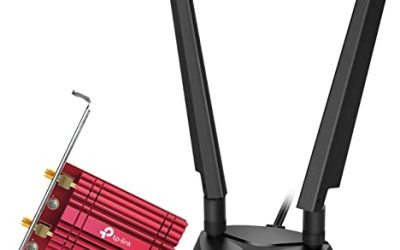
A PCIe Wi-Fi card is a generous gift with hidden conditions. It only delights if the recipient’s desktop has a free PCIe x1 slot, a router that speaks the same Wi-Fi standard, and, for Bluetooth, a spare internal USB header waiting on the motherboard. Guess any of those wrong and your present becomes a return label, so the thoughtful move is to ask two quiet questions about their PC and router before you order anything.
This guide is for partners upgrading a shared home computer, parents fixing a student’s wired-only desktop, and friends rescuing a build that never had wireless. Each card below was selected from its Amazon listing name and specifications, including standard, band speeds, Bluetooth version and stated system support. Because the card must succeed in someone else’s home, the shortlist favours forgiving matches, complete boxes and brackets included over headline speed alone.
Our Top Picks
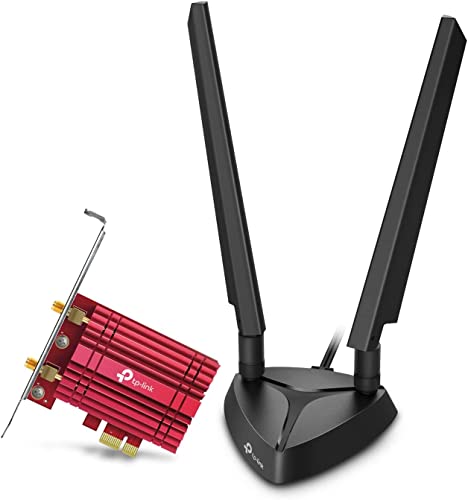 TP-Link WiFi 6E Intel AX210 AXE5400 PCIe WiFi1 Count (Pack of 1)3.75 x 4.76 x 0.85 inches0.59 poundsCheck on Amazon

Top 3 picks at a glance
Quick Picks
As an Amazon Associate we earn from qualifying purchases
| Product | Best for | Key spec from title |
|---|---|---|
| TP-Link Archer TX3000E | A recipient whose case size you are unsure about | Wi-Fi 6 AX3000, Bluetooth 5.3, low-profile bracket included |
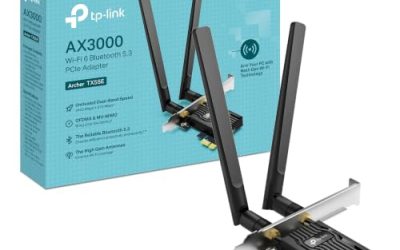
| TP-Link Archer TX55E | A safe Wi-Fi 6 upgrade for most family desktops | Wi-Fi 6 AX3000, Bluetooth 5.2, WPA3, two high-gain antennas |
| ASUS PCE-AX58BT | A desktop owner who trusts the ASUS name | Wi-Fi 6 AX3000, Bluetooth 5.0, two external antennas |
| TP-Link Archer TXE75E | A gamer or streamer who just bought a Wi-Fi 6E router | Wi-Fi 6E AXE5400, Intel AX210, Bluetooth 5.3, magnetic base |
| TP-Link Archer TBE550E | A new Windows 11 build meant to stay current for years | Wi-Fi 7 BE9300, Bluetooth 5.4, multicolor status LED |
How to Choose
Find out which Wi-Fi standard their router actually uses
A gift card cannot outrun the router it connects to, so discreetly learn what sits in the recipient’s hallway before choosing a standard. If their router is Wi-Fi 6, an AX3000 card such as the Archer TX55E uses everything that router offers, while a Wi-Fi 6E or Wi-Fi 7 card would spend its life on the older bands. If they recently upgraded to a 6E or Wi-Fi 7 router, the matching card becomes a genuinely exciting present instead of a sideways step. Router model names are usually printed on a sticker underneath, which a quick photo during a visit can capture without spoiling the surprise.
Confirm the desktop, the slot and the Windows version
PCIe cards are desktop-only gifts, so first be certain the recipient owns a tower you can open, not a laptop or a sealed mini PC. Inside that tower there must be a PCIe x1 slot, or a longer slot, that the graphics card does not cover. Windows version matters just as much: most cards here list 64-bit Windows 11 and 10, but the Wi-Fi 7 Archer TBE550E is not compatible with Windows 10. Giving that card to someone on an older Windows 10 machine guarantees a failed install, however impressive the box looks on the day.
Prefer complete boxes with antennas and brackets included
The best gift is the one that installs in a single session, with nothing left to order. Look for listings that include the antenna arrangement and both bracket heights, the way the Archer TX3000E lists a magnetized antenna base, two high-gain antennas, a low-profile bracket and the Bluetooth header cable. A magnetic base is an especially kind extra, because the recipient can lift the antennas onto the case top instead of leaving them behind the tower. Heatsink designs and tidy driver downloads also help, but completeness in the box is what separates a finished gift from a project.
Remember Bluetooth needs a header, and peripherals are the point
Many recipients will value Bluetooth as much as Wi-Fi, because it brings their headset, controller, keyboard or mouse onto a desktop that never had it. That feature depends on a small cable to a motherboard F_USB connector, noted in the listings for cards such as the Archer TXE75E. Ask whether their motherboard has a free internal USB header, or be ready to help check during installation. Also note the Bluetooth version in the title, which runs from 5.0 on the ASUS card to 5.4 on the Wi-Fi 7 TP-Link, if they pair several modern accessories at once.
The 5 Best Options
TP-Link Archer TX3000E

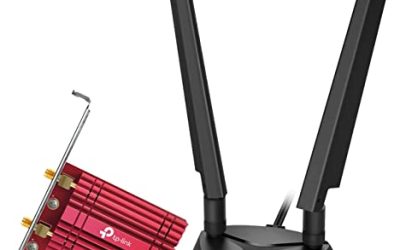
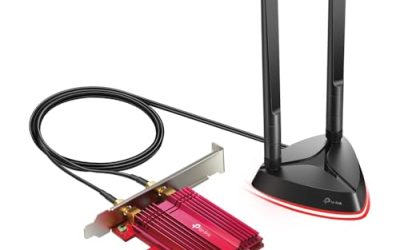
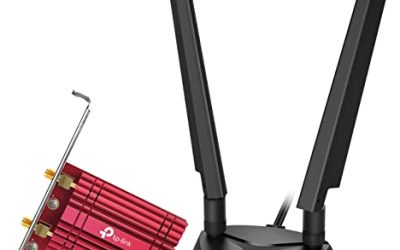
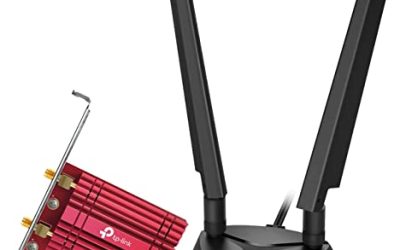
If you are unsure what case the recipient owns, give this one. The Archer TX3000E listing bundles a Wi-Fi 6 AX3000 card with Bluetooth 5.3, a magnetized antenna base, two high-gain antennas, a low-profile bracket and the Bluetooth header cable, covering slim and standard cases in a single box. MU-MIMO and OFDMA are listed for busy home networks. That completeness removes the two most common gift failures, the wrong bracket and the missing cable, and leaves the recipient with a tidy install and antennas they can place properly on top of the case rather than behind it.
Specs
- Wi-Fi standard: Wi-Fi 6 (802.11ax), AX3000 class
- Speeds from title: up to 2402 Mbps on 5 GHz and 574 Mbps on 2.4 GHz
- Bluetooth: 5.3
- Antennas: magnetized antenna base with two high-gain antennas
- Included in listing: low-profile bracket and Bluetooth header cable
- Features: MU-MIMO and OFDMA listed
- Operating system listed: Windows 11, 10 (64bit)
Best for: A recipient whose case size you are unsure about
Watch out for: Driver installation is required, so be ready to help download it if their PC has no wired connection at first.
ASIN: B07ZV2CJL2
TP-Link Archer TX55E
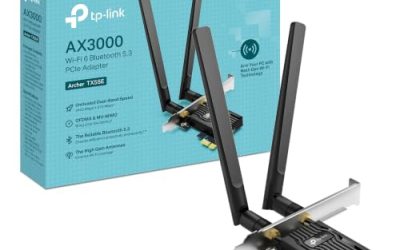
The Archer TX55E is the low-risk present for the average family desktop. Its listing offers Wi-Fi 6 AX3000 speeds of 2402 Mbps on 5 GHz and 574 Mbps on 2.4 GHz, Bluetooth 5.2, WPA3 and MU-MIMO through two high-gain antennas, all matched to the Wi-Fi 6 routers most homes already run. It asks for nothing exotic: a free PCIe slot, 64-bit Windows 11 or 10, and a USB header if Bluetooth is wanted. For a parent or partner whose PC trails an Ethernet cable across the room, it is the gift that quietly removes the cable and the daily irritation with it.
Specs
- Wi-Fi standard: Wi-Fi 6 (802.11ax), AX3000 class
- Speeds from title: up to 2402 Mbps on 5 GHz and 574 Mbps on 2.4 GHz
- Bluetooth: 5.2
- Interface: PCIe adapter for desktop PC
- Antennas: two high-gain antennas
- Security and features: WPA3, MU-MIMO listed
- Operating system listed: Windows 11, 10 (64bit) only
Best for: A safe Wi-Fi 6 upgrade for most family desktops
Watch out for: Confirm their router is not older than Wi-Fi 5 if you expect Wi-Fi 6 features, and check a USB header is free for Bluetooth.
ASIN: B0B1NRGDQ4
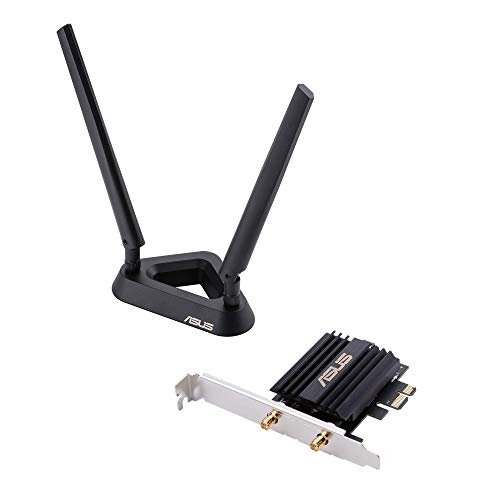
ASUS PCE-AX58BT
Some recipients simply trust a familiar badge, and the ASUS PCE-AX58BT gives them Wi-Fi 6 without complication. The listing describes an AX3000 dual-band PCIe adapter with two external antennas, OFDMA, 2×2 MU-MIMO and WPA3 security, plus Bluetooth 5.0 for a keyboard, mouse or headset. It suits a study or bedroom desktop on a Wi-Fi 6 router, where steady dual-band coverage matters more than a 6 GHz band the home does not broadcast. As a gift it reads as a considered, mainstream upgrade rather than a gamble, which is often exactly the tone you want for a parent’s or colleague’s machine.
Specs
- Wi-Fi standard: Wi-Fi 6 (802.11ax), AX3000 class
- Speeds from title: 2402 Mbps on 5 GHz and 574 Mbps on 2.4 GHz
- Bluetooth: 5.0
- Interface: PCIe wireless adapter
- Antennas: two external antennas
- Features: OFDMA, 2×2 MU-MIMO and WPA3 security listed
- Operating system listed: Windows 11, 10 (64bits) only
Best for: A desktop owner who trusts the ASUS name
Watch out for: Bluetooth 5.0 is the oldest version in this list, so heavy multi-peripheral users may prefer a newer card.
ASIN: B07XLP199J
TP-Link Archer TXE75E
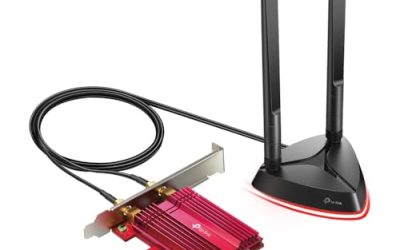
For the recipient who just upgraded their router, the Archer TXE75E is the exciting box to open. Built on the Intel Wi-Fi 6E AX210 chipset, its listing promises an AXE5400 tri-band connection with 2402 Mbps on both 6 GHz and 5 GHz, Bluetooth 5.3, WPA3, MU-MIMO and OFDMA, with a magnetic base for its dual antennas. That base is a thoughtful touch in a gift, because it lets them position the antennas well without buying accessories. It fits a Windows 11 gaming or streaming desktop near a 6E router, where the clean 6 GHz band can carry game downloads and calls without neighbourhood congestion.
Specs
- Wi-Fi standard: Wi-Fi 6E (802.11ax), AXE5400 class
- Speeds from title: up to 2402 Mbps on 6 GHz, 2402 Mbps on 5 GHz and 574 Mbps on 2.4 GHz
- Chipset from title: Intel Wi-Fi 6E AX210
- Bluetooth: 5.3
- Antennas: magnetic base with dual antennas
- Features: WPA3, MU-MIMO and OFDMA listed
- Operating system listed: Windows 10 and Windows 11, with 6 GHz use requiring Windows 11
Best for: A gamer or streamer who just bought a Wi-Fi 6E router
Watch out for: If their router is only Wi-Fi 6, the 6 GHz band stays unused and a simpler card would have been the smarter gift.
ASIN: B09VCVTJV2
TP-Link Archer TBE550E

The Archer TBE550E is a gift for a brand-new build, not for an ageing tower. Its listing describes Wi-Fi 7 in the BE9300 class across three bands, Bluetooth 5.4 and a multicolor status LED, with rated speeds of 5764 Mbps on 6 GHz, 2882 Mbps on 5 GHz and 688 Mbps on 2.4 GHz. It also warns that the card is not compatible with Windows 10. Give it to someone assembling a Windows 11 PC alongside a Wi-Fi 7 router and it feels genuinely future-facing; give it to anyone else and its best features stay locked away behind hardware they do not own yet.
Specs
- Wi-Fi standard: Wi-Fi 7, BE9300 class
- Speeds from title: up to 5764 Mbps on 6 GHz, 2882 Mbps on 5 GHz and 688 Mbps on 2.4 GHz
- Bands: tri-band, 6 GHz, 5 GHz and 2.4 GHz
- Bluetooth: 5.4
- Design: multicolor status LED listed
- Compatibility from title: supports AMD and Intel motherboards
- Operating system listed: not compatible with Windows 10
Best for: A new Windows 11 build meant to stay current for years
Watch out for: Verify both Windows 11 and a Wi-Fi 7 router before buying, because this card forgives neither gap.
ASIN: B0D4PDLX6L
Which One Fits Your Situation
You do not know the exact case or router they have
Choose the TP-Link Archer TX3000E. Its box covers both bracket heights and includes the Bluetooth cable and a magnetic antenna base, so it adapts to the machine you find on installation day. Its Wi-Fi 6 rating also matches the widest range of home routers, making it the gift least likely to need an exchange or a follow-up order for small parts.
The gift is for a parent whose desktop trails a cable
Choose the TP-Link Archer TX55E. It matches the Wi-Fi 6 router most homes already have, adds Bluetooth for the headset they use on family calls, and avoids standards their network cannot use. The result is a simple, permanent fix they will notice every day, rather than a specification they need explained to them over the phone.
They just bought a new router and love new hardware
Choose the TP-Link Archer TXE75E for a Wi-Fi 6E router, or the Archer TBE550E for a Wi-Fi 7 router in a Windows 11 build. Both cards unlock the band their new router was bought for, and both include antenna arrangements that make placement easy. Match the card generation to the router generation and the gift lands as an upgrade, not a duplicate.
They need Bluetooth for controllers and headsets most
Choose the TP-Link Archer TX3000E or TX55E, and confirm a free internal USB header before wrapping either one. The TX3000E brings Bluetooth 5.3 and the header cable in the box, while the TX55E offers Bluetooth 5.2 with a simpler fixed-antenna design. Either way, the peripherals they already own are what make this present feel personal rather than purely technical.
Common Mistakes
- Giving a PCIe card to someone whose only computer is a laptop.
- Buying Wi-Fi 7 for a recipient whose router and Windows version cannot use it.
- Guessing the case size and choosing a card without a low-profile bracket.
- Forgetting that Bluetooth needs a free internal USB header on their motherboard.
- Wrapping the card without checking that a PCIe slot is actually reachable inside their PC.
Frequently Asked Questions
Is a Wi-Fi card a good gift for a non-technical person?
It can be, if you also give the installation. The card itself is a thoughtful fix for a desktop with poor or missing Wi-Fi, but fitting it means opening the case, seating it in a PCIe slot and connecting a small Bluetooth cable. Offer to install it, or choose the most complete box here, the Archer TX3000E, so no extra parts are needed on the day.
What should I ask before buying one as a gift?
Ask, or quietly discover, four things: whether the computer is a desktop tower, which router model they use, which Windows version the PC runs, and whether a headset or controller needs Bluetooth. Those answers decide the standard, the operating system support and the header requirement. A photograph of the router sticker and the back of the PC answers most of it without spoiling the surprise.
Can the recipient install it in a laptop instead?
No. PCIe Wi-Fi cards are full-size desktop expansion cards with a rear bracket and external antennas, and laptops use a completely different internal module format. If the gift is really for a laptop with failing Wi-Fi, a USB adapter from the companion category is the appropriate present. Check the machine type first, because this single mistake accounts for most returns of desktop networking gifts.
What if their router is older than the card I give?
The card will still connect, but only on the bands and standard the router offers. A Wi-Fi 6E card on a Wi-Fi 6 router behaves as a Wi-Fi 6 card, and a Wi-Fi 7 card adds its Bluetooth version and little else. That is not a failure, yet it wastes the reason for choosing the newer model, so matching generations remains the kinder and smarter way to give.
Related guides
More from Amazon
Programs that pair well with the guide above. Offers and eligibility are set by Amazon and may change.
Send a Prime gift membership to someone who would use free shipping and Prime Video.
Gift Amazon PrimeGive audiobooks to someone who loves to listen. Plans and prices are set by Amazon.
Gift AudibleFree shipping on eligible items, Prime Video and more. Eligible new members can start with a free trial.
Start a Prime free trialAd-free music streaming. Eligible new subscribers can start with a free trial.
Try Music Unlimited freeAs an Amazon Associate we earn from qualifying purchases.