The best gaming mouse with programmable buttons puts the actions you use most within reach of your thumb, so you can cast a spell, swap a weapon, or trigger a macro without moving your left hand off the movement keys. Extra buttons only help when they are easy to press without looking, easy to tell apart by touch, and backed by software that makes remapping simple. A mouse with twenty buttons that you keep pressing by accident is worse than a mouse with eleven buttons that you press with confidence.
This guide compares five mice that take button layouts seriously, from an eleven-button all-rounder to a twenty-button MMO mouse. Each pick explains how its buttons are arranged, what the software can do, and who the layout suits. Use the buying guide first to work out how many buttons you actually need, then compare the picks side by side.
Our Top Picks
 Razer Basilisk V3 Customizable RGB Wired Ergonomic GamingMouse2.96 x 5.12 x 1.67 inches0.2 poundsCheck on Amazon


Top 3 picks at a glance

How to Choose a Mouse With Programmable Buttons
Count the buttons you will really use
Button count is the headline number, but the useful number is how many buttons you can press without thinking. Most players use between six and twelve buttons in a session: the two main clicks, a scroll wheel click, a DPI button, two or three side buttons, and maybe a sniper or profile button. MMO and MOBA players often use more, because each ability can live on its own button.
Think about your main games before you shop. Shooter players usually need fewer buttons, and a clean six to eleven button layout keeps the mouse light and the clicks precise. MMO players, strategy players, and players who run complex macros benefit from twelve or more buttons, especially a thumb grid where each button has a distinct position. Buying more buttons than you need adds weight, adds cost, and adds buttons you will press by mistake.
Layout matters more than the total
A thumb grid with twelve buttons in a neat three-by-four pattern is the classic MMO layout. It works because each button sits in a fixed place that your thumb can learn, and the grid shape makes it easy to find a button by feel. A row of two or three large side buttons works better for shooters, where you need to hit one button fast without hunting for it.
Button shape and spacing decide whether a layout works in practice. Raised, separated buttons are easier to tell apart than flat buttons that sit flush with the shell, and a button under the natural rest position of the thumb is easier to reach than one that sits far forward. Check photos of the side panel before you buy.
Software and onboard memory
Programmable buttons are only as good as the software behind them. Good software lets you assign keys, macros, DPI steps, and media controls to each button, and it lets you build profiles for different games that switch automatically. Look for software that is simple to navigate, that saves profiles to the cloud or to the mouse, and that does not need to run in the background for your buttons to work.
Onboard memory is worth having. It stores your button assignments and DPI settings on the mouse itself, so your layout follows you to another computer or to a tournament setup. Without onboard memory, you need to install the software and load your profile every time you move the mouse. Check how many profiles the mouse can store, and whether the software works on your operating system.
Sensor, weight and shape
Extra buttons add weight and size, so the trade-off is real. A mouse with seventeen buttons will be heavier and wider than a mouse with six, and a wide thumb panel can push your grip outward. If you play fast shooters, a lighter eleven-button mouse such as the Logitech G502 HERO or the Razer Basilisk V3 will feel more agile than a heavy MMO mouse. If you play MMOs, the extra buttons are worth the weight, because you will press them far more often than you flick the mouse.
Shape still decides comfort. A right-handed ergonomic shell with a thumb rest supports long sessions with many-button mice, because the thumb has a place to sit between presses. A symmetrical mouse can work too, but the side buttons need to sit within easy reach of the thumb on your dominant side. Try to keep the mouse under 135 grams unless the button layout is the whole point of the purchase.
Switches, polling and cable
The switches under the main buttons decide how clicks feel. Optical switches respond fast and resist double-click faults, while mechanical switches give a firmer, more tactile click. Either type works well, but optical switches have become the safer choice for mice that will see heavy daily use.
Polling rate should be 1,000 Hz for smooth tracking, and a higher polling rate is a bonus for competitive play rather than a requirement. A wired connection keeps latency low and removes battery worries, which is why most many-button mice are wired. If you choose a wireless model, check the battery life and whether the mouse can run wired while it charges.
The Best Gaming Mice With Programmable Buttons
1. Logitech G502 HERO

Logitech G502 HERO Wired Gaming Mouse
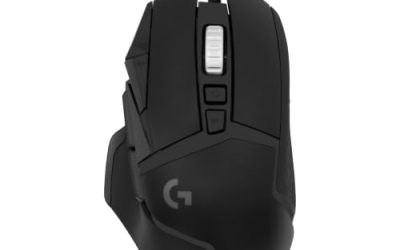
The Logitech G502 HERO is the classic many-button mouse, and it remains the safest all-round pick in this guide. It has eleven programmable buttons, including two main clicks, a scroll wheel with tilt left and right, a DPI shift button, a sniper button under the thumb, and three side buttons. The HERO 25K sensor tracks up to 25,600 DPI, and the mouse carries five 3.6 gram weights in the base so you can tune the balance and the total weight, which is 121 grams before you add weights.
G HUB software handles remapping, macros, DPI stages, and RGB lighting, and settings save to onboard memory. The buttons are large and well spaced, so the thumb buttons are easy to find without looking, and the sniper button sits exactly where the thumb rests, which makes it easy to hold for a temporary DPI drop while aiming. The scroll wheel has a dual mode: a notched mode for precise steps and a free-spin mode for fast scrolling through long pages.
This mouse suits a player who wants many buttons without committing to an MMO thumb grid. It works for shooters, MOBAs, and general play, and it is a strong first many-button mouse because the layout is easy to learn. Its limits are a weight that is higher than the lightest mice in its class, and a right-handed shape that does not suit left-handed players. The cable is braided and reasonably flexible, but it is not as soft as the lightest paracord-style cables.
2. Razer Basilisk V3
Razer Basilisk V3 Wired Gaming Mouse
The Razer Basilisk V3 is an ergonomic wired mouse with eleven programmable buttons and a HyperScroll tilt wheel that is the standout feature of this pick. The wheel can switch between tactile notched scrolling and free-spin scrolling, and it tilts left and right for extra bindings. The Focus Pro 26K optical sensor tracks up to 26,000 DPI, and the mouse uses second-generation optical switches for the main clicks.
The button layout is built around a thumb rest with two large side buttons, a DPI button, and a profile button, plus the tilt wheel directions. Chroma RGB lighting runs through the base, the scroll wheel, and the logo, and Razer Synapse software handles remapping, macros, DPI stages, and lighting profiles. The mouse weighs 101 grams and measures about 130 mm long, with a right-handed ergonomic shell and textured side grips.
This mouse suits a player who wants a comfortable, ergonomic many-button mouse for long sessions. It works well for shooters and action games where the HyperScroll wheel and the thumb buttons carry key actions, and the optical switches give a crisp, consistent click. Its limits are a right-handed only shape, a weight that is higher than the lightest esports mice, and software that needs an account for full cloud features. Players who want a thumb grid should look at the Scimitar or the M908 in this guide instead.
3. Corsair Scimitar RGB Elite
Corsair Scimitar RGB Elite Wired Gaming Mouse
The Corsair Scimitar RGB Elite is built for MMO and MOBA players who want a full thumb grid. It has seventeen programmable buttons, including a twelve-button side panel in a three-by-four grid that slides forward and back by 8 mm, so you can set the panel position to match your thumb length. The sensor tracks up to 18,000 DPI, and the mouse weighs 121 grams with a right-handed ergonomic shell.
The sliding side panel is the feature that sets this mouse apart. Most thumb grids sit in a fixed place, which means players with short thumbs stretch to reach the back row and players with long thumbs crowd the front row. The Scimitar lets you move the whole panel, and iCUE software lets you assign keys, macros, and DPI steps to every button, with profiles that save to onboard memory. The switches under the main buttons are rated for 50 million clicks, and RGB lighting runs through the side panel, the scroll wheel, and the logo.
This mouse suits an MMO or MOBA player who wants twelve thumb buttons and a layout that can be tuned to the hand. It is the best pick in this guide for games with many abilities, and the sliding panel makes it more forgiving of different hand sizes than a fixed grid. Its limits are a large, heavy body that does not suit small hands or fast shooters, and a learning curve: a twelve-button grid takes time to learn by touch, so expect a few weeks before the layout feels natural.
4. Redragon M908 Impact
Redragon M908 Impact Wired Gaming Mouse
The Redragon M908 Impact is the value pick in this guide, and it packs eighteen programmable buttons into a wired MMO mouse. The side panel holds twelve buttons in a three-by-four grid, and the remaining buttons cover the main clicks, the scroll wheel, a DPI button, a rapid-fire button, and a profile switch. The sensor tracks up to 12,400 DPI across five adjustable stages, and the mouse includes eight 2.4 gram weights in the base for tuning the total weight.
Redragon software handles remapping, macros, DPI stages, and RGB lighting, and the mouse stores settings in onboard memory. The shell is an ergonomic right-handed design with a textured grip, and the braided cable is long enough for a large desk. The rapid-fire button is a useful extra for games where holding a key repeats an action, and the DPI stages are marked by colored lights on the side.
This mouse suits a player who wants a full MMO button grid at a lower tier than the Scimitar or the G600. It works well for MMOs, MOBAs, and strategy games where many abilities need their own button, and it is a good way to try a thumb grid without committing to a premium model. Its limits are a heavier, wider body than the all-rounders in this guide, a sensor ceiling that is lower than the premium picks, and software that is simpler and less polished than the software from Logitech or Razer. The side buttons are also smaller than the Scimitar’s, so they take more practice to hit reliably.
5. Logitech G600 MMO

Logitech G600 MMO Gaming Mouse
The Logitech G600 is the veteran MMO mouse in this guide, with twenty programmable buttons and a design that has stayed in production for years because the layout works. The side panel holds twelve buttons in a three-by-four grid, and the mouse adds a G-Shift button that doubles the function of every other button while it is held, so the effective button count is far higher than twenty. The laser sensor tracks up to 8,200 DPI, and RGB lighting runs through the side panel and the logo.
G HUB software handles remapping, macros, and profiles, and the mouse stores three profiles in onboard memory. The shell is a sculpted right-handed design with a ring-finger button on the right side, which gives the ring finger its own binding. The buttons on the side panel are angled and separated, which helps the thumb tell them apart by touch, and the G-Shift button sits under the ring finger so it does not interfere with the thumb grid.
This mouse suits a dedicated MMO player who wants the maximum number of bindings and a layout that has been refined over many years. It is the best pick in this guide for players who run complex rotations and want every ability on the mouse, and the G-Shift function is genuinely useful once you learn it. Its limits are a laser sensor with a lower DPI ceiling than the optical sensors in the other picks, a heavy 133 gram body, and a shape that feels wide for players with small hands. It is also the oldest design here, so its cable and switches feel less modern than the newer mice in this guide.
Comparison Table
| Mouse | Programmable buttons | Sensor | Weight | Layout highlight |
|---|---|---|---|---|
| Logitech G502 HERO | 11 | HERO 25K, 25,600 DPI | 121 g | Sniper button, tilt wheel |
| Razer Basilisk V3 | 11 | Focus Pro 26K, 26,000 DPI | 101 g | HyperScroll tilt wheel |
| Corsair Scimitar RGB Elite | 17 | Optical, 18,000 DPI | 121 g | Sliding 12-button grid |
| Redragon M908 Impact | 18 | Optical, 12,400 DPI | 131 g | 12-button grid, rapid fire |
| Logitech G600 MMO | 20 | Laser, 8,200 DPI | 133 g | 12-button grid, G-Shift |
FAQ
How many programmable buttons do I actually need?
Most players use between six and twelve buttons in a session. Shooter players usually need fewer, while MMO and MOBA players often use twelve or more. Count the actions you press most in your main games, and choose a mouse that covers that count with a few buttons to spare. More buttons than you need add weight and cause accidental presses.
Is a thumb grid hard to learn?
A twelve-button grid takes time to learn by touch, usually a few weeks of regular play. Begin by binding your most-used abilities to the front row, then add the middle and back rows as your thumb learns the positions. A mouse with a sliding panel, such as the Scimitar, makes the learning curve easier because you can set the grid to match your thumb length.
Do I need software running for my buttons to work?
No, if the mouse has onboard memory. Onboard memory stores your button assignments and DPI settings on the mouse, so your layout works on any computer without the software running. You only need the software for the first setup and when you want to change a binding. Check how many profiles the mouse can store before you buy.
Are more buttons always better for gaming?
No. More buttons help in games with many abilities, but they add weight, width, and complexity. In fast shooters, a lighter mouse with fewer, larger buttons is often faster and more accurate than a heavy mouse with a full grid. Choose the button count that matches your games, not the highest number on the box.
Wired or wireless for a many-button mouse?
Most many-button mice are wired, because a wired connection keeps latency low and removes battery worries. Wireless many-button mice exist, but they cost more and need regular charging. If you play at a fixed desk, wired is the simpler choice, and the cable is easy to manage with a bungee or a soft, flexible cable.
Conclusion
The best gaming mouse with programmable buttons is the one whose layout matches your games and your hand. The Logitech G502 HERO is the best all-rounder here, with eleven well-placed buttons, a tunable weight system, and a sensor that covers every genre. The Razer Basilisk V3 is the most comfortable pick for long sessions, with an ergonomic shell and a HyperScroll wheel that adds useful bindings. The Corsair Scimitar RGB Elite is the best MMO mouse, with a sliding twelve-button grid that adapts to your thumb. The Redragon M908 Impact is the best value route into a full thumb grid, and the Logitech G600 is the best pick for players who want the maximum number of bindings and the G-Shift function.
Count the buttons you will really use, check the layout in photos, and make sure the software saves to onboard memory. A layout you can press without looking is worth more than a higher button count on the box.
Disclosure: As an Amazon Associate, we may earn from qualifying purchases.
Related guides
More from Amazon
Programs that pair well with the guide above. Offers and eligibility are set by Amazon and may change.
Free shipping on eligible items, Prime Video and more. Eligible new members can start with a free trial.
Start a Prime free trialAd-free music streaming. Eligible new subscribers can start with a free trial.
Try Music Unlimited freeA Prime membership for ages 18-24 with a trial period. Eligibility is set by Amazon.
See Prime for Young AdultsAudiobooks and podcasts to listen to on the go. Eligible new members can start with a free trial.
Try Audible freeAs an Amazon Associate we earn from qualifying purchases.