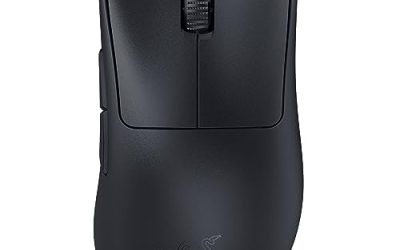
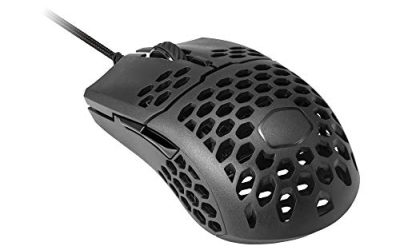
The Razer DeathAdder Essential is a wired, right-handed gaming mouse built around a true 6,400 DPI optical sensor, five programmable buttons, and the long-running DeathAdder ergonomic shape that favours a relaxed palm grip. It suits players who want accurate tracking and a comfortable, larger shell without wireless hardware, extra buttons, or elaborate lighting to manage. If your hand and grip match that shape, it remains the simplest way into the DeathAdder line.


As an Amazon Associate we earn from qualifying purchases
Top 3 picks at a glance

What Matters Most on the Essential
Sensor accuracy comes first
The headline figure on the listing is the true 6,400 DPI optical sensor, and that number deserves context rather than dismissal. DPI describes how far the cursor travels for a given hand movement, not how well the sensor reads the surface underneath it. What matters in play is that the optical sensor tracks consistently as you raise or lower sensitivity in software, so a slow drag for a careful shot and a faster sweep for a turn both land where you expect. For most desktop resolutions and most in-game sensitivity settings, a 6,400 ceiling sits well above the range players actually settle into, which means the Essential is rarely limited by its maximum. It is limited instead by how well its shape lets you control the movement you make, and that is where this mouse puts its effort.
Shape and grip shape every session
The DeathAdder shell is the reason this model keeps its place in the range. The listing describes an ergonomic form with rubber side grips, a raised arch under the palm, and a flared front that gives the main fingers a settled resting position. That geometry rewards a palm grip, where the whole hand rests on the shell and movement comes from the arm and wrist together, and it also works for a relaxed claw grip on medium to larger hands. Smaller hands and fingertip grips are a different story, because the length of the body leaves less room to steer the mouse with the fingers alone. Checking your hand size and usual grip against the listed dimensions before ordering matters more here than any sensor figure.
Switches and buttons stay deliberately simple
Under the main clicks, the Essential uses mechanical switches, and the listing counts five programmable buttons in total. That layout covers the two main clicks, the scroll wheel click, and two side buttons, which is enough for common actions such as melee, push-to-talk, or a grenade key in most shooters, plus everyday back and forward navigation if you leave the side buttons at their default roles. Assignments are handled through Razer Synapse, so think of the five buttons as a short, memorable set rather than a macro bank. Players who bind many abilities to the mouse will feel the ceiling quickly, while players who keep most actions on the keyboard will not miss the extras at all.
Cable, connection, and the weight question
This is a wired mouse with a corded electric power source, so there is no battery to charge, no receiver to keep track of, and no wireless mode to configure. The trade-off is cable management: a wired mouse asks for enough slack on the desk and a clear path so the cord does not catch on a monitor stand or desk edge during wide sweeps. The Amazon listing gives the body at 5 inches long by 2.43 inches wide, which confirms the mid-to-large footprint the shape is known for. Weight figures for this model vary by listing field and by whether the cable is counted, so the honest check is the footprint and the grip fit rather than a single gram number taken out of context.
The Razer DeathAdder Essential in Detail
Begin with the sensor, because it sets the character of the mouse. A true 6,400 DPI optical sensor gives you a wide sensitivity ladder to climb in small steps, and optical tracking avoids the surface quirks that older laser designs were known for. In practical terms, you set a sensitivity that matches your mousepad space, and the sensor’s job is simply to stay faithful to your hand at that setting, across slow corrections and fast flicks alike. The Essential does not chase the very high maximum figures of its newer siblings, and for the audience it is built for, that restraint costs nothing in ordinary play.
The shell is the second half of the story. The listing language returns again and again to the ergonomic form, and for good reason: the contoured right-handed body supports the palm through long sessions, the rubber side grips help the thumb and ring finger hold position during lifts, and the single-colour green lighting on the scroll wheel and logo keeps the look tied to classic Razer styling without a full lighting system to configure. This is a mouse you pick up and use, rather than one you spend an evening tuning.
Specs
- Sensor: True 6,400 DPI optical sensor
- Maximum sensitivity: 6,400 DPI, as listed
- Buttons: 5 programmable buttons
- Switches: Mechanical switches
- Side grips: Rubber side grips
- Colour: Classic Black
- Connection: Wired, corded electric
- Movement detection: Optical
- Model number: RZ01-03850100-R3U1
- Dimensions: 5 inches long by 2.43 inches wide, as listed
- Compatible devices: Personal computer, laptop, and gaming console, as listed
Best for: Palm-grip players with medium to larger hands who want the DeathAdder shape and dependable optical tracking in a wired mouse with nothing extra to manage.
Watch out for: Confirm the shell length suits your hand and grip before ordering, and plan your desk routing so the cable runs freely. Left-handed players should look elsewhere, because this is a right-handed ergonomic body.
Close Alternatives in the DeathAdder Family
The Essential is the entry point, not the whole range. Two wired siblings sit above it, and each changes a specific part of the formula rather than reinventing the mouse. Reading them side by side shows exactly what the extra hardware buys and what it does not.
Alternative: Razer DeathAdder V2
The DeathAdder V2 keeps the same ergonomic idea and raises the sensor ceiling sharply, with a Focus optical sensor rated at 20K DPI in its listing title. It also moves to Razer optical switches, which the listing describes as the fastest gaming mouse switch in the range at its launch, and it expands the layout to eight programmable buttons. Chroma RGB lighting replaces the Essential’s single-colour scheme, and rubberized side grips remain part of the design. Choose the V2 if you want more buttons for bindings, a higher sensor ceiling for very high sensitivity play, and lighting that can match the rest of a Razer setup, while staying with a wired connection and a familiar shape.
Specs
- Sensor: 20K DPI optical sensor
- Buttons: 8 programmable buttons
- Switches: Razer optical switches, described in the listing as the fastest gaming mouse switch
- Lighting: Chroma RGB lighting
- Side grips: Rubberized side grips
- Colour: Classic Black
- Connection: Wired
- Model number: RZ01-03210100-R3U1
Alternative: Razer DeathAdder V3
The wired DeathAdder V3 is the performance end of this comparison. Its listing leads with a 59g ultra-lightweight build, a Focus Pro 30K optical sensor, and optical switches in their third generation. It adds 8K Hz HyperPolling, six programmable buttons, and a Speedflex cable woven for flexibility and minimal drag. The ergonomic shape is refined rather than replaced, so the palm-grip character remains, but the much lighter body changes how the mouse feels during fast, repeated swipes. Choose the V3 if low weight and polling performance are your priorities and you are comfortable paying for competitive hardware aimed at serious play, rather than for everyday comfort alone.
Specs
- Sensor: Focus Pro 30K optical sensor
- Maximum sensitivity: 30,000 DPI, as listed
- Weight: 59g, as listed in the product title
- Buttons: 6 programmable buttons
- Switches: Optical switches Gen-3, listed at up to 90-million clicks
- Polling: 8K Hz HyperPolling
- Cable: Speedflex cable
- Colour: Black
- Connection: Wired, USB
- Model number: RZ01-04640100-R3U1
Side-by-Side Comparison
| Product | Sensor | Max DPI | Buttons | Switches | Connection |
|---|---|---|---|---|---|
| Razer DeathAdder Essential | Optical sensor | 6,400 | 5 | Mechanical switches | Wired |
| Razer DeathAdder V2 | Focus optical sensor | 20,000 | 8 | Razer optical switches | Wired |
| Razer DeathAdder V3 | Focus Pro 30K optical sensor | 30,000 | 6 | Optical switches Gen-3 | Wired |
Read the table from your own desk outward. If five buttons cover your bindings and your sensitivity sits in a normal range, the Essential row is complete for your needs, and the rows below it add capability you may never call on. If you regularly bind more than two side actions, the V2 row is the one that changes your daily play. If you play competitively and notice weight and polling in fast games, the V3 row is aimed at you, and its lighter build is the clearest difference in the whole table.
Who It Is For, and Who Should Skip It
The DeathAdder Essential is for right-handed players with medium to larger hands who grip the mouse with the palm, play at low to moderate sensitivity, and want a wired mouse that works the moment it is plugged in. It also fits a second desk, a travel kit for a gaming laptop, or a first dedicated gaming mouse for someone moving up from a plain office model, because the shape teaches a relaxed grip and the button set stays easy to learn.
Skip it if you are left-handed, if you steer mainly with your fingertips on a small mouse, or if you need wireless freedom for a living-room setup. Skip it, too, if your games demand a deep bank of mouse-side bindings, since five buttons will run out quickly, or if a very light mouse is central to your aim style, in which case the V3 in this same family is the more honest match. None of those are flaws in the Essential; they are boundaries of a deliberately focused design.
Frequently Asked Questions
Is 6,400 DPI enough for modern games?
Yes, for the sensitivity settings most players actually use. In-game sensitivity multiplies the DPI figure, so a 6,400 ceiling leaves ample headroom for both careful, low-sensitivity aiming on a large pad and quicker turns at higher settings. The higher ceilings on the V2 and V3 give more range, not a different kind of accuracy at ordinary settings.
Does the DeathAdder Essential work for palm grip?
That is the grip it is built around. The contoured ergonomic shell, the arch under the palm, and the rubber side grips all support a full-hand resting position, and the listed 5-inch length suits medium to larger hands best. Relaxed claw grip also works for many players, while fingertip grip on smaller hands is the least natural fit.
Is the DeathAdder Essential wireless?
No. The listing specifies a wired connection with a corded electric power source, so there is no battery, no charging routine, and no receiver. You gain a connection that is always ready and lose the freedom to use the mouse away from the desk, which is the right trade for a fixed gaming setup and the wrong one for a sofa.
How many buttons can you program on the Essential?
Five, as listed. That count covers the two main clicks, the scroll wheel click, and the two side buttons, with assignments handled in Razer Synapse. It is enough for a small set of high-value actions. Players who want a larger binding set on the mouse itself should look at the DeathAdder V2, which lists eight programmable buttons.
What is the difference between the Essential and the DeathAdder V3?
Three things stand out from the listings. The V3 raises the sensor ceiling to 30,000 DPI with its Focus Pro sensor, it cuts the build to a listed 59g with a Speedflex cable and 8K Hz HyperPolling, and it uses third-generation optical switches. The Essential keeps the same ergonomic idea in a simpler wired package with a 6,400 DPI sensor, mechanical switches, and five buttons.
Related guides
More from Amazon
Programs that pair well with the guide above. Offers and eligibility are set by Amazon and may change.
Free shipping on eligible items, Prime Video and more. Eligible new members can start with a free trial.
Start a Prime free trialAd-free music streaming. Eligible new subscribers can start with a free trial.
Try Music Unlimited freeA Prime membership for ages 18-24 with a trial period. Eligibility is set by Amazon.
See Prime for Young AdultsAudiobooks and podcasts to listen to on the go. Eligible new members can start with a free trial.
Try Audible freeAs an Amazon Associate we earn from qualifying purchases.