Our Short List of 3

- Best for: Sentinels fans who want a metallic red mouse with team branding.
- Focus Pro 35K Optical Sensor Gen-2, up to 35,000 DPI
- 8,000 Hz HyperPolling wireless
- 54 g symmetrical body
- Gen-3 optical mouse switches

- Best for: Palm-grip players who want an ergonomic red mouse for long sessions.
- Focus Pro 30K Optical Sensor, up to 30,000 DPI
- 63 g ergonomic right-handed body
- Gen-3 optical mouse switches
- 5 programmable buttons

- Best for: Logitech players who want a red flagship that fits most grip styles.
- HERO 2 sensor, up to 44,000 DPI
- 60 g symmetrical body
- 5 programmable buttons
- 888 IPS tracking speed
All 4 Picks at a Glance
| Product | Specs | Action |
|---|---|---|
| Razer Viper V3 Pro Sentinels Edition |
| Check price on Amazon |
| Razer DeathAdder V3 Pro Faker Edition |
| Check price on Amazon |
| Logitech G PRO X Superlight 2 SE Red |
| Check price on Amazon |
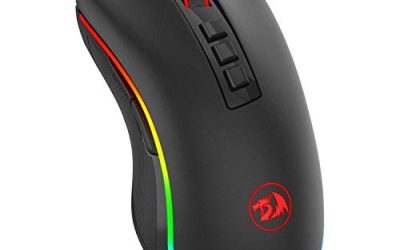
 ATTACK SHARK X11 Red |
| Check price on Amazon |
Choosing a red gaming mouse is a decision about commitment, not lighting. RGB can glow red for an evening and switch back to blue the next day, while a red shell stays red every time you sit down. That permanence is the point for a bold setup, and it is also the trap: many listings show a red glow on a black body, and the mouse that arrives looks nothing like the desk you imagined. Getting the color right means checking the Color field on the listing, not the thumbnail.
This guide covers five mice with shells that are actually red, from two Razer esports editions to a Logitech flagship and a tri-mode mouse with a charging dock. Each pick comes from its Amazon listing, with the sensor, weight, and connection details stated there, so you can match the shape and the hardware to your hand and your games before you commit to the color.
Top 3 picks at a glance
Quick Picks
As an Amazon Associate we earn from qualifying purchases
| Product | Best for | Key spec from title |
|---|---|---|
| Razer Viper V3 Pro Faker Edition | Fastest flicks in competitive shooters | 35,000 DPI sensor with 8K polling |
| Razer Viper V3 Pro Sentinels Edition | A team-branded red setup | 35,000 DPI sensor with 8K polling |
| Razer DeathAdder V3 Pro Faker Edition | Long sessions with a palm grip | Focus Pro 30K sensor, 63 g |
| Logitech G PRO X Superlight 2 SE Red | A red Logitech flagship | HERO 2 sensor, 44,000 DPI |
| ATTACK SHARK X11 Red | Tri-mode use with a charging dock | 22,000 DPI sensor, RGB dock |
How to Choose
Check the Shell, Not the Glow
A red glow and a red mouse are different things. Plenty of black mice light up red, and their thumbnails lean on that glow, so the first check is the Color field on the listing page. Faker and Sentinels editions are printed red shells with black artwork, the Superlight 2 SE Red is a solid red body, and the X11 Red is a red shell with a matching dock. If the listing groups several colors under one page, open the red option itself and confirm the title names the red edition. A mouse that only looks red in a photo will look black on your desk the moment the lighting turns off.
Match the Shape to Your Grip
Red shells come in two shapes here, and the shape decides comfort more than any sensor number. The Viper V3 Pro editions are symmetrical and low, built for claw and fingertip grips that lift and flick the mouse all match. The DeathAdder V3 Pro is a right-handed ergonomic body with a higher hump that fills the palm, which suits players who rest their whole hand on the mouse. The Superlight 2 SE sits between the two, with a plain symmetrical body that works for most grips, while the X11 is a compact symmetrical shape aimed at smaller hands. Hold your current mouse, note where your palm sits, and pick the shape that mirrors it.
Read the Sensor and Polling Rate Together
DPI numbers look dramatic on a listing, but the sensor and the polling rate tell you more about how a mouse behaves. The Viper editions pair a 35,000 DPI sensor with 8,000 Hz wireless polling, so cursor updates arrive far more often than the standard 1,000 Hz of the Superlight 2 SE Red. The DeathAdder Faker uses a 30,000 DPI sensor, and the X11 uses a 22,000 DPI sensor, both with polling rates that suit everyday competitive play. In practice, most players run far below the maximum DPI, so treat the headline number as headroom and weigh the polling rate, the switch type, and the weight alongside it.
Plan How It Charges and Connects
A wireless mouse is only as convenient as its charging routine. The Viper editions run up to 95 hours and the DeathAdder Faker up to 90 hours on a charge, so a weekly USB-C top-up covers most players, while the Superlight 2 SE also charges over USB-C. The X11 takes a different route: it ships with a magnetic RGB charging dock, so the mouse parks itself between sessions and the dock doubles as a desk fixture. Check the connection modes too. The X11 switches between Bluetooth, 2.4 GHz wireless, and wired USB-C, while the Razer and Logitech picks lean on their own low-latency wireless links, so confirm your setup has a free port for the receiver or the dock.
The 5 Best Options
Razer Viper V3 Pro Faker Edition
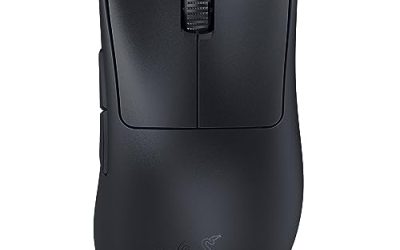
The Faker Edition is the red Viper V3 Pro, built around the same esports hardware as the standard model but finished in a striking red shell with black Demon King artwork and Faker’s signature on the side. At 54 g with 8,000 Hz wireless polling, it is the lightest mouse in this guide and the quickest to move across a pad, which is exactly what claw and fingertip players want in fast shooters. Five buttons keep the layout simple, and the 95-hour battery means charging stays a weekly habit rather than a daily one.
Specs
- Focus Pro 35K Optical Sensor Gen-2, up to 35,000 DPI
- 8,000 Hz HyperPolling wireless
- 54 g symmetrical body
- Gen-3 optical mouse switches
- 8 programmable controls
- Up to 95 hours of battery life
- HyperSpeed wireless with USB-C cable and grip tape included
Best for: Competitive shooter players who want the lightest red mouse in this guide.
Watch out for: The printed red artwork sits on the contact areas, so it can show wear over time, and the symmetrical shape favors claw and fingertip grips over a full palm grip.
Razer Viper V3 Pro Sentinels Edition
- Best for: Sentinels fans who want a metallic red mouse with team branding.
- Focus Pro 35K Optical Sensor Gen-2, up to 35,000 DPI
- 8,000 Hz HyperPolling wireless
- 54 g symmetrical body
- Gen-3 optical mouse switches
Sentinels fans who want a metallic red mouse with team branding.
It is a special edition, so the red finish is tied to this release, and the symmetrical shape still suits claw and fingertip grips best.
The Sentinels Edition is the same Viper V3 Pro hardware in a metallic red finish with Sentinels team branding, made for players who want their mouse to match a red-and-black team setup. It shares the 54 g body, the 35,000 DPI sensor, and the 8,000 Hz wireless polling of the Faker Edition, so the choice between the two comes down to artwork rather than performance. If the Sentinels look fits your desk and the Faker artwork does not, this is the one to pick, with no hardware compromise attached.
Watch out for: It is a special edition, so the red finish is tied to this release, and the symmetrical shape still suits claw and fingertip grips best.
Razer DeathAdder V3 Pro Faker Edition
- Best for: Palm-grip players who want an ergonomic red mouse for long sessions.
- Focus Pro 30K Optical Sensor, up to 30,000 DPI
- 63 g ergonomic right-handed body
- Gen-3 optical mouse switches
- 5 programmable buttons
Palm-grip players who want an ergonomic red mouse for long sessions.
The shape is right-handed only, so left-handed players should look at the symmetrical Viper editions instead.
The DeathAdder Faker Edition takes the same red Demon King artwork and puts it on Razer’s ergonomic flagship, which is the better pick for players who rest their whole palm on the mouse. The right-handed body has a higher hump than the Viper, so long sessions feel less cramped, and the 63 g weight still keeps flicks quick. Its Focus Pro 30K sensor and 90-hour battery cover competitive play without fuss, while the five-button layout keeps every control within easy reach of the thumb and fingers.
Watch out for: The shape is right-handed only, so left-handed players should look at the symmetrical Viper editions instead.
Logitech G PRO X Superlight 2 SE Red
- Best for: Logitech players who want a red flagship that fits most grip styles.
- HERO 2 sensor, up to 44,000 DPI
- 60 g symmetrical body
- 5 programmable buttons
- 888 IPS tracking speed
Logitech players who want a red flagship that fits most grip styles.
The SE lists a 1 kHz report rate rather than the 8 kHz polling of the standard Superlight 2, so confirm the polling spec matches your needs before ordering.
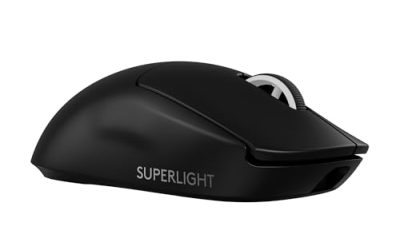
The Superlight 2 SE Red is Logitech’s flagship shape in a solid red shell, aimed at players who already live in the Logitech ecosystem and want the color without switching brands. The HERO 2 sensor reaches 44,000 DPI, the 60 g body is light enough for fast flicks, and LIGHTSPEED wireless keeps the connection steady through long matches. Five programmable buttons and USB-C charging round out a plain, no-nonsense layout that works for claw, palm, and fingertip grips alike.
Watch out for: The SE lists a 1 kHz report rate rather than the 8 kHz polling of the standard Superlight 2, so confirm the polling spec matches your needs before ordering.
ATTACK SHARK X11 Red
- Best for: Players who want a red wireless mouse with a dock and tri-mode connection.
- PixArt PAW3311 sensor, up to 22,000 DPI
- 59 g symmetrical body
- Tri-mode: Bluetooth, 2.4 GHz wireless, and wired USB-C
- 5 programmable buttons
Players who want a red wireless mouse with a dock and tri-mode connection.
The dock needs a spare USB port on your desk, and the brand’s software support is less established than the bigger names in this guide.
The X11 Red is the most practical pick in this guide, pairing a red 59 g shell with a magnetic RGB charging dock that keeps the mouse topped up between sessions. Tri-mode connection covers Bluetooth, 2.4 GHz wireless, and wired USB-C, so it moves between a desktop, a laptop, and a console setup without fuss, and a 10-minute charge gives 5 hours of use when the battery runs low. The PixArt PAW3311 sensor reaches 22,000 DPI, which is ample headroom for competitive play at a far simpler setup than the flagship picks.
Watch out for: The dock needs a spare USB port on your desk, and the brand’s software support is less established than the bigger names in this guide.
Which One Fits Your Situation
You play fast shooters and want the lightest mouse
The Viper V3 Pro Faker Edition is the pick, at 54 g with 8,000 Hz wireless polling and a 35,000 DPI sensor. Its symmetrical body suits claw and fingertip grips, and the red shell with black artwork makes the color statement without adding weight. Choose it when every flick counts and you want the quickest red mouse in this guide.
You want a red mouse that matches a team setup
The Viper V3 Pro Sentinels Edition carries the same 54 g hardware as the Faker Edition, so nothing changes in how it plays. What changes is the look: a metallic red finish with Sentinels branding that ties a red-and-black desk together. Pick it when the team colors matter as much as the sensor.
You rest your whole palm on the mouse
The DeathAdder V3 Pro Faker Edition is the pick, with a right-handed ergonomic body and a higher hump that fills the palm through long sessions. Its 63 g weight and Focus Pro 30K sensor keep aim quick without tiring the hand, and the red Demon King artwork keeps the bold look. Skip it only if you play left-handed.
You want a dock, tri-mode connection, and a simpler setup
The ATTACK SHARK X11 Red is the pick, with Bluetooth, 2.4 GHz wireless, and wired USB-C in one mouse, plus a magnetic RGB charging dock that parks it between sessions. Its 59 g body and 22,000 DPI sensor cover competitive play, and the red shell matches a bold desk without flagship extras. If you already own Logitech gear and want the HERO 2 sensor instead, the Superlight 2 SE Red is the matching alternative.
Common Mistakes
- Ordering the black ASIN from a listing page that groups several colors, then wondering why the mouse that arrives is not red.
- Treating RGB lighting set to red as a red mouse, when the shell underneath is still black.
- Picking a symmetrical esports shape for a full palm grip, or an ergonomic body for a fingertip grip, and blaming the sensor for the discomfort.
- Chasing the highest DPI number on the listing while ignoring the polling rate, the switch type, and the weight.
- Forgetting where the mouse charges, whether that means a dock that needs a spare USB port or a cable that must stay within reach.
Frequently Asked Questions
Do red gaming mice perform differently from black ones?
No. The color is a finish on the shell, and the sensor, switches, weight, and polling rate stay the same across colors of the same model. A red Viper V3 Pro plays exactly like the black one. Choose the color for your desk, and choose the model for your grip and your games.
Will the red finish wear off over time?
Printed and coated red finishes can show wear on the spots your palm and fingers touch most, especially on limited editions with artwork. Grip tape covers the main contact points and slows that wear. Keep the mouse away from harsh cleaning products, and check the listing photos for how the finish holds up on the edges.
Can I just set my RGB lighting to red instead?
You can, and many players do, but the shell underneath stays black, so the mouse looks black whenever the lighting is off or set to another color. RGB also adds nothing to the shape or the sensor. If the red look matters even with the lights off, a red shell is the only way to get it.
Are the Faker and Sentinels editions limited runs?
Both are special editions tied to esports names, so they can leave the market while the standard black and white models stay available. Availability varies by edition and by seller, so confirm the listing title names the exact edition you want before ordering, and confirm the Color field shows the red edition.
Related guides
More from Amazon
Programs that pair well with the guide above. Offers and eligibility are set by Amazon and may change.
Free shipping on eligible items, Prime Video and more. Eligible new members can start with a free trial.
Start a Prime free trialAd-free music streaming. Eligible new subscribers can start with a free trial.
Try Music Unlimited freeA Prime membership for ages 18-24 with a trial period. Eligibility is set by Amazon.
See Prime for Young AdultsAudiobooks and podcasts to listen to on the go. Eligible new members can start with a free trial.
Try Audible freeAs an Amazon Associate we earn from qualifying purchases.