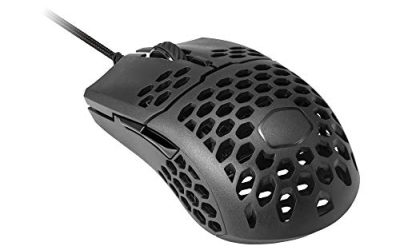
Gaming on a Mac starts with a simple filter that Windows guides can ignore: the mouse has to work properly on macOS, not just plug in and move a cursor. Software support, onboard memory, and a stated macOS system requirement decide whether DPI steps, button remaps, and lighting settings can actually be changed and saved. This guide covers five gaming mice whose Amazon listings state macOS compatibility directly, spanning ultralight esports shapes, button-rich all-rounders, and long-battery wireless options for MacBook and desktop Mac setups alike.


As an Amazon Associate, we earn from qualifying purchases.
Our Top Picks
- Logitech G Pro X Superlight 2 Lightspeed WirelessClassic1.57 x 2.5 x 4.92 inches0.1 poundsCheck on Amazon

Top 3 picks at a glance
Quick answer
For most Mac gamers, the Logitech G PRO X Superlight 2 is the strongest all-round pick, pairing a 60-gram shell and a 44,000 DPI HERO 2 sensor with stated macOS support. Players who want more buttons should choose the G502 X Lightspeed, while the G305 Lightspeed suits smaller budgets and desks, and the SteelSeries Rival 3 Wireless adds Bluetooth for easy MacBook pairing.
How to choose
Start with software, because it decides what the mouse can do after the first plug-in. A listing that names macOS in its operating system field or system requirements is the baseline for this guide. Logitech G Hub support on macOS means DPI, polling, and button assignments can be adjusted on the Mac itself, and onboard memory profiles then carry those settings between machines. If a mouse stores no profiles, expect to redo settings whenever the setup changes.
Next, match the connection to the Mac in front of you. Modern MacBooks offer only USB-C ports, while most gaming receivers are USB-A, so a hub, dock, or adapter is part of the real setup cost for LIGHTSPEED and other 2.4 GHz mice. Bluetooth avoids the dongle entirely and suits casual play and travel, but a dedicated gaming receiver generally gives the lower-latency link competitive players prefer. Wired USB-C fallback also matters for charging without stopping play.
Sensor range is easy to overvalue. Every mouse here tracks far beyond what most players use, so shape, weight, and switch feel matter more day to day than a headline DPI figure. Lighter mice around 60 grams favour fast flicks and low fatigue in shooters, while heavier, sculpted mice near 100 grams give palm-grip players more control and more buttons for MOBA, MMO, and strategy games. Check grip style honestly: fingertip and claw grips suit flat, light shells, while palm grips suit taller ergonomic shapes.
Battery approach is the last practical split. Rechargeable mice with USB-C charging reduce waste and downtime, while AA and AAA powered mice trade a little convenience for very long runtimes and instant swaps. Consider where the mouse will live, too. A desk-bound Mac Studio setup can favour a heavier feature mouse, while a MacBook that moves between rooms benefits from Bluetooth, light weight, and a receiver that stores inside the mouse body.
Logitech G PRO X Superlight 2 Wireless Gaming Mouse
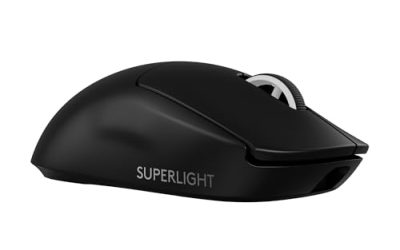
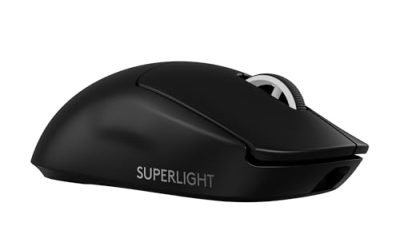
The Logitech G PRO X Superlight 2 in black is the esports-leaning option in this lineup, built around low weight and a very fast sensor. Its Amazon listing states an operating system of Windows and macOS, and the title confirms it is made for PC and Mac, which satisfies the compatibility filter for this guide. The mouse weighs 60 grams, uses the HERO 2 sensor with up to 44,000 DPI, and supports an 8 kHz report rate, giving competitive shooter players a specification set aimed squarely at fast, precise tracking.
Five programmable buttons keep the layout simple, which suits fingertip and claw grips that prioritise aim over macros. LIGHTSPEED wireless handles the gaming connection, and charging is over USB-C, matching the ports on current MacBooks and simplifying cable sharing with other desk gear. LIGHTFORCE hybrid switches are listed for the primary clicks, combining optical actuation speed with a mechanical feel.
For Mac players, the appeal is focus rather than extras. There is no Bluetooth mode listed, so the receiver is the wireless path, and MacBook owners should plan for a USB-C adapter or dock for that receiver. Players who want RGB lighting, a tilting scroll wheel, or a large thumb-button cluster should look at the G502 models below instead. Players who mainly play shooters and value a light, symmetrical shell with stated macOS support will find this the cleanest fit in the guide, provided the simple button count matches the games on the Mac.
Logitech G502 X Lightspeed Wireless Gaming Mouse
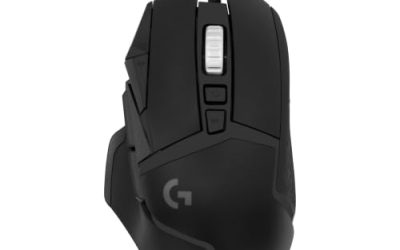
The Logitech G502 X Lightspeed in black is the button-rich all-rounder, and its listing states system requirements of Windows 10 or later and macOS 10.14 or later, making its Mac support explicit. It uses the HERO 25K sensor with a resolution range of 100 to 25,600 DPI, LIGHTSPEED wireless with an updated protocol, and LIGHTFORCE hybrid optical-mechanical switches for the primary buttons. Weight is listed at 102 grams, and battery life under constant motion is listed at up to 140 hours.
Thirteen programmable controls are the defining feature. That count includes a reversible and removable DPI-shift button for temporary sensitivity drops, plus a redesigned dual-mode scroll wheel that switches between hyper-fast free spin and precise ratchet steps. Five onboard memory profiles store settings on the mouse itself, and PTFE feet and a USB-C charging port round out the listed details. POWERPLAY compatibility is also listed for wireless charging at rest and during play with the separate charging system.
On a Mac, this is the pick for players who split time between shooters, MOBAs, and productivity, and who actually use extra buttons for abilities, push-to-talk, or editing shortcuts. The right-handed shape and higher weight will not suit small hands or fingertip grips as well as the lighter mice here, and there is no Bluetooth mode listed, so the receiver needs a port or adapter on a MacBook. For a single desk mouse that covers many genres on macOS, it offers the broadest control set in this guide.
Logitech G502 Lightspeed Wireless Gaming Mouse
The original Logitech G502 Lightspeed remains a strong Mac option for players who like a sculpted shape and adjustable weight. Its Amazon listing states OS compatibility with Windows 7 or later and Mac OS X 10.11 or later, alongside Chrome OS, so Mac support is written into the product page itself. It uses a HERO sensor delivering up to 25K DPI, LIGHTSPEED wireless with a 1 ms report rate, and a USB report rate of 1,000 Hz.
Battery life is listed at up to 60 hours of uninterrupted gaming, and the mouse is POWERPLAY compatible for charging with the separate wireless charging system. Tunable weights are a signature feature here: the box contents list two 4-gram weights and four 2-gram weights, letting owners adjust balance and heft in a way fixed-weight ultralight mice cannot. LIGHTSYNC RGB lighting is also part of the listed feature set, for players who want the desk lighting to match the rest of a setup.
Compared with the newer G502 X Lightspeed, this model trades the hybrid switches and longer battery rating for the weight-tuning system and an established shape that many palm-grip players already know. It is heavier and larger than the Superlight 2 and G305, so small hands and fingertip grips are better served elsewhere in this guide. For Mac gamers who want a proven ergonomic shell, adjustable mass, and stated Mac OS compatibility from the listing, it remains an easy mouse to shortlist, especially for mixed gaming and everyday desktop use.
Logitech G305 Lightspeed Wireless Gaming Mouse
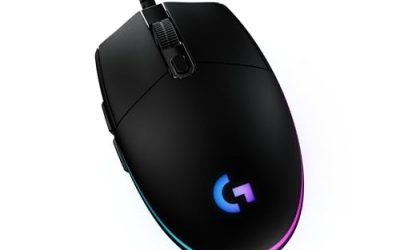
The Logitech G305 Lightspeed in black is the compact, long-running option for Mac gamers who want LIGHTSPEED wireless without a large shell or a rechargeable battery routine. Its Amazon listing describes it as compatible with PC and Mac, lists the HERO sensor with 12,000 DPI, six programmable buttons, onboard memory, and up to 250 hours of battery life on a single AA battery. That endurance figure is the headline for laptop setups, where charging cables and docks are already competing for space.
The HERO sensor and 1 ms LIGHTSPEED connection keep it firmly in gaming territory despite the simple shape, and onboard memory means a saved profile travels with the mouse between a MacBook and a desktop Mac. The listing also notes an Endurance mode through Logitech G HUB software that can extend battery life further, which suits players who split time between work and play on the same machine. Its smaller, symmetrical body suits small to medium hands and fingertip or claw grips better than large palm grips.
Trade-offs are straightforward. There is no Bluetooth and no RGB lighting, the receiver needs a USB-A connection point on modern MacBooks, and AA batteries need replacing rather than recharging. In return, the G305 offers one of the simplest paths into wireless gaming on macOS in this guide: a light body, a gaming-grade sensor, stated Mac compatibility, and a battery that lasts for months of regular sessions. For students, travellers, and anyone gaming on a MacBook away from a fixed desk, that combination is hard to argue with.
SteelSeries Rival 3 Wireless Gaming Mouse
The SteelSeries Rival 3 Wireless adds the one connection the Logitech picks here lack: Bluetooth. Its Amazon listing states compatibility with Windows, Mac, Xbox, and Linux with a USB port required, and lists the operating system as Windows, Mac, Xbox, PlayStation 4, PlayStation 5, and Linux. Quantum 2.0 Dual Wireless provides both 2.4 GHz wireless through the included micro-dongle and Bluetooth 5.0, so the same mouse can pair to a MacBook without a dongle for everyday use and switch to the gaming receiver for play.
The TrueMove Air optical sensor is listed at 18,000 CPI with 400 IPS tracking and 40G force, and the mechanical switches are rated at 60 million clicks. Battery life is the standout figure, listed at more than 400 hours in high-efficiency gaming mode, powered by AAA batteries, with weight listed at 106 grams with two AAA batteries or 95 grams with one. The box contents list the mouse, two AAA batteries, the micro-dongle, and an installation guide, and SteelSeries Engine software support is noted on the page.
For Mac owners who move between a desk and a sofa, or between a Mac and another device, that dual-wireless flexibility is the reason to choose it over the Logitech models. Competitive players should note the sensor ceiling and polling are more modest than the Superlight 2, and AAA power will not suit everyone. As a versatile, Mac-stated wireless gaming mouse with exceptional battery life and a genuine Bluetooth option, it earns its place as the flexibility pick in this guide.
Who should skip
Skip this entire category if the Mac is only used for office work and casual browsing, because a standard office mouse will handle that job with less setup. Skip wireless gaming mice altogether if the setup has no spare port, hub, or adapter for a USB-A receiver and no interest in Bluetooth models, since most gaming receivers still assume a USB-A socket. Left-handed players should also pause here, because four of these five mice use right-handed or neutral shapes that may not fit, and stated left-handed gaming options on macOS are limited. Finally, skip any mouse whose listing does not name macOS at all, even if the same model is popular on Windows, because button software and firmware tools may never reach the Mac.
FAQ
Does a gaming mouse need special software to work on a Mac?
Basic pointing and clicking work as soon as the mouse connects, with no software required. Software matters for remapping buttons, setting DPI steps, and saving profiles, so a listing that states macOS support is important. Mice with onboard memory are especially useful, because saved settings stay active even when the configuration app is not running on the Mac.
Is Bluetooth or a 2.4 GHz receiver better for gaming on a Mac?
A 2.4 GHz gaming receiver generally provides the lower-latency connection that fast-paced games reward, which is why most models in this guide lead with LIGHTSPEED or an equivalent receiver link. Bluetooth is more convenient for MacBooks because it needs no dongle or adapter, and it suits slower-paced games and everyday use. A dual-wireless mouse offers both paths in one body.
How do USB-A receivers work with USB-C only MacBooks?
The receiver plugs into a USB-C hub, dock, or a small USB-C to USB-A adapter, which most MacBook gaming setups already use for other accessories. Once connected through that chain, the mouse behaves as it would on any other computer. Players who want to avoid adapters entirely should choose a Bluetooth-capable model such as the Rival 3 Wireless, or use a wired connection where one is offered.
Which grip styles suit these Mac gaming mice?
Palm-grip players are best matched by the taller, sculpted G502 shapes, which support the whole hand and carry more buttons. Fingertip and claw grips suit the lighter, flatter Superlight 2 and G305, which are easier to lift and reposition quickly. Hand size matters as much as grip, so smaller hands should favour the compact models and larger hands the full-size ergonomic shells.
Final verdict
The Logitech G PRO X Superlight 2 is the default recommendation for Mac gamers who play shooters, thanks to its 60-gram weight, 44,000 DPI HERO 2 sensor, and macOS support stated on its listing. The G502 X Lightspeed is the better single-desk choice for players who use many buttons across several genres, while the G502 Lightspeed adds tunable weights for palm-grip fans. The G305 Lightspeed covers compact, long-battery MacBook gaming, and the SteelSeries Rival 3 Wireless is the flexibility pick for Bluetooth pairing and very long runtimes. Every model here earned its place by stating macOS compatibility on its own product page, which is the first check any Mac gamer should make.
Product and ASIN Reference
| Product | ASIN |
|---|---|
| Logitech G PRO X Superlight 2 Wireless Gaming Mouse | B09NBWL8J5 |
| Logitech G502 X Lightspeed Wireless Gaming Mouse | B092CRH1RX |
| Logitech G502 Lightspeed Wireless Gaming Mouse | B07L4BM851 |
| Logitech G305 Lightspeed Wireless Gaming Mouse | B07CGPZ3ZQ |
| SteelSeries Rival 3 Wireless Gaming Mouse | B08GB2PF71 |
Related guides
More from Amazon
Programs that pair well with the guide above. Offers and eligibility are set by Amazon and may change.
Free shipping on eligible items, Prime Video and more. Eligible new members can start with a free trial.
Start a Prime free trialAd-free music streaming. Eligible new subscribers can start with a free trial.
Try Music Unlimited freeA Prime membership for ages 18-24 with a trial period. Eligibility is set by Amazon.
See Prime for Young AdultsAudiobooks and podcasts to listen to on the go. Eligible new members can start with a free trial.
Try Audible freeAs an Amazon Associate we earn from qualifying purchases.