An optical port on a sound card solves one problem very well: it sends a clean digital signal from the PC to a soundbar, AV receiver, external DAC, or powered speakers without picking up the electrical noise that plagues analog cables inside a computer case. If your motherboard lacks a TOSLINK jack, or its onboard audio hisses when the GPU spins up, a dedicated card or adapter with optical output is the practical fix. The key decision is whether you want an internal PCIe card or a plug-in external unit.
This guide covers eight options for 2026 builds, from Creative’s Sound Blaster family to GLOTRENDS Hi-Fi cards and two USB external adapters. A caution first: only some titles explicitly state optical output, so we flag those that do not. Judgments come from the listed specs, and you should confirm the S/PDIF or optical jack on the product page before ordering.
Our Top Picks

Top 3 picks at a glance
Quick Picks
As an Amazon Associate we earn from qualifying purchases at no extra cost to you.





| Product | Best for | Key spec from the title |
|---|---|---|
| Sound Blaster Audigy Fx Pro | Basic PC audio upgrade | Hi-Res PCIe, surround sound, clean audio |
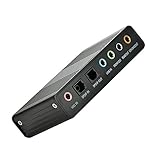
| Optimal Shop 6 Channel External | Laptops and tight cases | USB 2.0, 5.1 surround, optical S/PDIF |
| GLOTRENDS ST113 | Isolated digital output to a DAC or amp | ES9018K2M DAC, isolated optical output |
| Sound Blaster AE-X | Desktop users who like app control | 32-bit/384kHz, Hi-Res PCIe, desktop app |
| GLOTRENDS ST115 | Hi-Fi desks with headphone and optical | ES9038Q2M DAC, optical/coax, headphone amp |
| Sound Blaster Recon3D THX | Gamers already in the Creative ecosystem | THX PCIe sound card SB1350 |
| StarTech 7.1 USB Audio Adapter | Portable digital S/PDIF output | 7.1 surround, digital SPDIF, USB external |
| Sound Blaster Z SE | Headphone-heavy gaming rigs | 24-bit/192kHz, 116 dB SNR, 600 ohm headphone amp |
How to Choose
What optical can and cannot carry
A TOSLINK optical link handles two-channel PCM up to 24-bit/192kHz, or compressed 5.1 formats like Dolby Digital and DTS. It does not carry uncompressed multichannel PCM, so a 7.1 card feeding a receiver over optical will not deliver eight discrete channels. If you want a surround signal from games, look for a card that can encode Dolby Digital Live or DTS Connect; the title will not tell you, so check the manual.
Internal PCIe or external USB
Internal cards need a free PCIe slot, usually x1, and enough clearance next to the graphics card. External adapters, like the StarTech and the Optimal Shop, work on laptops and cost less, but they depend on USB power and cable quality. For a desktop that stays put, a PCIe card keeps the desk clear and avoids another cable to manage.
Drivers, software, and extra outputs
The GLOTRENDS titles mention driver-free setup, while Creative cards come with desktop software for EQ and effects. Driver-free is easier on Linux and in locked-down offices; software suites add features but can be heavier. Beyond optical, check for a line out and headphone amp if your desk uses both speakers and headphones, as the Sound Blaster Z SE and GLOTRENDS ST115 titles suggest.
What to ignore and where budget cards cut corners
Ignore bit-depth and sample-rate headlines alone; a card advertising 32-bit/384kHz only helps if the rest of your chain supports it. Budget cards save on analog components and shielding, and cheap external adapters may have noisy headphone outputs. If you only need optical, you can ignore the headphone amp and focus on digital output stability and the cable you plan to use.
The 8 Best Options
Sound Blaster Audigy Fx Pro
A Hi-Res PCIe card that targets people upgrading from weak onboard audio. The title lists Hi-Res audio, surround sound, and clean audio, but does not mention optical, so verify the jack on the spec page. It is a simple, familiar name for buyers who prefer a mainstream brand and a straightforward PCIe slot install. For a first dedicated card in an older desktop, that familiarity is worth something, since driver downloads and setup guides are easy to find.
- Strength: Hi-Res PCIe design is a clear step up from many onboard chips.
- Strength: A mainstream brand makes driver and support searches easy.
- Trade-off: The title does not state optical output.
Skip it if optical is non-negotiable and you cannot confirm the jack before buying, or if you want a card with documented digital-output details in the title.
Optimal Shop 6 Channel External Sound Card
This USB 2.0 external adapter lists 5.1 surround sound and optical S/PDIF, intended for PC and laptop use, and recording is mentioned. It suits anyone whose laptop or small-form-factor build lacks a PCIe slot and who wants a low-cost way to add a TOSLINK output for a soundbar. Because it plugs into USB, you can also move it between a desktop and a laptop as your setup changes.
- Strength: Optical S/PDIF is explicitly listed.
- Strength: USB external design works across laptops and desktops.
- Trade-off: It is a generic brand with limited detail on chips and driver support.
Skip it if you want a Hi-Fi DAC or a known brand with active software updates, since generic external cards often have thin documentation.
GLOTRENDS ST113
A PCIe card built around an ES9018K2M DAC with ESS SABRE32 branding, driver-free setup, and an isolated optical output. The word isolated matters: it suggests the digital path is kept apart from the noisy PC side. It fits people who feed a separate DAC or receiver and want a clean digital handoff. The driver-free approach also means the card should show up as a standard audio device, which is helpful if you switch between operating systems.
- Strength: The title promises isolated optical output.
- Strength: Driver-free setup removes software installation steps.
- Trade-off: A Hi-Fi focus means it lacks the gaming effects suite of Creative cards.
Skip it if you want surround processing, an app, or a gaming-oriented feature set, because this design is about clean output rather than effects.
Sound Blaster AE-X
A PCIe card with Hi-Res audio, 32-bit/384kHz support, and desktop app support in the title. It fits desktop users who like to adjust EQ and profiles through software. Optical output is not mentioned in the title, so check the specification list before making it your pick. The app side suits people who like switching between profiles for music, movies, and voice chat without opening a mixer.
- Strength: 32-bit/384kHz appears in the title, a high-resolution spec.
- Strength: Desktop app support gives control over profiles.
- Trade-off: The title does not state optical output.
Skip it if you want plug-and-play without software or you need optical confirmed.
GLOTRENDS ST115
Another Hi-Fi PCIe option, built around an ES9038Q2M DAC. The title lists optical and coax outputs, a 3.5mm jack, driver-free setup, a dedicated headphone amp, and true line out. It suits a desk that uses digital output to a receiver and headphones for late-night listening. The line out is the other piece, feeding powered speakers or an amp when you are not using the digital path.
- Strength: Optical and coax outputs are both listed.
- Strength: A dedicated headphone amp and true line out add flexibility.
- Trade-off: It is a niche brand with fewer community resources than Creative.
Skip it if you want gaming software or a household-name brand.
Sound Blaster Recon3D THX
The title is short: Creative Sound Blaster Recon3D THX PCIe, SB1350. It is a familiar gaming-oriented card for buyers who want a Creative product. There are no details on optical output, so treat this as a verify-first candidate. It makes the most sense for someone who already uses Creative’s control panel and wants a familiar PCIe card with a gaming focus.
- Strength: THX branding signals a gaming and cinema audio focus, which may appeal to movie-and-game desks.
- Strength: PCIe format avoids external cables.
- Trade-off: The listing gives little detail, so optical output is unconfirmed.
Skip it if you need documented specs in the title or want the latest design, because the short listing leaves most questions unanswered and an older card may have less current software support.
StarTech 7.1 USB Audio Adapter
An external USB adapter, model ICUSBAUDIO7D, that lists up to 7.1 surround sound and digital SPDIF alongside analog outputs. It works with a laptop or PC and sits in a pocket or bag, which is handy for a work laptop that only occasionally connects to a home theater. It suits users who need a quick, portable digital output rather than a permanent card.
- Strength: Digital SPDIF is listed in the title.
- Strength: The external form works without opening the PC.
- Trade-off: It is not a Hi-Fi DAC, and USB adapters add a cable.
Skip it if you want a premium DAC chip or a headphone amp for high-impedance cans.
Sound Blaster Z SE
A PCI-e gaming sound card and DAC with 24-bit/192kHz, a 116 dB SNR, ASIO support, a headphone amp for up to 600 ohms, and mic EQ. It is aimed at headphone-heavy gaming desks. Optical is not named in the visible title, so confirm it on the spec sheet.
- Strength: A 600 ohm-capable headphone amp suits demanding headphones.
- Strength: ASIO support is useful for low-latency audio work.
- Trade-off: The title does not confirm optical output.
Skip it if you only want a digital handoff to a receiver and no analog features, since the card is built around headphones, mic processing, and gaming rather than pure digital output.
Which One Fits Your Situation
You have a laptop or mini PC
The StarTech 7.1 USB Audio Adapter lists digital SPDIF and needs no PCIe slot, while the Optimal Shop external model also names optical S/PDIF.
You feed a separate DAC or receiver
The GLOTRENDS ST113 lists an isolated optical output, which fits this use. The ST115 adds coax and a headphone amp.
You want gaming software and profiles
The Sound Blaster AE-X lists desktop app support and Hi-Res specs, though you should verify its optical port first.
You use demanding headphones
The Sound Blaster Z SE lists a headphone amp for up to 600 ohms and ASIO, making it the choice for headphone-focused desks.
Common Mistakes
- Assuming every sound card has an optical jack without checking the spec page.
- Expecting 7.1 discrete channels over optical, which only carries stereo PCM or compressed 5.1.
- Ignoring PCIe slot clearance next to a large graphics card.
- Forgetting that a TOSLINK cable is often not included.
- Paying for a headphone amp when only the digital output matters.
Related guides
- When I Turn On Record Game In Background On Gamebar. Gamebar Crashes, What Do I Do?
- How To Reduce Background Noise On A Streaming Microphone
- Poly Computer Accessories Company Streaming Evaluation
Frequently Asked Questions
Is optical audio better than analog?
Optical avoids electrical noise inside the PC, so it can be cleaner when feeding a receiver or DAC. Analog output depends on the card’s quality, so a good DAC chip can still sound excellent.
Does optical support surround sound?
Only compressed formats like Dolby Digital or DTS, plus stereo PCM. For uncompressed multichannel audio, you need HDMI or analog connections.
Do I need a sound card if my motherboard has optical?
Probably not. A card helps if the onboard output is noisy, lacks features, or the motherboard has no TOSLINK jack at all.
Are USB adapters worse than PCIe cards?
Not necessarily. They are more portable and avoid case interference, but cheap ones can use weaker components. Consider your use case and look for owner feedback on the specific unit.