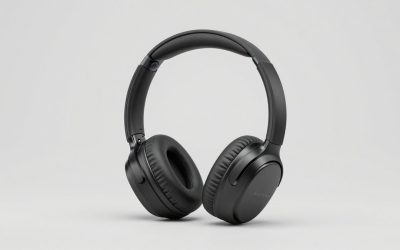
Every motherboard has onboard audio, and most of it is fine until you plug in a pair of demanding headphones and hear hiss, weak volume or a thin low end. The reason to buy a sound card with a DAC is to move the digital-to-analog conversion and the headphone amplifier off the crowded motherboard and into a dedicated circuit. The keyword narrows the field to cards where the converter chip or the DAC function is a named selling point, not an afterthought.
This guide is for desktop owners with a free PCIe slot, laptop users who need an external option, and listeners with high-impedance headphones. It covers seven options, from internal gaming cards to a pocket USB dongle, using only what each title states. The aim in 2026 is simple: help you match the form factor, connectors and amp strength to your gear before you spend anything.
Our Top Picks
Top 3 picks at a glance
Quick Picks
As an Amazon Associate we earn from qualifying purchases at no extra cost to you.



| Product | Best for | Key spec from the title |
|---|---|---|
| Sound Blaster AE-X | Desktop gamers wanting a Hi-Res PCIe card | PCIe, 32-bit/384kHz |
| Cubilux 7.1 USB Sound Card | Laptops and PCs needing an external card | 7.1 surround, 48KHz-384KHz sample rate, aluminum body |
| Sound Blaster Z SE | High-impedance headphones on a desktop | 24-bit/192kHz, 116 dB SNR, 600 ohm headphone amp |
| GLOTRENDS ST115 | Hi-Fi listening with digital outputs | ES9038Q2M DAC, optical/coax, true line out |
| Cubilux USB to 3.5mm DAC | Travel and quick headphone upgrades | 384kHz/32-bit USB DAC dongle, UAC 2.0 |
| Sound BlasterX AE-5 Plus | Feature-rich gaming card with a strong amp | SABRE32-class DAC, 32-bit/384kHz, Dolby Digital and DTS |
| StarTech 7.1 USB Audio Adapter | Surround and digital out from a USB port | Up to 7.1 surround, digital SPDIF |
How to Choose
Internal card or external box
An internal PCIe card draws power from the slot and avoids desk clutter, but it sits inside a case full of electrical noise and needs a free slot. An external USB device works with laptops, avoids that noise and moves between machines. If you own only a laptop or a small-form-factor desktop, the choice is made for you. If you own a full tower and a high-end headphone, internal cards with shielded layouts are worth a look.
Sample rate, bit depth and the DAC chip
Listings quote 24-bit/192kHz or 32-bit/384kHz. Either exceeds CD quality (16-bit/44.1kHz) comfortably, and the audible gap between them is small for most listeners. A named DAC chip, such as an ES9038Q2M or a SABRE-class part, is a better quality signal than a bare sample rate. Signal-to-noise ratio, where stated, is useful: higher numbers mean less hiss in quiet passages.
Headphone amplifier strength
If your headphones are 32 to 80 ohms, almost any card will drive them. For 250 ohms and above, look for a dedicated amp, ideally one that states support up to 600 ohms. A card that lists a headphone amp but no impedance range leaves you guessing. Watch for a separate line-out when you want to feed powered speakers or an external amplifier.
Ports, drivers and platform support
Match the connectors to your setup: optical and coaxial for digital hi-fi gear, 3.5mm for headphones, and RCA or multichannel jacks for speakers. Driver-free operation, such as UAC 2.0 compliance, matters for macOS and Linux users. Gaming-oriented cards often come with desktop control apps for equalizers and profiles, which are handy but add software to manage. The cheapest options skimp on output connectors and rely on the operating system’s default mixer.
The 7 Best Options
Sound Blaster AE-X
The title calls it a Hi-Res PCIe sound card for PC with 32-bit/384kHz audio, PC audio support and desktop app support. It targets desktop owners who want a straightforward upgrade over onboard audio from a familiar maker, with software controls on the desktop for tuning.
- Strength: 32-bit/384kHz support places it among the higher-resolution cards listed.
- Strength: desktop app support means you can adjust profiles and equalizers without extra hardware.
- Trade-off: the title does not state a headphone amp range or a named DAC chip, so you cannot judge drive strength for demanding headphones.
Skip it if you own only a laptop, since it needs a PCIe slot. It suits gamers who want a simple, well-supported internal card and are satisfied with typical headphone impedance, or anyone replacing a noisy onboard chip as a first step before spending more on headphones.
Cubilux 7.1 USB Sound Card
This listing describes an external USB-A sound card in a full aluminum alloy case, with 7.1 surround and a 48KHz-384KHz sample rate range, intended for headphones on laptops and PCs and supporting Linux among other systems. It is a plug-in route to better audio without opening a computer.
- Strength: the external format works on laptops and moves easily between machines.
- Strength: a sample rate range up to 384KHz and an aluminum shell show a clear hi-res focus.
- Trade-off: the title does not name the converter chip or an amp strength rating, so headphone drive power is unverified.
Skip it if you need a high-power amp for studio headphones. It suits laptop owners who want surround sound and a portable upgrade, particularly Linux users who need an external device that the title says is supported, and anyone who wants to carry one card between a desk and a bag.
Sound Blaster Z SE
The title calls this an internal PCI-e gaming sound card and DAC with 24-bit/192 kHz audio, a 116 dB signal-to-noise ratio, ASIO support, a headphone amp rated for 600 ohm headphones, a mic EQ and discrete 5.1 output. It has the most complete electrical specs of the internal cards here.
- Strength: a stated 116 dB SNR and 600 ohm headphone amp suit demanding headphones.
- Strength: ASIO support helps with low-latency audio software on Windows.
- Trade-off: 24-bit/192kHz is lower than the 384kHz figure on rival cards, though the difference is rarely audible.
Skip it if you need a laptop-friendly device. It suits desktop listeners who own high-impedance headphones and want measurable specs on the box, plus musicians who value ASIO support and a mic EQ for voice work alongside gaming and music playback.
GLOTRENDS ST115
This PCIe Hi-Fi card names the ES9038Q2M DAC and lists optical, coax and 3.5mm outputs, a driver-free setup, a dedicated headphone amp and a true line out. It reads like a hi-fi component built into a PC slot, aimed at listeners who connect to receivers or active speakers.
- Strength: the named ES9038Q2M DAC is a stronger quality indicator than a generic sample rate.
- Strength: optical and coaxial outputs plus a line out suit a hi-fi chain.
- Trade-off: the title offers no gaming features, such as surround processing, and the headphone amp range is not stated.
Skip it if you want surround effects or a control app. It suits music-first desktop users who prefer a clean signal and driver-free operation, especially anyone connecting a PC to a separate amplifier or powered speakers through the optical, coax or line-out ports.
Cubilux USB to 3.5mm DAC
This is a Hi-Res USB-A DAC dongle with 384kHz/32-bit support and UAC 2.0, for PC, laptop and MacBook, with Windows 11 and 10, macOS and Linux named. It is the simplest and most portable choice, aimed at fixing weak laptop headphone jacks with no installation.
- Strength: UAC 2.0 compliance means driver-free use across several operating systems.
- Strength: a small dongle form factor travels easily and costs little in desk space.
- Trade-off: no surround channels, no digital outputs, and no stated amp strength for high-impedance headphones.
Skip it if you want multichannel audio or digital outs. It suits commuters and laptop users who just want cleaner stereo sound from a thin machine, and anyone on a MacBook or Linux system who wants an upgrade that works the moment it is plugged in.
Sound BlasterX AE-5 Plus
The title lists a SABRE32-class DAC, 32-bit/384 kHz audio, a PCIe gaming sound card format, Dolby Digital and DTS support and a Xamp discrete headphone amplifier. It is the most feature-heavy card in the group, combining a high-end converter, a discrete amp and surround formats.
- Strength: a SABRE32-class DAC and a discrete headphone amp address both conversion and drive power.
- Strength: Dolby Digital and DTS support help with movies and console-style surround.
- Trade-off: more features mean more software to configure and a higher spend tier than simple cards.
Skip it if you want a minimal setup. It suits gamers and movie fans who want one card to cover music, games and surround, and who are willing to spend time in the control software to shape the sound to their headphones and room.
StarTech 7.1 USB Audio Adapter
This external sound card is listed with up to 7.1 surround sound, digital SPDIF and analog outputs, for laptops and PCs. It is a utilitarian route to multichannel and digital output from a USB port, with the brand known for connectivity gear.
- Strength: SPDIF digital output lets you feed a receiver or a soundbar.
- Strength: up to 7.1 surround adds channels that a basic dongle lacks.
- Trade-off: the title does not state a DAC chip, sample rate or headphone amp range, so hi-fi claims are unclear.
Skip it if headphone quality is your main goal. It suits users who need extra outputs on a laptop more than they need audiophile specs, such as someone connecting a home theater receiver by digital cable or setting up multichannel speakers from a USB port.
Which One Fits Your Situation
You own studio-grade or high-impedance headphones
The Sound Blaster Z SE lists a 600 ohm-capable headphone amp and a 116 dB SNR, which are the most relevant numbers for demanding cans. The Sound BlasterX AE-5 Plus is the step-up with a discrete amp.
You use a laptop
The Cubilux USB to 3.5mm DAC is the simplest fix, while the Cubilux 7.1 USB Sound Card adds surround. Choose the StarTech 7.1 USB Audio Adapter if you need SPDIF out.
You listen to music through a hi-fi system
The GLOTRENDS ST115 puts a named DAC, optical and coax outputs and a line out in one PCIe card.
You game and watch movies
The Sound Blaster AE-X is the simpler internal choice, and the Sound BlasterX AE-5 Plus adds Dolby Digital and DTS.
Common Mistakes
- Chasing 384kHz when the headphone amp strength matters far more for your gear.
- Buying an internal card for a laptop or a case with no free slot.
- Ignoring headphone impedance, then wondering why the volume is low.
- Expecting a USB dongle to deliver the same drive power as a dedicated amp.
- Skipping the driver and platform check for macOS or Linux before ordering.
Related guides
- When I Turn On Record Game In Background On Gamebar. Gamebar Crashes, What Do I Do?
- How To Reduce Background Noise On A Streaming Microphone
- Poly Computer Accessories Company Streaming Evaluation
Frequently Asked Questions
Does a sound card with a DAC really improve audio?
It can, especially with onboard audio that is noisy or weak. The difference is largest with sensitive headphones or high-impedance models and smaller with budget earbuds.
Is 384kHz noticeably better than 192kHz?
Rarely. Most listeners cannot hear a difference, so choose based on the amp, chip and connectors instead.
Can I use these with speakers?
Yes, via a line-out, RCA or multichannel output, or via optical and coax to a receiver. Check that your speaker system accepts the same input type.
Do I need drivers?
Some devices are driver-free through UAC 2.0, while gaming cards usually offer a control app for extra features. Check the platform list in the title or description.