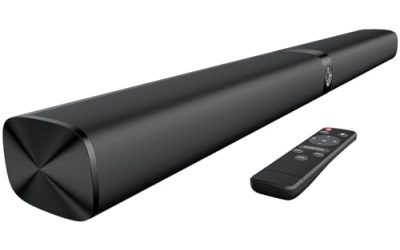
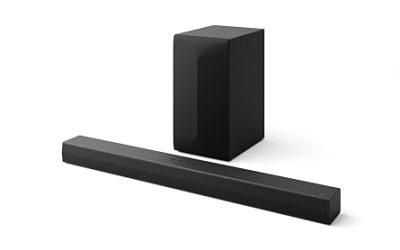
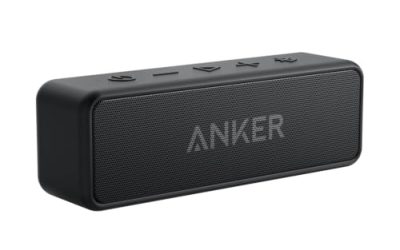
A soundbar under 50 dollars is not trying to be a home theater. It is trying to fix one specific problem: the thin, tinny speakers built into modern flat-screen televisions, where dialogue gets buried under music and effects. Think of it the way you would think of a good pair of desk speakers: modest, tidy and useful every single day. At this spending level the winning move is a simple stereo bar that connects with one cable, adds a little body to voices, and does not need an app or a subwoofer. The mistake to avoid is buying a bar that promises surround sound but lacks the connection your television actually has.
This guide is for bedroom, dorm and spare-room televisions, for people replacing weak built-in audio on a second TV, and for desk users who want something compact beside a monitor. The listings below share a pattern: most advertise 50 watts, a compact width and Bluetooth, and they differ in connection types, tuning controls and size. Wattage on a budget bar is a peak figure rather than a measure of loudness, so the comparison below leans on ports and features that you can verify before you order in 2026.
Our Top Picks
 Creative Sound Blaster GS3 Compact RGB Gaming Soundbar3.64 x 16.14 x 2.9 inches2.33 poundsCheck on Amazon
Top 3 picks at a glance
Quick Picks
As an Amazon Associate we earn from qualifying purchases at no extra cost to you.


| Product | Best for | Key spec from the title |
|---|---|---|
| BESTISAN 50 Watts Soundbar | Flexible connections | HDMI, optical, AUX, USB, sub out, Bluetooth, 16 inch |
| Creative Sound Blaster GS3 | PC and console desks | Compact RGB bar, Bluetooth, USB-C, under monitor |
| 50W Auto Volume Boost Soundbar | Smart TV with ARC | Bluetooth, ARC, optical, AUX, auto volume boost |
| LEMEGA Edge X 2.0 | Simple HDMI ARC setup | HDMI ARC, 50W, Bluetooth |
| Unisyomyo 50W Soundbar | Newer Bluetooth and ARC | 2.0 channel, Bluetooth 5.4, ARC, two full-range speakers |
How to Choose
Match the connection to your television
Look at the back or side of the TV before shopping. HDMI ARC is the easiest connection because one cable carries audio and lets your TV remote control volume. Optical is a reliable fallback that carries clean digital sound but often loses remote volume control. A 3.5 mm AUX jack works with almost any device but is analog. If your TV only has a headphone jack, make sure the bar lists AUX, otherwise you will need an adapter.
Check the width against your TV stand
A 16 inch bar fits a small television or desk, while a 32 to 40 inch bar suits a 40 to 55 inch screen. A bar that is much narrower than the TV still helps dialogue but gives a limited stereo spread. As a rough rule, aim for a bar at least half as wide as the screen so voices feel anchored to the picture rather than coming from a small box below it. Measure the clearance beneath your screen, because a tall bar can block the infrared sensor that receives your remote signal.
Ignore peak wattage and look at tuning controls
A figure such as 50 watts is a peak rating. Two small drivers cannot produce room-filling bass regardless of the number on the box. More useful features are selectable sound modes, bass adjustment, and a dialogue or volume leveling function that cuts the jump between quiet speech and loud ads. Treat claims of surround sound from a two-channel bar as processing, not true surround.
Where budget bars cut corners
Expect plastic enclosures, small remotes, limited bass and sparse documentation. Bluetooth codecs are usually basic, so lip sync can drift on video over wireless, which is why a wired connection is better for TV. Look for a mounting option if you plan to put the bar on a wall, and a bass or subwoofer output only if you may add a powered sub later.
The 5 Best Options
BESTISAN 50 Watts Soundbar
This bar offers the widest list of connections of the group. The title lists HDMI, optical, AUX, USB, a subwoofer output and Bluetooth, plus DSP processing, adjustable bass, a 16 inch body and mounting capability.
- Strength: many input choices let it work with older and newer televisions.
- Strength: bass adjustment and a sub out leave room to grow later.
- Trade-off: at 16 inches it is small, so the stereo spread is narrow.
It suits a bedroom TV, a kitchen screen or a desk setup where the compact width is a plus. The mounting option helps if shelf space is tight, and the subwoofer output gives you an upgrade path if you ever add a powered sub. Skip it if you have a large living-room TV and want a wide soundstage, since a 16 inch bar will look undersized.
Creative Sound Blaster GS3
The GS3 is the only bar here aimed at computer and console users. The title describes a compact RGB gaming soundbar with Bluetooth and USB-C, designed to sit under a monitor.
- Strength: USB-C and PC focus make it simple to hook up to a desktop or laptop.
- Strength: Bluetooth lets a phone or console controller dock share the same bar.
- Trade-off: it does not list HDMI ARC, so it is not designed as a living-room TV bar.
It suits students, streamers and anyone who wants fuller sound at a desk without a speaker pair taking space. The lighting adds a gaming look, though you can ignore it. Skip it if your goal is a television bar that you control with the TV remote, because the title points at monitors rather than living rooms.
50W Soundbar with Auto Volume Boost
This unbranded listing for smart TVs lists Bluetooth, ARC, optical and AUX connections, high-power 50 watt output and built-in auto volume boost technology in a compact body.
- Strength: automatic volume boost addresses quiet dialogue.
- Strength: ARC, optical and AUX cover the main ways to connect a TV.
- Trade-off: with no brand named, support and documentation are harder to judge.
It suits buyers who want a basic ARC bar and care more about speech clarity than a polished brand. Read the product page for return terms before purchase, since small-label electronics vary in support quality. It can make sense for a guest room or a rental property where the bar is a low-stakes upgrade and nobody expects firmware updates. Skip it if you want a recognizable brand with a track record for firmware or customer service.
LEMEGA Edge X 2.0
The LEMEGA is the most straightforward option. Its title lists a soundbar for TV with HDMI ARC, 50 watt sound and Bluetooth, and little else, which keeps expectations realistic.
- Strength: HDMI ARC makes setup a one-cable job with TV remote volume control.
- Strength: a short title and simple feature set keep things easy to understand.
- Trade-off: no optical, AUX or subwoofer output is mentioned, so check the product page for ports.
It suits people with a modern TV that has an ARC port who just want clearer speech without fuss. It also appeals to older relatives who prefer one cable and a single remote. Because the feature list is short, you spend less time in menus and more time watching. If the picture on your TV is the part you care about, this kind of bar quietly improves the rest. Skip it if your TV lacks ARC or you want extra inputs for a console or a turntable.
Unisyomyo 50W Sound Bar
This 2.0 channel bar highlights modern connections. The title lists Bluetooth 5.4, ARC, optical and AUX inputs, and two full-range speakers, positioned as home audio for smart TVs.
- Strength: Bluetooth 5.4 is a newer version for steadier wireless playback.
- Strength: three wired options let it work with most televisions.
- Trade-off: a 2.0 channel layout means no dedicated subwoofer driver, so bass is limited.
It suits buyers who stream music from a phone as often as they watch TV, and who want the newest Bluetooth version at this tier. A balanced set of wired inputs also helps if you swap televisions later. Two full-range speakers keep the sound balanced for voices and podcasts, which is where small bars do best. Skip it if you want deep bass for action films or a physical subwoofer output for future expansion.
Which One Fits Your Situation
A bedroom TV with an older set
The BESTISAN 50 Watts Soundbar offers HDMI, optical and AUX, which covers the widest range of older televisions without needing an adapter. If the set is a hand-me-down with only an analog output, the AUX input is the one that saves the day, and the sub out leaves a door open for later.
A desk, a monitor and a console
The Creative Sound Blaster GS3 is built to sit under a monitor and connects over USB-C and Bluetooth, which suits a student desk or a gaming corner. It saves desk space compared with a pair of speakers and a cable tangle, and the same bar can play music from a phone while you work.
A newer smart TV with an ARC port
The LEMEGA Edge X 2.0 keeps things simple with HDMI ARC, so the TV remote controls volume and there are few settings to learn. That makes it a safe gift for a parent or grandparent who wants clearer dialogue and nothing to configure.
Mostly music and the occasional show
The Unisyomyo 50W Sound Bar pairs Bluetooth 5.4 with wired inputs, which gives wireless streaming without giving up a stable cable connection for TV. Keep the TV as the main source and use Bluetooth for music when the screen is off.
Common Mistakes
- Buying on watt ratings instead of connection types and tuning controls.
- Choosing a bar before checking whether the TV has an ARC, optical or AUX output.
- Using Bluetooth for TV audio and then noticing lip sync delay.
- Placing the bar where it blocks the TV remote sensor.
- Expecting the bass of a subwoofer from a two-driver compact bar.
Related guides
- When I Turn On Record Game In Background On Gamebar. Gamebar Crashes, What Do I Do?
- How To Reduce Background Noise On A Streaming Microphone
- Poly Computer Accessories Company Streaming Evaluation
Frequently Asked Questions
Is a soundbar under 50 dollars worth it?
For speech clarity on a second television, usually yes. It will not replace a full surround system, but it is a noticeable step up from built-in TV speakers. The gain is largest for speech, news and streaming dramas, where mumbled dialogue is the usual complaint. If a bar still sounds harsh at high volume, lowering the TV speaker setting to external and keeping the bar below its limit usually helps.
What does HDMI ARC do?
It sends audio from the TV to the soundbar through the same HDMI cable that carries other signals, and lets the TV remote adjust volume. It needs an HDMI port labeled ARC on the television.
Can I use these with a computer?
Yes. AUX, USB-C and Bluetooth inputs work with computers, and the Creative bar is aimed at that use. Check which input your computer offers, and keep a short cable handy, since many budget bars ship with only a basic lead.
Does Bluetooth work well for watching TV?
It can, but wireless audio may lag behind the picture. For video, a wired ARC, optical or AUX connection is more reliable.