Nobody wants a tangle of speaker wire behind the TV stand, so “wireless” is the first word many buyers type. The catch is that the label covers three very different things: Bluetooth streaming from a phone, a subwoofer that connects to the bar without a cable, and a bar that connects to the TV over the air instead of through HDMI or optical. Almost no bar does the third, and the first two are where the real choice lies.
This guide is for people setting up a living room, bedroom or rented apartment where drilling and cable runs are unwelcome. It looks at six bars, from a compact speaker with Bluetooth to a five-channel Atmos system, and explains what each title promises and leaves out. As of 2026, the safest approach is to treat the TV connection as wired and the extras as wireless, then pick the layout that fits. Room size, shelf depth and the number of outlets nearby should decide the shortlist before brand or looks do, because a good bar in the wrong room still disappoints.
Our Top Picks
 ULTIMEA 5.1CH Surround Sound Bar System with Dolby31.5 x 3.54 x 2.76 inches12.57 poundsCheck on Amazon


Top 3 picks at a glance
Quick Picks
As an Amazon Associate we earn from qualifying purchases at no extra cost to you.




| Product | Best for | Key spec from the title |
|---|---|---|
| Assistrust Sound Bar | Flexible hookup and Bluetooth streaming | Bluetooth, ARC, optical, AUX, detachable 2-in-1 |
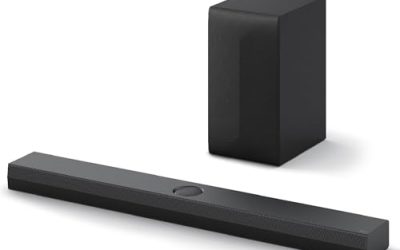
| ULTIMEA 2.1 with Wireless Subwoofer | Bass without a cable to the sub | Wireless subwoofer, 240W peak power, app control |
| ULTIMEA Poseidon M60 | Whole-room surround | 5.1CH, Dolby Atmos, 300W |
| Bose TV Speaker | Tidy compact speech upgrade | Bluetooth, HDMI-ARC, compact all-in-one |
| Fire TV Soundbar | Simple stereo-style upgrade | 2.0 speaker, DTS Virtual:X, Dolby Audio, Bluetooth |
| ULTIMEA 2.1ch Built-in Subwoofer | Small spaces and desktop use | 16 inch bar, Bluetooth 5.4, 132W peak power |
How to Choose
Know which part is actually wireless
Bluetooth lets you stream music from a phone, but using it for TV sound can add a slight delay between picture and voice. For movies, connect the bar to the TV with HDMI-ARC or optical, then use Bluetooth only for music. A wireless subwoofer still needs a power outlet, so factor in a plug near where it sits. If the sub is meant for a corner or beside the sofa, check that its power cord is long enough, since a short cable can quietly undo the cable-free appeal.
Channel layout and subwoofer type
A 2.0 bar has two channels and no dedicated bass unit. A 2.1 bar adds a sub, either built in or separate. A 5.1 system adds a center and rear speakers. For a bedroom, a compact bar with built-in bass is plenty; for a big living room, a separate sub or a full surround set gives more impact. Wired rear speakers on 5.1 systems undo the cable-free goal, so check how they connect.
Inputs, Bluetooth version and app control
Look for HDMI-ARC first, optical second, and AUX as a fallback. A newer Bluetooth version, such as 5.4, improves connection stability and range. App control is handy for equalizer and mode changes, but it is not essential if the remote does the job. Auto volume features help even out loud commercials.
What to ignore and where budget bars skimp
Ignore peak wattage as a loudness promise; real output is far lower. Budget bars often have limited presets, thin remotes and no HDMI-ARC. Check the physical size too: a bar that is too long for the shelf or too tall for the TV’s feet will be a headache regardless of its sound. Measure the shelf and the gap beneath the screen before ordering, and leave a few inches of clearance so the bar’s front speakers are not boxed in by a cabinet wall.
The 6 Best Options
Assistrust Sound Bar
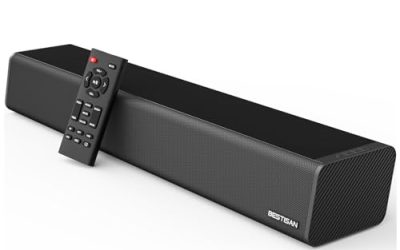
The title lists Bluetooth, ARC, optical and AUX connections, an automatic volume boost, three equalizer modes and a two-in-one detachable design for smart TVs. For a cable-light setup, it gives you the widest menu of ways to connect without committing to a particular source.
- Strength: Bluetooth plus three wired inputs cover phones, TVs and older devices.
- Strength: the detachable two-in-one design allows more than one arrangement of the bar.
- Trade-off: no subwoofer, channel count or Atmos support is stated, so bass depth is uncertain.
Skip it if you want powerful bass or a real surround field. It suits renters who want a flexible bar for streaming, news and music, and who value being able to change connections as devices change. A buyer who later swaps the TV or adds a console can keep the same bar and simply move to whichever input the new device supports.
ULTIMEA 2.1 with Wireless Subwoofer
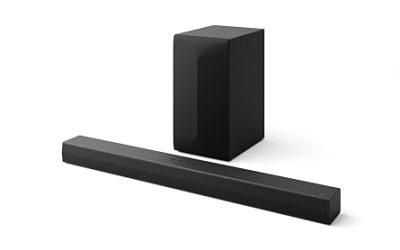
This model is listed with a wireless subwoofer, app control, 240W peak power, VoiceMX and BassMX modes and an adjustable design for home theater. It is the clearest answer to the keyword, since the bulky bass unit can sit anywhere without a cable to the bar.
- Strength: a wireless subwoofer removes the longest cable run from the setup.
- Strength: app control makes it easy to switch between voice and bass emphasis.
- Trade-off: 240W is a peak figure, and the sub still needs its own power cable.
Skip it if you want a single compact unit. It suits movie and gaming fans in a medium-size living room who want noticeable bass without moving furniture around to run a wire. Check that the subwoofer’s spot has an outlet within reach, and expect to spend a few minutes pairing it and adjusting the bass mode in the app until the balance suits your room.
ULTIMEA Poseidon M60
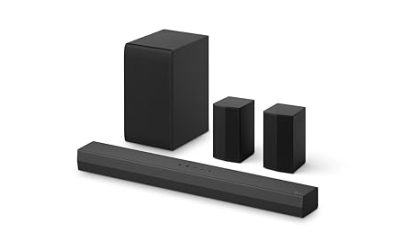
The listing describes a 5.1CH surround system with Dolby Atmos, VoiceMX, BassMX, app control and 300W of power for smart TVs. It is the largest system here and the most immersive, but the extra speakers mean more placement decisions than a single bar.
- Strength: 5.1 channels with Dolby Atmos is the richest surround layout of the group.
- Strength: app control and tuning modes allow adjustments to dialogue and bass.
- Trade-off: the title does not say how the rear speakers connect, so check for cable runs before assuming a fully wireless setup.
Skip it if you want a minimal, tidy shelf. It suits owners who want a home theater feel and are willing to place several speakers around the room and plug each one in. Measure the room first, because a five-channel layout needs space behind the seating position, and confirm that your TV can pass Atmos audio to the system.
Bose TV Speaker
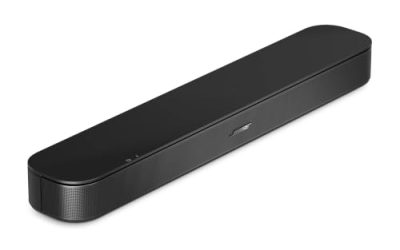
This is described as a soundbar for TV with Bluetooth and HDMI-ARC connectivity, an all-in-one compact design and an included remote. It keeps things simple: one box, one HDMI cable to the TV and Bluetooth for music from a phone.
- Strength: HDMI-ARC lets the TV remote handle volume, reducing clutter.
- Strength: the compact all-in-one body is easy to fit under a smaller TV.
- Trade-off: no subwoofer or channel details appear in the title, so bass is likely modest.
Skip it if you want big sound. It suits bedrooms, dens and apartment living rooms where an uncluttered look and clearer speech matter more than a dramatic soundstage, and where one cable is the limit. If you later decide you want more bass, you would need to switch to a different model, since the title lists no way to add a separate subwoofer.
Fire TV Soundbar
The title gives a 2.0 speaker with DTS Virtual:X, Dolby Audio and Bluetooth connectivity. It aims to widen a thin TV’s sound with processing, not extra drivers, and it uses Bluetooth for wireless music.
- Strength: virtual surround processing adds width from a two-channel bar.
- Strength: Bluetooth enables quick music streaming from a phone or tablet.
- Trade-off: a 2.0 layout without a subwoofer gives limited low-end weight.
Skip it if you want powerful bass or true surround. It suits shoppers who watch dialogue-heavy shows, want a simple upgrade, and prefer not to manage extra boxes or additional power cables. Because the title says nothing about a subwoofer, treat it as a speech and music upgrade first, and look at a 2.1 model if bass is the main thing missing from your current sound.
ULTIMEA 2.1ch Built-in Subwoofer
This 2.1ch bar has a built-in subwoofer, app control, 132W peak power and a 16 inch body with Bluetooth 5.4, for use with a TV, PC and more. It is the most compact here, suited to a small room or a desk beside a monitor.
- Strength: Bluetooth 5.4 is the newest version named in these titles.
- Strength: a built-in subwoofer means no extra box and no extra cable.
- Trade-off: a 16 inch body and 132W peak power suit small spaces, not a large living room.
Skip it if your TV is large or your room is spacious. It suits dorm rooms, bedrooms and computer desks where a compact, wire-light setup is the goal. The Bluetooth 5.4 listing also suits a PC desk, where the bar can play music from a phone while the computer feeds it by cable, and the short body leaves space around a monitor.
Which One Fits Your Situation
You want strong bass without a cable to the sub
The ULTIMEA 2.1 with Wireless Subwoofer is the direct fit, since the bass unit connects without a wire to the bar. Place it where the cord can reach an outlet and the bass will not be blocked by furniture.
You live in a small bedroom or dorm
The ULTIMEA 2.1ch Built-in Subwoofer is compact, and the Bose TV Speaker is the tidy alternative for TV dialogue.
You want maximum immersion
The ULTIMEA Poseidon M60 is the only 5.1 Atmos option, and you should plan the speaker placement before buying.
You want options for older and newer gear
The Assistrust Sound Bar lists Bluetooth, ARC, optical and AUX, which covers nearly every connection you might need. It is also the sensible pick if you expect to change the TV soon and want the bar to keep working with whatever ports the next set offers.
Common Mistakes
- Assuming “wireless” means the bar connects to the TV without a cable.
- Using Bluetooth for movie audio and then noticing the voices lag behind the picture.
- Forgetting that a wireless subwoofer still needs a power outlet.
- Reading peak wattage as a measure of real volume.
- Choosing a bar that is too tall for the TV stand and blocks the screen or remote sensor.
Related guides
- When I Turn On Record Game In Background On Gamebar. Gamebar Crashes, What Do I Do?
- How To Reduce Background Noise On A Streaming Microphone
- Poly Computer Accessories Company Streaming Evaluation
Frequently Asked Questions
Can a soundbar connect to a TV with no cable at all?
Some pairs can use Bluetooth, but the connection may introduce delay. HDMI-ARC or optical is more reliable for movies.
Do wireless subwoofers need power?
Yes. They link to the bar without a signal cable but still plug into a wall outlet.
Is Bluetooth 5.4 important?
It helps stability and range, but any recent version works for music. It matters less than HDMI-ARC for TV use.
Is a 2.1 bar better than a 2.0 bar?
For bass, yes. A 2.1 bar adds a subwoofer, while a 2.0 bar relies on processing to suggest depth.