A cheap external sound card solves one narrow problem: the audio jack on your laptop or desktop is noisy, dead, or missing, and you want clean headphone and microphone ports without opening a case. This guide is for people who want that fix at the lowest sensible spend, not for anyone chasing studio-grade conversion. The real question is whether you need a plain stereo adapter, a virtual surround dongle, or something with digital output, because those three categories behave very differently once plugged in.
Budget models all look similar on a product page, so the useful comparison is connector type, supported sample rate, and what ports sit on the body. A USB-C laptop with no headphone jack needs a different adapter than a desktop with a failing front panel. Below you will find eight options for 2026, from a basic volume-control dongle to a seven-channel unit with SPDIF, plus the specs that matter before you commit.
Our Top Picks
Top 3 picks at a glance
Quick Picks
As an Amazon Associate we earn from qualifying purchases at no extra cost to you.






| Product | Best for | Key spec from the title |
|---|---|---|
| VENTION USB Sound Card | Simple headset fix | Volume control, USB to 3.5mm jack |
| Cubilux 7.1 USB | Higher sample rates | 48KHz-384KHz, aluminum alloy |
| VizGiz 3 Pack | Spares for multiple PCs | 5.1 channel, three adapters |
| StarTech ICUSBAUDIO7D | Digital output users | 7.1 with SPDIF and analog |
| SABRENT AU-UCMA | USB-C laptops | 24-bit/96kHz, mono mic in |
| Generic 7.1 USB Sound Card | Console and PC tinkering | Plug and play, no drivers |
| Micolindun External Sound Card | Port-starved laptops | USB hub plus 3.5mm and micro jack |
| zdyCGTime USB 2.0 7.1 | Quiet headphones on desktop | Virtual 7.1, internal amplifier |
How to Choose
Match the connector to the machine
Count what your computer actually offers. A laptop with only USB-C ports needs a USB-C adapter such as the SABRENT, while a desktop with spare USB-A ports can use any of the others. Do not buy a USB-A dongle and assume a bargain adapter will fix a missing port; that adds a second dongle and another point of failure. Also check how many free ports remain after plugging the card in, since a bulky body can block the neighbor.
Read the sample-rate and bit-depth figures
For ordinary music, games, and calls, 24-bit/96kHz is already beyond what most cheap headphones can resolve. A listing quoting 384KHz is a spec-sheet bonus, not a reason to pay more. Anything that lists no figure at all is usually a basic 16-bit design, which is fine for voice chat but flat for music. Ignore marketing terms like “3D” and “HD sound” when no numbers back them.
Treat 5.1 and 7.1 labels with caution
On a stereo headset, surround labels describe virtual processing, not extra physical speakers. If you own headphones, a 7.1 label adds software effects and sometimes an extra driver install. If you run real speakers with SPDIF or multiple analog jacks, the extra channels become useful. Otherwise, a stereo card with clean output is the more honest buy.
Check the microphone input and driver support
Budget cards often skimp on the mic path: a mono input, a shared headset jack, or no separate pink jack. If you stream or take calls, confirm the product lists a microphone port. Plug-and-play cards need no software, but the very cheapest can ship with no mixer control at all, so a physical volume control or operating system support matters more than extra features. Where budget models cut corners: shielding, cable strain relief, and amplifier headroom for high-impedance headphones.
The 8 Best Options
VENTION USB Sound Card
This is the stripped-down choice for anyone who just wants a working headphone jack. The title describes an external stereo card with volume control and a USB to 3.5mm jack conversion, aimed at Windows, Mac, PC, laptop, desktop, and headset use. Buyers who want a no-drama replacement for a broken port are the target. Because the product is positioned as a general-purpose adapter, it makes sense as the first thing to try when a headset suddenly goes silent, and it is easy to move between a desktop and a laptop without any configuration.
- Strength: a built-in volume control gives you a physical fix when software levels misbehave.
- Strength: broad Windows and Mac compatibility keeps it flexible across household machines.
- Trade-off: the listing names no sample rate or surround processing, so it is a stereo-only solution.
Skip it if you want digital output or true multichannel audio.
Cubilux 7.1 USB Surround Sound Card
The Cubilux stands out for its stated 48KHz-384KHz sample rate range and full aluminum alloy shell, which suggests a sturdier body than plastic dongles. It targets headphone users on laptops and PCs who want higher-resolution file support on a small budget. Anyone who keeps FLAC or similar files and wants the adapter to accept a wide range of rates without resampling will find the spec line more relevant here than on plain dongles.
- Strength: the wide sample rate range suits lossless music libraries.
- Strength: the metal housing resists bending and handling wear.
- Trade-off: the 7.1 label is virtual on a stereo headset, so surround gains are software-based.
Skip it if you only need basic voice calls and want the lowest cost.
VizGiz 3 Pack USB Sound Card Adapter
Three adapters in one purchase make this the pick for households, classrooms, or anyone who keeps a spare in a laptop bag. Each is listed as a 5.1 channel 3D external USB to 3.5mm adapter with headset and microphone support, plug and play. The value case is simple arithmetic: one adapter for the main desk, one for the laptop bag, and one in a drawer for the day a jack stops working.
- Strength: three units spread across several computers lowers the cost per adapter.
- Strength: headset and microphone jacks cover calls and gaming chat.
- Trade-off: the listing offers no bit-depth or sample rate, so fidelity is basic.
Skip it if you only need one adapter or care about music quality.
StarTech 7.1 USB Audio Adapter ICUSBAUDIO7D
This is the only model here that lists digital SPDIF alongside analog connections, which makes it the logical choice for sending sound to a receiver or speaker system. StarTech is a known accessory brand, and the model number makes warranty and driver lookups easy. Expect to pay a little more than the dongles here, but the connection options justify it for anyone with a receiver, soundbar, or powered speakers on the desk.
- Strength: SPDIF output opens the door to home theater gear.
- Strength: up to 7.1 analog channels fit multi-speaker desktop setups.
- Trade-off: it asks for more desk space and cabling than a simple dongle.
Skip it if you only use one pair of headphones.
SABRENT USB-C Audio Adapter AU-UCMA
Newer laptops and tablets drop the headphone jack, and this adapter replaces it through USB-C. The title lists 24-bit/96kHz, stereo out, and mono mic in, which is a clear and honest spec line. It suits students and remote workers who join video calls on a thin laptop and want the headset to work without carrying a bulky hub.
- Strength: 24-bit/96kHz handling exceeds typical budget claims.
- Strength: USB-C connection suits modern thin laptops.
- Trade-off: mono mic input means no separate stereo recording.
Skip it if your computer only has USB-A ports.
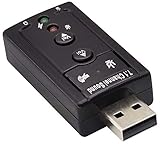
Generic USB Sound Card, 7.1 Channel
This unbranded card lists microphone and audio jack support, plug and play with no drivers, and compatibility with PC, laptop, Mac, PS4, and headphones. It is a low-cost experiment for someone with a spare port and a dead jack. The title gives few hard figures, so expect it to behave like a basic converter and judge it on whether the headset and microphone simply work.
- Strength: no driver installation shortens setup.
- Strength: the PS4 mention hints at console headset use.
- Trade-off: no brand name means thin support if it fails.
Skip it if warranty coverage matters to you.
Micolindun External Sound Card USB Hub
The odd one out: it combines an audio adapter with a USB port and a micro jack, so it works as a small hub as well. That suits laptops short on ports where one dongle must do two jobs. Think of a small notebook that has only two USB ports: plugging this in gives you sound and one extra port in the space of a single connection.
- Strength: the extra USB port saves swapping cables.
- Strength: 3.5mm audio and micro jack cover both outputs and microphones.
- Trade-off: hub designs add bulk and can crowd side-by-side ports.
Skip it if you want the smallest possible adapter.
zdyCGTime Hi-Speed USB 2.0 7.1-Channel Adapter
This listing mentions an internal amplifier along with 3.5mm audio and microphone ports, which could help drive headphones that sound quiet from a laptop jack. The virtual 7.1 label is primarily for games. It fits a desktop user who wants a separate headphone and microphone connection away from the noisy back panel, and who would rather not spend on a larger card.
- Strength: amplifier mention may help with less sensitive headphones.
- Strength: separate audio and mic ports keep a headset setup tidy.
- Trade-off: USB 2.0 and virtual surround offer no clear fidelity gain.
Skip it if you want measurable output specs, since none are given.
Which One Fits Your Situation
You have a USB-C ultrabook with no jack
Choose the SABRENT AU-UCMA. It is the only option here built around USB-C, and its 24-bit/96kHz line covers music and calls.
You want to push sound to speakers or a receiver
The StarTech ICUSBAUDIO7D is the logical pick because of its SPDIF and analog 7.1 connections. The others only serve headphones in practice.
You manage several cheap computers
The VizGiz 3 Pack gives you spares at a low cost per unit, which suits a family or small office where jacks fail often.
You listen to lossless files on headphones
The Cubilux 7.1 lists a sample rate range up to 384KHz and a metal shell, making it the most music-oriented card in this group.
Common Mistakes
- Buying a USB-A card for a laptop that only has USB-C ports.
- Paying extra for a 7.1 label while using ordinary stereo headphones.
- Ignoring the microphone port and discovering the headset mic is silent.
- Assuming a bigger sample rate number means better sound from cheap headphones.
- Skipping brand support, then finding no help when a no-name card fails.
Related guides
- When I Turn On Record Game In Background On Gamebar. Gamebar Crashes, What Do I Do?
- How To Reduce Background Noise On A Streaming Microphone
- Poly Computer Accessories Company Streaming Evaluation
Frequently Asked Questions
Do these cards need drivers?
Most budget USB cards use the class drivers built into Windows and macOS, and several listings say plug and play. Only models with extra control panels typically ask for downloads.
Will a cheap card improve sound quality over my motherboard?
Only if the onboard output is noisy or damaged. A clean adapter removes electrical interference near the case, but it will not transform decent headphones.
Is 7.1 worth it on a budget card?
Not for headphones. Virtual surround is a software effect, while true 7.1 requires multiple analog outputs and matching speakers.
Can I use one for a microphone?
Yes, when the listing names a microphone port. Check whether it is mono, as on the SABRENT, since that affects recording options.