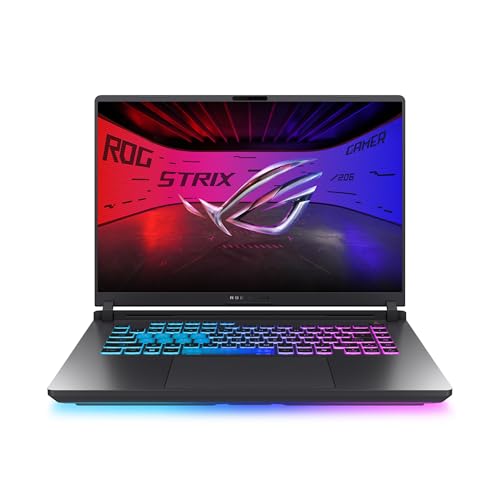
For most buyers on a tight budget, a laptop with an RTX 5060 and a 1080p 144 Hz display, such as the Lenovo LOQ 15, Acer Nitro V 16 or ASUS TUF Gaming A16, is the sweet spot; an RTX 5050 model like the Acer Nitro V 15 suits those who want the lowest entry cost; and the Lenovo Legion 5 is the step up for better screens and cooling. Always compare the GPU power limit and RAM, not just the GPU name.
As an Amazon Associate we earn from qualifying purchases at no extra cost to you.


Our Top Picks
 NIMO 15.6" FHD R5 AI Student Laptop8GB RAM | 256GB SSD14.07 x 8.98 x 0.76 inches3.75 PoundsCheck on Amazon


Top 3 picks at a glance
At a Glance: Budget Gaming Laptops Compared
| Laptop | Best for | Reported configuration | Limits |
|---|---|---|---|
| Lenovo LOQ 15 | All-round value, 1080p gaming | PC Gamer reports a variant with an RTX 5060 at a 100 W listed power, Intel Core i7 and a 144 Hz 1080p screen | Configurations vary widely by region; basic build |
| Acer Nitro V 16 / Nitro V 15 | Entry-level RTX 50 gaming | Offered with RTX 5050 or RTX 5060, Ryzen or Intel CPUs depending on region | Some versions ship with 8 GB RAM; plan an upgrade |
| ASUS TUF Gaming A16 | Durability, longer sessions | Reports list RTX 5060 with a Ryzen 7 CPU, GPU power up to roughly 115 W with Dynamic Boost | Heavier, sits at the upper end of the budget group |
| Lenovo Legion 5 (15-inch, Ryzen 7, RTX 5060) | Better screens and cooling for the price | Notebookcheck rates it highly, citing an OLED panel option | Costs more than LOQ and Nitro; stock varies |
| MSI Cyborg 15 | Light, stylish budget option | Xotic PC lists it with RTX 50-series graphics at mid-budget tier | Plastic-heavy build; thermal limits |
| HP Victus and similar | Discount-friendly configurations | RTX 5050 and RTX 5060 versions appear in retailer listings | Fewer ports, simpler cooling |
What to Look for in a Budget Gaming Laptop
The GPU: RTX 5050 vs RTX 5060
Nvidia’s RTX 50 laptop line is the current choice for new budget gaming laptops. The RTX 5050 and RTX 5060 target 1080p gaming. Reviewers generally say that an RTX 5060 gives a noticeable step up in frame rates and room for DLSS 4 features, while the RTX 5050 suits lighter use, esports titles and lower settings in demanding releases. Both support DLSS upscaling and frame generation, which helps in supported games.
GPU power limit (TGP)
This is the most overlooked spec. Laptop GPUs are sold at different power limits. A 55 W RTX 5060 laptop behaves differently from a 100 W or 115 W version, even though both carry the same name. The maker’s spec sheet or the retailer listing should state the total graphics power. If it does not, read independent reviews of that exact model.
CPU
Ryzen 7 and Intel Core i5 or i7 H-series chips handle 1080p gaming fine. In budget tiers, the CPU matters less than the GPU for most games. Avoid very low-power U-series processors in a gaming laptop, because they limit frame rates and thermals.
RAM and storage
Choose 16 GB of DDR5 at minimum. Some entry configurations ship with 8 GB, as reviewers note for certain Acer Nitro V 16 versions, and that leads to stutter in modern games. Many models have two RAM slots, so upgrading is simple. For storage, 512 GB is workable, but 1 TB is more comfortable, since modern games often exceed 100 GB each. Check whether there is a second M.2 slot for later expansion.
Display
Aim for a 1080p panel at 144 Hz or higher. Check panel quality reports: low-cost screens can have weaker colour coverage and slower response. A 16-inch 16:10 panel suits mixed use and work. OLED options appear on some Legion models and are attractive but cost more and may carry burn-in considerations.
Cooling and noise
Budget chassis have smaller cooling systems, so fan noise and surface temperature are important. Reviewers regularly measure fan noise and thermals for each model. A laptop that lets the GPU sustain its rated power without throttling is better than one with a higher paper spec that thermal-limits.
Battery and portability
Gaming laptops last only a few hours away from a charger when gaming, and are typically heavy. For school or work, check weight and battery capacity and consider carrying the charger.
Picks by Budget Tier
Entry budget
RTX 5050 models such as the Acer Nitro V 15 sit at the low end. Newegg’s guide describes one as the only one of its trio below the thousand mark, and reviewers consider it fit for 1080p gaming at moderate settings. Look for 16 GB RAM or upgrade it yourself.
Mainstream budget
This is where RTX 5060 laptops sit: Lenovo LOQ 15, Acer Nitro V 16, ASUS TUF Gaming A16. PC Gamer calls the LOQ 15 the best budget gaming laptop of this generation. The ASUS TUF A16 is the pick if you want a sturdier chassis and a higher listed GPU power.
Upper budget
The Legion 5 is the step up. Notebookcheck describes it as among the best affordable gaming laptops it knows, thanks to its display quality and thermals. If you plan to keep the laptop four or five years, the extra spend on screen and cooling makes sense.
Pick X If… Decision Table
| If you… | Pick | Why |
|---|---|---|
| Want the lowest cost for 1080p gaming | Acer Nitro V 15 with RTX 5050 | Entry-level RTX 50 graphics |
| Want best overall value | Lenovo LOQ 15 with RTX 5060 | Praised by PC Gamer for the budget class |
| Want a tougher chassis and higher GPU power | ASUS TUF Gaming A16 | Listed GPU power up to roughly 115 W |
| Care about screen quality | Lenovo Legion 5 | OLED panel option, strong reviewer scores |
| Want a lighter, stylish build | MSI Cyborg 15 | Slimmer budget design |
| Plan to upgrade RAM and SSD yourself | Acer Nitro V line | Accessible slots, base specs can be modest |
Compatibility and Upgrade Notes
- Most budget gaming laptops have two SODIMM slots; confirm that the stock RAM is in dual-channel (two sticks) as this improves performance.
- Check for Wi-Fi 6 or Wi-Fi 7 support if you have a new router, and for HDMI 2.1 or USB-C DisplayPort if you plan to use an external monitor.
- Many laptops have a MUX switch or advanced optimus mode. The maker lists it if present. It lets the GPU drive the display directly and improves frame rates a little.
- Look at the port layout. Rear ports keep cables out of the way of a mouse hand.
- Warranty terms matter, as gaming laptops can have hinge and battery wear. Read the maker policy.
Alternatives to Consider
- Build a small desktop: A desktop with the same GPU class generally delivers higher performance and is easier to upgrade, but gives up portability and screen.
- Previous-generation RTX 40-series laptops: Models with RTX 4050 or 4060 may be discounted and remain capable for 1080p, though they lack newer features.
- Handheld gaming PCs and cloud gaming: A handheld or cloud service may suit casual play with a lower upfront cost.
Common Mistakes to Avoid
Buyers often compare laptops by the GPU name alone and ignore the power limit, memory and cooling. Another frequent mistake is accepting a single-channel memory setup, which can cut frame rates in many games. A third is choosing a bright, high-refresh display with weak colour coverage when the laptop will also be used for study or creative work. Read at least two independent reviews of the exact model, because makers sell many variants under one name.
Final Buying Checklist
- GPU model and its listed power limit in watts.
- At least 16 GB of DDR5 memory in two sticks, or two free slots for an upgrade.
- A 1080p panel at 144 Hz or higher, with reviewer notes on brightness and response.
- An SSD of 512 GB or more and a spare M.2 slot.
- Fan noise and surface temperature reports from independent outlets.
- Warranty length, repair options and local service availability.
- Weight and charger size if you carry the laptop daily.
Gaming laptops run hot and loud under load, so a cooling pad or a desk stand can help. A decent mouse and headset improve the experience far more than a small bump in GPU tier.
Frequently Asked Questions
Is an RTX 5050 laptop enough for gaming?
Yes for 1080p gaming at moderate settings and for esports titles. Newer demanding releases may need lowered settings or DLSS. If you want comfortable performance for several years, an RTX 5060 gives more headroom.
How much RAM do I need?
16 GB is the practical minimum for modern games and general use. Some budget models ship with 8 GB, so plan an upgrade, or choose a configuration that already has 16 GB.
Why do two RTX 5060 laptops perform differently?
Because the graphics chip is given different power limits and cooling in each chassis. A higher power limit with good cooling gives better frame rates. Reading reviews of the exact model is the best way to compare.
Is 1080p enough on a 15 or 16 inch laptop?
Yes. At these sizes 1080p looks sharp, and it keeps frame rates high on budget GPUs. Higher resolutions demand more from the GPU and cost more.
Can I upgrade a budget gaming laptop later?
Usually RAM and SSD are upgradable. The GPU and CPU are not. Open the service manual or maker specs to see slot counts before you buy.
Should I buy a gaming laptop or a desktop?
If you need portability, choose a laptop. If not, a desktop gives more performance for the same spend and is easier to upgrade and repair.