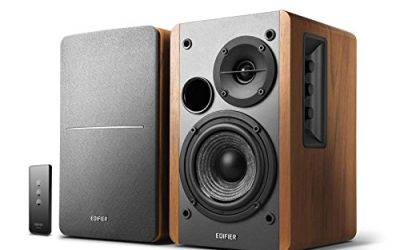
Editing dialogue on laptop speakers hides exactly the problems clients notice first: room echo baked into an interview, a music bed creeping over speech, mouth clicks and hum you never heard while cutting. A pair of 5-inch powered studio monitors fixes that on a small desk, but only if the woofer size, port placement and inputs suit a nearfield setup pushed close to a wall.
This guide is for video editors working at compact desks, bedroom edit bays and small studio corners who listen from roughly an arm’s length away. Every model below is a powered nearfield monitor speaker with a 5-inch woofer, picked from its name and specifications on its Amazon listing, and each listing states whether it covers one speaker or a pair.
Our Top Picks
 JBL Professional 305PMkII 5-Inch 2-Way Powered5-inch Speaker9 x 7.2 x 11.7 inches10.12 PoundsCheck on Amazon

Top 3 picks at a glance

Quick Picks
As an Amazon Associate we earn from qualifying purchases.
| Product | Best for | Key spec from title |
|---|---|---|
| JBL 305P MkII | Editors who move around a wide desk | 82 watts from dual Class-D amplifiers |
| Yamaha HS5 | Dialogue-first cuts that need an honest midrange | 70 watts bi-amped, 54 Hz to 30 kHz response |
| KRK ROKIT 5 G5 | Desks pushed flat against a wall | Front-ported cabinet with three DSP voicing modes |
| ADAM Audio T5V | Music beds and detailed top end on a budget rig | U-ART ribbon tweeter, response down to 45 Hz |
How to Choose
Set the Listening Distance Before the Speaker Size
Five-inch monitors are built for nearfield listening, roughly two to four feet from your ears, which matches a normal edit desk where the screen sits between you and the back wall. At that distance the direct sound reaches you before most room reflections, so dialogue stays readable at modest volume. Push any of these speakers six feet away in a living room and the room takes over, the stereo image smears, and low frequencies thin out. Measure your desk depth first: you need the tweeters near ear height, angled inward, with the speakers and your head forming a rough triangle. If your desk cannot hold that triangle, stands or isolation pads matter more than a bigger woofer.
Know What a 5-Inch Woofer Cannot Play Back
A 5-inch cone has honest limits below about 50 Hz, and every model here rolls off somewhere between 45 and 54 Hz depending on how the maker measures it. That covers voices, most acoustic instruments and the body of a typical music bed, which is the bulk of video work. It does not cover cinema-style rumble, deep electronic sub bass or the lowest octave of a trailer hit, so those elements can sound balanced on your desk and then overwhelm a system with a subwoofer. Edit dialogue and midrange balance on the monitors, then check the low end on good headphones before delivery, and never boost bass in the mix to compensate for what the small woofer cannot reproduce.
Match the Port to the Wall Behind Your Desk
Where a cabinet vents its bass decides how close it can sit to a wall. A front-ported design, like the KRK below, fires that air toward you, so a desk pushed against drywall causes fewer surprises. Rear-ported cabinets, including the Yamaha and ADAM models here, need breathing room behind them; jam one into a corner and the low end swells, masking the lower edge of voices and making music beds feel heavier than they are. If your desk truly cannot move, leave whatever gap you can, pull the speakers forward on the desktop, and use the rear-panel room controls to trim the bass build-up rather than fixing it later with equalization on the timeline.
Check Inputs and Rear-Panel Controls Against Your Interface
These are powered speakers, so each cabinet needs its own signal cable and its own mains outlet; there is no passive second box. Most edit desks feed monitors from an audio interface with balanced outputs, and all four models here accept balanced XLR or quarter-inch TRS connections, while the ADAM also adds an RCA input for unbalanced sources. Look for an input sensitivity switch marked plus 4dBu and minus 10dBV so the speaker matches professional interfaces or consumer sound cards without running too loud or too quiet. Boundary and trim switches on the back panel are the other deciding detail, because they are your only built-in correction for a desk against a wall.
The 4 Best Options
JBL 305P MkII
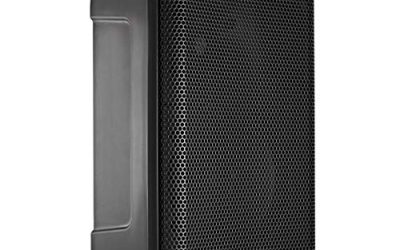
The 305P MkII suits editors who shift position while they work, leaning in for a cut and back for playback, because its Image Control Waveguide keeps the stereo image stable across a wide listening area. Dialogue stays placed and intelligible at low volume, which matters during long captioning and cleanup sessions. Its Slip Stream port is tuned to keep low-frequency output clean at higher levels, and the balanced inputs with a sensitivity switch connect neatly to most interfaces. It is sold as one speaker, so a stereo setup means ordering two and budgeting desk space for both cabinets.
Specs
- Sold as: single speaker, order two for stereo
- Woofer: 5-inch low-frequency driver
- Amplification: dual integrated Class-D amplifiers, 82 watts total
- Frequency response: 49 Hz to 20 kHz (plus or minus 3 dB)
- Frequency range: 43 Hz to 24 kHz at minus 10 dB
- Inputs: balanced XLR and 1/4-inch TRS, plus 4dBu / minus 10dBV sensitivity switch
- Controls: HF and LF trim switches at minus 2 dB, 0 dB and plus 2 dB
- Port: patented Slip Stream low-frequency port
- Cabinet dimensions: 11.7 x 7.3 x 9.1 inches
Best for: editors who want a forgiving, wide sweet spot on a shared or deep desk.
Watch out for: the listing is one speaker only, and the rear port still wants a little space behind the cabinet.
ASIN: B077N2GQXC
Yamaha HS5
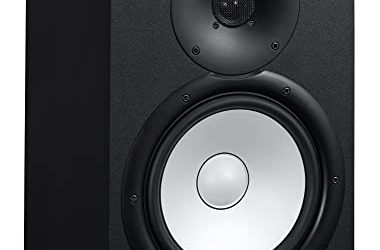
The HS5 is the plainspoken option in this group, built around a flat, unflattered response that exposes problems in dialogue recordings instead of smoothing them over. Editors cutting interviews, podcasts with video and voiceover work tend to value that honesty, because a mix that survives the HS5 usually translates well to televisions and laptops. Its Room Control and High Trim switches help tame a desk near a wall or a bright, reflective room. Output is modest rather than loud, which fits nearfield work at close range. Like the JBL, this listing covers a single cabinet, so plan on two for a stereo pair.
Specs
- Sold as: single speaker, order two for stereo
- Woofer: 5-inch cone woofer
- Tweeter: 1-inch dome tweeter
- Amplification: bi-amped design, 70 watts total (45 watts LF plus 25 watts HF)
- Frequency response: 54 Hz to 30 kHz
- Inputs: XLR and TRS phone jacks accepting balanced and unbalanced sources
- Controls: Room Control and High Trim response switches
- Cabinet: dense MDF enclosure designed to limit resonance
Best for: dialogue-heavy editing where hearing flaws early matters more than a flattering sound.
Watch out for: bass is deliberately restrained, so electronic scores need a headphone check for sub content.
ASIN: B00CFOX420
KRK ROKIT 5 G5
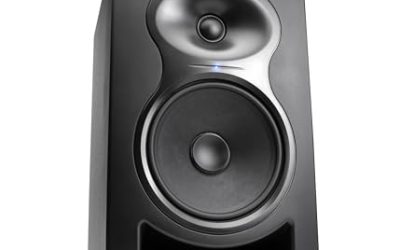
The ROKIT 5 G5 is the easiest fit for a desk shoved against a wall, thanks to a front-ported enclosure that vents toward the listener instead of the drywall. Its onboard DSP offers three voicing modes: Mix for flat work, Focus for scrutinizing the midrange where speech lives, and Create for a livelier sound while writing or screening cuts. An LCD screen and 25 boundary and tuning EQ combinations let you adjust for corners and desktops from the speaker itself, and foam isolation pads come in the box. This listing is for one speaker, so stereo still means a second cabinet and a second outlet.
Specs
- Sold as: single speaker, order two for stereo
- Woofer: 5-inch woven Kevlar aramid fiber cone
- Tweeter: 1-inch silk dome tweeter
- Amplification: bi-amplified Class D, 55 watts total
- Frequency response: 54 Hz to 30 kHz (plus or minus 3 dB)
- Max SPL: 104 dB
- DSP: three voicing modes (Mix, Focus, Create) and 25 boundary and tuning EQ combinations via LCD screen
- Enclosure: front-ported bass reflex design
- Input: balanced XLR and 1/4-inch TRS combo jack
- Included: acoustic foam wedge isolation pads and two magnetic faceplates
- Dimensions: 11.34 x 7.52 x 9.53 inches
Best for: editors whose desk sits against a wall and who want tuning controls on the speaker itself.
Watch out for: the voicing modes tempt you to edit in Create mode; do critical dialogue work in the flat Mix mode.
ASIN: B0CW16KG33
ADAM Audio T5V

The T5V stands apart for its U-ART accelerated ribbon tweeter, which gives it an open, detailed top end that makes sibilance, room hiss and foley edges easy to judge while editing. Its listed low-frequency reach of 45 Hz is the deepest in this group, helpful for music beds, though it still will not reproduce true sub bass. The HPS waveguide spreads that detail across a usable listening area at a small desk, and high-shelf and low-shelf switches on the rear panel adjust for placement. An RCA input alongside the balanced XLR suits desks that run straight from a computer or mixer. It is sold individually, like the rest here.
Specs
- Sold as: single speaker, order two for stereo
- Woofer: 5-inch polypropylene woofer
- Tweeter: U-ART accelerated ribbon tweeter with HPS waveguide
- Amplification: 70 watts total (50 watts woofer plus 20 watts tweeter, Class D)
- Frequency response: 45 Hz to 25 kHz
- Max SPL: 106 dB per pair at 1 meter
- Inputs: XLR balanced and RCA unbalanced, plus 4dBu / minus 10dBV sensitivity switch
- Controls: high-shelf and low-shelf switches at minus 2 dB, 0 dB and plus 2 dB
- Port: rear-firing bass reflex port
- Crossover frequency: 3 kHz
Best for: editors who cut music-driven pieces and need to hear hiss, sibilance and top-end detail clearly.
Watch out for: the rear-firing port needs space behind the cabinet, so a wall-hugging desk will exaggerate its bass.
ASIN: B07BKVY3J1
Which One Fits Your Situation
You Edit Interviews at a Desk Against a Wall
Choose the KRK ROKIT 5 G5. Its front-ported cabinet tolerates the wall behind it better than the rear-ported models, and the Focus voicing mode puts speech frequencies under a microscope while you clean up dialogue. Use the boundary EQ combinations to settle the low end, keep the pair on the included foam pads, and stay in Mix mode when balancing voice against music.
You Cut Client Work That Plays on TVs and Laptops
Choose the Yamaha HS5. Its flat, midrange-forward balance mirrors what consumer screens do to a mix, so if dialogue sits clearly here it usually survives the trip to a television or a phone. The trade is lean bass, so confirm the bottom of music beds on headphones before you deliver the final export.
You Share a Desk and Sit Off-Center Often
Choose the JBL 305P MkII. The Image Control Waveguide holds the stereo picture together when you roll your chair sideways to a second screen or a colleague leans in beside you. That stability helps with panning decisions and stereo music beds, and its trim switches give you a simple way to settle the pair into a bright room.
You Edit Music-Led Videos and Trailers
Choose the ADAM Audio T5V. The ribbon tweeter shows you the texture of strings, synths and cymbals that dome tweeters can blur, and its 45 Hz reach gives the clearest picture of a music bed available from a 5-inch woofer. Keep the rear port away from the wall, and still verify trailer hits and sub drops on headphones.
Common Mistakes
- Ordering one speaker and expecting stereo, when most listings in this category, including all four here, sell a single cabinet.
- Placing rear-ported monitors flush against a wall or in a corner, then cutting bass on the timeline to fix a placement problem.
- Editing at high volume for hours, which flattens your judgment of dialogue levels and makes quiet problems like hiss disappear.
- Judging sub bass on a 5-inch woofer and delivering mixes that boom on systems with a subwoofer or large speakers.
- Running unbalanced cables from a computer sound card past power supplies, picking up hum that balanced XLR or TRS leads would avoid.
Frequently Asked Questions
Do I need an audio interface to use these with my editing computer?
An interface is the cleanest route, because all four models expect line-level balanced signals and offer no USB input. A basic two-output interface feeds both speakers with matched levels and gives you a physical volume knob. You can run the ADAM from a headphone output through its RCA input, but level matching and noise become harder to control.
Can a 5-inch monitor handle the low end in trailers and music videos?
Only partly. These speakers reproduce down to roughly 45 to 54 Hz, which covers basslines and kick drum weight well enough for balance decisions at a desk. Anything below that, including cinematic rumble and sub drops, will be understated or missing. Check those moments on headphones or a system with a subwoofer before delivery.
How far should the speakers sit from me and from the wall?
Aim for an equilateral triangle with about three feet per side at a typical edit desk, tweeters at ear height and angled toward your head. Front-ported cabinets can sit close to a wall, while rear-ported models behave better with several inches of clearance behind them so the port does not overload the low end.
Should both speakers be the same model and set identically?
Yes. A matched pair keeps the stereo image honest, which matters when you pan effects or place dialogue. Set both cabinets to the same volume, the same sensitivity switch position and the same trim settings, then adjust for placement differences only if one side sits nearer a corner or wall than the other.
Related guides
More from Amazon
Programs that pair well with the guide above. Offers and eligibility are set by Amazon and may change.
Free shipping on eligible items, Prime Video and more. Eligible new members can start with a free trial.
Start a Prime free trialAd-free music streaming. Eligible new subscribers can start with a free trial.
Try Music Unlimited freeA Prime membership for ages 18-24 with a trial period. Eligibility is set by Amazon.
See Prime for Young AdultsAudiobooks and podcasts to listen to on the go. Eligible new members can start with a free trial.
Try Audible freeAs an Amazon Associate we earn from qualifying purchases.