For Sacrifice, the best GPU is any card that supports DirectX 7 in a current Windows driver, which means a budget-tier GeForce RTX 5060, Radeon RX 9060 XT or Intel Arc card is more than enough and a flagship adds nothing. The digital edition of this 2000 Shiny Entertainment game lists a 1 GHz processor, 256 MB of RAM and a DirectX 7 compatible graphics card, and no publisher figure suggests anything heavier.
Why a Powerful GPU Does Not Help Here
Sacrifice was built for hardware from the year 2000. Its textures, models and effects were authored for that generation, so moving to a faster graphics card cannot add detail that is not in the game files. Once your card holds the frame rate at your monitor’s refresh rate, extra performance is wasted. The game also has no DLSS, FSR or ray tracing options, so the features that dominate modern GPU marketing do not apply.
The original retail box listed an 8 MB DirectX 7.0a video card as the minimum and a 16 MB card as the recommendation, according to PCGamingWiki. Every graphics product on sale today has memory measured in gigabytes. No official FPS target is published for current hardware, so this guide does not quote one.
Card Options Compared
| Option | Maker-listed memory | Suits | Caveat for Sacrifice |
|---|---|---|---|
| Integrated graphics in recent Ryzen or Core chips | Shared system memory | Players who want this game and other classics only | Needs a maintained driver; no extra visual quality |
| Intel Arc B570 / B580 | 10 GB / 12 GB, per Intel | Budget 1080p and 1440p builds | Older DirectX paths depend on driver support; read recent reports |
| GeForce RTX 5060 | 8 GB GDDR7, 145 W | Entry-tier general gaming | DLSS 4 is not used by this game |
| GeForce RTX 5060 Ti | 8 GB or 16 GB GDDR7, 180 W | 1440p modern games | Extra memory goes unused here |
| Radeon RX 9060 XT | 8 GB or 16 GB, per AMD | Value tier for 1080p to 1440p | FSR 4 not applicable |
| Radeon RX 9070 XT / GeForce RTX 5070 and above | 12 GB to 16 GB and up | 4K in current releases | Far beyond this game’s needs |
Resolution Tiers
1080p at High Settings
Any of the options above holds this resolution with room to spare. If you are building a PC only for this and similar older games, integrated graphics is a legitimate answer. A budget discrete card makes sense when you also play recent titles.
1440p
The game’s engine is not the limiting factor; its interface and aspect ratio are. Select the closest mode offered in the options menu, and consult community patches if you need a precise match for your monitor. A mid-tier card will not be strained by the render load.
4K
Outputting at 4K from this title is a compatibility matter. Whether the game accepts such a resolution depends on the build and any community fix. Hardware beyond an entry-level card does not change that. Buy a 16 GB or larger card if your other games call for it, not because of Sacrifice.
Decision Table: Pick X If
| You are… | Pick | Reason |
|---|---|---|
| Replaying old strategy and action classics on a small PC | Integrated graphics or the card you own | The stated need is DirectX 7 support |
| Building a budget all-rounder | RTX 5060, RX 9060 XT or Arc B580 | Covers current games at 1080p, handles this title trivially |
| Wanting 1440p longevity in other games | A 16 GB tier card from either major maker | Memory headroom for newer releases |
| Chasing 4K and high refresh in new titles | RX 9070 XT or RTX 5070 and above | Aimed at high resolutions, irrelevant to this game |
Compatibility Matters More Than Speed
Because the game uses a fixed-function era renderer, what counts is how current drivers translate that older DirectX path. Modern Windows keeps compatibility for DirectX 7 content, which is why the digital edition lists Windows 7 through 10 and players report it works on 11. Practical checks:
- Install the latest graphics driver from the GPU maker’s support page.
- Confirm Windows lists your real adapter in Device Manager.
- If the executable will not start, try an older Windows profile on the Compatibility tab.
- Disable overlays and capture tools while testing launch problems.
- Use the digital DRM-free edition if you own the original disc and it refuses to run, since PCGamingWiki describes the digital build as pre-patched for modern systems.
What to Skip
Skip paying a premium for a flagship card on the strength of this game. Skip very old second-hand cards whose driver support has been wound down, because that can leave Windows on a basic display adapter. Be wary of unusually cheap new-generation cards from unknown sellers, since relabeled or counterfeit hardware is a known problem. Also avoid downloading unofficial graphics wrappers or patches from unknown pages; use only the project’s own site and read its instructions.
Alternatives to Buying a GPU
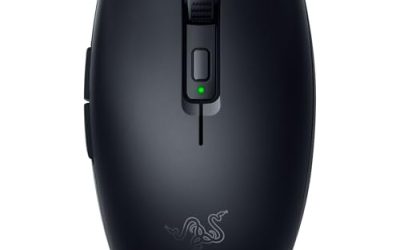
A better monitor with good integer or aspect-ratio scaling can improve the experience of an old 4:3 era game more than a new card can. A solid-state drive shaves load times slightly. A decent mouse with adjustable polling can help with unit selection in this action-strategy hybrid. Controllers are not part of the published feature list, so plan for keyboard and mouse.
Common Mistakes
- Expecting DLSS or FSR to appear in a 2000 title.
- Assuming more VRAM sharpens the old textures.
- Believing inflated third-party requirements such as a GTX 660 minimum; those do not match the store or the retail box.
- Skipping driver updates and then blaming the game.
- Forgetting that widescreen is a software matter here.
Frequently Asked Questions
What is the best GPU for Sacrifice?
Any card with DirectX 7 support in a maintained driver. Budget current cards such as the RTX 5060 or RX 9060 XT are ample, and integrated graphics also meets the stated requirement.
Does Sacrifice support DLSS or FSR?
No. The game dates from 2000 and has no upscaling or frame generation. Choose a card for the rest of your library, not for those features.
How much VRAM does it need?
The original retail documentation listed 8 MB as the minimum and 16 MB as recommended. Any modern graphics card is thousands of times above that, so capacity is not a concern.
Is an Intel Arc card fine for it?
Intel lists current Arc cards with DirectX support, but behavior in very old titles depends on driver versions. Check recent user reports for this specific game, and keep a fallback GPU if you already own one.
Will 4K work?
That depends on the game build and any community patch rather than your GPU. The original menus offer limited modes, so expect to experiment and keep backups of your save files.
Should I upgrade my GPU if the game crashes?
Not usually. Crashes in a game this old are more often tied to drivers, compatibility settings or audio configuration. Work through those first, and contact the store’s support if the problem continues.
Related guides
More from Amazon
Programs that pair well with the guide above. Offers and eligibility are set by Amazon and may change.
Free shipping on eligible items, Prime Video and more. Eligible new members can start with a free trial.
Start a Prime free trialAd-free music streaming. Eligible new subscribers can start with a free trial.
Try Music Unlimited freeA Prime membership for ages 18-24 with a trial period. Eligibility is set by Amazon.
See Prime for Young AdultsAudiobooks and podcasts to listen to on the go. Eligible new members can start with a free trial.
Try Audible freeAs an Amazon Associate we earn from qualifying purchases.