Gaming on an iPad runs into a hardware filter that PC players never face: iPadOS pairs with a mouse over Bluetooth, so the 2.4 GHz receiver that most gaming mice lead with cannot be the main connection. That single fact cuts the field down to dual-mode gaming mice, and it changes what matters. Battery life on Bluetooth, on-mouse DPI controls that work without companion software, and a shape that suits a couch or a small desk all count for more than headline polling figures.
The five mice below cover the main buyer groups. Marathon players get the Razer Orochi V2 and its 950-hour Bluetooth figure. Players who split time between an iPad and a gaming PC get the Logitech G309 Lightspeed. Anyone who binds lots of abilities gets the nine controls of the Razer Basilisk V3 X HyperSpeed, smaller hands get the compact Logitech G705, and budget-tier shoppers get the SteelSeries Rival 3 Wireless Gen 2.
Our Top Picks
 Logitech G309 Lightspeed Wireless Gaming Mouse1.51 x 2.49 Inch1.51 x 2.49 x 0.1 inches0.2 poundsCheck on Amazon
 Razer Basilisk V3 X HyperSpeed Customizable Wireless GamingStandard5.12 x 2.96 x 1.67 inches0.2 poundsCheck on Amazon
Top 3 picks at a glance
Quick Picks
As an Amazon Associate we earn from qualifying purchases.
| Product | Best for | Key spec from title |
|---|---|---|
| Razer Orochi V2 | Long trips and couch play on one battery | Bluetooth and HyperSpeed wireless, 18K DPI sensor |
| Logitech G309 Lightspeed | One mouse shared between iPad and PC | HERO 25K sensor, 300+ hour battery life |
| Razer Basilisk V3 X HyperSpeed | Button-heavy games and a fuller grip | 9 programmable controls, 535-hour Bluetooth figure |
| SteelSeries Rival 3 Wireless Gen 2 | A capable first gaming mouse for iPad | 18,000 DPI TrueMove Air sensor, 1.9 ms clicks |
| Logitech G705 | Smaller hands and compact setups | LIGHTSPEED and Bluetooth, 85 g rechargeable body |
How to Choose
Bluetooth Has to Be a Native Mode
An iPad pairs with a mouse through Bluetooth, full stop. A gaming mouse that only offers a USB receiver and a cable leaves you dependent on a USB-C hub and adapter tricks that add bulk and can be unreliable on iPadOS. Every mouse in this guide carries Bluetooth as a built-in mode alongside its 2.4 GHz link, so pairing takes seconds in the iPad settings menu and the receiver stays free for a PC. Check the mode switch location too: a switch on the underside, like the Rival 3 Wireless Gen 2 uses, keeps the change deliberate rather than accidental mid-game.
Battery Style Decides Your Charging Habits
Four of these five mice run on AA or AAA cells, and the runtimes are enormous: up to 950 hours on Bluetooth for the Orochi V2, up to 535 hours for the Basilisk V3 X HyperSpeed, and over 300 hours for the G309. You swap a cell a few times a year and never think about cables. The G705 takes the other route with a built-in rechargeable battery rated at 40 hours with full lighting, which suits a fixed desk but needs a USB-C cable in the travel bag. Pick based on where the mouse will live.
DPI and Profiles Must Live on the Mouse
Companion software from Razer, Logitech and SteelSeries runs on PC and Mac, not on iPadOS, so any setting you want on the tablet has to travel inside the mouse. Look for a physical DPI button and on-board memory: the G309 stores settings from its six programmable buttons, and the Basilisk V3 X keeps profiles on the mouse itself. Within iPadOS you still get pointer controls, including tracking speed and pointer appearance under the accessibility settings, but fine sensor steps come from the hardware. Set your DPI stages on a computer first, then pair with the iPad.
Shape and Weight for Tablet Sessions
iPad gaming happens on couches, in bed and at small desks, so a mouse that feels fine at a big battlestation can feel clumsy here. Lighter bodies like the Orochi V2 at under 60 g without its battery and the 85 g G705 suit fingertip and claw movement in tight spaces. The Basilisk V3 X is the outlier: a larger right-handed shell with a thumb rest for palm players who want support during long sessions. Match the shell to your grip before chasing sensor numbers, because comfort decides how long you play.
The 5 Best Options
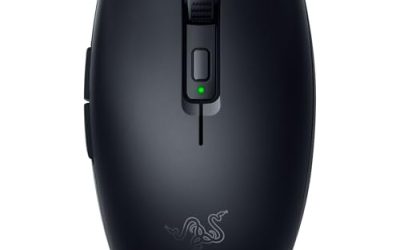
Razer Orochi V2

The Orochi V2 is the natural iPad pick in Razer’s range because it was built as a mobile gaming mouse rather than a desk mouse with Bluetooth added later. Its Bluetooth mode runs for up to 950 hours on a single cell, so it can live in a tablet sleeve for months. The symmetrical shell suits claw and fingertip grips, the 18K sensor tracks cleanly on desks and sofa-side tables, and the hybrid battery slot lets you run a lighter AAA cell when you want the lowest possible weight in hand.
Specs
- Connectivity: Bluetooth and Razer HyperSpeed 2.4 GHz wireless
- Sensor: Razer 5G Advanced optical, up to 18,000 DPI
- Battery life: up to 950 hours on Bluetooth, up to 425 hours on HyperSpeed
- Power: one AA or AAA battery in a hybrid slot
- Switches: 2nd-gen Razer mechanical, rated for 60 million clicks
- Weight: under 60 g excluding battery
Best for: Players who game on an iPad away from home and hate charging cables.
Watch out for: The compact shell runs small for palm grip players with large hands, so check the fit against your grip style first.
ASIN: B0916N2LPZ
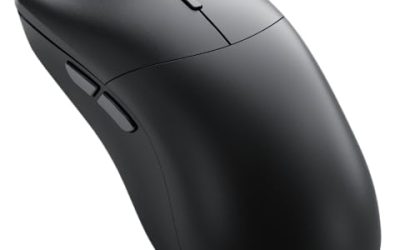
Logitech G309 Lightspeed
The G309 is the split-life option: LIGHTSPEED handles the gaming PC with the included receiver, and Bluetooth handles the iPad, with a mode switch underneath to move between them. Logitech rates a single AA battery at over 300 hours over LIGHTSPEED, and the HERO 25K sensor brings sub-micron tracking with zero smoothing or filtering. LIGHTFORCE hybrid switches blend optical speed with a mechanical feel. Players who own a POWERPLAY pad can also drop the battery entirely and play at 68 g, though that setup belongs to the desk, not the tablet.
Specs
- Connectivity: LIGHTSPEED 2.4 GHz wireless and Bluetooth
- Sensor: HERO 25K optical with sub-micron tracking
- Weight: 86 g with AA battery, 68 g with POWERPLAY
- Battery life: 300+ hours on one AA battery over LIGHTSPEED
- Switches: LIGHTFORCE hybrid optical-mechanical
- Buttons: 6 programmable
- Size: 117.55 x 63.20 x 38.36 mm
Best for: Anyone who wants one gaming mouse to serve both an iPad and a PC.
Watch out for: Confirm the listing is the Black model 910-007197, since the White version sells under a separate listing.
ASIN: B0C84ZD7L6
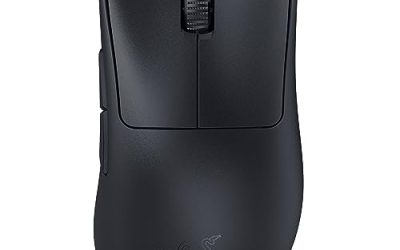
Razer Basilisk V3 X HyperSpeed
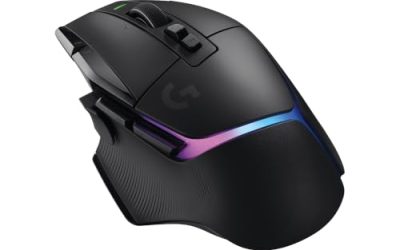
Where the other picks chase low weight, the Basilisk V3 X chases control count and comfort. Nine programmable controls, including a multi-function trigger near the thumb, give iPad games with mouse support plenty of inputs to bind, and the right-handed shell with its thumb rest supports a relaxed palm grip. Battery life reaches up to 535 hours on Bluetooth from one AA cell, the longest figure here alongside the Orochi V2. Chroma RGB lighting rounds out a mouse that feels like a full desktop model yet still pairs with a tablet in seconds.
Specs
- Connectivity: Razer HyperSpeed 2.4 GHz wireless and Bluetooth
- Sensor: Razer 5G Advanced optical, up to 18,000 DPI
- Controls: 9 programmable, including a multi-function trigger
- Battery life: up to 535 hours on Bluetooth, up to 285 hours on HyperSpeed
- Power: one AA battery
- Switches: Razer mechanical switches, Gen-2
- Lighting: Razer Chroma RGB
- Size: 5.12 x 2.96 x 1.67 inches
Best for: Palm grip players who bind many abilities and play long sessions.
Watch out for: At roughly 110 g with its battery it is the heaviest pick here, so fingertip players should look at the lighter models first.
ASIN: B0BXBC26X8
SteelSeries Rival 3 Wireless Gen 2

The Rival 3 Wireless Gen 2 is the budget-tier route into iPad gaming that still behaves like a proper gaming mouse. Its TrueMove Air optical sensor is rated at 18,000 DPI with 400 IPS tracking, clicks land with a listed 1.9 ms response, and the mechanical switches carry a 60 million click rating. Battery life runs to 200 hours on the 2.4 GHz link and 450 hours on Bluetooth, and you can trim 11 g by running a single AAA cell. Pure PTFE feet keep the glide smooth on a desk or a travel pad.
Specs
- Connectivity: 2.4 GHz wireless dongle and Bluetooth
- Sensor: TrueMove Air optical, 18,000 DPI, 400 IPS, 40G acceleration
- Click response: 1.9 ms listed latency
- Switches: mechanical, rated for 60 million clicks
- Battery life: up to 200 hours on 2.4 GHz, up to 450 hours on Bluetooth
- Feet: 100 percent PTFE
Best for: First-time buyers who want real gaming hardware without premium-tier spending.
Watch out for: Make sure the listing is the Gen 2 model 62687, because the older Rival 3 Wireless still sells under a similar name.
ASIN: B0F69R79PH
Logitech G705

The G705 comes from Logitech’s Aurora Collection and is shaped for smaller hands, with a compact contoured shell that fits the tighter spaces where iPad gaming happens. It pairs over Bluetooth for the tablet and keeps LIGHTSPEED for a PC, and its soft LIGHTSYNC RGB lighting gives it a look none of the other picks match. The built-in battery recharges over USB-C and is rated at 40 hours of play with full lighting. At 85 g it stays light enough for quick flicks while feeling more filled-out than the Orochi V2.
Specs
- Connectivity: LIGHTSPEED 2.4 GHz wireless and Bluetooth
- Sensor: gaming-grade optical, up to 8,200 DPI
- Weight: 85 g
- Battery: rechargeable, up to 40 hours with full lighting
- Lighting: LIGHTSYNC RGB
- Charging: USB-C
- Shape: compact contoured shell designed for smaller hands
Best for: Smaller hands and players who want a compact mouse with lighting.
Watch out for: The 40-hour figure assumes full lighting, and this White Mist model 910-006365 sells at a premium over plainer designs.
ASIN: B08V1JWV82
Which One Fits Your Situation
You Game on the Couch With the iPad Propped Up
Reach for the Razer Orochi V2. Bluetooth pairing is instant, the shell is small enough to run on a sofa arm or a side table, and the 950-hour Bluetooth figure means the battery is never the reason a session ends. Its light body also suits the short, quick movements that couch play encourages.
One Mouse Has to Cover a Tablet and a Gaming PC
The Logitech G309 Lightspeed was built for exactly this split. Keep the receiver in your PC for low-latency LIGHTSPEED play, flip the underside switch to Bluetooth for the iPad, and carry one mouse between rooms. The 300-plus-hour AA runtime means the shared schedule never turns into a charging schedule or a hunt for spare cables.
Your Games Use Lots of Bound Abilities
Pick the Razer Basilisk V3 X HyperSpeed. Nine programmable controls give supported iPad games far more inputs than the standard two-button layout, and the thumb rest keeps a palm grip relaxed during long sessions. Set the bindings on a PC first so the profiles stored in the mouse carry over to the tablet.
Smaller Hands, Smaller Desk, Tighter Kit
The Logitech G705 fits this brief. Its compact Aurora shell was designed around smaller hands, the 85 g body moves easily in cramped spaces, and Bluetooth keeps the setup to a tablet and a mouse with no receiver to lose. The rechargeable battery also removes spare cells from the packing list.
Common Mistakes
- Buying a gaming mouse with no Bluetooth mode, then finding the iPad cannot pair with its USB receiver directly.
- Assuming every iPad game accepts mouse input, when support is decided title by title and some games stay touch-only.
- Skipping the PC setup step, even though DPI stages and button profiles must be saved to the mouse before they work on iPadOS.
- Choosing the heaviest mouse for a travel kit, where a light body matters more than extra controls.
- Leaving pointer settings at their defaults instead of adjusting tracking speed in the iPad accessibility menu to suit the sensor.
Frequently Asked Questions
Do all iPad games work with a gaming mouse?
No. iPadOS itself works fully with a paired mouse, so menus, browsers and apps respond to the pointer everywhere. Games decide support individually: many shooters, strategy titles and ports accept mouse input, while touch-first games may ignore it. Check the game’s controller or input notes before buying a mouse for one specific title.
Can I use the 2.4 GHz receiver with an iPad instead of Bluetooth?
On USB-C iPads, a receiver plugged in through a hub or adapter can register as a standard input device in some setups, but support is inconsistent and the extra hardware defeats the point of a tablet kit. Bluetooth is the dependable route, and every mouse in this guide includes it as a native mode.
How do I change DPI when the mouse is paired with an iPad?
Use the DPI button on the mouse itself, which cycles the stages stored in its memory. Finer control means setting those stages in the maker’s PC or Mac software first, then moving the mouse to the iPad. Inside iPadOS, the pointer settings under Accessibility let you adjust tracking speed and how the pointer looks on screen.
Will the extra side buttons do anything on iPadOS?
The main clicks and scroll wheel work everywhere. Extra buttons usually register as standard inputs that supported games can bind, but iPadOS does not offer system-wide remapping for them. Program the buttons on a computer first, since mice like the G309 and Basilisk V3 X store those assignments on board and carry them to the tablet.
Related guides
More from Amazon
Programs that pair well with the guide above. Offers and eligibility are set by Amazon and may change.
Free shipping on eligible items, Prime Video and more. Eligible new members can start with a free trial.
Start a Prime free trialAd-free music streaming. Eligible new subscribers can start with a free trial.
Try Music Unlimited freeA Prime membership for ages 18-24 with a trial period. Eligibility is set by Amazon.
See Prime for Young AdultsAudiobooks and podcasts to listen to on the go. Eligible new members can start with a free trial.
Try Audible freeAs an Amazon Associate we earn from qualifying purchases.