
Marketing around blue light glasses promises less eye strain, better sleep, and sharper focus during marathon sessions in front of a monitor. Streamers spend more screen time than almost anyone, so the pitch lands. But the science is more nuanced than the ads suggest, and knowing what these glasses can and cannot do helps you spend wisely.
As an Amazon Associate we earn from qualifying purchases at no extra cost to you.




Our Top Picks
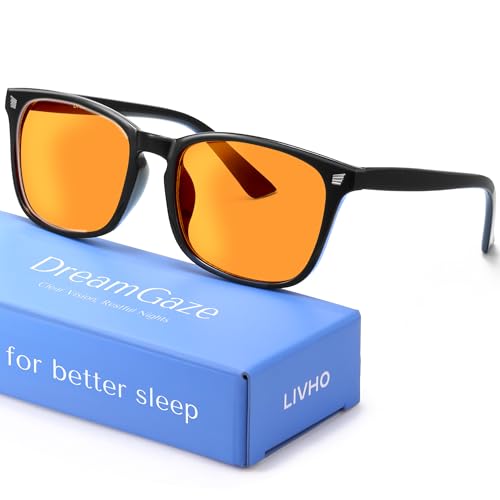
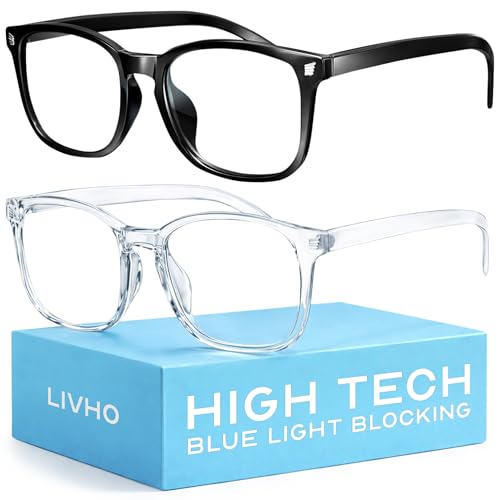


Top 3 picks at a glance
What blue light glasses actually do
Blue light glasses have a coating or tint that filters a portion of high-energy visible light in the roughly 400-490 nm range. Cheaper clear lenses block around 10-30% of blue light; amber or orange tints can block 50%+ but noticeably shift color, which matters if you edit thumbnails or video where color accuracy counts.
The eye-strain question
Most “digital eye strain” is not caused by blue light itself. It comes from reduced blinking, focusing at a fixed distance for hours, glare, and poor lighting. Research to date has not shown that blue-blocking lenses meaningfully reduce eye strain compared with taking breaks and fixing your setup. So if you buy them expecting to cure tired eyes, you may be disappointed.
Where they may genuinely help
| Goal | Blue light glasses help? | Better alternative |
|---|---|---|
| Reduce eye strain | Weak evidence | 20-20-20 rule, better lighting |
| Sleep after late streams | Possibly | Night-mode / warmer display |
| Cut screen glare | No | Anti-glare coating, matte monitor |
| Color-accurate editing | Hurts (tint) | Clear lenses only |
The sleep angle
The strongest case is evening use. Blue-heavy light in the hours before bed can suppress melatonin and delay sleep. If you stream late, amber lenses or, better, your monitor’s built-in night mode that warms the color temperature after sunset can help you wind down. For a streamer who plays until 2 a.m., that benefit is real even if the daytime eye-strain claims are shaky.
How to choose if you want a pair
For on-camera use, pick clear or lightly tinted lenses so they do not turn orange under your key light. Expect to pay $15-$40 for a decent pair; you do not need a $120 designer version to get the same coating. If you edit color-critical work, keep a clear pair for the desk and rely on display night mode for sleep instead.
Free fixes to try first
Before buying anything, apply the changes that research actually supports for tired eyes, because they cost nothing and work better than lenses. Follow the 20-20-20 rule: every 20 minutes, look at something about 20 feet away for 20 seconds, which relaxes the focusing muscles that cause most digital eye strain. Keep your monitor an arm’s length away with the top of the screen at or just below eye level, and make sure the room is not darker than the screen, since a bright display in a black room forces your pupils to work harder.
Also raise your blink rate consciously; people blink up to 60% less while staring at screens, and reduced blinking dries the eyes, which feels like strain. A small desk humidifier or lubricating drops help in dry rooms. Turn on your operating system’s night mode to warm the display color temperature in the evening, which addresses the sleep angle for free. Work through those first, and if your eyes still bother you late at night, a cheap clear-lens blue-light pair is a reasonable low-cost experiment rather than your first line of defense.
Frequently asked questions
Will blue light glasses look weird on camera?
Amber-tinted lenses can reflect orange and shift your on-camera color, which looks odd under a white key light. Clear anti-blue coatings are nearly invisible on stream. If appearance matters, test a pair under your lighting before committing, and favor clear lenses.
Is my monitor’s night mode as good as glasses?
For the sleep benefit, often yes. Warming the display color temperature in the evening reduces blue output at the source, no eyewear required. Glasses add value if you want the effect across multiple screens or your phone at once, but a single monitor’s night mode covers most streamers.
Bottom line
Blue light glasses are unlikely to cure eye strain, which is better solved with breaks and lighting, but a cheap clear pair can help with late-night sleep and costs little to try. Skip the pricey tinted versions if you do color work, and lean on your monitor’s night mode as a free alternative.









