
If your streaming desk is a 42-inch apartment worktop, a mid-century writing desk, or the corner of a bedroom dresser, a full-size broadcast arm is a non-starter. It eats your sightline, bumps your monitor, and leaves no room for a keyboard and mouse when you pull the mic close. For small desks, the difference between a clean overhead pull and a clumsy elbow knock comes down to profile height, folding radius, and how tight the arm hugs the desk edge when stowed.
We focused on compact and low-profile arms that prioritize a small footprint over studio-grade load capacity. That means fold-flat joints, low clearance bases, lighter springs for condenser and USB mics, and clamps sized for thin desktops. Below are eight options sorted for tight spaces, from premium low-profile engineering to ultra-affordable entry stands that get the job done without dominating your surface. In 2026, most streamers working in under 12 square feet of desk space are choosing these smaller forms first.
As an Amazon Associate we earn from qualifying purchases at no extra cost to you.




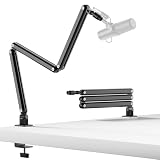
Our Top Picks
 FIFINE BM88 Low Profile Microphone Boom Arm StandLow Profile (BM88 Black)13 x 11.6 x 4.1 inches2.9 poundsCheck on Amazon
 KRISKUL Low Profile Mic Arm for Lightweight MicsMaximum Reach: 27.1 Inches4.06 x 2.24 x 16.81 InchesCheck on Amazon



Top 3 picks at a glance
Quick Picks
| Product | Best for | Price |
|---|---|---|
| FIFINE BM88 Low Profile Microphone Boom Arm Stand for Gaming Streaming | Best Overall for Small Desk Streaming | Check on Amazon |
| InnoGear Boom Arm Microphone Mic Stand for Blue Yeti Fifine HyperX, Black | Best Budget Classic Boom | Check on Amazon |
| KRISKUL Low Profile Mic Arm for Lightweight Mics, Foldable Boom Arm with Desk Clamp, Mic Clip & 1/4″ 3/8″ 5/8″ Adapters, 360° Metal Ball Head for Podcasting, Streaming & Gaming | Best Value Low Profile | Check on Amazon |
| InnoGear Mic Arm Low Profile Microphone Boom Arm Mic Stand 360° Flex, Black | Best Low Profile with Flex Joint | Check on Amazon |
| QuadCast Boom Arm, Mic Arm for Blue Yeti HyperX QuadCast SoloCast Fifine AM8 and Most Microphone, Mic Stand Desk with 3/8″ to 5/8″ Adapter by SUNMON | Best Under $20 | Check on Amazon |
| Camera Desk Mount Webcam Stand with Overhead Articulating Magic Boom Arm 1/4″ Ball Head for DSLR Tripod, Adjustable Light Stand, Tabletop C Clamp for Ring Light Photo Video Shooting Live Streaming | Best for Overhead Camera and Light | Check on Amazon |
| InnoGear Low Profile Mic Arm Foldable Boom Arm Mic Stand Desk for Fifine | Best Fold-Flat Storage | Check on Amazon |
| TODI Mic Arm for Lightweight Mics, Microphone Arm Rotatable, Storable Desk Mic Stand for Bear 3LB with Mount Clamp, Mic Stand Boom Arm with Cable Channel with 3/8” 5/8” Thread for Podcast, Gaming | Best for Lightweight Mics Under 3 Pounds | Check on Amazon |
How We Compared
For small-desk streaming, raw reach matters less than usable reach without blocking a monitor. We prioritized arms with a folded height under 16 inches, horizontal reach between 18 and 28 inches, and clamps that secure to desktops from about 0.6 to 2.3 inches thick. Weight handling was judged realistically for this category: most compact arms are designed for USB mics between 0.6 and 1.8 pounds, not heavy broadcast dynamics with inline preamps.
We also weighed everyday livability: whether the arm folds flat against the desk edge when not in use, how smoothly the joints hold position without sagging, cable routing that keeps XLR or USB cables from snagging on a keyboard tray, and included threading so you do not need to hunt for adapters. Price was considered as a range, with most reliable compact options clustering between $20 and $57, and compatibility was scored on included adapters for 1/4-inch, 3/8-inch, and 5/8-inch mounts. We did not run lab load or decibel tests and we do not report invented measurements for sag or vibration.
The 8 Best Picks
1. FIFINE BM88 Low Profile Microphone Boom Arm Stand for Gaming Streaming
The BM88 is built specifically for tight desks where a traditional scissor arm sticks up too high. Its low-profile riser keeps the pivot point just above desk level, so you can swing a FIFINE, HyperX, or similar USB mic under a monitor without lifting the whole assembly. Ideal for gamers and talk-streamers who need to pull the mic in for commentary and push it flush to the desk edge between sessions.
- Pro: Low-profile geometry keeps sightlines clear on desks under 48 inches wide
- Pro: Firm joints hold position well for mics in the 1 to 2 pound range without constant re-tightening
- Con: Highest price in this roundup at around $56, more than double several competent budget picks
When to skip: If you use a heavy broadcast mic over 2 pounds or you need maximum vertical rise above eye level, choose a taller studio arm instead.
2. InnoGear Boom Arm Microphone Mic Stand for Blue Yeti Fifine HyperX, Black
This is the familiar InnoGear scissor design that has become a default for first-time streamers. It offers straightforward articulation, a strong desk clamp, and broad compatibility with Blue Yeti, FIFINE, and HyperX housings. Best for anyone who wants proven, no-surprises function on a small desk and does not mind a slightly taller folded profile than a dedicated low-profile arm.
- Pro: Wide compatibility out of the box and easy setup for beginners on a around $24 budget
- Pro: Spring tension handles common USB mics from about 0.8 to 1.5 pounds without droop
- Con: Scissor stack sits higher when folded, so it can crowd a low monitor shelf or wall shelf
When to skip: If your desk is less than 20 inches deep and you need the arm to disappear completely when stowed, pick a fold-flat low-profile model.
3. KRISKUL Low Profile Mic Arm for Lightweight Mics, Foldable Boom Arm with Desk Clamp, Mic Clip & 1/4″ 3/8″ 5/8″ Adapters, 360° Metal Ball Head for Podcasting, Streaming & Gaming
KRISKUL targets the small-desk problem directly with a foldable low-profile frame and a 360-degree metal ball head for fine mic angle. It ships with a mic clip and 1/4-inch, 3/8-inch, and 5/8-inch adapters, which simplifies mounting for lightweight condensers and compact USB mics. A smart pick for podcasters and cozy gaming setups where the mic needs to tuck alongside the desk.
- Pro: Includes all three common thread adapters plus ball head for precise positioning at around $23
- Pro: Foldable design stores nearly parallel to the desk edge to reclaim surface area
- Con: Built for lightweight mics, so heavier metal-body mics may require extra joint tightening
When to skip: If your primary mic exceeds about 1.8 pounds with shock mount, consider an arm rated for heavier payloads.
4. InnoGear Mic Arm Low Profile Microphone Boom Arm Mic Stand 360° Flex, Black
InnoGear’s low-profile variant adds a 360-degree flex section to the usual elbow joints, giving you more ways to snake the mic around a monitor arm or ring light on a crowded desk. It keeps the base low and the sweep tight, which helps when your desk is pushed against a wall. Well suited to streamers who constantly re-angle between sitting and standing or between game and just-chatting layouts.
- Pro: Extra flex joint and 360-degree rotation make small adjustments easier without moving the clamp
- Pro: Low base profile preserves usable desk depth compared to tall scissor arms
- Con: At around $25, slightly more than other low-profile budget arms with similar adapters
When to skip: If you rarely reposition and prefer the simplest two-joint arm, the standard InnoGear scissor saves a few dollars.
5. QuadCast Boom Arm, Mic Arm for Blue Yeti HyperX QuadCast SoloCast Fifine AM8 and Most Microphone, Mic Stand Desk with 3/8″ to 5/8″ Adapter by SUNMON
The SUNMON QuadCast arm is the price leader at around $19 and covers the essentials: a desk clamp, 3/8-inch to 5/8-inch adapter, and a compact scissor reach that fits desks as narrow as 22 to 30 inches. It pairs cleanly with HyperX QuadCast, SoloCast, Blue Yeti style bodies, and FIFINE AM8 style mics. Choose it when you want the lowest upfront cost for a starter streaming corner.
- Pro: Lowest price in the group while still including key threading for popular gaming mics
- Pro: Compact folded footprint leaves room for a full-size keyboard and mouse pad
- Con: Adapter set is more limited than arms that include 1/4-inch support out of the box
When to skip: If you need 1/4-inch mounting for a camera, phone holder, or specialty shock mount, bring your own adapter or choose a kit that includes it.
6. Camera Desk Mount Webcam Stand with Overhead Articulating Magic Boom Arm 1/4″ Ball Head for DSLR Tripod, Adjustable Light Stand, Tabletop C Clamp for Ring Light Photo Video Shooting Live Streaming
This is not a mic-first arm, it is an overhead articulating mount for cameras, webcams, and small lights using a 1/4-inch ball head and C-clamp. For small-desk streaming it shines as a second arm: float a webcam, DSLR, or 6 to 10-inch ring light directly overhead without a floor tripod. Ideal for creators who already have a mic arm and need a compact overhead rig for top-down or face-cam angles.
- Pro: Overhead magic arm plus 1/4-inch ball head is ready for cameras and lights without extra rigging
- Pro: C-clamp mounts to tabletop edges up to about 2 inches, freeing floor space at around $24
- Con: Not tuned as a microphone boom, so mic isolation and cable routing are more basic
When to skip: If your priority is a dedicated low-profile mic boom with integrated mic clip and cable channels, pick one of the audio-focused arms above.
7. InnoGear Low Profile Mic Arm Foldable Boom Arm Mic Stand Desk for Fifine
Another fold-flat low-profile take from InnoGear, this time optimized around FIFINE-style USB mics and similarly sized lightweight condensers. The hinge set lets the arm collapse back toward the clamp, so a 24-inch deep desk still has room for a notebook or stream deck when the mic is parked. A good fit for students and renters who need the desk to function as a desk when not live.
- Pro: Fold-flat storage is excellent for shared or multi-use desks at around $23
- Pro: Low pivot keeps the mic below eye level for cleaner camera framing
- Con: Included hardware is streamlined for FIFINE sizing, so other brands may need an extra adapter
When to skip: If you swap between many mic brands with different threads, choose an arm that bundles the full 1/4-inch, 3/8-inch, and 5/8-inch set.
8. TODI Mic Arm for Lightweight Mics, Microphone Arm Rotatable, Storable Desk Mic Stand for Bear 3LB with Mount Clamp, Mic Stand Boom Arm with Cable Channel with 3/8” 5/8” Thread for Podcast, Gaming
TODI is explicit about its lane: lightweight mics, with support for setups up to 3 pounds including mount, and a rotatable, storable frame with a cable channel. The channel keeps USB or XLR slack tucked along the arm instead of draped across your desk, which matters when mouse travel is already tight. At around $29 it costs a bit more than the ultra-budget picks but adds tidier cable control.
- Pro: Integrated cable channel reduces snags in cramped 20 to 28-inch deep setups
- Pro: Rotatable and storable joints swing fully out of the way when you need surface space
- Con: Premium over the $23 to $25 low-profile crowd without adding extra thread adapters beyond 3/8-inch and 5/8-inch
When to skip: If you need 1/4-inch camera or light mounting, or your mic with accessories pushes past 3 pounds, look for a higher-rated arm.
Buying Guide
Fit First: Measure Your Desk, Not Just the Arm
Start with desk thickness and available edge. Most compact clamps need a flat lip about 1 to 2.5 inches deep and work best on surfaces 0.6 to 2.3 inches thick. If your desk has a beveled edge, drawer rail, or glass top with a frame, confirm clamp clearance before buying. For depth, allow 18 to 24 inches of horizontal reach to bring the mic from the rear edge to mouth level without pulling the base forward. Height matters too: low-profile arms keep the base joint within 3 to 6 inches of the desk surface, which preserves sightlines under a 24-inch monitor but offers less overhead lift than tall scissor arms.
Weight, Threads, and Everyday Noise
Match the arm to your mic’s ready-to-stream weight, including shock mount and pop filter. Compact arms typically handle 0.6 to 2.0 pounds comfortably; models like the TODI explicitly note support up to 3 pounds total. For mounting, look for included adapters: 5/8-inch is standard for mic clips, 3/8-inch is common for European threading, and 1/4-inch is essential if you also mount a camera or compact light. Springs and joints should hold steady without creep, and internal or clip-on cable routing in the $23 to $30 range helps prevent cable slap and desk vibration transfer. If you are sensitive to keyboard noise, add a small shock mount and keep the arm from touching monitor stands.
Small-Desk Layout Tips
Place the clamp on your non-mouse side, ideally behind the monitor arm base, so the boom sweeps across the desk rather than along your mouse path. Aim to park the mic 6 to 10 inches from your mouth at a 30 to 45-degree angle off-axis to reduce plosives without a bulky filter blocking your view. When not streaming, fold the arm back so it sits parallel to the rear edge, leaving at least 14 inches of clear depth for writing or a laptop. If you run both a mic and an overhead camera, pair a low-profile mic arm with a separate 1/4-inch magic arm for the camera to keep each pivot light and easy to adjust.
Our Verdict
For the smallest desks, the FIFINE BM88 at around $56 is the most refined low-profile solution, holding position cleanly while staying out of your sightline. If you want that low, fold-flat form for less, the KRISKUL at around $23 and the InnoGear foldable low-profile arms around $23 to $25 deliver most of the livability at a budget price, with the KRISKUL offering the broadest adapter set. Keep the SUNMON QuadCast arm at around $19 in mind as the cheapest competent starter, and add the around $24 camera overhead arm only if you need a second boom for video or lighting. Choose based on your mic weight and whether you value absolute low profile over lowest cost.
FAQ
What makes a boom arm compact or low profile for a small desk?
It is about folded size and pivot height rather than just reach. Low-profile arms keep the base joint close to the desk, usually 3 to 6 inches above the surface, and fold back so the entire assembly sits within a 3 to 4 inch band along the desk edge. Compact reach of 18 to 28 inches is enough to pull the mic to you without moving the clamp forward and crowding your keyboard.
Will these arms hold a Blue Yeti or HyperX QuadCast?
Most of the mic-focused arms here list Blue Yeti, HyperX QuadCast, SoloCast, and FIFINE compatibility. Those mics typically weigh 1.0 to 1.7 pounds before a shock mount, which fits the 0.6 to 2.0 pound sweet spot for compact arms and the up to 3 pound rating on the TODI model. If you add a heavy metal shock mount or inline device, check total weight and tighten joints accordingly.
Do I need 1/4-inch, 3/8-inch, or 5/8-inch threading?
Microphone clips most often use 5/8-inch, with 3/8-inch as an alternative standard; adapters between them are usually included in the around $19 to around $29 range. You need 1/4-inch threading if you plan to mount a camera, phone holder, or small light on the same arm. The KRISKUL bundle at around $23 includes all three, while some budget mic-only arms include only 3/8-inch to 5/8-inch.
How do I reduce desk vibration and cable clutter on a tiny surface?
Use the arm’s cable channel or velcro clips to run the cable along the boom, leaving a small service loop at the pivot so movement does not tug the mic. Keep the arm base isolated from your keyboard tray and avoid letting the arm rest against your monitor stand, which transmits keystrokes. A lightweight shock mount and a soft desk mat under the clamp area further cut rumble without adding bulk.









