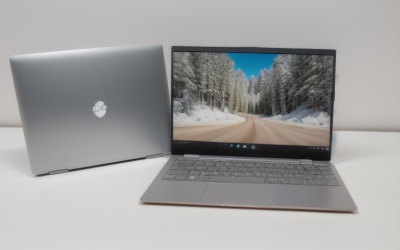
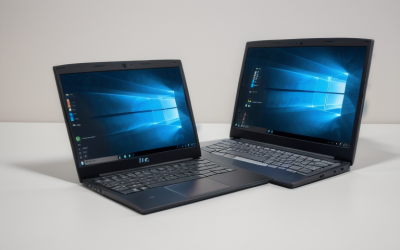
A laptop screen is a compromise you accept until the day you try to compare two documents, keep a chat window open beside a spreadsheet, or follow a recipe video while typing. Adding a second display fixes that faster than almost any other upgrade, and it costs far less than a new computer. The question is whether you want a screen that lives permanently on your desk or one that folds into your bag and works wherever you do.
That split drives this whole guide. Six of the eight monitors below are portable USB-C and HDMI panels around 14 to 15.6 inches, built for travelers, students, and anyone who works from cafes or shared tables. The other two are traditional Philips desktop monitors at 22 and 24 inches, better for a fixed home office. All of them are 1080p, which keeps them easy to drive from a modest laptop. As of 2026 the practical advice is to match the connection to your laptop’s ports first and the screen size second, using the listed specs below as a shortlist.
Our Top Picks
 KYY Portable Monitor 15.6" 1080P Computer Monitor Screen15.6-inch8.85 x 14.48 x 0.35 inches1.7 poundsCheck on Amazon
 Anyuse 15.6" FHD IPS USB-C HDMI Portable Monitor15.6" FHD16.9 x 1.96 x 11.4 inches1.42 PoundsCheck on Amazon


Top 3 picks at a glance
Quick Picks
As an Amazon Associate we earn from qualifying purchases at no extra cost to you.





| Product | Best for | Key spec from the title |
|---|---|---|
| InnoView 15.6-inch Portable | Multi-device use | 15.6 inch FHD 1080P, HDMI and USB-C |
| KYY 15.6-inch Portable | Protected travel | 1080P IPS, USB-C and HDMI, cover included |
| cocopar 15.6-inch Portable | Color and built-in audio | 60Hz, 85% sRGB, speaker |
| Anyuse 15.6-inch Portable | Slim carry | FHD IPS, 60Hz, USB-C and HDMI |
| DZVW 15.6-inch Screen Extender | Plug-and-play setups | IPS, plug and play, ultra-slim |
| 14.2-inch Laptop Screen Extender | Attaching to a laptop | 1.87lbs, dual monitor for 14″ to 17.3″ laptops |
| Philips 221V8LB 22-inch | Budget home office | FHD, 100Hz, VA, 4ms GtG |
| Philips 241V8LB 24-inch | Roomier desk setup | 24 inch FHD, 100Hz, Adaptive Sync, HDMI 1.4 |
How to Choose
Decide between portable and desktop first
Portable monitors weigh a couple of pounds and run from a single USB-C cable, so they travel well, but a 15.6-inch screen is small on a fixed desk. A 22 or 24-inch desktop monitor gives far more room for side-by-side windows but needs a wall outlet and stays put. If your laptop never leaves your desk, go desktop. If you split time between locations, a portable panel saves you from carrying anything heavier than a notebook.
Confirm the connection your laptop actually supports
Single-cable operation needs a USB-C port that supports video output, often called DisplayPort Alt Mode, or Thunderbolt. Many portable monitors also accept HDMI, which works on nearly any laptop but may need separate power. Desktop models like the Philips pair list HDMI 1.4, which is fine for 1080p at 60Hz and workable at 100Hz on a capable source. Check your laptop’s ports before choosing, because a USB-C port limited to charging will not carry a picture. Look for a small display symbol next to the port or confirm in the laptop’s manual.
Judge the panel type, refresh rate, and color
IPS panels hold their color and brightness from wider viewing angles, which suits shared screens and travel. VA panels, such as on the Philips monitors, usually offer deeper blacks at the cost of narrower angles. A 60Hz refresh rate is standard for office work, while 100Hz makes scrolling and cursor movement look smoother. A listed 85% sRGB figure signals a color range adequate for everyday work but not for color-critical editing.
Know where budget monitors cut corners
Portable panels often have modest brightness, plastic builds, and weak built-in speakers, so treat the speaker as an emergency option. Bundled covers double as stands but may be less stable than a proper hinge. Ignore claims about the number of devices a monitor works with; focus on the ports and the picture. A quiet, plain screen with the right ports beats a feature-packed one with the wrong connector. Desktop budget monitors usually offer tilt-only stands, with no height or swivel adjustment.
The 8 Best Options
InnoView 15.6-inch Portable
This portable panel lists a 15.6-inch FHD 1080P display with HDMI and USB-C inputs, and it names laptops, desktops, MacBooks, phones, tablets, and game consoles as compatible sources. It is flexible for people who connect different devices throughout the week. A student who writes essays on a laptop, then plugs the same panel into a console in the evening, gets the most out of that range.
- Strength: HDMI plus USB-C means it works with almost any source.
- Strength: Full HD resolution keeps text sharp at this size.
- Trade-off: the title states no refresh rate, color range, or brightness.
Skip it if you need to know exact color or brightness figures.
KYY 15.6-inch Portable
The KYY lists a 15.6-inch 1080P IPS screen with USB-C and HDMI, and the title notes an included cover. The cover typically folds into a stand, which makes it handy at a cafe table or on a plane tray. Because the cover is part of the package, there is one less accessory to buy or lose.
- Strength: IPS panel supports wide viewing angles.
- Strength: a protective cover is included.
- Trade-off: the listing does not name its refresh rate or color coverage.
Skip it if you want a proper adjustable stand.
cocopar 15.6-inch Portable
This one is the most fully specified portable: 15.6-inch FHD 1080P, 60Hz, 85% sRGB, a built-in speaker, HDMI, and USB-C. It suits people who want known numbers, including a color figure, before they buy. Remote workers who mostly handle documents and video calls will find that a printed number is more useful than a vague promise of vivid color.
- Strength: the 85% sRGB spec gives a concrete color reference.
- Strength: a built-in speaker helps when you have no headphones.
- Trade-off: 85% sRGB is adequate but not a match for professional color work.
Skip it if you do color-critical editing.
Anyuse 15.6-inch Portable
Anyuse lists a 15.6-inch FHD IPS panel at 60Hz with USB-C and HDMI, and describes the design as ultra slim. It is a straightforward travel monitor for work documents and video calls. Its slim profile means it slips into a laptop sleeve or a flat bag pocket with little added bulk.
- Strength: slim design for easier packing.
- Strength: IPS panel and 60Hz refresh cover everyday use.
- Trade-off: the visible title mentions nothing about color range or brightness.
Skip it if you want built-in audio or a bundled cover.
DZVW 15.6-inch Screen Extender
DZVW lists a 15.6-inch IPS 1080P display with plug-and-play setup, an ultra-slim travel design, and a “triple monitor” extender pitch. That wording suggests stacking more than one screen with your laptop. Treat that as a bonus, since most people will run one extra screen and be perfectly well served.
- Strength: plug-and-play setup reduces fiddling.
- Strength: slim body for travel.
- Trade-off: multi-screen setups need ports and bandwidth your laptop may not offer.
Skip it if your laptop has only one video-capable port.
14.2-inch Laptop Screen Extender
This model lists a 14.2-inch FHD 1080P panel weighing 1.87lbs and says it is designed to pair with 14-inch to 17.3-inch laptops in a dual-monitor arrangement. Compared with the 15.6-inch panels, the smaller body leaves more room on a crowded table. The smaller size and low weight are its draw.
- Strength: light enough for a daily carry bag.
- Strength: sized to sit next to laptops from 14 to 17.3 inches.
- Trade-off: the title does not name a brand, so support is harder to judge.
Skip it if you want a recognizable manufacturer warranty.
Philips 221V8LB 22-inch
The Philips 221V8LB lists a 22-inch FHD display, a 100Hz VA panel, flicker-free technology, 4ms GtG, Adaptive Sync, and tilt adjustment. It makes sense as a no-fuss desk monitor. It is the type of screen you set up once and forget, paired with a docking cable or an HDMI lead.
- Strength: 100Hz makes scrolling smoother than a 60Hz panel. In practice, the difference shows up when you drag windows or scroll long web pages.
- Strength: the flicker-free feature is named for eye comfort.
- Trade-off: tilt-only adjustment and a VA panel limit posture and viewing angles.
Skip it if you need to travel with the screen. A monitor that stays home is also easier on your bag and your back.
Philips 241V8LB 24-inch
The 241V8LB lists the same family of features in a 24-inch 1920×1080 package, with a 100Hz VA panel, 4ms GtG, Adaptive Sync, and HDMI 1.4. It gives more room for side-by-side windows. Spreadsheet users and writers who like a reference window open all day tend to appreciate the extra width.
- Strength: the 24-inch size offers extra workspace.
- Strength: 100Hz and Adaptive Sync support smooth motion.
- Trade-off: Full HD on a larger panel looks less sharp than on a 15.6-inch portable.
Skip it if desk space is tight.
Which One Fits Your Situation
You travel with your laptop
Choose the cocopar 15.6-inch Portable. Its listed color range, 60Hz refresh rate, and speaker give it the clearest set of specs. It also brings its own sound, so a quick video call works without extra gear.
You work at a fixed desk
The Philips 241V8LB 24-inch is the more spacious option, while the 221V8LB fits smaller desks. If you keep a laptop closed beside the screen, the 24-inch size gives enough room for a document on each half. Choose it when the footprint is the priority.
You need to connect phones and consoles too
The InnoView 15.6-inch Portable names laptops, phones, tablets, and consoles among its sources. It is also a sensible choice if the monitor will move between a desk and a living room.
You want the lightest bag possible
The 14.2-inch Laptop Screen Extender weighs 1.87lbs and sits beside laptops from 14 to 17.3 inches. Check the weight claim against your bag limit if you fly often.
Common Mistakes
- Buying a USB-C monitor without confirming that your laptop’s USB-C port supports video output.
- Expecting a portable monitor to match a desktop panel for brightness.
- Choosing a 24-inch Full HD screen when you sit close and want crisper text.
- Skipping a stand or cable check, which can leave a screen with nothing to prop it up.
- Weighing built-in speaker claims more heavily than the panel and ports.
Related guides
- When I Turn On Record Game In Background On Gamebar. Gamebar Crashes, What Do I Do?
- How To Reduce Background Noise On A Streaming Microphone
- Poly Computer Accessories Company Streaming Evaluation
Frequently Asked Questions
Do I need a special cable?
For a single-cable setup you need a USB-C cable that supports video, and your laptop port must support it. Otherwise use HDMI plus a separate power source. Keep a spare cable in your bag, since cheap cables sometimes fail to carry video.
Is 1080p enough?
For screens around 15.6 inches and for office work, yes. On a 24-inch panel, a higher resolution would be sharper but needs a more capable source.
Can a portable monitor replace a desktop monitor?
For light use, yes. Many people pair a portable screen with a laptop stand to raise the display to eye level. For long desk sessions, a larger desktop screen is more comfortable. A portable panel can still serve as a backup screen when you travel.
What refresh rate do I need?
60Hz is fine for documents and video. Choose 100Hz if you scroll constantly or want smoother motion.