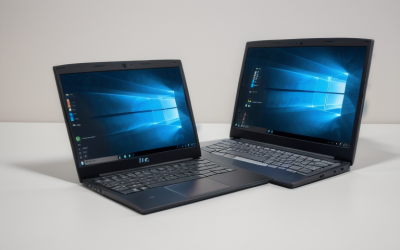
A cheap laptop is a trade, not a bargain hunt. At the bottom of the market, every model gives up something: processor speed, memory, storage, screen sharpness, or build quality. The useful question is which sacrifice you can live with. A student writing essays and watching lectures can accept a slow chip. Someone who keeps twenty browser tabs open cannot accept 4GB of RAM without feeling it every day.
This guide is for buyers who need a working computer for email, documents, video calls, streaming, and light browsing, and who want to know which listed spec choices make that comfortable and which ones lead to regret. The lineup below leans toward Intel N-series and Celeron machines and one Chromebook, because that is where the lowest-cost options live. In 2026 the practical advice is the same as ever: pick the screen and storage you will actually use, and be honest about how much multitasking you do.
Our Top Picks
Top 3 picks at a glance
Quick Picks
As an Amazon Associate we earn from qualifying purchases at no extra cost to you.


| Product | Best for | Key spec from the title |
|---|---|---|
| HP 14-inch (N150, 128GB UFS) | Everyday Windows use | Intel N150, 4 GB RAM, 128 GB UFS, Windows 11 Home |
| HP 14-inch (N150, DDR5 and SSD) | Faster memory type | 4GB DDR5 RAM, 128GB SSD, 1TB cloud storage |
| HP Stream 14 | Light, portable use | Intel N150, Wi-Fi 6, 128GB UFS |
| Amzboy 15.6-inch | Bigger FHD screen | 15.6 inch FHD, N4020, 128GB eMMC |
| Lenovo IdeaPad 130S 14-inch | Lowest-commitment option | Celeron N4000, 4GB RAM, 64GB eMMC (renewed) |
| Lenovo Flagship Chromebook 14-inch | Web-first schoolwork | 14 inch FHD touchscreen, 8-core MediaTek Kompanio 520 |
How to Choose
Treat 4GB of RAM as the minimum, not the goal
Almost every machine at this tier ships with 4GB of memory. Windows 11 plus a browser will use most of that, so expect slowdowns when you add video calls or many tabs. If you can find 8GB at a similar tier, take it. If not, plan on closing tabs and keeping one app open at a time. DDR5 memory, where listed, is the newer standard and generally moves data faster than older types, but it will not turn a 4GB machine into a multitasker.
Understand the storage type before the capacity
Low-cost laptops use eMMC or UFS flash rather than a full SSD. Both are slower than a typical SATA or NVMe SSD, which shows up as longer boot and app-launch times. A listing with a true SSD, such as 128GB SSD, tends to feel quicker than 64GB eMMC. Capacity matters too: Windows and updates take a large share of 64GB, leaving little room. Aim for 128GB at least, and consider a memory card or cloud storage for files, as several listings include.
Pick the screen size and resolution on purpose
A 14-inch panel is the portable choice, while 15.6 inches is easier on the eyes for long sessions. Resolution matters more than people expect: 1366×768 “HD” screens look soft for text and web pages, and Full HD (1920×1080) is a clear upgrade when a title lists it. Touchscreens are a nice extra but add cost and weight, so choose one only if you will use it. Brightness is another detail that rarely appears in titles, and dim screens are hard to read near windows, so plan to use the laptop indoors if the spec sheet is silent.
Know where cheap models cut corners
Expect plastic bodies, modest speakers, basic webcams, and slower processors such as the older Celeron N4000 or N4020. Renewed units can offer good value, but confirm the seller’s return terms and battery condition. Bundled extras like a one-year Microsoft 365 subscription or cloud storage are worth less than the laptop itself, so do not let them decide the purchase. Finally, check the port list: at least one USB-A port, a headphone jack, and USB-C charging make daily life easier, while a missing HDMI output is a common compromise.
The 6 Best Options
HP 14-inch (N150, 128GB UFS)
This HP listing pairs an Intel N150 with 4 GB of RAM, 128 GB of UFS storage, Intel graphics, and Windows 11 Home, plus a one-year Microsoft 365 Personal subscription. It is the straightforward pick for someone who wants a recognizable brand with a modern entry-level chip. Buyers who mainly write documents, join video calls, and stream shows will find the listed hardware matches that workload, and the bundled subscription covers the office apps most schools and small offices expect.
- Strength: the N150 is a newer entry chip than the older Celeron parts on this list.
- Strength: 128GB of storage leaves more breathing room than 64GB models.
- Trade-off: the HD display and 4GB of memory limit multitasking and image sharpness.
Skip it if you plan to edit photos or keep many programs open at once.
HP 14-inch (N150, DDR5 and SSD)
This HP model lists an Intel N150, 4GB of DDR5 RAM, a 128GB SSD, 1TB of cloud storage, and Windows 11 with Microsoft 365. The standout detail is the SSD and DDR5 combination, which can make everyday tasks feel a bit more responsive than flash-storage rivals. That makes it the better fit for someone who restarts the laptop often or opens the same programs repeatedly, since load times are where flash storage feels slowest.
- Strength: a true SSD generally beats eMMC for load times.
- Strength: cloud storage helps offload large files.
- Trade-off: only 4GB of RAM, so heavy browsing will still slow it down.
Skip it if you want a Full HD screen, because the title does not list one.
HP Stream 14
The HP Stream 14 lists an HD display, an Intel N150, 4GB of RAM, 128GB of UFS, Wi-Fi 6, a webcam, and Windows 11 S. The title text is cut off near the end and appears to include a refurbished label, so confirm the condition and return terms before buying. Its small, simple profile suits a second computer kept in a bag for travel, errands, or a spare room.
- Strength: Wi-Fi 6 is a useful networking upgrade on a low-cost machine.
- Strength: the listing highlights long battery life for travel and classes.
- Trade-off: Windows 11 S limits installs to the Microsoft Store unless you switch modes.
Skip it if you need software that is not available in the Microsoft Store.
Amzboy 15.6-inch
This listing stands out for a 15.6-inch Full HD display, an N4020 processor, 4GB of RAM, and 128GB of eMMC. It also lists 45W PD fast charging, a 180-degree lay-flat hinge, a privacy camera, and memory card support up to 1TB. Reading, spreadsheets, and split-screen note taking all benefit from the larger Full HD panel, and the lay-flat hinge helps when sharing a screen across a table.
- Strength: the Full HD panel is sharper than the HD screens on most rivals here.
- Strength: card support up to 1TB helps with file storage.
- Trade-off: the N4020 is an older, slower processor than the N150 models.
Skip it if raw processing speed matters more than screen size.
Lenovo IdeaPad 130S 14-inch
The IdeaPad 130S is a renewed 14-inch model with a Celeron N4000, 4GB of RAM, 64GB of eMMC, Wi-Fi, and Windows 11. Its appeal is simply being the most affordable path to a laptop that runs Windows. It makes sense as a backup machine, a kitchen-counter laptop, or a first computer for someone who only needs a browser and a word processor.
- Strength: a lightweight everyday design suits carrying to class or work.
- Strength: renewed units are usually the lowest-priced route to a Windows laptop.
- Trade-off: 64GB of eMMC fills quickly, and the Celeron N4000 is the oldest chip listed.
Skip it if you want long-term updates and fast responsiveness.
Lenovo Flagship Chromebook 14-inch
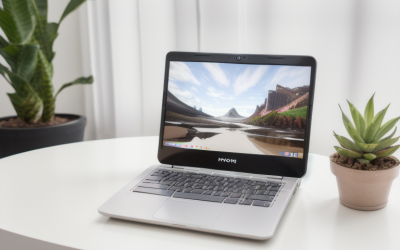
This Chromebook lists a 14-inch FHD touchscreen, an 8-core MediaTek Kompanio 520 processor, 4GB of RAM, 64GB of eMMC, and WiFi 6. Chromebooks run lightweight software, so 4GB goes further than it does on Windows. Students whose school provides web-based tools often prefer this setup because updates and sign-in are simple, and the touchscreen makes it easy to scroll pages and tap through lessons.
- Strength: the FHD touchscreen is a rare feature at this tier.
- Strength: Chrome OS is efficient on modest hardware.
- Trade-off: it cannot run traditional Windows programs.
Skip it if your coursework or job depends on Windows-only applications.
Which One Fits Your Situation
You need a sharper screen for reading
Choose the Amzboy 15.6-inch. Its Full HD display and larger panel make long documents easier to read than HD rivals. It is also the best fit for anyone who plans to attach a memory card for photos or school files.
You want the most responsive Windows experience
The HP 14-inch (N150, DDR5 and SSD) is the strongest on paper here thanks to its SSD, newer processor, and DDR5 memory. It is the safest pick if the laptop will be used daily for several years and you want the least waiting.
You mostly live in a web browser
The Lenovo Flagship Chromebook 14-inch is the logical choice, because Chrome OS needs fewer resources to feel smooth. Pair it with cloud documents and it covers most classwork without a single desktop install.
You want the lowest possible entry point
The renewed Lenovo IdeaPad 130S is the minimal-commitment option, as long as you accept its limits and verify the return policy. Treat it as a stopgap rather than a long-term main computer.
Common Mistakes
- Choosing 64GB of storage and discovering that updates and apps leave almost nothing for files.
- Assuming a Microsoft 365 or cloud storage bundle makes up for weak hardware.
- Overlooking Windows 11 S mode restrictions on software installs.
- Buying an HD screen when a Full HD option was available at a similar tier.
- Skipping the return policy on a renewed or unfamiliar-brand laptop.
Related guides
- When I Turn On Record Game In Background On Gamebar. Gamebar Crashes, What Do I Do?
- How To Reduce Background Noise On A Streaming Microphone
- Poly Computer Accessories Company Streaming Evaluation
Frequently Asked Questions
Is 4GB of RAM enough?
It is enough for basic browsing, documents, and streaming if you stay disciplined with tabs. Anyone who multitasks regularly will feel the limit and should look for 8GB. Two or three browser tabs plus a video call is where most 4GB machines begin to stutter.
Are renewed laptops a good idea?
They can be, especially at the lowest tier, but battery wear and seller reliability vary. Confirm the warranty or return window before committing. Prefer listings that clearly state the condition grade and the length of the warranty.
Should I choose a Chromebook or Windows?
A Chromebook suits web-based work and school accounts well on modest hardware. Choose Windows if you need desktop programs such as full Office versions or specialized software. Check your school or employer requirements first, since some tools only run on one platform.
Does eMMC vs SSD really matter?
Yes. A true SSD usually loads Windows and apps noticeably faster than eMMC. If two laptops are otherwise close, the SSD model tends to feel smoother day to day. The difference is most visible when you start the laptop, install updates, or open large files.