The best gaming laptops under $700 are older-generation machines with a dedicated GTX 1650 Ti, and the Lenovo IdeaPad Gaming 3 with a Ryzen 5 4600H, 16GB of RAM and a 120Hz screen is the top pick. The Dell G3 15 is the lower-outlay alternative with the same GPU, and the NIMO is the choice for a modern integrated-graphics approach.
The six laptops below were compared from listing specifications, not used by us, so every figure is the seller’s. A ceiling this low rules out current RTX graphics, so expect esports and older or lighter 3D games at 1080p, and read each listing for what is missing as much as for what is there.
Our Top Picks
Top 3 picks at a glance
Quick Comparison
| Model | CPU / GPU per listing | RAM / storage | Best for |
|---|---|---|---|
| Lenovo IdeaPad Gaming 3 (Ryzen 5 4600H) | Ryzen 5 4600H / GTX 1650 Ti 4GB | 16GB / 512GB SSD + 1TB HDD | Best overall |
| Dell G3 15 | Core i5-10300H / GTX 1650 Ti | 8GB / 256GB SSD | Dedicated GPU, lowest outlay |
| Lenovo IdeaPad Gaming 3-15IMH05 | Core i5-10300H / GPU not listed | 8GB / 256GB SSD | Gaming-line chassis |
| ASUS TUF FX505DT | Ryzen 5 3550H / GPU not listed | 8GB DDR4 / 256GB SSD | TUF build, RGB keyboard |
| NIMO 15.6 Light Gaming Laptop | Ryzen 7 (8 cores) / Radeon 680M | 8GB DDR5 / 256GB SSD | Newer platform, integrated graphics |
| Acer Nitro 5 17.3 | Core i5-9300H / GPU not listed | 8GB / 512GB SSD | Larger 17.3 inch screen |
Lenovo IdeaPad Gaming 3 (Ryzen 5 4600H): Best Overall Under $700
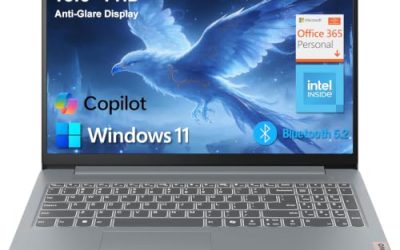
Listing specs: 15.6 inch IPS 1920×1080 120Hz, AMD Ryzen 5 4600H, GeForce GTX 1650 Ti 4GB GDDR6, 16GB RAM, 512GB SSD plus 1TB HDD, blue backlit keyboard, Windows 11 Home.
As an Amazon Associate we earn from qualifying purchases at no extra cost to you.

This is the most complete spec sheet at the price. The listing gives you a six-core Ryzen processor, a dedicated GTX 1650 Ti with 4GB, 16GB of RAM and two drives, a 512GB SSD for the system and a 1TB HDD for libraries. A 120Hz IPS panel is a real advantage for esports. The GTX 1650 Ti is an older architecture with no ray tracing hardware and only 4GB of graphics memory, so newer games need medium or low settings even at 1080p. Check the maker page for the weight and battery size, which the listing does not state. For a first gaming laptop on a tight ceiling, it is the best-balanced option here. The extra 1TB hard drive is slow compared with an SSD, so keep your most-played games on the SSD and use the hard drive for older titles and media.
Pros
- 16GB RAM and a 512GB SSD plus 1TB HDD
- 120Hz IPS display listed
- Dedicated GTX 1650 Ti
Cons
- 4GB graphics memory is limiting in new games
- Battery and weight not listed
Dell G3 15: Best Dell Option With a Dedicated GPU
Listing specs: Dell 2020 G3 15 gaming laptop, 10th Gen Core i5-10300H, NVIDIA GTX 1650 Ti, 256GB SSD, 8GB RAM, 15.6 inch 120Hz Full HD display.

The G3 gives you the same GPU class as the Lenovo above, a GTX 1650 Ti, but with a 10th-generation Core i5 and only 8GB of RAM and a 256GB SSD. The 120Hz Full HD panel is listed, which is a plus. It is a 2020 model, so the platform is older and storage will fill quickly with modern games. The listing shows an upgrade path in principle, since many laptops of this type allow a second drive or more memory, but check the maker page for slot details. Choose the G3 over the Lenovo if you prefer Dell’s build and keyboard and you are comfortable adding storage later. Because the listing gives a Full HD 120Hz panel, it can also work as a general laptop for study, which makes the purchase easier to justify.
Pros
- GTX 1650 Ti dedicated graphics
- 120Hz Full HD display
- Lowest outlay of the dedicated-GPU models
Cons
- Only 8GB RAM and a 256GB SSD
- 2020 platform
Lenovo IdeaPad Gaming 3-15IMH05: Best for Gaming-Line Build, Check the GPU
Listing specs: 15.6 inch Full HD 1920×1080 gaming notebook, Intel Core i5-10300H quad-core 2.50GHz, 8GB RAM, 256GB SSD, Onyx Black.

This listing is a gaming-line laptop, but the text does not name the graphics card, so you must confirm it on the maker page before buying. The model code does not settle the question either, because the specific GPU is not in the listing. What the listing does say is a quad-core Core i5-10300H, 8GB of RAM and a 256GB SSD, similar to the Dell. It is a reasonable fallback if the first Lenovo is out of stock and you can verify the graphics chip. Treat it as a candidate, not a recommendation, until the GPU is confirmed. If the maker page shows a dedicated GTX-class card, it moves up the list; if it shows integrated graphics only, the NIMO is the better modern choice.
Pros
- Gaming-line chassis
- Core i5-10300H quad-core
- Full HD display
Cons
- Graphics card not named in the listing
- 8GB RAM and 256GB SSD
ASUS TUF FX505DT: Best Build Quality in the Group, Check the GPU
Listing specs: ASUS TUF FX505DT gaming laptop 15.6 inch, AMD Ryzen 5 3550H, 8GB DDR4, 256GB PCIe SSD, Gigabit Wi-Fi 5, Windows 10 Home, RGB keyboard.

TUF is ASUS’s tougher gaming line, and the listing highlights an RGB keyboard, a PCIe SSD and Wi-Fi 5. As with the second Lenovo, the graphics card is not named in the listing, so confirm it on the maker page. The Ryzen 5 3550H is a few generations old, and Windows 10 Home is listed, so expect to upgrade the operating system to Windows 11 if your software needs it. It is an older model and you should compare it against the IdeaPad Gaming 3 in terms of GPU and RAM before buying. If the maker page shows a GTX 1650-class card, the TUF is competitive; if it shows something weaker, the Lenovo is the better buy.
Pros
- TUF-line build
- PCIe SSD and Wi-Fi 5
- RGB keyboard
Cons
- Graphics card not named in the listing
- Older Ryzen 3550H and Windows 10
NIMO 15.6 Light Gaming Laptop: Best Newer Platform With Integrated Graphics
Listing specs: 15.6 inch light-gaming laptop, 8-core AMD Ryzen 7, 8GB DDR5, 256GB SSD, Radeon 680M, FHD, 100W fast PD, backlit keyboard, 2-year warranty.

This one takes a different route: instead of an older dedicated GPU, it uses a newer eight-core Ryzen 7 with integrated Radeon 680M graphics and DDR5. The listing calls it a light-gaming laptop, which is honest wording. An integrated GPU suits esports titles and older games at lower settings, and it keeps the laptop thinner and cooler, with USB-C power delivery for charging. The 256GB SSD is small, and the brand is less established than Lenovo, Dell or ASUS, though the listing mentions a two-year warranty. It is the best pick if battery life and everyday use matter alongside light gaming. Integrated graphics also use system memory, so the 8GB of DDR5 is shared between the CPU and graphics, which is another reason to look for a model that allows a memory upgrade.
Pros
- Eight-core Ryzen 7 with DDR5
- Radeon 680M integrated graphics
- 2-year warranty listed
Cons
- Integrated graphics, not a dedicated GPU
- Small 256GB SSD
Acer Nitro 5 17.3 Inch: Best for a Bigger Screen, Check the GPU
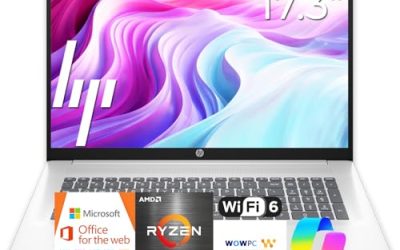
Listing specs: Acer Nitro 5 17.3 inch laptop, Intel Core i5-9300H 2.4GHz, 8GB RAM, 512GB SSD, Windows 10 Home.

The Nitro 5 stands out for its 17.3 inch screen and 512GB SSD, but the listing does not name a graphics card, and the Core i5-9300H is the oldest processor in the group. If you want a larger display for a desk setup and are willing to confirm the specification first, it is worth a look. Larger laptops are heavier and run through batteries faster, and the listing does not state weight or battery capacity. Windows 10 Home is listed, so factor in the upgrade. Think of it as a fit for a fixed desk rather than a backpack. A large screen is also easier on the eyes for long sessions, and a bigger chassis usually allows better cooling, but only if the listing hardware justifies the size.
Pros
- 17.3 inch display
- 512GB SSD
- Nitro gaming line
Cons
- Graphics card not named in the listing
- Oldest processor in the group
How to Choose Under $700
Confirm the graphics card first
Two listings here do not name a GPU and one names only integrated graphics. For gaming, a dedicated GPU such as the GTX 1650 Ti matters more than a faster CPU, so always find the GPU on the maker page before you pay. A laptop sold as a gaming laptop without a named graphics card may still be a thin general-purpose machine.
Gaming laptops for streaming and 1440p
At this ceiling, 1440p gaming and serious streaming are out of reach for most models. Plan on 1080p at medium settings and use the laptop’s own display rather than a 1440p external monitor, which most of these graphics chips cannot drive well in games. If you want to stream, choose the 16GB Lenovo, because memory is the easiest bottleneck to hit when a game, a browser and a streaming app run together.
Gaming laptops for students
Students need battery life, weight and a decent keyboard along with gaming performance. The NIMO’s lighter approach and fast charging suit lectures and travel, while the Lenovo and Dell are better for gaming at a desk. Check whether the laptop has a webcam and a headphone jack, which many listings leave out. A student who also edits video or runs design software should prefer the 16GB Lenovo, because memory helps those programs more than a faster clock.
Check RAM, storage and age
16GB of RAM is the number to look for, 8GB is a minimum, and any 256GB SSD fills fast with modern games. Look at the processor generation: a 9th- or 10th-generation Core chip or a Ryzen 3000-series chip works but is several years old. A newer platform, as in the NIMO, may last longer for everyday tasks. Finally, check the return window and warranty length, because laptops at this price are often older stock and a short warranty is a risk worth pricing in.
Frequently Asked Questions
Can I game on a laptop under $700?
Yes, with limits. A dedicated GTX 1650 Ti handles esports and many older games at 1080p, but newer demanding games need lower settings.
Is 8GB of RAM enough for a gaming laptop?
It works for esports, but 16GB is better. The Lenovo IdeaPad Gaming 3 lists 16GB, and many others can be upgraded if the laptop has a free slot.
Is an integrated GPU like the Radeon 680M good for gaming?
It handles esports and older games at lower settings, but it is not a replacement for a dedicated graphics card in newer 3D titles.
Why do some listings not name the graphics card?
Many sellers use short titles. Always check the maker page, because the GPU decides most of the gaming performance.
Should I buy an older laptop with Windows 10?
Check whether it can be upgraded to Windows 11 and whether you need the newer features. Older platforms also get fewer driver updates over time.
Last updated: November 2026
Related guides
More from Amazon
Programs that pair well with the guide above. Offers and eligibility are set by Amazon and may change.
Free shipping on eligible items, Prime Video and more. Eligible new members can start with a free trial.
Start a Prime free trialAd-free music streaming. Eligible new subscribers can start with a free trial.
Try Music Unlimited freeA Prime membership for ages 18-24 with a trial period. Eligibility is set by Amazon.
See Prime for Young AdultsAudiobooks and podcasts to listen to on the go. Eligible new members can start with a free trial.
Try Audible freeAs an Amazon Associate we earn from qualifying purchases.