An everyday laptop has a boring job, and that is exactly why choosing one is harder than it looks. It has to open a dozen browser tabs, run video calls, handle a spreadsheet, stream a show in the evening, and still be the thing you grab without thinking about it. Nobody buying this kind of machine needs a graphics card or a workstation processor. What matters is whether the memory, storage, screen, and battery add up to a laptop that does not get in your way for the next several years, and the 2026 market is full of models that look similar on a shelf but differ sharply on those basics.
This guide is for people who want one dependable computer for ordinary life: students, parents, retirees, remote workers with light tasks, and anyone replacing an aging machine. We compared eight models using only the details printed in their listings, mostly memory, storage, screen type, processor family, and bundled software. Where a title is cut off or vague, we say so and point you back to the listing instead of guessing. Use the table for a fast shortlist, then read the buying advice before you commit.
Our Top Picks
Top 3 picks at a glance
Quick Picks
As an Amazon Associate we earn from qualifying purchases at no extra cost to you.




| Product | Best for | Key spec from the title |
|---|---|---|
| HP 14-Inch Everyday Laptop (N150) | Compact carry and basic tasks | 14 inch, Intel N150, 128GB SSD |
| HP Everyday Laptop (Intel, Fast Charge) | Quick top-ups between classes | 128GB storage, WiFi 6, fast charge |
| HP Everyday Slim (AMD) | AMD fans on a tight budget | 4GB DDR5 RAM, 128GB SSD |
| Dell 15.6 (Core 3 100U, 300 nits) | Bigger screen and roomy storage | 8GB RAM, 512GB SSD, 300 nits |
| HP Everyday Laptop (8GB) | Light multitasking with Office included | 8GB RAM, 128GB SSD |
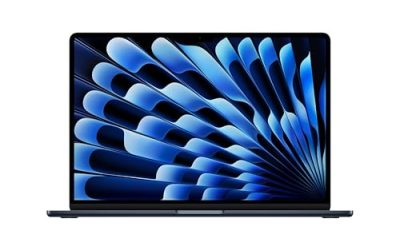
| Apple MacBook Neo 13-Inch | Apple users wanting a simple setup | A18 Pro chip, 8GB unified memory, 256GB SSD |
| HP Everyday Slim (N150, 4GB) | Portable second computer | Intel N150, 4GB DDR5 |
| Dell 15.6 (Core 3 100U, IPS) | Home desk use with a wide screen | 8GB RAM, 512GB SSD, IPS-type panel |
How to Choose
Memory decides how long the laptop feels fast
Treat 8GB as the floor for a laptop you plan to keep. A browser with many tabs, a video call, and a document open together will crowd 4GB quickly, and the system starts swapping to storage. Several listings here show 4GB, which is fine for a single-task secondary laptop but a weak choice for a primary one. Also note whether memory is described as DDR5 or DDR4; the newer type is the better sign, though capacity matters more than the label for everyday use.
Storage size and storage type
A 128GB drive sounds adequate until Windows updates, an Office install, and a year of downloads eat most of it. Look for 256GB at minimum if you store photos locally, and 512GB if you want breathing room. Cloud storage bundled with a laptop helps with documents but does not replace local space. Check whether the drive is listed as an SSD; some budget laptops use slower eMMC or UFS storage, so read the full listing when the title says only “storage.”
Screen size, brightness, and panel type
For couch and desk use, 15.6 inches is comfortable; 13 to 14 inches suits a backpack. Full HD (1920 by 1080) should be the baseline. Brightness is a quiet differentiator: 250 to 300 nits is serviceable indoors, and an anti-glare coating helps near windows. An IPS-type panel gives wider viewing angles than the cheapest alternatives. Ignore marketing words like “stunning color” because they are not specs. If a listing never states the resolution or panel type, treat that silence as a reason to read the full product page before ordering.
Processor labels, bundles, and where budgets cut corners
Entry processors such as the Intel N150 handle browsing, email, and streaming, while a Core-series chip leaves more headroom for heavier tabs and office files. Do not pay extra for “Copilot AI” branding on its own; it is a software feature, not extra hardware. Included Microsoft 365 is a real convenience, but check whether it is a one-year trial. Cheaper models usually cut corners on memory, storage, and screen brightness first, so compare those three before anything else. Also look at ports: a USB-C connector, an HDMI output, and a headphone jack save you from buying adapters later, and the title often leaves them out.
The 8 Best Options
HP 14-Inch Everyday Laptop (Intel N150)
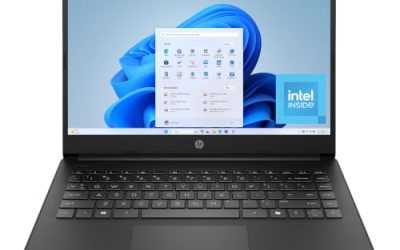
This is a straightforward 14-inch machine for people who mostly browse, write, and stream. The title lists an Intel N150 processor, a 128GB SSD, Windows 11, Microsoft 365, and bundled cloud storage, which covers the basics without extras.
- Strength: the 14-inch format is easier to carry than a 15.6-inch model.
- Strength: Microsoft 365 is listed as included, so documents work out of the box.
- Trade-off: 128GB of local storage fills up quickly; plan on using the cloud allowance.
Skip it if you keep large photo libraries on the laptop or want a bigger screen for spreadsheets.
HP Everyday Laptop (Intel, Fast Charge)
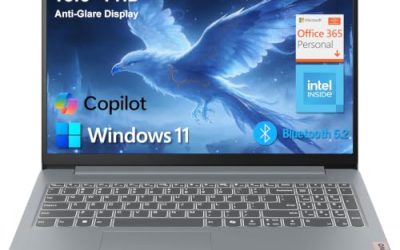
This listing leans on convenience: Copilot AI, Office 365, 1TB of cloud storage, WiFi 6, and fast charging, all stated in the title. It suits someone who wants a ready-to-use laptop for school or home paperwork.
- Strength: WiFi 6 support is listed, helpful on a crowded home network.
- Strength: fast charge is named, useful if you forget to plug in overnight.
- Trade-off: the title does not state the RAM amount, so confirm it on the listing before buying.
Skip it if you need to know the exact processor model and memory up front.
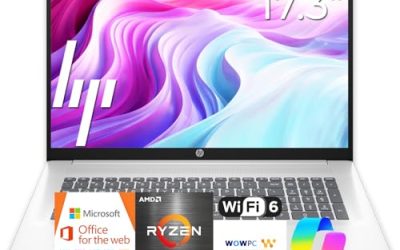
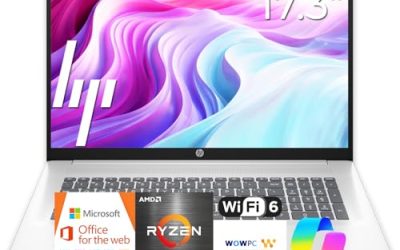
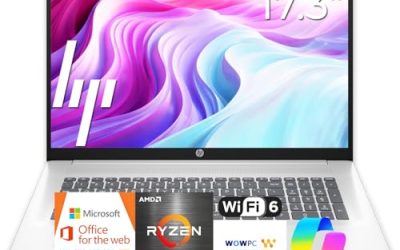
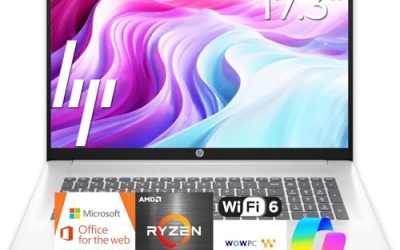
HP Everyday Slim (AMD)
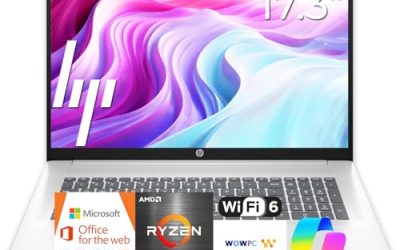
This slim HP pairs an AMD processor with 4GB of DDR5 memory and a 128GB SSD, plus 1TB of cloud storage and Windows 11. It targets buyers who want an AMD chip in a lightweight body at the lower end of pricing.
- Strength: DDR5 memory is listed, a newer type than many budget laptops carry.
- Strength: the slim design and long battery claim point to a portable daily carry.
- Trade-off: 4GB is thin for heavy tab habits, and the exact AMD model is not stated.
Skip it if you multitask heavily or plan to keep the laptop for many years as your only computer.
Dell 15.6 (Core 3 100U, 300 nits)
This Dell is the spec-sheet standout in the group: a Core 3 100U processor, 8GB of DDR5 memory, a 512GB SSD, and a 15.6-inch Full HD anti-glare display rated at 300 nits, with Wi-Fi 6 and Bluetooth.
- Strength: 512GB of storage gives far more room than the 128GB models here.
- Strength: the 300-nit anti-glare screen is brighter than the other Dell listing.
- Trade-off: a 15.6-inch body is less pocketable than the 14-inch options.
Skip it if you want bundled Office software, since the title does not list it.
HP Everyday Laptop (8GB)
This HP matches the 8GB memory floor while keeping Microsoft Office 365 included, an Intel processor, a 128GB SSD, and 1TB of cloud storage. It is a sensible pick for a household laptop that needs to handle several apps at once.
- Strength: 8GB of RAM gives it more headroom than the 4GB HP models.
- Strength: Fast charge and long battery life are both named in the title.
- Trade-off: the processor model is not specified in the visible title text.
Skip it if local storage matters more than software bundles.
Apple MacBook Neo 13-Inch
The only non-Windows machine here, this 13-inch Apple laptop lists an A18 Pro chip, a Liquid Retina display, 8GB of unified memory, and a 256GB SSD. It fits people already living in the Apple ecosystem who want simplicity.
- Strength: 256GB of storage is double the entry HP models.
- Strength: the Liquid Retina display and Apple Intelligence support are named in the listing.
- Trade-off: it runs Apple software, so Windows-only programs will not install.
Skip it if your school or workplace requires Windows applications.
HP Everyday Slim (N150, 4GB)
This slim HP combines an Intel N150, 4GB of DDR5 memory, a 128GB SSD, Windows 11, and Microsoft 365 with 1TB of cloud storage. It is built for light, portable use rather than power.
- Strength: Microsoft 365 is included, saving a separate software purchase.
- Strength: the portable, slim description fits travel and commuting.
- Trade-off: only 4GB of memory limits how many apps stay smooth together.
Skip it if this will be your only computer for work and study.
Dell 15.6 (Core 3 100U, IPS)
This sibling of the brighter Dell lists the same Core 3 100U processor, 8GB of RAM, and 512GB SSD, but with DDR4 memory and a 250-nit anti-glare IPS-type display plus Wi-Fi 6 and Bluetooth.
- Strength: the same generous 512GB drive and 8GB of memory as its sibling.
- Strength: an anti-glare IPS-type panel suits wide viewing angles at a desk.
- Trade-off: DDR4 and 250 nits are a small step behind the other Dell.
Skip it if you often work near bright windows and want the brightest screen available.
Which One Fits Your Situation
You want one laptop that lasts
Choose the Dell 15.6 with the 300-nit display. Its 8GB of memory and 512GB SSD give the most headroom in the group, which matters more than bundled extras over the long run.
You are a student who carries it daily
The HP 14-Inch Everyday Laptop is the lighter-feeling form factor, and the included Microsoft 365 covers papers and slides. Add an external drive if you keep lots of files, and keep the charger in the bag since fast charging only helps when a plug is nearby.
You live in the Apple world
The MacBook Neo fits if your phone, tablet, and files already sit in that ecosystem. Confirm that every app you rely on has a Mac version first.
You need a cheap secondary laptop
The HP Everyday Slim with the N150 and 4GB works for a kitchen or travel machine, where tasks stay light and storage can lean on the cloud. Treat it as an add-on to a main computer rather than a replacement for one, and it will feel like a good value.
Common Mistakes
- Buying 4GB of memory for a primary computer and then wondering why it slows down with a few tabs open.
- Treating bundled cloud storage as if it were local space on the drive.
- Paying extra for AI branding when the memory and storage are unchanged.
- Ignoring brightness and anti-glare coating, then struggling to read the screen near a window.
- Assuming an included Office subscription lasts forever without reading the term in the listing.
Related guides
- When I Turn On Record Game In Background On Gamebar. Gamebar Crashes, What Do I Do?
- How To Reduce Background Noise On A Streaming Microphone
- Poly Computer Accessories Company Streaming Evaluation
Frequently Asked Questions
Is 128GB of storage enough for an everyday laptop?
It works if you rely on cloud storage and keep few local files. Windows and updates take a large share, so 256GB or more is safer for photos and downloads.
Do I need a Core processor for everyday use?
No, entry chips like the N150 handle browsing and streaming. A Core-series chip simply leaves more headroom for many tabs and bigger files.
Is 15.6 inches or 14 inches better?
Choose 15.6 inches for a desk or couch with comfortable reading. Choose 14 inches or smaller if you carry the laptop in a bag every day. Weight and charger size matter as much as the diagonal, so check both on the listing.
Should I pick Windows or the Apple model?
Pick based on the apps you need. Windows runs the widest range of software, while the Apple laptop suits people already using Apple devices.