Searching for “best rated work laptops” usually means one thing: you want a machine that will not let you down in the middle of a deadline. Public scores are a shaky way to get there, because they mix gaming laptops, tablets, and bargain-bin models in the same average, and they change from week to week. A more reliable approach is to judge the hardware that actually makes a work laptop dependable: enough memory, a real SSD, a screen that is comfortable for eight hours, and ports that match your desk.
This guide uses that approach. We looked at seven laptops across Lenovo, Dell, HP, and Apple for 2026 and judged each strictly on what its listing title states. No review scores are quoted, and where a title is vague about something like battery runtime, we say to check the listing. The goal is a short list of work laptops that fit different jobs, from spreadsheet-heavy desk work to light travel.
Our Top Picks
Top 3 picks at a glance
Quick Picks
As an Amazon Associate we earn from qualifying purchases at no extra cost to you.







| Product | Best for | Key spec from the title |
|---|---|---|
| Lenovo V14 G5 Business Laptop | Performance in a compact body | Core 7 240H 10-core, 14″ FHD anti-glare, 16GB DDR5, 512GB SSD |
| Lenovo V15 Laptop | Wired-network office desks | Ryzen 5 5500U, 16GB RAM, 512GB SSD, HDMI, RJ45, numeric keypad |
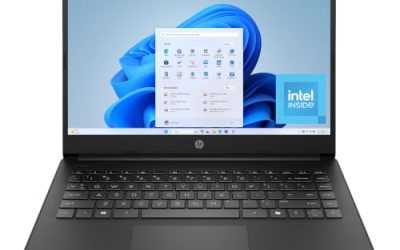
| Dell Inspiron 15.6″ Touchscreen | Touch and multitasking | Ryzen 7 7730U, 16GB RAM, 512GB PCIe SSD, FHD touchscreen |
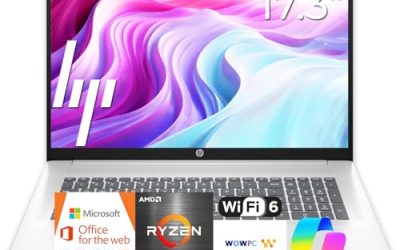
| HP 17-inch Business Laptop (Ryzen 5) | Big-screen spreadsheet work | 17.3″ FHD, 16GB RAM, 512GB SSD, numeric keypad |
| Apple MacBook Neo 13-inch | Light, portable work in the Apple ecosystem | A18 Pro chip, 8GB unified memory, 256GB SSD |
| Dell 15.6″ Laptop (Core 3 100U) | Straightforward, low-cost office use | Anti-glare IPS, 250 nits, 8GB RAM, 512GB SSD, Wi-Fi 6 |
| Lenovo Business 15.6″ Laptop | Basic tasks with Office included | 8GB DDR5, 128GB storage, USB-C, anti-glare screen |
How to Choose
Treat 16GB and 512GB as the dependable baseline
The work laptops that age best have 16GB of RAM and at least a 512GB SSD. Eight gigabytes still works for email and documents, but it leaves little room for a browser full of tabs, a video call, and a chat client at the same time. A drive of 128GB fills up fast once Windows updates and a few applications are installed, so it is a risky choice for a primary work machine.
An anti-glare screen is worth more than extra pixels
If you work near windows or under office lights, a matte, anti-glare display reduces eye strain more than a few extra pixels will. Full HD (1920 x 1080) is the baseline; touchscreens are nice, but they are usually glossy and reflect more light. Brightness, quoted in nits, matters too: 250 nits is acceptable indoors, while 300 or more is easier near a window.
Connectivity decides how well it fits your desk
An HDMI port lets you drive an external monitor, USB-C can handle charging and docking on some models, and an RJ45 jack is valuable if your office relies on wired internet. A numeric keypad matters for finance and data entry. Wi-Fi 6 is a reasonable current standard for office networks, although older Wi-Fi 5 still functions for routine work.
What to ignore, and where budget work laptops cut corners
Ignore “AI” labels unless the listing names the hardware behind them, and discount bundled subscriptions that last only one year. Budget models usually trim memory, storage, keyboard quality, and the speakers used for calls. Be careful about listings that compare the processor with a different brand’s chip; the model number is what counts. Verify the Windows edition if you need encryption or domain access.
The 7 Best Options
Lenovo V14 G5 Business Laptop
The V14 G5 is the performance pick in a compact format. The title lists an Intel Core 7 240H with 10 cores and 16 threads, a 14-inch Full HD anti-glare display, 16GB of DDR5 RAM, a 512GB PCIe SSD, and Wi-Fi 6. It suits a professional who splits time between a desk and meeting rooms, such as a project manager or consultant who carries the laptop to client sites a few times a week. The listing’s long processor description is mostly marketing; the memory, storage, and display lines are what you will notice daily.
- Strength: 16GB of DDR5 memory and a PCIe SSD give modern, responsive hardware.
- Strength: An anti-glare Full HD screen is comfortable for long days.
- Trade-off: A 14-inch screen is smaller for spreadsheet-heavy tasks.
Skip it if you need a numeric keypad or a very large display.
Lenovo V15 Laptop
The V15 is built around conventional office connectivity: a 15.6-inch Full HD screen, a Ryzen 5 5500U six-core processor, 16GB of RAM, a 512GB SSD, HDMI, RJ45, and a numeric keypad. It is a good fit for a desk that uses a wired network and an external monitor. Many shared offices still use wired jacks at hot desks, and an office manager would value having a port that avoids Wi-Fi dropouts during calls.
- Strength: Both HDMI and Ethernet are listed, which is handy for offices.
- Strength: 16GB of RAM and a 512GB SSD at a business-friendly tier.
- Trade-off: The Ryzen 5500U is an older processor generation.
Skip it if you want the newest platform or the thinnest possible body. Confirm the Windows edition in the listing as well, since the title does not name it.
Dell Inspiron 15.6″ Touchscreen
This Inspiron stands out for its AMD Ryzen 7 7730U with 8 cores, 16GB of RAM, a 512GB PCIe SSD, and a Full HD touchscreen. HDMI, USB, and Bluetooth are also named. It is an attractive choice for multitasking, or for users who like to annotate documents with a fingertip.
- Strength: A Ryzen 7 with 16GB of RAM offers headroom for demanding office workloads.
- Strength: Touch input adds flexibility for reading and markup.
- Trade-off: Touch panels are often glossier and reflect more light.
Skip it if you work next to bright windows and prefer a matte finish. Check the listing for the Windows edition, because the visible title does not state it.
HP 17-Inch Business Laptop (Ryzen 5)
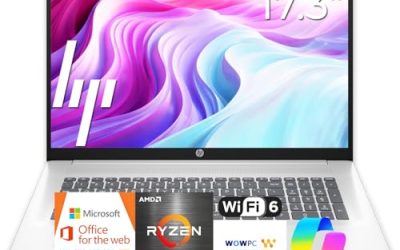
For people whose job is mostly spreadsheets, this HP offers a 17.3-inch Full HD display, a Ryzen 5 processor, 16GB of RAM, a 512GB SSD, and a numeric keypad. The long-battery claim in the title is worth checking against the listing details. A tax preparer, estimator, or operations analyst who rarely leaves the desk will get the most from the larger keyboard deck and screen.
- Strength: A big display and a numeric keypad suit finance and administration.
- Strength: 16GB of RAM and 512GB of storage match the baseline for work.
- Trade-off: The 17-inch body is bulky for travel.
Skip it if you carry your laptop between sites every day, or if you share a small desk where a 17-inch chassis would crowd your workspace.
Apple MacBook Neo 13-Inch
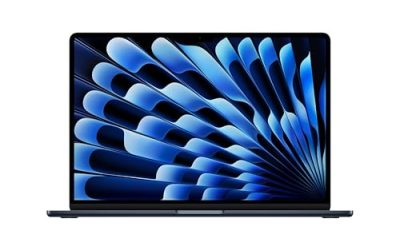
The MacBook Neo is the Apple option for light, portable work. The title lists the A18 Pro chip, a 13-inch Liquid Retina display, 8GB of unified memory, and a 256GB SSD. It is for professionals who live in a browser, email, and documents and prefer macOS. A writer, consultant, or sales rep who works mostly through web apps would find it easy to carry, and the single-app workflow of Apple’s software can be pleasant for focused work.
- Strength: A compact format with a high-quality Liquid Retina display.
- Strength: Works naturally with other Apple devices and services.
- Trade-off: 8GB of memory and 256GB of storage are modest for a primary work machine.
Skip it if your software is Windows-only or you need lots of local storage.
Dell 15.6″ Laptop (Core 3 100U)
A plain, practical office laptop. The Dell lists a Full HD anti-glare IPS display at 250 nits, an Intel Core 3 100U, 8GB of RAM, a 512GB SSD, Windows 11 Home, and Wi-Fi 6. It fits a worker who needs a dependable machine for documents and web apps. It is the kind of machine an office can buy in quantity for staff with predictable needs, such as front-desk, billing, or support roles.
- Strength: Anti-glare IPS panel with a 512GB SSD.
- Strength: Wi-Fi 6 support for modern office networks.
- Trade-off: Windows 11 Home lacks some business security features.
Skip it if you need Pro-only features such as drive encryption management.
Lenovo Business 15.6″ Laptop
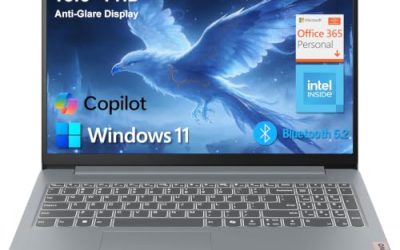
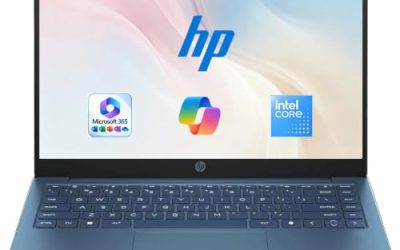
This is the lightest-spec option, listing an Intel processor, 8GB of DDR5 memory, 128GB of storage, Office 365, Copilot AI, Wi-Fi 6, a USB-C port, and an anti-glare screen. It targets simple tasks and light travel, and the title also claims long battery life. The title does not name the processor, so look it up in the listing. It is best viewed as a secondary or occasional-use work laptop rather than a daily workhorse.
- Strength: USB-C and an anti-glare screen on a budget-tier machine.
- Strength: Office 365 included for the first stretch of ownership.
- Trade-off: 128GB of storage is small for primary work use.
Skip it if you store many files locally or run several apps at once.
Which One Fits Your Situation
A finance or admin professional at a desk
Choose the HP 17-inch Business Laptop or the Lenovo V15. Both have 16GB of RAM and a numeric keypad, and the V15 adds Ethernet and HDMI for an office desk.
A hybrid worker moving between home and the office
The Lenovo V14 G5 is the best balance: a compact 14-inch anti-glare screen with 16GB of DDR5 memory and a fast SSD.
A creative or analyst who multitasks heavily
The Dell Inspiron with the Ryzen 7 7730U and 16GB of RAM offers the most headroom among the Windows options, plus touch input.
Someone who works in Apple’s ecosystem on the go
Pick the MacBook Neo 13-inch for lightweight tasks, and keep cloud storage handy given the 256GB drive.
Common Mistakes
- Relying on review scores that mix very different laptops instead of comparing RAM, storage, and screen.
- Buying 128GB of storage for a laptop that will hold work files.
- Choosing a glossy touchscreen for a bright office and then fighting reflections.
- Assuming every business-labeled laptop includes Windows 11 Pro.
- Counting a one-year Office subscription as lasting value.
Related guides
- When I Turn On Record Game In Background On Gamebar. Gamebar Crashes, What Do I Do?
- How To Reduce Background Noise On A Streaming Microphone
- Poly Computer Accessories Company Streaming Evaluation
Frequently Asked Questions
What specs should a work laptop have?
Aim for 16GB of RAM, a 512GB SSD, a Full HD anti-glare display, and Wi-Fi 6. Add HDMI or USB-C for an external monitor, and a numeric keypad if you handle numbers.
Is 8GB of RAM enough for work?
It works for email, documents, and a small number of browser tabs. For video calls plus multiple apps, 16GB is more comfortable.
Are Lenovo V-series laptops good for business?
The V-series is aimed at business and office users, and the listings here emphasize practical features like RJ45 and HDMI. Compare the processor generation and memory in each listing.
Should I get a touchscreen work laptop?
Only if you will use touch for markup or navigation. Otherwise a matte anti-glare display is usually more comfortable during long days.