Choosing a Windows laptop sounds simple until you notice that “Windows” covers everything from an 11-inch convertible to a premium touchscreen machine with an Arm-based chip. The operating system is the one constant; the price tier, screen size, processor family, and upgrade options change everything else. The practical question is not which Windows laptop is best in the abstract but which tier fits the software you run and the way you carry it. A person who lives in a browser needs something very different from someone who runs legacy business programs.
This guide is for buyers who have decided on Windows and want a clear shortlist of seven models drawn from the 2026 listings, covering a premium touchscreen, a budget convertible, upgradeable 15.6-inch machines, and a renewed entry model. We judge each product only by what its title states and say so when a detail is cut off. Apple laptops are left out entirely because they do not run Windows. Read the buying advice first, because it explains why identical-looking laptops can behave so differently.
Our Top Picks
Top 3 picks at a glance
Quick Picks
As an Amazon Associate we earn from qualifying purchases at no extra cost to you.






| Product | Best for | Key spec from the title |
|---|---|---|
| Microsoft Surface Laptop 13.8-Inch | Premium touchscreen experience | Snapdragon X2 Elite, 16GB RAM, 1TB SSD |
| Dell 11-Inch Touchscreen Convertible | Small, flexible travel screen | 11-inch IPS touch, 8GB RAM, 128GB SSD |
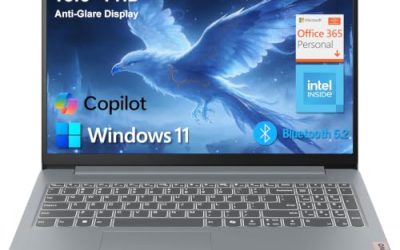
| Dell 15.6 (Core 3 100U) | Everyday Windows with plenty of storage | 8GB RAM, 512GB SSD, 250 nits |
| OTVOC 15.6-Inch (Core 8100Y) | Upgrading memory and storage later | Upgradeable RAM and SSD, 128GB SSD |
| 15.6-Inch Core i5-7Y57 Laptop | Cooling fan and upgrade slots | Core i5-7Y57, 4GB SO-DIMM, upgradeable |
| 15.6-Inch N4020 Laptop | Lay-flat screen on a low budget | N4020, 128GB eMMC, 45W fast charging |
| HP 14-Inch Celeron Laptop (Renewed) | Cheapest Windows entry | 4GB RAM, 64GB SSD, renewed |
How to Choose
Processor type affects which programs run
Most Windows laptops use Intel or AMD chips that run any Windows program. The Surface in this group uses a Snapdragon processor, an Arm design. Windows on Arm runs most mainstream apps well, but some older programs, drivers, and specialized tools may not work or may need emulation. If you depend on niche software or old hardware peripherals, verify compatibility first. Intel and AMD models are the safe route for broad compatibility. If you only use a browser, email, and mainstream apps, the Arm model should be fine.
Memory, storage, and the upgrade question
Aim for 8GB of RAM as a minimum and 16GB for comfort. Storage should be a real SSD of 256GB or more; eMMC and small drives feel slow and fill up fast. Two models here advertise upgradeable RAM and SSD through standard slots, which lets a 4GB machine grow later. That is a useful feature, but buy the capacity you need now whenever possible, since upgrades require opening the case.
Screen size, touch, and portability
An 11-inch convertible fits a bag easily but cramps multitasking. A 13 to 14-inch screen balances comfort and weight. A 15.6-inch display suits desk work and media. Touch screens add convenience for tablet-style use but cost battery life and can reflect light. Full HD IPS panels are the baseline worth insisting on. Brightness, listed in nits, tells you how usable the screen is near windows; 250 nits is serviceable and higher is better. Most listings omit the number, which is itself a hint that the panel is basic.
Where budget Windows laptops cut corners
Entry laptops with Celeron, N4020, or older Core Y-series processors are fine for email, browsing, and video, but they slow down under many tabs or heavy apps. Small drives of 64GB leave little room after updates. Battery capacity is rarely stated, so treat vague phrases like “long battery life” as unverified. Prefer a model that clearly names its memory, storage type, and display panel, and treat missing details as a reason to read the full listing, not an invitation to assume the best.
The 7 Best Options
Microsoft Surface Laptop 13.8-Inch
The only premium machine here lists a 13.8-inch touchscreen, a Snapdragon X2 Elite processor, 16GB of RAM, and a 1TB SSD. It is aimed at buyers who value a refined, portable design and are comfortable with an Arm-based Windows device. It is the model to consider if the laptop is also a status piece for client meetings, or if you simply want fewer compromises and plan to keep it for years.
- Strength: 16GB of RAM and a 1TB SSD are the most generous pairing in the group.
- Strength: a touchscreen in a 13.8-inch body suits mobile work.
- Trade-off: Arm architecture means some older software may not be compatible.
Skip it if you depend on legacy programs, or if you want the lowest price. The rest of the title is cut off, so check the listing for ports and the Windows edition.
Dell 11-Inch Touchscreen Convertible
This compact Dell is an 11-inch IPS touchscreen convertible with an Intel Pentium processor listed as up to 3.3GHz, 8GB of RAM, a 128GB SSD, and sixth-generation Wi-Fi. It suits travel, note-taking, and light browsing, and it can double as a lightweight tablet on a train or in a lecture hall. It is a niche pick rather than a main computer for most people.
- Strength: the convertible touchscreen format works for notes and presentations.
- Strength: 8GB of RAM is generous for the screen size and class.
- Trade-off: an 11-inch screen is cramped for spreadsheets and multitasking.
Skip it if you want a full-size keyboard, or a large display for long work sessions.
Dell 15.6 (Core 3 100U)
The best fit for most everyday buyers in this group: a Core 3 100U processor, 8GB of RAM, a 512GB SSD, a 15.6-inch Full HD anti-glare IPS-type display at 250 nits, Intel UHD graphics, and Wi-Fi 6 with Bluetooth, under Windows 11 Home. Nothing about it is flashy, which is the point: it covers browsing, office work, streaming, and family tasks with room to spare.
- Strength: 512GB of SSD storage is plentiful for the class.
- Strength: an anti-glare IPS-type display improves readability.
- Trade-off: it is a larger body that favors the desk over the backpack.
Skip it if you want a touchscreen or the premium build of a Surface.
OTVOC 15.6-Inch (Core 8100Y)
This 15.6-inch laptop lists a Core 8100Y processor, 4GB of SO-DIMM memory, a 128GB SSD, an FHD IPS display, a 2MP webcam, a cooling fan, and upgradeable RAM and SSD, with Windows 11 installed. It is meant for buyers who see a cheap laptop as a starting point and are willing to spend a little more later on memory.
- Strength: upgradeable memory and storage extend its useful life.
- Strength: a cooling fan and SO-DIMM slot are stated.
- Trade-off: 4GB of starting memory is the minimum and needs an upgrade for multitasking.
Skip it if you do not want to open the laptop and install memory yourself.
15.6-Inch Core i5-7Y57 Laptop
Similar in layout to the OTVOC, this unbranded 15.6-inch laptop lists a Core i5-7Y57, 4GB of SO-DIMM RAM, a 128GB SSD, an FHD IPS screen, a 2MP webcam, a cooling fan, and Type-C connectivity, with upgradeable memory and storage. It targets the same do-it-yourself buyer as the OTVOC, so compare the two listings side by side for ports and warranty terms.
- Strength: the Core i5 name and upgrade slots give room to grow.
- Strength: a Type-C port and a cooling fan are both named.
- Trade-off: starting with 4GB of RAM and a small drive limits it out of the box.
Skip it if you want a plug-and-play machine that needs no upgrades. The listing text is cut off, so confirm the full port list before ordering.
15.6-Inch N4020 Laptop
A budget 15.6-inch laptop with an N4020 processor, 4GB of LPDDR4 RAM, 128GB of eMMC storage, an FHD display, Office 365, a 180-degree lay-flat hinge, a 38Wh battery, and 45W fast charging. Together those details point to a casual home laptop for streaming, homework, and video calls rather than serious multitasking.
- Strength: the lay-flat hinge suits sharing the screen across a table.
- Strength: fast charging at 45W is stated for quick top-ups.
- Trade-off: eMMC storage and the N4020 chip are the slowest combination here.
Skip it if you plan to multitask heavily or store many files locally.
HP 14-Inch Celeron Laptop (Renewed)
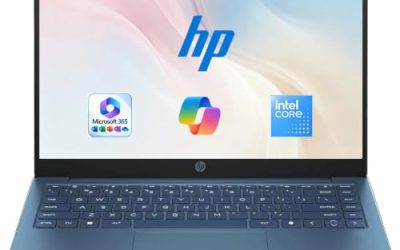
A renewed 14-inch HP with a dual-core Intel Celeron processor listed as up to 2.60GHz, 4GB of RAM, a 64GB SSD, a webcam, and Windows 11. The listing appears in more than one color, but the hardware is the same. Renewed units are pre-owned and restored, so check the condition grade and return terms.
- Strength: the lowest entry price tier for a Windows laptop here.
- Strength: a webcam and a compact 14-inch size are listed.
- Trade-off: 64GB of storage and 4GB of RAM leave very little headroom.
Skip it if you want new-condition hardware, or plan to install many programs.
Which One Fits Your Situation
You want a premium, portable machine
The Microsoft Surface Laptop is the clear choice, provided your software works on Arm. It pairs a touchscreen with 16GB of RAM and a 1TB SSD.
You want the best value for daily use
The Dell 15.6 with the Core 3 100U gives the most balanced mix of memory, storage, and display quality, without needing any upgrades. It also keeps Bluetooth and Wi-Fi 6 in the package, helpful for headsets and busy home networks.
You like tinkering and upgrading
The OTVOC 15.6-Inch and the Core i5-7Y57 laptop both advertise upgradeable RAM and SSD. Buy the cheapest memory stick that fits and double your multitasking room.
You need a small travel companion
The Dell 11-Inch Convertible folds into tablet mode for notes and fits easily into a small bag, with 8GB of RAM for smooth basics.
Common Mistakes
- Assuming every Windows laptop runs every Windows program, which is not true for Arm-based models.
- Buying 4GB of RAM and a 64GB drive as a main computer.
- Choosing eMMC storage without realizing it is slower than an SSD.
- Counting on upgrades without confirming the memory and SSD can be reached and replaced.
- Ignoring screen brightness and panel type, then regretting the glare near a window.
Related guides
- When I Turn On Record Game In Background On Gamebar. Gamebar Crashes, What Do I Do?
- How To Reduce Background Noise On A Streaming Microphone
- Poly Computer Accessories Company Streaming Evaluation
Frequently Asked Questions
Will my old Windows software work on an Arm laptop?
Many mainstream programs do, either natively or through emulation. Older specialized software and some hardware drivers may not, so verify before buying.
How much storage does a Windows laptop need?
Choose 256GB as a minimum and 512GB for comfort. Windows updates and apps consume more space than most buyers expect.
Is a renewed laptop a good idea?
It can save money, but read the condition and warranty details in the listing. A renewed unit is pre-owned, so expect cosmetic wear.
Is a touchscreen worth it on a Windows laptop?
It is handy for notes, signing documents, and tablet use. If you mostly type and browse, a standard screen with better brightness is often the smarter choice.