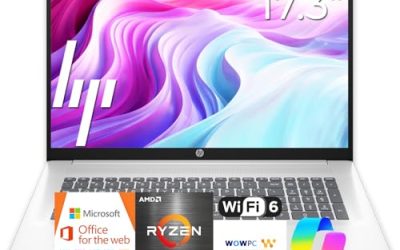
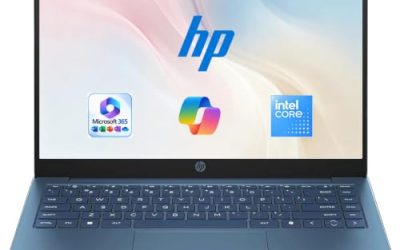
ASUS sells laptops in almost every lane, from bargain Vivobook Go models meant for homework to ROG Strix gaming machines with desktop-class graphics, so “best ASUS laptop” is really two or three separate decisions folded into one search. The first is how you will use it: browsing and documents, a mix of work and entertainment, or demanding games and creative software. The second is how much weight, heat, and fan noise you will accept for performance. Pick the lane before comparing individual models, or the spec sheets will mislead you. Gaming laptops and thin everyday laptops are different tools, and a shopper who buys the wrong one tends to notice within a week: either the fans roar during a spreadsheet, or the battery dies before the first lecture ends.
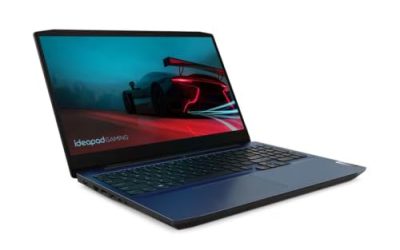
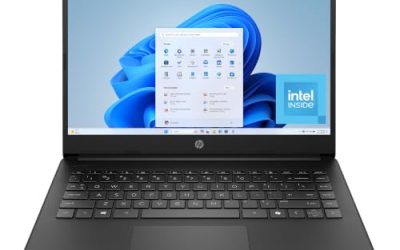
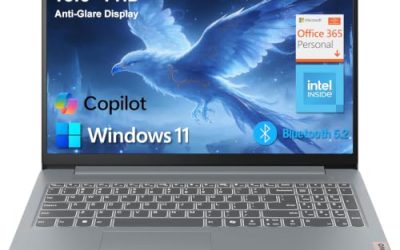
This guide covers six ASUS laptops across those lanes: three ROG Strix G16 gaming laptops with different graphics cards, a powerful Vivobook 15, and two Vivobook Go 15 models for light daily use. It is written for students, remote workers, and gamers deciding between a portable everyday machine and a high-refresh gaming rig in 2026. Everything below is based on the listed specs in the product titles, so use it to shortlist and then verify details such as ports and battery size on the full listing.
Our Top Picks


Top 3 picks at a glance
Quick Picks
As an Amazon Associate we earn from qualifying purchases at no extra cost to you.



| Product | Best for | Key spec from the title |
|---|---|---|
| ROG Strix G16 with RTX 5060 | Balanced 1080p-plus gaming | 16 inch FHD+ 165Hz, Core i7 14650HX, 16GB DDR5 |
| Vivobook 15 Core i9 | Heavy multitasking without a gaming build | Core i9-13900H, 32GB RAM, 1TB SSD |
| ROG Strix G16 with RTX 5050 | Entry-level gaming | RTX 5050, Core i5 14450HX, 16GB DDR5-5600 |
| Vivobook Go 15 (Intel N150) | Basic browsing and homework | 15.6 inch FHD 60Hz, 4GB RAM, 128GB SSD |
| Vivobook Go 15 (Ryzen 5) | Everyday work and school | 8GB RAM, 512GB SSD, WiFi 6E, military grade |
| ROG Strix G16 with RTX 5080 | High-end gaming and creation | 2.5K 240Hz HDR, Core Ultra 9 290HX Plus, 32GB DDR5 |
How to Choose
Match the graphics card to the screen
For gaming, the graphics card sets your ceiling. An RTX 5050 targets 1080p-class play, an RTX 5060 gives more headroom, and an RTX 5080 is built for high settings on a 2.5K panel. A powerful card paired with a basic screen wastes potential, so check that resolution and refresh rate suit the GPU: 165Hz or higher is the target for competitive games. Also look at response time: the 3ms figure in the Strix titles helps reduce ghosting in fast movement, and a 16:10 shape adds vertical space that helps in documents and editing timelines.
Memory and storage thresholds
Plan on 16GB of RAM for modern games and 32GB for video editing or heavy multitasking. For storage, 512GB is a minimum; 1TB is more comfortable because current game installs are large. A 128GB drive, common on entry Vivobook Go models, suits web use and little else, and 4GB of RAM will strain under many browser tabs. If you plan to keep the laptop beyond three years, treat any model with soldered memory as fixed at what you buy, and budget extra RAM at the start.
Storage speed is worth a glance too. The Strix G16 titles mention a Gen 4 or PCI-based drive, which loads games and large files faster than a basic SATA or eMMC drive found in the cheapest models.
Portability, battery, and thermals
Gaming laptops are heavier, run louder under load, and drain batteries quickly when not plugged in. If you carry a laptop all day, a Vivobook is the saner choice. Look at whether the title mentions features like a webcam shield, backlit keyboard, or military-grade durability, and check the full listing for weight and battery capacity. As a rule, a gaming laptop is best treated as a luggable desktop that occasionally works on battery, while a Vivobook is meant to leave the charger at home for a day.
Fans and heat matter in gaming designs. A powerful card and processor generate heat under load, so expect audible fans and plan on a desk or stand rather than resting the laptop on a blanket.
Where budget models cut corners
The cheapest options use low-power processors like the Intel N150 or older dual-core chips, 60Hz panels, and small drives. Expect modest speakers and plain plastic builds. If you want to keep a laptop for several years, spending a little more on RAM and storage usually matters more than chasing a newer chip label. Also check the keyboard, because a few Vivobook titles mention backlighting and ergonomic design, and those small comforts matter over thousands of hours of typing.
The 6 Best Options
ASUS ROG Strix G16 with RTX 5060
This ROG Strix G16 is the middle path for gamers: a 16 inch FHD+ 16:10 panel at 165Hz with 3ms response, an RTX 5060, a Core i7 14650HX, 16GB of DDR5, and a 1TB Gen 4 drive. It suits players who want smooth frame rates at a mainstream resolution. The listing also points to an Intel Core i7 14650HX processor, which is aimed at sustained gaming loads.
- Strength: the 165Hz panel and 16:10 shape give extra vertical space and fluid motion.
- Strength: 1TB of fast storage holds a sizable game library.
- Trade-off: a gaming chassis is heavier and louder than a thin everyday laptop.
Skip it if portability and battery life matter more than frame rates. It also makes sense as a first serious gaming laptop for someone who wants to grow into higher settings over time.
ASUS Vivobook 15 Core i9
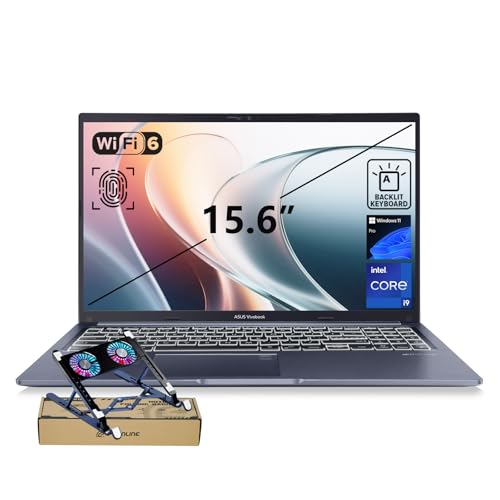
The Vivobook 15 pairs a Core i9-13900H with 32GB of RAM and a 1TB SSD in a 15.6 inch FHD body. It is for professionals who need strong multitasking, such as spreadsheets, virtual machines, and many browser windows, without buying a gaming design. The Core i9-13900H is a high-performance mobile processor, so expect more fan activity under sustained work than on a thin Go model.
- Strength: 32GB of RAM and 1TB of storage are generous for work.
- Strength: a physical webcam shield, backlit keyboard, and fingerprint reader add privacy and convenience.
- Trade-off: the title lists no dedicated graphics card, so demanding games are not its purpose.
Skip it if you want serious gaming performance. It is a better match for analysts, consultants, and developers who want a roomy 15.6 inch workhorse that will not become obsolete quickly.
ASUS ROG Strix G16 with RTX 5050
The entry point to the Strix G16 family uses an RTX 5050 laptop GPU, a Core i5 14450HX, 16GB of DDR5-5600, and a 512GB drive. It targets newcomers who want a real gaming laptop with the same 16:10 FHD+ 165Hz display style as the pricier versions. It is also the most approachable ROG Strix price tier in this group, based on the graphics and memory shown.
- Strength: the 165Hz, 3ms panel matches higher models in smoothness.
- Strength: DDR5-5600 memory supports a solid base for gaming and school.
- Trade-off: 512GB fills fast with modern game installs, and the RTX 5050 is the lowest tier here.
Skip it if you plan to play the heaviest titles at high settings. As a starting point, it keeps the same fast screen as the pricier versions, so the upgrade path later is mostly about the graphics card.
ASUS Vivobook Go 15 (Intel N150)
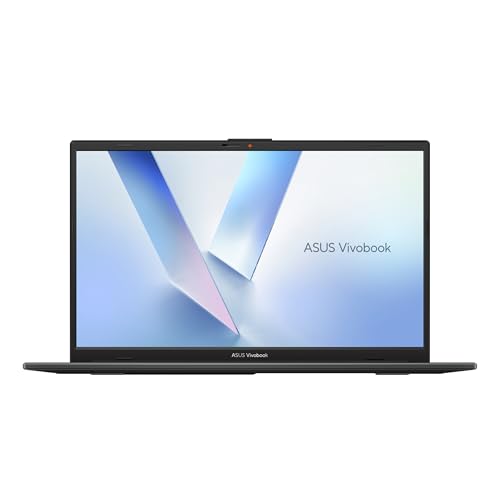
A basic 15.6 inch FHD 60Hz laptop with an Intel N150 processor, Intel UHD Graphics, 4GB of RAM, and 128GB of storage. It is meant for light browsing, streaming, and simple documents, for example as a backup or a first laptop for a younger student. Pair it with cloud storage and web apps to stretch the small drive.
- Strength: a full-size FHD screen is rare among entry laptops.
- Strength: its low-power chip suits quiet, simple tasks.
- Trade-off: 4GB of RAM and 128GB of storage will feel tight within a year.
Skip it if you multitask or install many programs. It is best understood as a low-cost companion for a child, a guest room, or a travel backup rather than a primary machine.
ASUS Vivobook Go 15 (Ryzen 5)
This Vivobook Go steps up to a Ryzen 5 chip, 8GB of RAM, and a 512GB SSD, with WiFi 6E, an ErgoSense keyboard, and a military-grade durability claim in the title. It suits students and office workers who want a dependable daily laptop. The title does not mention a backlit keyboard, so check the listing if you type in dim rooms.
- Strength: 8GB of RAM and 512GB of storage cover everyday work comfortably.
- Strength: WiFi 6E and the durability designation add long-term practicality.
- Trade-off: it keeps a 60Hz FHD screen and integrated Radeon graphics, so gaming is limited.
Skip it if you want a high-refresh display or a dedicated GPU. It is a sensible pick for essay writing, research, spreadsheets, and streaming, where steady battery life and a comfortable keyboard count most.
ASUS ROG Strix G16 with RTX 5080
The top model here pairs an RTX 5080 with a Core Ultra 9 290HX Plus, 32GB of DDR5, and a 16 inch ROG Nebula HDR 2.5K display at 240Hz. It is for enthusiasts and creators who want a transportable workstation for games, 3D work, or rendering. The HDR panel and fast refresh rate also make it appealing for video editing and color-sensitive creative work.
- Strength: the 2.5K 240Hz HDR panel is the sharpest and fastest display in this group.
- Strength: 32GB of memory and top-tier graphics leave room for demanding workloads.
- Trade-off: premium pricing tier, extra weight, and heat are the cost of this much performance.
Skip it if you only browse, write, or stream. In that case the money is better spent on a Vivobook with more RAM and storage, and the saved weight will be noticeable every day.
Which One Fits Your Situation
A student who also plays games on weekends
The ROG Strix G16 with RTX 5050 covers coursework and gaming in one machine. You accept extra weight in exchange for a 165Hz screen and a capable graphics card. Pack a padded sleeve and keep the heavier charger at your desk to make campus carry manageable.
A remote worker running many apps at once
The Vivobook 15 Core i9 gives 32GB of RAM and a 1TB drive, which keeps heavy multitasking smooth. The webcam shield and fingerprint reader also help on video calls. It also keeps its cost reasonable relative to its memory, since you are not paying for a gaming graphics card you will not use.
Someone buying a simple laptop for school
The Vivobook Go 15 with Ryzen 5 offers 8GB of RAM and 512GB of storage, a comfortable base. Choose the Intel N150 version only for very light use and a tight plan.
A creator or competitive gamer who wants no compromises
The ROG Strix G16 with RTX 5080 delivers the strongest graphics and display here. If you want the middle ground, the RTX 5060 version balances capability and cost. The RTX 5050 version works as a gentler entry point if the budget is firm.
Common Mistakes
- Buying a gaming laptop for a use case that only needs email and documents.
- Ignoring the screen when choosing a powerful graphics card, then playing on a slow panel.
- Settling for 4GB of RAM and 128GB of storage and outgrowing it in months.
- Assuming a bigger processor badge always means better battery life on the go.
- Overlooking weight and charger size when you plan to carry the laptop daily.
Frequently Asked Questions
Is an ROG Strix G16 good for school?
It can do both, but it is heavier and has shorter battery life than a Vivobook. Choose it if gaming is a priority and you do not mind carrying a bigger charger.
How much RAM should an ASUS laptop have?
Aim for 8GB at minimum for basic use, 16GB for gaming, and 32GB for heavy multitasking or editing. The 4GB models are best for very light tasks only.
What does 165Hz or 240Hz mean?
It is how many times the screen refreshes each second. Higher numbers feel smoother in fast games, but you also need a graphics card strong enough to feed those frames.
Do the Vivobook models support gaming?
They use integrated graphics, so they handle casual and older games only. For modern titles, step up to a ROG Strix G16 with a dedicated RTX card.
Related guides
More from Amazon
Programs that pair well with the guide above. Offers and eligibility are set by Amazon and may change.
Free shipping on eligible items, Prime Video and more. Eligible new members can start with a free trial.
Start a Prime free trialAd-free music streaming. Eligible new subscribers can start with a free trial.
Try Music Unlimited freeA Prime membership for ages 18-24 with a trial period. Eligibility is set by Amazon.
See Prime for Young AdultsAudiobooks and podcasts to listen to on the go. Eligible new members can start with a free trial.
Try Audible freeAs an Amazon Associate we earn from qualifying purchases.