Shopping for a Hewlett Packard laptop means sorting through one of the widest product ranges in the industry. The same brand sells a 14-inch machine with 4GB of memory and an OmniBook with a modern Intel Core Ultra chip, and both wear the same logo. The real decision is not whether to buy HP, since that part is settled, but which tier of HP matches how you work: a light carry-around for notes and streaming, or a larger-screen machine built for spreadsheets and long documents.
This guide is written for buyers who already prefer HP and want a clear read on seven current listings. We judge only from what each title states, such as processor, memory, storage, and screen size, and flag every place where a title is cut off. In 2026 the gap between the entry and upper tiers is mostly about memory and storage, so those two numbers drive most of the advice below.
Our Top Picks
Top 3 picks at a glance
Quick Picks
As an Amazon Associate we earn from qualifying purchases at no extra cost to you.




| Product | Best for | Key spec from the title |
|---|---|---|
| HP 17-Inch Business Laptop (Ryzen 5) | Large-screen office work | 16GB RAM, 512GB SSD, numeric keypad |
| HP OmniBook 3 17.3 (Core Ultra 5) | Modern Intel platform on a big screen | Core Ultra 5 225U, 8GB, 512GB SSD |
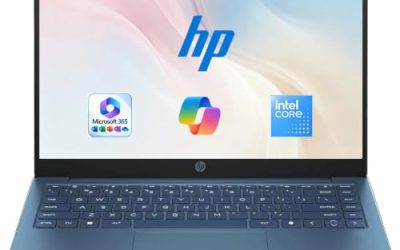
| HP 14-Inch Laptop (N150, UFS) | Light carry and basic tasks | 4GB RAM, 128GB UFS, 1-year Microsoft 365 |
| HP 14-Inch Ultra-Light (SD Card) | Students needing extra file space | 128GB plus 128GB SD card, 1-year Office |
| HP 15.6-Inch Core i7 Laptop | Heaviest everyday multitasking | Core i7-1255U, 16GB, 1TB PCIe SSD |
| HP 17.3-Inch Business Laptop (Core 5) | Mixed work with lots of stored files | 10-core Core 5-120U, 12GB, 768GB total |
| HP OmniBook 3 17.3 (Ryzen 3) | AMD option with a roomy display | Ryzen 3, 8GB, 512GB SSD, Radeon 610M |
How to Choose
Match the screen size to where you work
HP sells most of these models in three footprints. A 14-inch body fits a backpack and a small desk. A 15.6-inch screen is the compromise for couch and office use. A 17.3-inch display gives room for two windows side by side and usually adds a numeric keypad, but it is heavier and harder to carry. Decide first whether the laptop lives on a desk or travels, because that single choice removes half the field. Ports and weight are also worth a look on the full listing, since titles rarely state them, and a larger body does not guarantee more connections.
Memory and storage thresholds
Aim for 8GB of RAM as a minimum and 16GB if you keep many browser tabs and office files open. Four-gigabyte models in this group are acceptable for note-taking and streaming only. For storage, 512GB is a comfortable starting point; 128GB leaves little room after updates. Pay attention to how storage is described. A model that combines a small SSD with a memory card is not the same as one with a single large drive, because card storage is slower and easy to lose.
Processor families in plain terms
The N150 is an entry Intel chip suited to browsing and video. Core 5 and Core Ultra 5 parts sit in the middle for office work. The Core i7-1255U in the 15.6-inch listing is the strongest processor named here. On the AMD side, Ryzen 5 outranks Ryzen 3 in the same generation. Do not chase the highest clock speed in a title; memory and storage shape daily speed more than a peak number does.
Software bundles and what to ignore
Several HP listings mention Microsoft 365 or Office for one year. That is useful for students but it expires, so factor in renewal. Phrases such as “long battery life” and “AI Copilot” are marketing until a listing gives real hours or hardware details. Budget models typically cut corners on screen resolution, so look for FHD in the title; one 14-inch listing here states an HD display instead.
The 7 Best Options
HP 17-Inch Business Laptop (Ryzen 5)
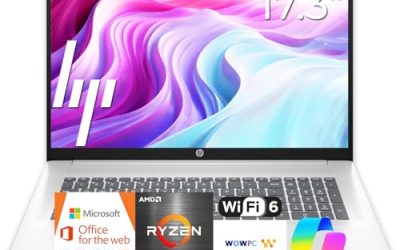
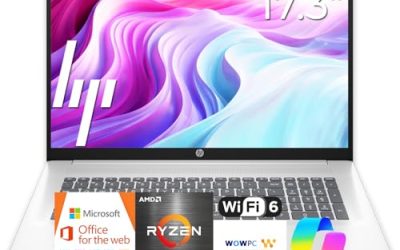
This is the most complete configuration among the 17-inch models: a Ryzen 5 processor, 16GB of RAM, a 512GB SSD, a 17.3-inch FHD display, and a numeric keypad. It is aimed at people who spend the workday in spreadsheets and documents, where a wide screen and a numeric keypad matter more than a thin profile. Among the 17-inch listings it states the most memory.
- Strength: 16GB of memory gives comfortable headroom for multitasking.
- Strength: the full-size numeric keypad speeds up data entry.
- Trade-off: a 17.3-inch body is bulky for commuting.
Skip it if you carry your laptop every day or work in cramped spaces such as trains and small cafe tables.
HP OmniBook 3 17.3 (Core Ultra 5)
The OmniBook line is HP’s newer design, and this version pairs an Intel Core Ultra 5 225U processor with a 17.3-inch FHD display, 8GB of RAM, and a 512GB SSD. It runs Windows 11 Home in a Glacier Silver finish. Think of it as a tidy home-office machine for email, browsing, video meetings, and documents on a large display.
- Strength: a current-generation Intel Core Ultra processor is named in the title.
- Strength: 512GB of storage is a healthy amount for the price tier.
- Trade-off: only 8GB of memory, which is the minimum rather than a generous amount.
Skip it if you plan heavy multitasking and want more than 8GB without an upgrade.
HP 14-Inch Laptop (N150, UFS)
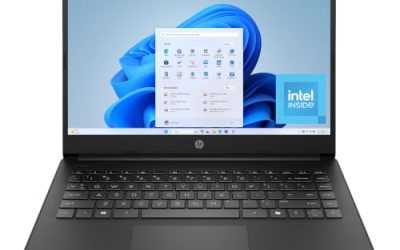
A basic 14-inch HP with an HD display, an Intel N150 processor, 4GB of RAM, a 128GB UFS drive, and a one-year Microsoft 365 Personal subscription. It is meant for simple, light use, such as a kitchen laptop, a first computer for a child, or a backup for travel. Expectations should match the entry-level specs.
- Strength: the small body is easy to carry between rooms or classes.
- Strength: a year of Microsoft 365 Personal is listed as included.
- Trade-off: the HD display and 4GB of RAM are clear budget compromises.
Skip it if you need sharp text for long reading sessions or plan to keep many apps open together.
HP 14-Inch Ultra-Light (SD Card)
This 14-inch ultra-light model uses an Intel N150 with 4GB of RAM and 128GB of storage, plus a 128GB SD card, and lists one year of Office 365 for student and home use with fast charging. The split between internal and card storage is the detail to understand before buying.
- Strength: the extra SD card adds file space beyond the built-in drive.
- Strength: fast charging and an ultra-light description suit travel days.
- Trade-off: SD card storage is slower than the internal drive and easy to misplace.
Skip it if you want one fast internal drive instead of a split storage setup.
HP 15.6-Inch Core i7 Laptop
This is the most powerful processor in the group on paper: a Core i7-1255U listed as running up to 4.7GHz, with 16GB of RAM, a 1TB PCIe SSD, a webcam, and an FHD display. It is the pick for heavier everyday multitasking, such as video calls beside a large spreadsheet and a crowded browser window, and the title also lists a webcam.
- Strength: 16GB of RAM and a 1TB PCIe SSD are the most generous pairing here.
- Strength: the 15.6-inch size balances screen space and portability.
- Trade-off: the processor is from an older generation than the Core Ultra models.
Skip it if you want the newest platform features rather than raw memory and storage.
HP 17.3-Inch Business Laptop (Core 5)
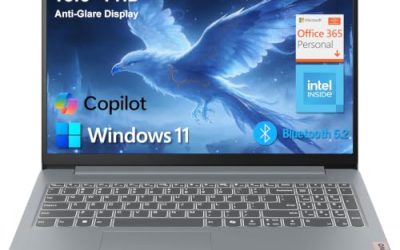
This business-oriented 17.3-inch HP lists a 10-core Intel Core 5-120U, 12GB of RAM, and 768GB of storage made up of a 256GB SSD and a 512GB SD card, with an AI Copilot branding and Windows 11. It reads like a work-focused configuration for someone who keeps a lot of documents, scans, and media on hand.
- Strength: 12GB of memory sits between the 8GB and 16GB models.
- Strength: the large total storage figure suits people with many stored files.
- Trade-off: most of the storage is a card, not a fast internal drive.
Skip it if you need all your storage to run at SSD speed. The Windows edition is cut off in the title, so check the listing.
HP OmniBook 3 17.3 (Ryzen 3)
The AMD version of the OmniBook 3 pairs a Ryzen 3 processor with 8GB of RAM, a 512GB SSD, Radeon 610M graphics, and a 17.3-inch FHD display, in a Mica Silver finish with Windows 11 Home. It targets buyers who want a big screen and an AMD processor at a moderate tier of pricing.
- Strength: 512GB of SSD storage is a solid base for documents and media.
- Strength: Radeon 610M graphics are named in the title, which tells you exactly which integrated graphics to expect.
- Trade-off: Ryzen 3 sits at the lower end of the processor range here.
Skip it if you want a higher-tier processor; the exact Ryzen model number is cut off in the title.
Which One Fits Your Situation
You want the strongest all-rounder
Go with the HP 15.6-Inch Core i7 Laptop. Its 16GB of RAM, 1TB drive, and Core i7 processor form the most capable combination in this list without jumping to a giant 17-inch body.
You work in spreadsheets all day
The HP 17-Inch Business Laptop with the Ryzen 5 gives you a large FHD screen, 16GB of memory, and a numeric keypad. It keeps columns of numbers readable and data entry quick.
You are a student on a tight budget
The HP 14-Inch Ultra-Light with the SD card adds extra file room and a year of Office. Use cloud backups, since 4GB of RAM limits heavier workloads.
You prefer a newer platform
The HP OmniBook 3 with the Core Ultra 5 brings a current Intel family and 512GB of storage in a 17.3-inch frame, a fit for home offices that rarely move the laptop.
Common Mistakes
- Assuming every HP laptop is similar because the brand is the same, when the 4GB and 16GB models differ enormously.
- Counting an SD card as if it were internal SSD storage.
- Buying a 17.3-inch laptop and then discovering it is too large to carry comfortably.
- Choosing an HD display when an FHD option was available for similar money.
- Forgetting that bundled Microsoft 365 or Office is a one-year offer.
Related guides
- When I Turn On Record Game In Background On Gamebar. Gamebar Crashes, What Do I Do?
- How To Reduce Background Noise On A Streaming Microphone
- Poly Computer Accessories Company Streaming Evaluation
Frequently Asked Questions
What is the difference between an HP OmniBook and a standard HP laptop?
OmniBook is HP’s newer product line with updated designs and current processors. Standard models can be older platforms, so compare the processor and memory rather than the name alone. A newer name on the lid does not always mean more memory or storage, as the 8GB OmniBook listings show next to the 16GB models.
Is 8GB of RAM enough on an HP laptop?
For browsing, documents, and video calls, yes. If you keep many tabs and large spreadsheets open, 16GB is the safer choice. Some HP laptops allow a memory upgrade, but confirm that on the listing because many budget models do not.
Are 17-inch HP laptops worth it?
They are worth it if the laptop stays on a desk and you value screen space and a numeric keypad. They are a poor fit for daily commuting. If you want both, a 15.6-inch model is the middle path.
Should I worry about the Windows edition in these listings?
Home is fine for most people. If a title is cut off before naming the edition, read the full listing to confirm what is included. Also check whether the software bundle is a trial or a full one-year term.