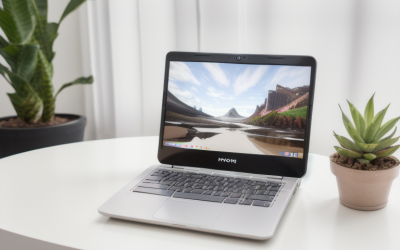
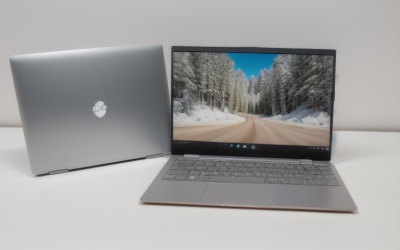
The 15-inch screen is the sweet spot that gaming laptops keep circling back to: big enough that a shooter or an open-world map does not feel cramped, small enough to slide into a normal backpack and sit on a dorm desk without hanging off both edges. The catch is that “15 inch” is a loose label. Listings round 15.3 and 15.6 together, and some models in the same product family jump to 16 inches with a taller 16:10 panel. Anyone shopping this size is really choosing between a compact footprint and a little extra screen height.
This roundup is for players who want a 15-inch-class machine with a real graphics chip, enough memory to run a game plus a browser and voice chat, and a screen that matches the GPU. It also covers two 16-inch models that sit one step above the size line, because several buyers cross-shop them, and it flags a couple of budget listings where the title leaves out details you would want. Everything below comes from the listed specs, so treat it as a shortlist to verify against each spec sheet in 2026 rather than a final verdict.
Our Top Picks
Top 3 picks at a glance
Quick Picks
As an Amazon Associate we earn from qualifying purchases at no extra cost to you.


| Product | Best for | Key spec from the title |
|---|---|---|
| HP OMEN 15 (RTX 5050) | Sharp-screen 15-inch play | 2K 165Hz display, 8 GB dedicated GPU memory |
| Alienware 15 (RTX 4050) | High refresh at 15 inches | 1920×1200, 165Hz, 1TB SSD |
| Lenovo 15-inch Gaming (Ryzen 5 7535HS) | Storage-heavy libraries | 16GB DDR5, 1TB PCIe SSD |
| Generic 15.6-inch Gaming Laptop (Core) | Tight budgets | 15.6 inch FHD, 16GB RAM, 512GB SSD |
| KAIGERR Gaming Laptop (Ryzen 7430U) | Light and older titles | 16GB DDR4, 512GB SSD, WiFi 6 |
| ASUS ROG Strix G16 (RTX 5060) | Stepping up to 16 inches | 165Hz/3ms, Core i7 14650HX, 1TB Gen 4 |
| Acer Nitro V 16S (RTX 5060) | Memory-hungry multitasking | 180Hz WUXGA IPS, 32GB |
How to Choose
Match the GPU tier to the screen
The graphics chip does most of the work in games. Within the same generation, a higher model number generally means more performance, so an RTX 5060 sits above an RTX 5050, and both sit above the previous-generation RTX 4050 in the usual naming scheme. For a 1080p or 1200p panel, an entry-tier discrete GPU is a reasonable match. For a 2K panel, expect to lower settings or lean on upscaling in newer games. Look for the dedicated video memory figure when the title gives it; 8 GB is a comfortable level for current titles at these resolutions.
Check refresh rate and panel resolution together
A 165Hz panel only pays off when the GPU can push frames near that number. Competitive shooters and esports titles can, while heavy single-player games often cannot. Higher resolution costs frame rate, so a 2K screen looks sharper but asks more of the graphics chip than a 1920×1080 one. If you mostly play fast games, favor refresh rate; if you play slower, detailed games, favor resolution and color.
Set memory and storage minimums
Treat 16 GB of RAM as the floor for gaming today, with 32 GB useful if you stream, run mods, or keep many tabs open. DDR5 is the newer memory type and is generally faster than DDR4, though the gap matters less than the GPU. For storage, 512GB fills quickly because single games can run past 100 GB, so 1TB is the more practical starting point.
Know where budget models cut corners
Listings that say “gaming” but name only a processor, with no graphics chip, usually rely on integrated graphics. That is fine for older or lightweight games, but it is not the same experience as a laptop with a dedicated RTX part. Also be wary of vague titles that skip the brand, model number, or screen details. Ignore marketing phrases like “AI” on the box unless a feature you actually use depends on it.
Gaming laptops spend most of their life plugged in, so battery life matters less than ports and cooling. Look for an HDMI output and a USB-C port so you can drive an external monitor, plus enough USB-A ports for a mouse and headset. Thicker chassis with larger vents tend to sustain performance longer, which is one reason the 16-inch models on this list are worth a glance even if you start out wanting 15 inches.
The 7 Best Options
HP OMEN 15 (RTX 5050)
This is the most direct answer to a 15-inch gaming search: a 15-inch chassis, a 2K 165Hz display, and an RTX 5050 with 8 GB of dedicated memory. It suits players who want a sharper picture than standard 1080p without moving to a larger body.
- Strength: the 2K 165Hz screen pairs high resolution with a fast refresh rate.
- Strength: 16 GB of RAM meets the gaming baseline out of the box.
- Trade-off: the entry-tier GPU may need lowered settings to fill a 2K panel in demanding games.
Skip it if you want the biggest storage pool; 512 GB will need an upgrade or an external drive soon.
Alienware 15 (RTX 4050)
The Alienware 15 pairs an RTX 4050 with an Intel Core 7 240H, a 1920×1200 165Hz screen, 16GB of DDR5, and a 1TB SSD. The 16:10 resolution gives a bit more vertical room than standard 1080p, which helps in strategy and role-playing games.
- Strength: 1TB of storage leaves room for a real game library.
- Strength: the 165Hz panel suits fast-paced titles.
- Trade-off: the RTX 4050 is from the previous GPU generation, so newer cards offer a newer feature set.
Skip it if having the latest graphics generation matters more to you than the larger drive.
Lenovo 15-inch Gaming (Ryzen 5 7535HS)
Lenovo’s listing leads with a six-core Ryzen 5 7535HS, 16GB of DDR5, a 1TB PCIe SSD, and an FHD+ display. It also names WiFi 6, Bluetooth 5.3, HDMI, and Type-C, which covers the connections most people need for a monitor and headset.
- Strength: DDR5 memory and a 1TB PCIe drive are a healthy mix for the listed tier.
- Strength: the port list covers HDMI and Type-C for external displays.
- Trade-off: the visible title does not name the graphics chip, so confirm it on the spec sheet.
Skip it if the GPU model is the first thing you filter by and you cannot verify it.
Generic 15.6-inch Gaming Laptop (Core)
This unbranded listing offers a Core processor up to 3.40GHz, 16GB of RAM, a 512GB SSD, and a 15.6-inch 1920*1080 display with Bluetooth 5.0 and WiFi. It is the budget entry point in this group.
- Strength: 16GB of RAM matches the baseline of pricier models.
- Strength: standard 1080p resolution is easy on modest graphics hardware.
- Trade-off: the title names no brand, model, or graphics chip, so support and gaming performance are harder to judge.
Skip it if you want a recognizable warranty and a named GPU.
KAIGERR Gaming Laptop (Ryzen 7430U)
KAIGERR lists a Ryzen 7430U up to 4.3GHz, 16GB of DDR4, a 512GB SSD, an FHD display, WiFi 6, and USB3.2 with Type-C. The title does not state a screen size, so confirm that it is a 15.6-inch panel before treating it as a 15-inch option.
- Strength: WiFi 6 and USB3.2 cover modern connectivity.
- Strength: 16GB of RAM is enough for general use and lighter games.
- Trade-off: the listing names no discrete graphics chip, so expect lighter-game performance rather than modern 3D titles.
Skip it if you plan to play recent, graphically demanding releases.
ASUS ROG Strix G16 (RTX 5060)
This is a 16-inch step-up rather than a 15-inch model. It lists a 16:10 FHD+ 165Hz/3ms display, an RTX 5060, an Intel Core i7 14650HX, 16GB of DDR5, and a 1TB Gen 4 SSD.
- Strength: the 3ms response time and 165Hz refresh rate suit competitive play.
- Strength: the RTX 5060 and Gen 4 SSD sit higher in the lineup than the entry models.
- Trade-off: it is a 16-inch body, so it is a little bigger to carry.
Skip it if backpack space or desk width is the deciding factor.
Acer Nitro V 16S (RTX 5060)
Another 16-inch alternative, the Nitro V 16S lists a Ryzen 7 260, an RTX 5060 Laptop GPU, a 16-inch WUXGA IPS 180Hz display, and 32GB of memory. The generous memory suits players who also edit video or keep many apps open.
- Strength: 32GB of RAM gives extra headroom for multitasking.
- Strength: the 180Hz refresh rate is the highest in this group.
- Trade-off: it is also a 16-inch chassis, not a true 15-inch size.
Skip it if you want the most compact body on the list.
Which One Fits Your Situation
You want the sharpest 15-inch screen
Go with the HP OMEN 15 (RTX 5050). Its 2K 165Hz display is the most detailed panel among the true 15-inch models here. Pair it with a modest frame-rate target and it should look noticeably crisper than the 1080p options.
You collect a big game library
The Alienware 15 (RTX 4050) and the Lenovo 15-inch Gaming model both list 1TB of storage, so they leave more room before you need to uninstall games.
You are working with a tight budget
The generic 15.6-inch Gaming Laptop is the lowest-commitment option, but confirm the graphics hardware and return terms before you buy. A listing with a named GPU, a brand, and a clear return window is worth more than a few extra gigahertz on the processor line.
You are willing to carry a bigger body
The Acer Nitro V 16S (RTX 5060) offers 32GB of memory and a 180Hz screen, which suits players who multitask heavily.
Common Mistakes
- Assuming a “gaming” label means a discrete graphics chip; always look for the GPU name in the spec list.
- Choosing a 2K screen and a weak GPU, then lowering settings until the sharper display no longer matters.
- Buying 8GB of RAM or 256GB of storage because the headline processor looks strong.
- Ignoring the screen size when a listing says 16 inches but appears in a 15-inch search.
- Skipping the cooling and fan details, which affect how long a laptop sustains high frame rates.
Related guides
- When I Turn On Record Game In Background On Gamebar. Gamebar Crashes, What Do I Do?
- How To Reduce Background Noise On A Streaming Microphone
- Poly Computer Accessories Company Streaming Evaluation
Frequently Asked Questions
Is 15 inches too small for gaming?
For most players it is not. A 15.6-inch 1080p or 1200p panel is clear at normal desk distance, and external monitors are easy to add through HDMI or Type-C when you want a bigger view at a desk. The tradeoff is that smaller bodies often have less room for cooling, so sustained load can run hotter.
How much RAM do I need?
Start at 16GB. Move to 32GB if you stream, edit video, or run several apps at once alongside your games. Extra memory will not raise frame rates much on its own, but it prevents stutter when background apps compete with the game.
Does a higher refresh rate matter?
It matters when your frame rate is high enough to use it. Fast shooters benefit most, while slower games gain less from 165Hz or 180Hz.
Can I upgrade storage later?
Many gaming laptops include an open M.2 slot or allow the SSD to be swapped, but it varies by model. Confirm on the manufacturer’s spec sheet before relying on an upgrade, and note that the drive in the listing may use a different size or interface than the one you plan to buy.