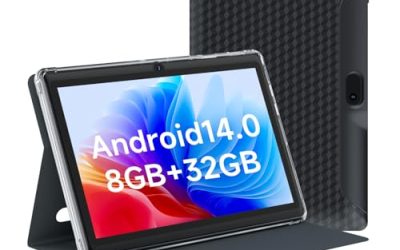
Choosing a tablet for note taking is really a choice between three screen types: a paper-like LCD that behaves like a normal Android tablet, an E Ink panel that behaves like a notebook, and a conventional glossy tablet that does everything else too. Each handles handwriting differently. E Ink is easy on the eyes and battery but slower for video, a paper-like LCD keeps color and apps but still uses a lit display, and a regular tablet gives the most flexibility with the most glare. The right answer depends on whether notes are the main job or one job among many.
This guide is for students, meeting-heavy professionals, and anyone who still wants to write by hand but needs searchable, shareable pages. It covers eight devices using only the facts in their listings: screen size, pressure levels, storage, battery, bundled pens, and AI note features. The 2026 generation leans heavily on handwriting-to-text and meeting transcription, so those features appear often, but the spec that decides daily comfort is still how the pen feels and how readable the screen is.
Our Top Picks
Top 3 picks at a glance
Quick Picks
As an Amazon Associate we earn from qualifying purchases at no extra cost to you.





| Product | Best for | Key spec from the title |
|---|---|---|
| XPPen 3 in 1 Color Digital Notebook | Color paper-feel notes | 10.95 in, 16384 pressure levels, 6+128GB |
| TCL Note A1 NXTPAPER | Fast writing on a lit screen | 11.5 in 2.2K 120Hz, 8192-level stylus |
| XPPen Note Plus | Phone-synced digital notebook | Pen included, syncs to phone |
| AINOTE Air 8.4 | Pocket-size meeting notes | 8.4 in color, real-time transcription |
| VIWOODS AiPaper 10.65 | Handwriting-to-text and planning | 10.65 in E Ink, PDF annotation |
| TCL NXTPAPER 14 | Big canvas and drawing | 14.3 in 2.4K, 4096-level stylus |
| Samsung Galaxy Tab S10 FE | One tablet for everything | IP68, Exynos 1580, 128GB |
| BOOX Note Air 5 C | Color E Ink with Android | 10.3 in color ePaper, 6GB/64GB |
How to Choose
Decide between E Ink, paper-like LCD, and a standard tablet
E Ink panels, such as the BOOX, VIWOODS, and AINOTE, reflect light like paper, cut eye strain, and sip power, but they refresh slowly and handle video poorly. Paper-like LCD tablets, such as the TCL pair, add a matte coating to a regular lit panel, so you keep apps, color, and streaming at the cost of battery. A standard tablet like the Samsung is the most versatile, though writing on glass feels slicker than on textured surfaces.
Look at pen specs that matter
Pressure levels range from 4096 to 16384 in these listings. Above 4096, most people will not feel a difference for note taking, since the levels matter mainly for drawing. A battery-free pen, like the XPPen X3 Pro Pencil 2, removes charging chores, and a pen included in the box matters because a separate pen can add a significant extra cost. Check whether the stylus and case are bundled.
Check screen size and storage against your habits
An 8.4 inch screen fits a bag but forces small handwriting. A 10 to 11 inch screen mirrors a notebook page, which is the sweet spot for classes. The 14.3 inch TCL gives room for spreadsheets and sketches. For storage, 64GB is workable for notes and PDFs, while 128GB or 256GB suits those who also keep books, media, or recordings on the device.
Judge AI features with a skeptical eye
Handwriting-to-text, transcription, and translation can save time, but accuracy depends on handwriting, language, and noise. Look for whether features run on the device or require a subscription or cloud account, and ignore headline numbers about AI that the listing does not explain. Budget notebooks often cut corners on app support and sync reliability instead.
The 8 Best Options
XPPen 3 in 1 Color Digital Notebook
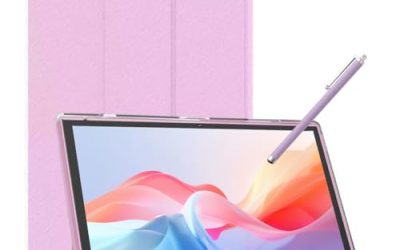
This 10.95 inch color paper-feel device bundles a battery-free X3 Pro Pencil 2 with 16384 pressure levels, a magnetic folio, and 6GB plus 128GB of memory and storage. It suits students who want a notebook-sized page with color highlighting and no pen charging. The magnetic folio in the title suggests the pen and cover stay together in a bag, which helps people who lose accessories between classes.
- Strength: The battery-free pencil removes one more thing to charge.
- Strength: A 10.95 inch screen matches a typical notebook page.
- Trade-off: The 16384 pressure levels are beyond what note taking needs, and mostly help drawing.
Skip it if you want to run many apps or stream video, since its focus is writing.
TCL Note A1 NXTPAPER
The Note A1 is an 11.5 inch NXTPAPER Pure tablet with a 2.2K 120Hz display, 8GB plus 256GB, an 8192-level stylus and case, an 8000mAh battery, and AI note taking. It is for people who want a paper-like finish but fast pen response and a regular tablet’s flexibility. A 120Hz refresh rate is the standout figure in the title, because lag between pen and ink is the most common complaint with low-cost writing screens, and a higher refresh helps close that gap.
- Strength: The 120Hz display makes pen strokes feel responsive.
- Strength: Stylus and case are included, with 256GB of storage for notes and files.
- Trade-off: As a lit LCD, it will not match an E Ink panel for battery life.
Skip it if you want the lowest eye strain or multi-week battery life.
XPPen Note Plus Digital Notebook
The Note Plus is a smart notebook that pairs with a pen and syncs to a phone, marketed to students for sketching, note taking, and digital art. Because the title calls it a digital notebook rather than a full tablet, it suits people who want to capture handwriting without managing a whole device. That narrower scope can be a feature rather than a limit: a single-purpose notebook has fewer distractions than a tablet full of apps, which some students find helps them focus in lectures.
- Strength: Syncing to a phone keeps notes accessible across devices.
- Strength: A pen is included for both writing and sketching.
- Trade-off: The title lists no screen size, storage, or battery figures.
Skip it if you need a full tablet with apps and a large display.
AINOTE Air 8.4
This 8.4 inch AI digital notebook tablet has a full color paper-like display with real-time transcription and translation and meeting-focused tools. It targets professionals who sit in many meetings and need a pocket-sized capture device. The color paper-like screen means highlights and diagrams stay readable, and the small footprint lets it sit next to a laptop without taking over the table.
- Strength: The 8.4 inch size is the most portable in the group.
- Strength: Real-time transcription and translation help in meetings and across languages.
- Trade-off: A smaller page limits handwriting space and diagrams.
Skip it if you take long, detailed handwritten notes or annotate large PDFs.
VIWOODS AiPaper 10.65
The AiPaper is a 10.65 inch AI E Ink tablet sold as a bundle with a pen, built around AI meeting notes, handwriting-to-text, PDF annotation, and daily planning. It fits readers and planners who want one E Ink surface for documents and schedules. Handwriting-to-text is the feature to watch, since converting scribbles into searchable text is what turns a pile of pages into a usable archive for later.
- Strength: PDF annotation and a daily planner cover study and work tasks.
- Strength: E Ink with an included pen suits long writing sessions with less glare.
- Trade-off: The title lists no battery or storage figures.
Skip it if you need fast video or color-rich content.
TCL NXTPAPER 14
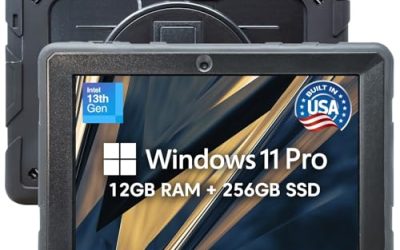
The 14.3 inch NXTPAPER 14 has a 2.4K paper-like display, 8GB plus 256GB, a 4096-level stylus and case, a 10000mAh battery, AI tools, and drawing and note taking support. It is for people who want the largest writing canvas with a big battery. At this size it works as a desk device for architects, designers, and heavy annotators who spread out multi-page documents and want room for margin notes.
- Strength: A 14.3 inch screen shows two document pages or a full sketch.
- Strength: A 10000mAh battery and bundled stylus support long sessions.
- Trade-off: The size makes it bulky to carry to class daily.
Skip it if you want a small tablet for a bag or a lecture desk.
Samsung Galaxy Tab S10 FE
This 128GB Wi-Fi Android tablet lists a large display, long battery life, an Exynos 1580 processor, and IP68 water resistance. The visible title does not state a stylus, so buyers should verify pen support before choosing it for handwriting. It suits those who want one device for notes, video, and apps. It is the premium-brand, general-purpose pick, so its value depends on whether handwriting is one of several jobs rather than the only one, and on whether a compatible pen is added separately.
- Strength: IP68 water resistance is rare in this group and protects against spills.
- Strength: A mainstream Android tablet offers wide app support beyond note taking.
- Trade-off: Stylus inclusion is not mentioned in the title, and glass can feel slick for writing.
Skip it if you want a paper-like writing surface or an included pen at a glance.
BOOX Note Air 5 C
The BOOX is a 10.3 inch color E Ink tablet with 6GB RAM and 64GB storage, sold as a color ePaper digital notebook. It fits readers and note takers who want E Ink eye comfort with the ability to run Android apps. The color ePaper panel is the main differentiator, because highlighted textbooks and colored diagrams are hard to follow on a black-and-white E Ink screen.
- Strength: Color ePaper adds highlighting and chart colors without a lit screen.
- Strength: A 10.3 inch panel suits a notebook-sized page.
- Trade-off: The title does not mention a bundled pen, and 64GB is the smallest storage here.
Skip it if you need smooth video or lots of local storage.
Which One Fits Your Situation
You attend many meetings and want transcripts
The AINOTE Air 8.4 lists real-time transcription and translation in a pocket-size body, while the VIWOODS AiPaper also lists AI meeting notes on a larger E Ink page.
You study from PDFs and textbooks
The BOOX Note Air 5 C and VIWOODS AiPaper give a paper-like reading surface, with PDF annotation listed on the VIWOODS.
You want one device for notes, video, and apps
The Samsung Galaxy Tab S10 FE is the more general-purpose tablet, though you should confirm stylus support. The TCL Note A1 is the better pick if a bundled stylus and a paper-like screen matter.
You sketch as much as you write
The TCL NXTPAPER 14 offers the largest canvas, and the XPPen 3 in 1 provides 16384 pressure levels with a battery-free pencil.
Common Mistakes
- Buying an E Ink tablet and expecting it to play video or games smoothly.
- Paying more for pressure levels beyond what note taking uses.
- Assuming a pen is included without reading the listing, which can add a separate cost.
- Choosing a screen that is too small for your handwriting size.
- Counting on AI transcription accuracy without testing it on your own voice and handwriting.
Related guides
- When I Turn On Record Game In Background On Gamebar. Gamebar Crashes, What Do I Do?
- How To Reduce Background Noise On A Streaming Microphone
- Poly Computer Accessories Company Streaming Evaluation
Frequently Asked Questions
Is E Ink better than an LCD for note taking?
It is easier on the eyes and lasts longer between charges, but it refreshes slowly and is poor for video. A paper-like LCD keeps color and speed with a lit panel.
How many pressure levels do I need?
For plain note taking, 4096 levels is plenty. Higher counts like 8192 or 16384 matter mainly for shading in drawing apps.
Do I need a stylus with a battery?
Not necessarily. Battery-free pens, like the one bundled with the XPPen 3 in 1, never need charging, which avoids a dead pen before class.
Can these devices export notes to other apps?
Most support some form of PDF export or syncing, but the details vary by device and app. Check export formats and cloud options on the full product page before buying.