Parents searching for a kids tablet with parental controls are rarely shopping for raw speed. They are trying to hand a child a screen without handing over the rest of the internet. That changes the buying question: which tablet limits screen time, filters apps and videos, survives a drop onto the kitchen floor, and still has enough storage and battery to get through a car trip? Hardware matters, but the quality of the control system matters more.
This guide covers six tablets for 2026 shopping, ranging from a 7 inch toddler model to several 10 inch Android options and an 8 inch Fire HD 8 Kids. Some listings appear twice in different colors, so those are grouped. Every judgment is based on the listed specs, so confirm age range, storage, and warranty details on the page, because kids tablet titles can promise a lot in few words.
Our Top Picks
Top 3 picks at a glance
Quick Picks
As an Amazon Associate we earn from qualifying purchases at no extra cost to you.


| Product | Best for | Key spec from the title |
|---|---|---|
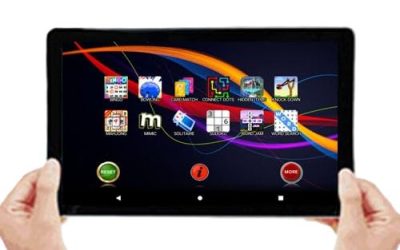
| Kids Tablet 10 Inch with Case | Larger screen at a budget tier | 10 inch, case, Wi-Fi, dual camera, parental controls |
| Fire HD 8 Kids | Ages 3-7 who need vetted content | 4GB memory, 64GB, ad-free content, 13-hr battery |
| Android 16 Kids Tablet HD 10 Inch | Kids 3-12 who like drawing | Stylus and case, 24GB RAM, 64GB ROM, Kids Space |
| Kids Tablet 10 Inch Android 16 | Long battery and fast Wi-Fi | Octa-core, 16GB RAM+32GB ROM, 6000mAh, WiFi 6 |
| COLORROOM 10 Inch | More built-in storage | Android 15, 10GB+64GB, 1TB expandable, Kids Space |
| PEICHENG 7 Inch | Toddlers and small hands | 7 inch, Android 12.0, 4GB RAM, 32GB ROM, shockproof case |
How to Choose
Look at how the parental controls actually work
A kids mode that locks the tablet into a walled garden is different from a standard tablet that merely supports a separate profile. Check for time limits, app approval, and content filters, plus whether a parent PIN is required to leave the kids space. The Fire HD 8 Kids title adds ad-free and exclusive content, which reduces the risk of the child tapping a store link. Titles that only say “parental control” deserve a closer read of the manual.
Match screen size and age
A 7 inch screen suits toddlers who carry the tablet like a book. An 8 to 10 inch screen is better for reading, drawing, and school-style apps, and the title ranges here cover ages from 3 to 12. Larger tablets are heavier, so a good case with a handle or stand becomes more important than the screen size itself.
Storage, RAM, and battery numbers
Be careful with RAM claims. Some budget listings add virtual memory to the headline figure, so a “24GB RAM” title may not mean 24GB of physical memory. Storage counts more for kids who download games: 64GB gives more breathing room than 32GB, and microSD slots (the 1TB expandable lines) help later. For battery, the Fire lists 13 hours and another model lists 6000mAh, both reasonable for a day of use.
What to ignore, and where budget tablets cut corners
Ignore processor name-dropping like “octa-core”, which is common even on entry-level chips. Budget kids tablets cut corners on screen brightness, software updates, and support, and an old operating system such as Android 12.0 gets fewer security fixes than newer versions. A tablet marketed with big numbers but vague branding may also lack a clear warranty path if the case cracks.
The 6 Best Options
Kids Tablet 10 Inch with Case
This generic 10 inch model bundles a protective case with Wi-Fi, a dual camera, and parental control features, with streaming app support mentioned in the title. It suits families who want a bigger screen for videos and online lessons without moving into a premium price tier. The case is a plus for toddlers, who tend to drop the tablet more often than they hold it still, and the streaming app support suits families who rely on video for bedtime or car rides.
- Strength: A large 10 inch screen is more comfortable for video and reading.
- Strength: The case is included, so there is no separate accessory to buy.
- Trade-off: The title is vague on storage, battery, and operating system.
Skip it if you want detailed specs and a clearly named brand to contact for support, since the listing leaves the basics undefined.
Fire HD 8 Kids
The most tightly managed option, aimed at ages 3 to 7. The title lists 4GB memory, 64GB storage, ad-free and exclusive content, parental controls, and a 13-hour battery. It appears in two listings with the same name. Parents who want a locked-down environment and clear age targeting will find it the easiest to explain to a child. Because the content is chosen for the age group, it also means fewer arguments about what is allowed.
- Strength: Ad-free content and parental controls are explicit in the title.
- Strength: A 13-hour battery is long enough for travel days.
- Trade-off: The age range of 3 to 7 means older kids will outgrow it.
Skip it if you want a general-purpose Android tablet or a child older than seven who will want games and apps beyond the managed library.
Android 16 Kids Tablet HD 10 Inch
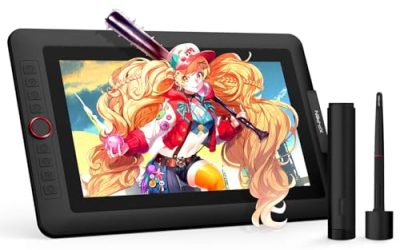
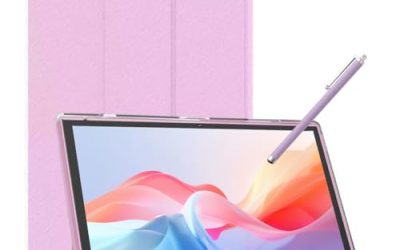
Aimed at kids from 3 to 12, this model pairs a 10 inch screen with a stylus and case. The title lists 24GB RAM, 64GB ROM, 1TB expansion, parental controls, and Kids Space. The stylus makes it appealing for children who draw or write on the screen, and the wide age range suggests it grows with the child. It is the model to consider if a sibling pair will share it or if the tablet needs to last several years.
- Strength: A stylus and case are both included.
- Strength: 64GB of storage with 1TB expansion leaves plenty of room.
- Trade-off: The headline RAM figure likely includes virtual memory, so do not take it literally.
Skip it if you want proof of physical specs or a brand with a long support history, and check that the stylus is simple enough for the youngest users.
Kids Tablet 10 Inch Android 16 (Teal and Purple)
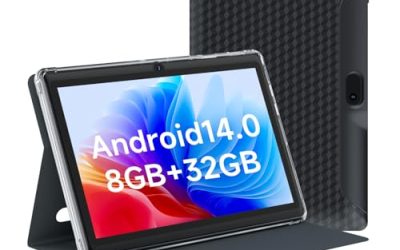
Sold in teal and purple, this model lists an octa-core processor, 16GB RAM+32GB ROM, 1TB expandable storage, a dual camera, a 6000mAh battery, and WiFi 6. Choose it for the large battery and newer wireless standard, particularly if your home network is already on WiFi 6. Color is the only difference between the two listings.
- Strength: A 6000mAh battery should last through a long afternoon.
- Strength: WiFi 6 helps in busy households with many devices.
- Trade-off: 32GB of storage fills quickly without a microSD card.
Skip it if you plan to load many large games without adding storage, because large downloads would hit the limit quickly and push you to delete apps.
COLORROOM 10 Inch
The title lists an upgraded Android 15 tablet with a 10 inch display, an octa-core CPU, 10GB+64GB, 1TB expandable storage, Kids Space, and parental control. It is a fit for families who want more built-in storage than the 32GB models without paying for a major brand. Parents who plan to download several educational apps will appreciate the headroom, and the Kids Space feature keeps those apps in a separate area.
- Strength: 64GB of built-in storage is roomier than several rivals here.
- Strength: Android 15 is a newer operating system than some competitors.
- Trade-off: The title does not mention a case or battery size.
Skip it if you need a bundled rugged case or a specified battery capacity, since the title leaves both unstated and the listing may differ between sellers.
PEICHENG 7 Inch
The smallest in the group, built for toddlers. The title lists a 7 inch IPS screen, Android 12.0, 4GB RAM, 32GB ROM, Bluetooth, parental control, a dual camera, and a shockproof case, with education named as a use. It works as a first tablet for little hands or a car-seat companion. At this size, it is easy for a small child to hold with both hands, and parents can slip it into a diaper bag.
- Strength: The compact size and shockproof case suit toddlers.
- Strength: An IPS screen is listed, which usually helps viewing angles.
- Trade-off: Android 12.0 is older and gets fewer security updates.
Skip it if your child is school age and wants a larger screen, because reading and drawing apps feel cramped at 7 inches and the older Android release will limit app support.
Which One Fits Your Situation
You have a child between 3 and 7 and want the safest walled garden
The Fire HD 8 Kids is the most explicit about ad-free content and parental controls, and its 13-hour battery fits long outings. Pair it with a bedtime schedule in the parent settings so the screen turns off on its own.
You have a child who loves to draw
The Android 16 Kids Tablet HD 10 Inch includes a stylus and case, plus a 3 to 12 age range, so it works for sketching and homework.
You need the longest battery and fast Wi-Fi
The Kids Tablet 10 Inch Android 16 lists a 6000mAh battery and WiFi 6, and comes in teal or purple to suit your child. Pick it when video streaming, e-books, and school apps will fill most of the day.
You have a toddler
The PEICHENG 7 Inch is small and comes with a shockproof case, which makes it the natural pick for small hands.
Common Mistakes
- Trusting headline RAM numbers without remembering that some include virtual memory.
- Assuming “parental controls” in a title means a locked kids mode with time limits.
- Buying a 7 inch tablet for a child who needs a larger screen for school apps.
- Forgetting to budget for a microSD card on models with only 32GB of storage.
- Skipping the warranty and support details on generic brands, which can matter after a crack.
Related guides
- When I Turn On Record Game In Background On Gamebar. Gamebar Crashes, What Do I Do?
- How To Reduce Background Noise On A Streaming Microphone
- Poly Computer Accessories Company Streaming Evaluation
Frequently Asked Questions
At what age should a child get their own tablet?
There is no single answer, but toddlers usually start with supervised use of a small, rugged tablet. Many families wait until school age before allowing independent use with strict time limits. Whatever the age, keep the tablet in shared rooms at first and review installed apps weekly.
Are Android kids modes as strict as the Fire kids line?
It varies by brand. A managed environment, as described in the Fire HD 8 Kids title, is usually tighter than a generic Kids Space app, so read what the mode controls before relying on it.
Do I need to buy a case?
Several models here include one, such as the 10 inch case bundle, the stylus model, and the PEICHENG. If the title does not mention a case, budget for one.
Can I add storage later?
Many of these listings mention 1TB expandable storage through a microSD card slot. Check the card type and maximum size on the product page, since the card is usually sold separately. Format it in the tablet itself so the system can manage it properly.