A tablet under 100 dollars is a tool with a narrow job. It can handle streaming video, e-books, web browsing, video calls, and a child’s learning apps, but it will not replace a laptop or a flagship slate. Because the price cap leaves little room for premium parts, the decision is about which compromises you can live with: screen resolution, storage, app store access, and how much of the memory figure on the box is real.
This guide is for shoppers in 2026 who want a low-cost tablet for a kid, a guest room, a kitchen counter, or a travel bag. It compares seven listings, one from a major brand and six from lesser-known makers, using only what the titles state. Weigh each compromise honestly, and pay close attention to the RAM numbers: several listings combine physical memory with borrowed storage space, and the difference changes what a tablet can really do.
Our Top Picks

Top 3 picks at a glance
Quick Picks
As an Amazon Associate we earn from qualifying purchases at no extra cost to you.



| Product | Best for | Key spec from the title |
|---|---|---|
| Fire HD 10 Tablet | Streaming and reading | 10.1 inch Full HD screen, octa-core, 4 GB RAM, 32 GB |
| Android 15 10-Inch Tablet with Case and Stylus | Kids and note-taking | Android 15, 8GB RAM, 32GB ROM, stylus, 6000mAh |
| HOTTABLET 7-Inch | Small carry-around tablet | 7 inch, Android 14, 3+5GB RAM, case included |
| COOPERS 10-Inch | Larger screen on a budget | Android 15, quad core, 6000mAh, 1280×800 IPS |
| CUPEISI Android 16 10-Inch | Most storage and Wi-Fi 6 | 128GB ROM, 2.0GHz octa-core, WiFi 6, 2 in 1 |
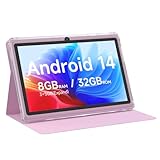
| Android 14 7-Inch Tablet with Case | Simple kid tablet | 7 inch, 1024×600 IPS, 3000mAh, quad-core |
| URAO 10.1-Inch | Modern wireless standards | Android 16, octa-core, 128GB, WiFi 6, BT 5.4 |
How to Choose
Screen size and resolution
A 10-inch tablet is better for video and reading, while a 7-inch model is lighter for small hands and travel. Resolution matters more than size: 1280×800 is the common budget standard and looks acceptable for video, whereas 1024×600 looks soft on text. Full HD, as on the Fire HD 10, is a clear step up for reading. IPS panels offer wider viewing angles than cheaper alternatives, which helps when the tablet is propped on a table.
Memory, storage, and expansion
Check how the RAM is stated. Listings that add physical RAM to “expanded” or borrowed space inflate the headline number, and the physical part is what actually runs apps. Look for at least 3GB of physical RAM, and prefer 4GB, since Android with several apps open can feel cramped below that. Storage of 32GB fills fast, so a microSD slot listed as supporting 1TB or 2TB expansion is useful, as long as you add the card yourself. Ignore claims about storage capacity beyond what a card can supply.
Operating system and app access
Some budget tablets run standard Android with Google services, while others run a modified Android that routes apps through a different store. If your child needs particular apps, check that the app store listed matches what you need. Version numbers like Android 15 or 16 on a budget model are labels; real security updates are often thin, so keep sensitive logins on a trusted device.
Battery, cameras, and wireless
A 6000mAh battery is a good target for a 10-inch screen. Smaller batteries around 3000mAh are fine for a 7-inch kid’s tablet used in short sessions. Cameras on these tablets are for video calls, not photography. Wi-Fi 6 and Bluetooth 5.x are nice-to-have upgrades, but a stable Wi-Fi connection matters more than a version number. Budget models cut corners on cameras, speakers, and software support, so read reviews of the maker’s update history if you can, and ignore camera megapixel numbers entirely when the main use is video calls over home Wi-Fi.
The 7 Best Options
Fire HD 10 Tablet
The only major-brand listing in the group, aimed at relaxed use such as streaming and reading. The title lists a 10.1 inch Full HD display, an octa-core processor, 4 GB of RAM, and 32 GB of storage, with a black finish.
- Full HD screen is the sharpest in this group for text and video
- 4 GB of RAM is a real figure rather than an expanded one
- Trade-off: 32 GB of storage fills quickly without a card or cleanup
Skip it if you need standard Google apps without workarounds or a stylus-and-case package. Check the app store fit before you buy, and budget for a protective case, since the listing does not include one. It is the most predictable pick for a household that mainly wants video and e-books.
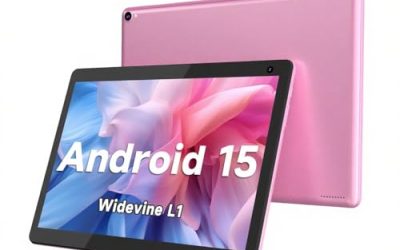
Android 15 10-Inch Tablet with Case and Stylus
A bundle-style tablet that lists Android 15, a case, a stylus, 8GB of RAM, 32GB of ROM, support for 1TB expansion, a 6000mAh battery, and a 10.1 inch IPS HD touchscreen. It suits kids and casual note-takers who want accessories in the box.
- Case and stylus arrive together, which saves a separate purchase
- 6000mAh battery suits a 10-inch screen
- Trade-off: the 8GB RAM figure may include borrowed space, so the real memory could be lower
Skip it if you want a recognizable brand, or if you plan to rely on heavy multitasking. The stylus helps with sketching and handwritten notes, but a bundled pen at this tier is a convenience rather than a drawing tool, so keep expectations realistic for precision work.
HOTTABLET 7-Inch Tablet
A small, case-equipped tablet with Android 14, listed 8GB of RAM split as 3+5GB expand, 32GB of ROM, an IPS screen, dual cameras, Bluetooth 5.0, and WiFi. It is a travel and kid-friendly size.
- The listing shows the real RAM at 3GB, which is honest about the split
- 7-inch size is easy for small hands and bags
- Trade-off: 3GB of physical RAM limits multitasking and demanding apps
Skip it if you want a big screen for reading or video. At seven inches it works best as a second device for a bag, a car seat, or a child’s bedroom, where size and weight matter more than screen area.
COOPERS 10-Inch Tablet
A 10-inch Android 15 tablet that lists 32GB of ROM, support for 1TB expansion, a quad-core processor, a 6000mAh battery, a 1280×800 IPS touchscreen, and 2+8MP cameras. It is aimed at buyers who want a bigger screen without paying for premium extras.
- 1280×800 IPS screen is a sensible budget standard
- 6000mAh battery supports long video sessions
- Trade-off: a quad-core chip is slower than an octa-core design
Skip it if you want a faster processor or a package with a case included. It is a middle-of-the-road pick for people who want ten inches and a decent battery without paying for processor headroom they may never use.
CUPEISI Android 16 10-Inch Tablet
The spec-heavy listing: Android 16, a 10 inch screen, 20GB of RAM plus 128GB of ROM, expansion up to 2TB, a 2.0GHz octa-core processor, a 1280×800 screen, 5G WiFi 6, Bluetooth 5.0, and a 2 in 1 design.
- 128GB of storage is the roomiest base figure in the group
- Octa-core and 5G WiFi 6 point to a smoother connection
- Trade-off: the 20GB RAM figure almost certainly includes borrowed storage, so check the physical amount
Skip it if you want proven software support or a higher screen resolution than 1280×800. Because the memory figure is stated so aggressively, ask what the actual physical RAM is, and judge the tablet on that number, not on the headline.
Android 14 7-Inch Tablet with Case
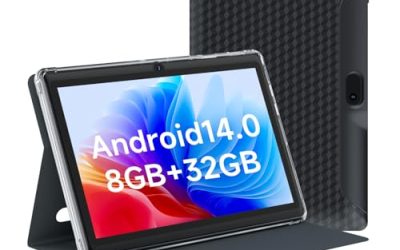
A basic kid-sized tablet listing Android 14, a case, 8GB of RAM, 32GB of ROM, 1TB expansion, a quad-core processor, a 1024×600 IPS screen, dual cameras, and a 3000mAh battery. It fits short sessions and light apps.
- Case included for rough handling
- 7-inch size is easy to carry
- Trade-off: 1024×600 resolution looks soft for text and video
Skip it if you want sharp reading or a battery that lasts a full day. The small battery and low-resolution screen make it a sensible choice for short play sessions, not for carrying through a school day without a charger.
URAO 10.1-Inch Tablet
A wireless-spec leader that lists Android 16, an octa-core processor, 36GB of RAM including a 6+30 split, 128GB of storage, dual cameras, a 1280×800 IPS display, a 6000mAh battery, Wi-Fi 6, Bluetooth 5.4, and GMS.
- Wi-Fi 6 and Bluetooth 5.4 are the newest standards in the group
- GMS in the title points to Google services support
- Trade-off: the 6+30 split shows that only 6GB of the 36GB is physical RAM
Skip it if you want a bigger brand name or a Full HD screen. This is a spec-forward listing, so it fits tech-minded buyers who care about wireless standards, and it fits less well for someone who simply wants a familiar interface.
Which One Fits Your Situation
You want a screen for movies and books
The Fire HD 10 lists a Full HD screen, which beats the 1280×800 panels elsewhere in the group. Its 4 GB of RAM also makes it the least likely to stutter when a video app and a browser are open together.
You are buying for a young child
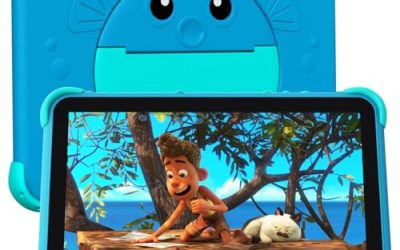
The Android 14 7-Inch Tablet with Case or the HOTTABLET 7-Inch keep a small size and include a protective case. Add a screen protector and set up parental controls before handing either one over.
You want the most storage and a faster connection
The CUPEISI Android 16 and URAO 10.1-inch both list 128GB of ROM, octa-core processors, and Wi-Fi 6. Buyers who store lots of downloaded shows for trips will appreciate the extra room before reaching for a memory card.
You want a stylus for notes
The Android 15 10-Inch Tablet with Case and Stylus lists a stylus and a 6000mAh battery in one package. It is also the easiest to hand to a student who wants to try handwriting without buying a separate accessory.
Common Mistakes
- Trusting a headline RAM number without checking how much is physical
- Choosing a 1024×600 screen for reading or video
- Assuming Android version labels guarantee security updates
- Forgetting that 32GB of storage fills fast without a memory card
- Skipping the case on a tablet that a child will use, then paying for a cracked screen later
Related guides
- When I Turn On Record Game In Background On Gamebar. Gamebar Crashes, What Do I Do?
- How To Reduce Background Noise On A Streaming Microphone
- Poly Computer Accessories Company Streaming Evaluation
Frequently Asked Questions
Can a tablet under 100 dollars replace a laptop?
No. It handles streaming, reading, and light browsing, but it lacks the power and software of a laptop. Typing long documents or running desktop programs will feel limiting.
What does expandable RAM mean?
It uses part of the storage as virtual memory. It helps a little but does not equal real RAM, so look for the physical amount.
Which size is better, 7 or 10 inches?
Ten inches is better for video and reading. Seven inches is easier for kids and travel, and it fits in a coat pocket or a small bag more easily than a full-size slate.
Do these tablets support microSD?
Several listings mention 1TB or 2TB expansion. You still have to buy the card, and the real limit may be lower. Use a reputable card and keep important files backed up elsewhere.