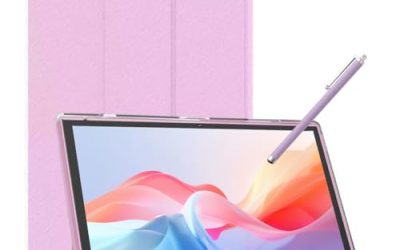
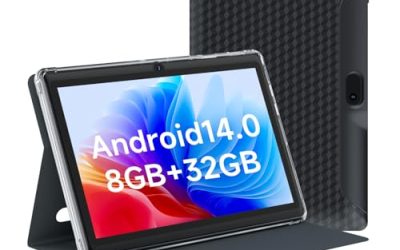
A Windows tablet is a different animal from an iPad or an Android slate. It runs full desktop software, such as Office, browsers with proper extensions, accounting packages, and field-service tools, and it exposes real ports like USB-C and HDMI. That is why people buy one: they need a device that behaves like a PC but works as a touchscreen slab, whether on a job site, in a warehouse, or on a train. The trade-off is that Windows tablets cost more per unit of performance and often carry less battery capacity than their Android counterparts.
This guide is for buyers deciding between a modern 10-inch tablet with a recent Intel chip, a rugged unit meant for rough work, and a used Microsoft Surface that trades age for brand familiarity. All eight options below are judged strictly from the specs listed in their titles, so processor generation, memory, storage, and connections are the focus. Think of it as a shortlist for 2026 and verify the details, especially battery life and keyboard inclusion, on each listing before buying.
Our Top Picks
Top 3 picks at a glance
Quick Picks
As an Amazon Associate we earn from qualifying purchases at no extra cost to you.


| Product | Best for | Key spec from the title |
|---|---|---|
| Fusion5 Rugged 10.1 (256GB) | Field work and rough handling | Rugged, 12GB RAM, 256GB SSD, 13th Gen |
| Fusion5 Rugged 10.1 (512GB) | Rugged use with more storage | Rugged, 12GB RAM, 512GB SSD, 13th Gen |
| Fusion5 10.1 Windows 11 Tablet | Non-rugged, newer release | 12GB RAM, 256GB SSD, USB C, HDMI |
| AE86 10.1 Tablet PC | All-in-one bundle with pen | Keyboard and pen, 12GB RAM, Core m3 |
| QAZIPO 2-in-1 10.1 | Laptop-style typing | Magnetic keyboard, 8GB RAM, 256GB SSD |
| Fusion5 10.1 Pro (15th Gen) | Newest chip and fast memory | 15th Gen CPU, 12GB DDR5, 512GB SSD |
| Microsoft Surface Go (Renewed) | Light, familiar tablet | 10in 1800×1200, 8GB RAM, 128GB SSD |
| Microsoft Surface Pro 5 | Bigger screen, Core i5 | 12.3in 2736×1824, Core i5-7300U, 256GB |
How to Choose
Processor generation and memory
Windows 11 tablets live or die on their processor and RAM. A newer Intel generation, such as the 13th or 15th Gen chips listed here, generally brings better efficiency and responsiveness than an older Core i5 or a low-power Pentium Y-series chip. For multitasking with a browser, spreadsheets, and a video call, look for at least 8GB of RAM, and treat 12GB as comfortable. DDR5 memory, as listed on one Fusion5 model, is faster than DDR4 but matters less than total capacity for everyday work.
Storage and ports
A 128GB drive fills quickly once Windows updates and Office files land, so 256GB is a sensible baseline and 512GB gives room for large projects. Ports are where Windows tablets beat Android ones. USB-C, HDMI or micro HDMI, and full-size USB let you plug in a monitor, a keyboard, or a barcode scanner. If you plan to dock the tablet at a desk, confirm which video output it offers and whether USB-C carries video or only power.
Screen, keyboard, and form factor
Ten-inch screens are portable but cramped for spreadsheets, while 12-inch units like the Surface Pro 5 give more room. Resolution matters: Full HD and above is the practical floor for crisp text. Many Windows tablets do not include a keyboard, so check whether one is bundled in the listing; a 2-in-1 with a magnetic keyboard, as listed on two products here, changes the whole experience. Rugged units trade slimness for durability and are heavier than typical tablets.
Condition, software, and where budget models cut corners
Renewed or older Surface models can be a smart value, but they often come with older processors and aged batteries, so read the condition notes carefully. Budget and unfamiliar-brand tablets often cut corners on battery capacity, speaker quality, camera quality, and software support. Look for a Windows 11 Pro edition if you need business features, and confirm whether an Office suite is bundled, since not all listings include a license. Treat battery hours as the biggest unknown in this category.
The 8 Best Options
Fusion5 Rugged 10.1 (256GB)
This Fusion5 is built for harder use than a standard tablet. The title lists a 10.1-inch Windows 11 Professional rugged tablet PC, 12GB of RAM, a 256GB SSD, 13th Gen Intel processing, a Full HD display, HDMI, and USB connections, and notes it is built in the USA. It suits field technicians, inspectors, and warehouse workers who need a full Windows device that can take a knock. Because it runs full Windows, it can host the same inspection, dispatch, or inventory software a desktop would, which is the main reason to pick it over a rugged Android model.
- Strength: Rugged build combined with 12GB RAM suits demanding field software.
- Strength: HDMI and USB ports allow direct hookups to displays and peripherals.
- Trade-off: Rugged tablets are typically thicker and heavier than slim consumer models.
Skip it if you want a thin tablet for casual couch use.
Fusion5 Rugged 10.1 (512GB)
This is the same rugged formula with double the storage. The title lists the same Windows 11 Professional rugged design with 12GB of RAM, a 512GB SSD, 13th Gen Intel processing, Full HD, HDMI, and USB. It suits users who store large offline datasets, maps, or project files on the device and do not want to rely on cloud sync. Surveyors, engineers, and technicians who work in places with poor signal are the typical audience for this much local storage.
- Strength: The 512GB SSD leaves much more room for local files and software.
- Strength: Rugged build and 12GB of RAM match the 256GB sibling.
- Trade-off: It costs more than the smaller model for storage you may not use.
Skip it if 256GB is enough for your workload.
Fusion5 10.1 Windows 11 Tablet (March Release)
This Fusion5 drops the rugged label and promotes a newer release. The title lists a 10.1-inch Windows 11 tablet PC with 12GB of RAM, a 256GB SSD, a 13th Gen CPU, a Full HD display, USB C, and HDMI. It suits buyers who want a lighter everyday Windows tablet with real ports and do not need heavy-duty protection. Retail staff, office roamers, and students who carry the tablet between rooms are a natural audience, since the specs match the rugged siblings without the extra bulk implied by that label.
- Strength: USB C and HDMI make desk docking simple.
- Strength: 12GB of RAM gives headroom for multitasking.
- Trade-off: Without the rugged tag it needs a case for outdoor or job-site use.
Skip it if you want drop protection built in.
AE86 10.1 Tablet PC with Keyboard and Pen
The AE86 is a bundle-minded mini computer. The title lists a 10.1-inch touchscreen tablet PC with a keyboard and pen, 12GB of RAM, a 256GB SSD, a Core m3 chip running up to 3.4GHz, Windows 11 Pro, an Office suite, USB-C, and micro HDMI. It suits students and light office workers who want everything included in one purchase. Having a pen in the box is useful for note-taking and signing documents, and the micro HDMI output means it can drive a monitor at a desk.
- Strength: Keyboard and pen are part of the listing, which saves buying accessories.
- Strength: 12GB of RAM and a 256GB SSD are generous for the class.
- Trade-off: Core m3 is a low-power chip, so heavy workloads will feel slower than on a 13th Gen processor.
Skip it if you need strong processing power for demanding software.
QAZIPO 2-in-1 10.1
The QAZIPO is a laptop-tablet hybrid. The title lists a 10.1-inch Full HD IPS touchscreen, 8GB of RAM, a 256GB SSD, Windows 11, a magnetic keyboard, a 6500Y CPU, USB-C, and two stereo speakers. It suits people who mostly type and browse and want a keyboard that snaps on and off. Two stereo speakers are a small but welcome detail for video calls and streaming, where tablet audio is often an afterthought.
- Strength: A magnetic keyboard gives laptop-style typing right away.
- Strength: A Full HD IPS touchscreen is a good baseline for text and video.
- Trade-off: 8GB of RAM and a Y-series chip suit light work rather than heavy multitasking.
Skip it if you plan to run demanding apps or large spreadsheets.
Fusion5 10.1 Pro (15th Gen)
This is the most current-spec Fusion5 listed. The title lists a 10.1-inch Windows 11 Pro tablet PC built in the USA, a 15th Gen CPU, 12GB of DDR5 RAM, a 512GB SSD, a 10-inch FHD+ display, and a metallic finish. It suits buyers who want the newest processor generation and the fastest memory listed in this group. It makes the most sense for professionals who keep devices for several years and want the best chance of staying responsive as software grows heavier.
- Strength: 15th Gen processor and DDR5 memory are the most advanced hardware here.
- Strength: 512GB of storage and a metallic finish suit professional use.
- Trade-off: Newest hardware usually carries the highest cost in this lineup.
Skip it if you are budget-conscious and do not need peak performance.
Microsoft Surface Go (Renewed)
The Surface Go is the lightweight familiar option. The title lists a 10-inch 1800×1200 touchscreen, an Intel Pentium 4415Y processor, 8GB of RAM, a 128GB SSD, and Windows 11 Pro, sold as renewed. It suits buyers who want Microsoft branding and a small tablet for reading, email, and note-taking. A renewed unit also suits a second-device role, such as a kitchen or workshop tablet, where a modest chip is perfectly adequate and replacement would not hurt.
- Strength: Microsoft Surface design and a sharp 1800×1200 display.
- Strength: Renewed status keeps the cost in the budget tier.
- Trade-off: A Pentium Y-series chip is modest, and 128GB of storage fills quickly.
Skip it if you need strong performance or lots of storage.
Microsoft Surface Pro 5
The Surface Pro 5 is the larger-screen choice. The title lists a 12.3-inch touchscreen at 2736×1824, an Intel Core i5-7300U running 2.6GHz to 3.5GHz, 8GB of DDR4 RAM, a 256GB SSD, and notes that no keyboard is included. It suits buyers who want a bigger canvas for sketching, documents, or split-screen work. Designers and students who add a keyboard cover separately can turn it into a capable laptop substitute, provided they budget for that extra accessory.
- Strength: A 12.3-inch high-resolution display gives more working room than the 10-inch options.
- Strength: A Core i5 with 256GB of storage is a step up from the Surface Go.
- Trade-off: The keyboard is not included, and the processor is an older generation.
Skip it if you want a tablet that includes a keyboard.
Which One Fits Your Situation
You work in the field or a warehouse
The Fusion5 Rugged 10.1 (256GB) or the 512GB version suits rough handling, with HDMI and USB ports for plugging into equipment.
You want the newest performance
The Fusion5 10.1 Pro (15th Gen) lists a 15th Gen CPU, DDR5 memory, and 512GB of storage.
You want a complete bundle for school or home office
The AE86 10.1 Tablet PC includes a keyboard and pen, while the QAZIPO 2-in-1 offers a magnetic keyboard and 8GB of RAM.
You prefer a familiar, lighter brand
The Microsoft Surface Go (Renewed) is compact, while the Surface Pro 5 offers a larger 12.3-inch screen and a Core i5.
Common Mistakes
- Assuming a keyboard is included. Many Windows tablets, including the Surface Pro 5 listed here, are sold without one.
- Choosing 128GB of storage for a Windows device. Updates and apps use space quickly.
- Ignoring processor generation. A newer Intel generation changes performance more than a small clock-speed difference.
- Skipping battery research. The title rarely lists battery hours, so confirm them elsewhere.
- Buying renewed without reading condition and warranty terms.
Related guides
- When I Turn On Record Game In Background On Gamebar. Gamebar Crashes, What Do I Do?
- How To Reduce Background Noise On A Streaming Microphone
- Poly Computer Accessories Company Streaming Evaluation
Frequently Asked Questions
Are Windows tablets better than iPads for work?
If you need desktop software or ports like HDMI and USB-C, yes. If you want long battery life and tablet-first apps, an iPad or Android tablet may be a better fit.
How much RAM do I need on a Windows tablet?
8GB is the practical minimum for smooth multitasking, and 12GB gives more breathing room. Lower amounts can feel sluggish with Windows 11.
Is a rugged tablet worth it?
If the device will be used outdoors, in vehicles, or on job sites, a rugged design offers protection that a standard tablet lacks. For office or home use it adds weight without much benefit.
Can I use a Windows tablet as a laptop?
Yes, especially models with a keyboard included or a magnetic keyboard option. Make sure the screen size and processor suit your workload.