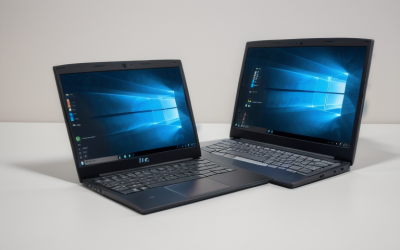
A business laptop earns its keep in the unglamorous hours: back-to-back video calls, a spreadsheet with forty tabs, a slide deck revised in a taxi, and a docking cable that has to work on the first try. The word “business” on a listing means very little by itself. What separates a work machine from a home laptop is the operating system edition, the security features, the ports, and how well the keyboard and screen hold up across a full day.
This guide is for owners, managers, freelancers, and office buyers who need dependable machines for email, documents, accounting software, and meetings, not for video editing or gaming. The eight laptops below mix new Windows 11 Pro models, a renewed Dell Latitude, and several consumer-priced “business” labeled listings. The most useful move in 2026 is to compare them on the practical points a workday depends on: memory, storage, Windows edition, ports, and warranty, using the listed specs as a shortlist before you buy.
Our Top Picks
Top 3 picks at a glance
Quick Picks
As an Amazon Associate we earn from qualifying purchases at no extra cost to you.





| Product | Best for | Key spec from the title |
|---|---|---|
| HP 255 G10 | Standard office fleet | 16GB RAM, 512GB SSD, Windows 11 Pro, webcam shutter |
| Lenovo V15 Gen 4 (Core i5-13420H) | Wired connections | Core i5-13420H, HDMI, RJ45, Windows 11 Pro |
| HP 17-inch Business (Ryzen 5) | Big-screen spreadsheets | 17.3 inch FHD, 16GB RAM, 512GB SSD |
| HP 17.3-inch Business (Ryzen 5 7430U) | Long workdays | Ryzen 5 7430U, 16GB RAM, 512GB PCIe, Wi-Fi 6 |
| Dell Latitude 5420 (Renewed) | Compact, business-class build | 14 inch FHD, i5-1145G7, 16GB DDR4, 256GB SSD |
| Slim 15.6-inch Business (Core M3) | Entry-level office tasks | Windows 11 Pro, 2-year warranty, 15.6 inch FHD IPS |
| Lenovo 15.6-inch Business (WiFi 6, USB-C) | Light office use | 8GB DDR5, 128GB, Wi-Fi 6, USB-C |
| Lenovo 15.6-inch Business (1TB Cloud) | Cloud-first workflows | 8GB DDR5, 128GB, 1TB cloud storage |
How to Choose
Prefer Windows 11 Pro and real security features
Windows 11 Pro adds features that Home lacks, including BitLocker drive encryption and the ability to join a company domain or manage devices centrally. If your business handles client data, that is worth having. A webcam shutter, as listed on the HP 255 G10, is a small but useful privacy detail. Teams that take client calls from shared spaces tend to appreciate that physical cover. Ignore “AI” labels unless a specific feature you use depends on them.
Set memory and storage minimums for the whole workday
Sixteen gigabytes of RAM is a comfortable baseline for modern office work with many browser tabs, a video call, and a spreadsheet open together. Eight gigabytes works for lighter use but leaves little room as software grows. For storage, 256GB is a workable floor and 512GB is safer; 128GB fills fast once Windows updates and local files accumulate, even with cloud backup. A drive that is more than three-quarters full also tends to slow down, which makes headroom a practical performance feature.
Check ports, keyboard, and screen
Business use leans on connections: HDMI for projectors, USB-C for docks and charging, and an RJ45 Ethernet port for stable wired networks in offices with unreliable Wi-Fi. A numeric keypad matters for accounting and data entry, and it is common on 15.6 and 17.3-inch models. Full HD resolution is the minimum for spreadsheets, and anti-glare coatings help under office lighting. Brightness is rarely listed in titles, so lean on the screen type and coating where they are stated.
Know where “business” listings cut corners
Some listings use the label for consumer laptops with entry-level processors. Watch for unnamed “Intel Processor” wording, small storage, and comparisons that claim to beat a named chip without showing details. A renewed unit can offer a true business-class build, but confirm the battery condition, seller reputation, and warranty. Prefer named processors, stated memory type, and clear warranty terms. A handful of lines on the product page about service coverage will save you hours later.
The 8 Best Options
HP 255 G10
The HP 255 G10 lists an AMD quad-core processor, 16GB of RAM, a 512GB SSD, Windows 11 Pro, a 15.6-inch Full HD display, a webcam with a shutter, and a numeric keypad. It is the most complete package for a small office that wants to buy several identical laptops. Matching machines make imaging, spare parts, and support requests simpler, and the keypad suits bookkeeping staff.
- Strength: 16GB and 512GB meet the comfortable baseline for office work.
- Strength: the webcam shutter and Windows 11 Pro suit privacy-conscious teams.
- Trade-off: the title does not name the exact AMD processor.
Skip it if you want a thin, travel-first body. Its full-size chassis is built for desks, not airline trays.
Lenovo V15 Gen 4 (Core i5-13420H)
Lenovo’s V15 Gen 4 lists a 15.6-inch FHD display, a Core i5-13420H, HDMI, RJ45, a webcam, a numeric keypad, Wi-Fi, and Windows 11 Pro. The wired Ethernet port is the practical highlight for offices with weak Wi-Fi. A bookkeeper or call-center agent who cannot afford a dropped connection will value a cable more than any wireless upgrade.
- Strength: a built-in RJ45 port supports stable wired networking.
- Strength: a named Core i5-13420H processor makes the performance easy to compare.
- Trade-off: the title does not list RAM or storage, so confirm both before buying.
Skip it if the missing memory details are a dealbreaker. Buyers who need exact RAM and drive sizes should look for a listing that states them.
HP 17-inch Business (Ryzen 5)
This HP lists a Ryzen 5 processor, 16GB of RAM, a 512GB SSD, a 17.3-inch FHD display, a numeric keypad, and long battery life. It suits an owner who spends the day in spreadsheets and wants room to see them. Long columns, pivot tables, and a chat window can all stay visible without constant switching.
- Strength: the 17.3-inch screen gives generous room for tables and side-by-side windows.
- Strength: 16GB and 512GB are listed in full.
- Trade-off: a 17-inch laptop is bulky to carry between meetings.
Skip it if you travel often. Even a light 17-inch frame is awkward in a shoulder bag.
HP 17.3-inch Business (Ryzen 5 7430U)
A close cousin, this model names the Ryzen 5 7430U, a 17.3-inch FHD display, Wi-Fi 6, 16GB of RAM, and a 512GB PCIe drive, with long battery life noted. The listing also compares the processor to an Intel chip, which is best treated as marketing. Judge the machine by the chip name, memory, and storage instead.
- Strength: a named processor and PCIe storage are easy to verify.
- Strength: Wi-Fi 6 helps in crowded offices.
- Trade-off: it shares the weight and size of any 17-inch laptop.
Skip it if you prefer a 14 or 15-inch body. Smaller frames are easier on a crowded train.
Dell Latitude 5420 (Renewed)
The Latitude line is built for business, and this renewed 14-inch model lists a quad-core i5-1145G7, 16GB of DDR4, a 256GB SSD, a camera, HDMI, and Windows 11 Pro. It is the most compact pick here. That size fits a briefcase and a tray table far better than the 15 and 17-inch models.
- Strength: business-class heritage in a 14-inch size.
- Strength: 16GB of RAM with Windows 11 Pro.
- Trade-off: renewed condition means battery wear and a shorter warranty may apply.
Skip it if you need a brand-new device for compliance or fleet reasons. Some companies require new hardware for warranty and asset tracking.
Slim 15.6-inch Business (Core M3)
This listing offers Windows 11 Pro, Office 365, a 2-year warranty, a 15.6-inch FHD IPS display, a Core M3 processor, Wi-Fi 5, and a full-size keyboard. The warranty is its most distinctive detail. Buyers who dislike unplanned repair costs may find that coverage more valuable than the processor line, though the listing does not say what the warranty includes.
- Strength: a stated 2-year warranty.
- Strength: Full HD IPS with a full-size keyboard.
- Trade-off: the Core M3 is an entry-level chip and Wi-Fi 5 is older.
Skip it if you run demanding software or large spreadsheets. Heavy accounting packages and large databases will push it hard.
Lenovo 15.6-inch Business (WiFi 6, USB-C)
This Lenovo lists a 15.6-inch FHD anti-glare display, 8GB of DDR5, 128GB of storage, Office 365, Copilot AI, Wi-Fi 6, USB-C, and long battery life. It is meant for light office use. A receptionist desk, a point-of-sale back office, or a part-time employee are typical fits.
- Strength: Wi-Fi 6 and USB-C cover modern connections.
- Strength: an anti-glare screen helps under office lights.
- Trade-off: 128GB of storage fills quickly.
Skip it if you store large local files. Design files, scanned documents, and video clips will crowd the drive.
Lenovo 15.6-inch Business (1TB Cloud)
The sibling listing leads with a 15.6-inch FHD display, an unnamed Intel processor, 8GB of DDR5, 128GB of storage, and 1TB of cloud storage with Copilot AI and Office 365. It is aimed at teams whose files already live online.
- Strength: bundled cloud storage supports cloud-based work.
- Strength: DDR5 memory is the newer type.
- Trade-off: the processor is not named, and local storage is small.
Skip it if you want to verify the processor first. Without a named chip, performance cannot be compared with other models.
Which One Fits Your Situation
You outfit a small office
The HP 255 G10 has the clearest spec list for a fleet purchase, including 16GB and 512GB with Windows 11 Pro.
Your office Wi-Fi is unreliable
The Lenovo V15 Gen 4 includes an RJ45 port, which is the main reason to pick it. Ethernet also helps when video calls must stay stable on busy networks.
You live in spreadsheets
The HP 17-inch Business (Ryzen 5) offers the biggest screen with 16GB of RAM. It also keeps the numeric keypad on the right of a full-size keyboard.
You want a compact machine and accept renewed
The Dell Latitude 5420 (Renewed) is the small, business-class option. It is the one to pick when a laptop travels to client sites and fits under an airline seat.
Common Mistakes
- Assuming “business” in a title means Windows 11 Pro, when many listings use Home.
- Buying 8GB of RAM and 128GB of storage for a heavy multitasker.
- Skipping the Ethernet port in an office with unstable wireless.
- Trusting claims that a chip “beats” another without seeing real specs.
- Ignoring warranty terms on renewed or unfamiliar-brand laptops.
Related guides
- When I Turn On Record Game In Background On Gamebar. Gamebar Crashes, What Do I Do?
- How To Reduce Background Noise On A Streaming Microphone
- Poly Computer Accessories Company Streaming Evaluation
Frequently Asked Questions
Is Windows 11 Pro really necessary?
It is not required for basic tasks, but BitLocker encryption and device management features make it the safer choice for client data.
How much RAM does an office laptop need?
Sixteen gigabytes is comfortable for most business work. Eight gigabytes is the minimum for light use. Below that, expect slowdowns whenever a meeting app and browser run together.
Are renewed laptops acceptable for business?
They can be, especially business-class models. Confirm battery health, the seller’s return policy, and the warranty.
Do I need a numeric keypad?
If you do accounting or data entry, yes. It is common on 15.6 and 17.3-inch laptops but absent on most compact ones.