If you are buying laptops for a team of two to twenty, HP is often the first brand that comes to mind: familiar support, widely available parts, and a model line built around office needs. But the word “business” appears on listings with wildly different hardware, from a 32GB Ryzen 7 workstation-style machine to a 4GB entry-level model with a trial subscription attached. The challenge is spotting which listings are built for daily productivity and which are simply trimmed for a low sticker tier.
This 2026 guide helps managers, solo operators, and anyone standardizing on HP pick a practical business laptop. We compare six listings using only what their titles state, and we note where the title leaves out a detail you should confirm before buying. Prices are discussed as budget, mid-range, and premium tiers because exact figures change constantly.
Our Top Picks
Top 3 picks at a glance
Quick Picks
As an Amazon Associate we earn from qualifying purchases at no extra cost to you.


| Product | Best for | Key spec from the title |
|---|---|---|
| HP 255 G10 (AMD quad-core, Win 11 Pro) | Standard office rollout | 16GB RAM, 512GB SSD, webcam shutter, numeric keypad |
| HP 255 G10 (Ryzen 7 7730U) | Power users and managers | 32GB RAM, 1TB PCIe SSD, HDMI, Windows 11 Pro |
| HP 17.3″ Business Laptop (Ryzen 5 7430U) | Staff who work at a desk all day | 17.3″ FHD, 16GB RAM, 512GB PCIe, Wi-Fi 6 |
| HP Windows 11 Pro 15 (Core i5-1135G7) | Intel-standardized offices | Core i5-1135G7, Iris Xe, 16GB RAM, 512GB SSD |
| HP 17-inch Business Laptop (Ryzen 5) | Roomy keyboard and numeric keypad | 17.3″ FHD, 16GB RAM, 512GB SSD, numeric keypad |
| HP 14″ Productivity Laptop (Intel 4-core) | Light email and travel | 4GB DDR5 RAM, Windows 11 Pro, Office included |
How to Choose
Start with the operating system edition
Business buyers should look for Windows 11 Pro. It supports BitLocker encryption, joining a company domain, group policies, and remote desktop hosting, while Home does not. If a team already uses a managed environment, a Home edition machine will need an upgrade or a workaround. Four of the six laptops below name the Pro edition in their titles; for the other two, confirm it in the listing before ordering, and factor in the cost of an upgrade license if it turns out to be Home.
Memory and storage thresholds
For a laptop that must stay productive for three to four years, aim for 16GB of RAM and a 512GB SSD. Power users who run virtual machines, large datasets, or many applications should consider 32GB. A machine with 4GB should be reserved for kiosk-style work. Also watch how storage is described: totals that combine internal flash and an external drive can look larger than the usable internal space.
Security and everyday ergonomics
A webcam privacy shutter is a small feature that matters in shared offices. A numeric keypad speeds up accounting and data entry, and it is common on 15.6-inch and 17-inch models. Fingerprint readers are valuable but only a few titles mention them, so check the listing. A matte Full HD display reduces glare in open offices, though titles often fail to say whether it is matte or glossy.
What to ignore, and where budget models cut corners
Ignore processor comparisons in listing titles; the claims are marketing, and the stated model number is what counts. Skip bundled headphones and trial subscriptions when weighing value. Budget business laptops trim RAM, storage, and chassis quality, and some use flash memory in place of a full SSD. Always confirm the warranty terms and return window, because a business machine that fails in month two costs more than the savings.
The 6 Best Options
HP 255 G10 (AMD Quad-Core, Windows 11 Pro)
This is the all-rounder for a standard office deployment. The title lists an AMD quad-core CPU, 16GB of RAM, a 512GB SSD, a 15.6-inch Full HD display, a webcam with a shutter, a numeric keypad, and Windows 11 Pro. Together, that is a sensible baseline for administrators, sales staff, and customer service teams, and it is the model to compare every other listing against. The mention of Copilot features in the full title is a software perk, not a hardware difference, so weigh it lightly.
- Strength: Windows 11 Pro with a webcam shutter suits managed offices.
- Strength: 16GB RAM and a 512GB SSD handle typical office workloads.
- Trade-off: The exact processor model is not named, so look it up in the listing.
Skip it if you need extra processing power for heavy multitasking or very large files.
HP 255 G10 (Ryzen 7 7730U, 32GB, 1TB)
The upgraded 255 G10 is the strongest configuration here. With a Ryzen 7 7730U, 32GB of memory, a 1TB PCIe SSD, HDMI, a webcam, Wi-Fi 6, and Windows 11 Pro, it can handle a manager running multiple monitors, a finance analyst with big workbooks, or a consultant juggling several client projects. Because the title names HDMI, a Wi-Fi 6 radio, and a webcam, it also works as the single machine someone uses in the office, at home, and on video calls.
- Strength: 32GB of RAM and 1TB of storage give long-term headroom.
- Strength: HDMI and a numeric keypad make desk setups easy.
- Trade-off: It occupies the premium tier within this list.
Skip it if the team only needs email, calendar, and documents.
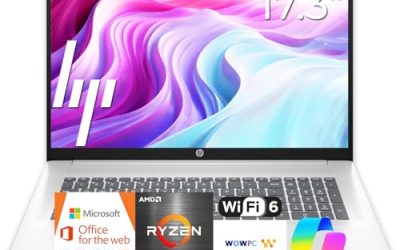
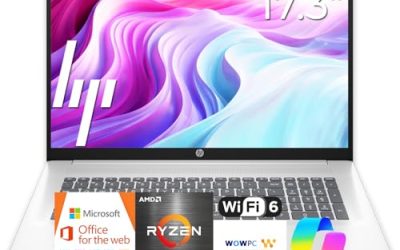
HP 17.3″ Business Laptop (Ryzen 5 7430U)
A large 17.3-inch Full HD screen, a Ryzen 5 7430U, 16GB of RAM, a 512GB PCIe drive, and Wi-Fi 6 form the core of this model. It suits staff who sit at the same desk every day and want more screen than a standard laptop provides, such as schedulers, planners, and bookkeepers.
- Strength: Large display makes spreadsheets and dual-window work comfortable.
- Strength: A specific, named processor lets IT staff compare it easily.
- Trade-off: The 17-inch body is less convenient to carry.
Skip it if your team travels often or works in cramped spaces. Check the listing to confirm the Windows edition, and compare it with the other 17-inch HP if you prefer a less specific processor description at a similar tier.
HP 17-Inch Business Laptop (Ryzen 5, 16GB, 512GB)
Another 17-inch option, this one listing a Ryzen 5 processor, 16GB of RAM, a 512GB SSD, a Full HD display, and a numeric keypad, with a long-battery claim. Where the other 17.3-inch HP names its exact chip, this listing states only the Ryzen 5 class, so it is a closer fit for buyers who care more about screen and keyboard than about model-number matching.
- Strength: A roomy keyboard with a numeric keypad suits data-entry roles.
- Strength: Matching 16GB and 512GB specs mean it slots into a standard office image.
- Trade-off: The title does not name the Windows edition, so confirm Pro versus Home.
Skip it if you need a laptop that fits easily in a small shoulder bag.
HP Windows 11 Pro 15 (Core i5-1135G7)
For offices that prefer Intel hardware, this listing combines a Core i5-1135G7, Iris Xe graphics, 16GB of RAM, a 512GB SSD, a numeric pad, and Windows 11 Pro on a 15.6-inch Full HD screen. The processor is an older generation, but the overall package is still well suited to document-focused work such as reports, invoices, and shared spreadsheets. An office that already has Intel-based machines can reuse existing setup notes and drivers, which makes this a quiet convenience for small teams.
- Strength: Windows 11 Pro and 16GB of RAM suit managed deployments.
- Strength: Intel Iris Xe graphics handle video calls and light multimedia.
- Trade-off: The 11th Gen chip trails newer alternatives on this list.
Skip it if you want the latest processor generation.
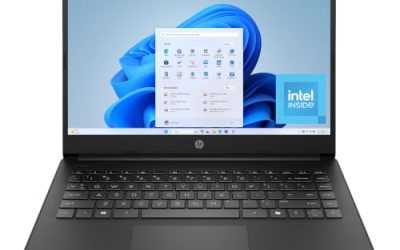
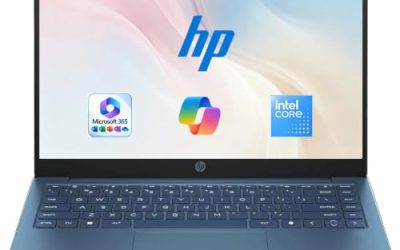
HP 14″ Productivity Laptop (Intel 4-Core, Windows 11 Pro)
The title pitches this as a student and business productivity machine with MS Office, Windows 11 Pro, Copilot, an Intel 4-core CPU, and 4GB of DDR5 memory. The storage is stated as a larger total with a 128GB portion; check the listing to see how much is internal. It is a light machine for email, web apps, and travel. Treat it as a loaner or a secondary device, and be prepared to rely on cloud storage and a small set of apps. It is also the model most likely to need a replacement soonest.
- Strength: Windows 11 Pro on a compact 14-inch body.
- Strength: Office included, which can reduce initial setup work.
- Trade-off: 4GB of RAM limits multitasking and long-term use.
Skip it if you run video calls alongside other apps or need a main workstation.
Which One Fits Your Situation
A ten-person office that needs a standard laptop
Standardize on the HP 255 G10 with Windows 11 Pro and 16GB of RAM. It keeps support simple, and the webcam shutter and numeric keypad suit shared environments. Buying the same model for everyone means one driver set, one disk image, and one spare-parts list, which saves more time than any single spec upgrade.
A manager who runs multiple monitors and large files
The 255 G10 with the Ryzen 7 7730U and 32GB of RAM is the one to pick. The memory and HDMI port are the deciding features. Together with the 1TB drive, they let one machine handle a docking station, a second monitor, and a crowded set of applications without constant cleanup.
An accountant or planner who sits at one desk
Choose the HP 17.3″ with the Ryzen 5 7430U. The extra screen space is more valuable than portability for this kind of work. If the role includes number-heavy entry, either 17-inch HP on the list will do the job, so let the processor naming and Windows edition decide.
A traveling sales rep with a light workload
The 14″ Productivity Laptop is the lightest option, but consider the Core i5 15-inch model if you want more memory and still need Windows 11 Pro.
Common Mistakes
- Buying 4GB laptops for staff who actually run video calls and spreadsheets together.
- Assuming “business” in a title means Windows Pro is installed.
- Reading a combined storage total as internal SSD capacity.
- Ordering a mixed batch of different processors and later struggling with driver and image management.
- Overlooking the warranty and return terms for a fleet purchase.
Related guides
- When I Turn On Record Game In Background On Gamebar. Gamebar Crashes, What Do I Do?
- How To Reduce Background Noise On A Streaming Microphone
- Poly Computer Accessories Company Streaming Evaluation
Frequently Asked Questions
What does the G10 mean in HP 255 G10?
It indicates the generation within HP’s business laptop line. Specific configurations vary, so read the processor, memory, and storage in each listing. Two machines with the same name can differ a lot, which is why the Ryzen 7 version and the standard version here are such different purchases.
Do I need Windows 11 Pro for a small business?
If you need encryption, domain features, or remote access, yes. For a single-user setup that only browses and edits documents, Home may be enough.
Is 16GB of RAM enough for office work?
For most office tasks, yes. Choose 32GB if you run virtual machines, large datasets, or many programs together.
Is a 17-inch HP laptop practical for business?
It is practical for fixed desk work where screen space matters. If employees travel frequently, a 14-inch or 15.6-inch model is easier to carry.