
You already own a solid microphone. You spent decent money on a Blue Yeti, a HyperX QuadCast, or maybe a Shure SM7B. The problem is that a good mic on a flimsy arm is still a bad recording setup. Desk microphone arms fail in three predictable ways: they sag over hours of use, they drift when you touch them mid-sentence, or their clamp slowly loosens and sends your entire rig onto the floor. None of those failure modes are acceptable when you are a podcaster who records multiple times per week or a streamer who cannot afford to break focus by repositioning equipment.
The best podcast microphone arms for desktop mounting solve these problems through a combination of tight friction joints, metal construction at stress points, and clamp designs that grip with enough force to stay put without requiring you to torque screws until you strip your desk edge. Cable management separates the truly thoughtful products from the rest. A built-in channel keeps your XLR or USB cable from dangling, catching on the arm, or creating a visual mess on camera. That detail alone is worth a few extra dollars.
As an Amazon Associate we earn from qualifying purchases at no extra cost to you.



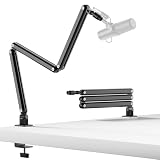

Our Top Picks





Top 3 picks at a glance
Quick Picks
| Product | Best For | Price |
|---|---|---|
| InnoGear Boom Arm | Budget beginners with medium-weight mics | Check on Amazon |
| NEEWER Table Clamp | Upgrading a clamp on an existing arm | Check on Amazon |
| FIFINE CS1 Scissor Arm | Gamers wanting a compact metal build | Check on Amazon |
| Aokeo AK-58i Low Profile | Heavier mics needing extra reach | Check on Amazon |
| SUNMON Desk Clamp | Replacing a broken stock clamp cheaply | Check on Amazon |
| InnoGear Adjustable Desk Stand | Floor-free setups on thick desks | Check on Amazon |
| TODI Mic Arm | Lightweight mics with cable routing | Check on Amazon |
| Frgyee Height Adjustable Arm | Overhead mounting for dense rigs | Check on Amazon |
How We Compared
We evaluated every arm on four criteria that directly affect daily use. First, clamp security: does the desk clamp hold under the specific weight of common podcasting microphones without creeping loose after thermal cycling? Second, joint damping: when you reposition the mic and release it, does the arm hold its position or does it drift? Third, cable management: internal channels beat external ties in every scenario. Fourth, material quality at stress points: metal pivot joints and spring housings outlast plastic equivalents, especially on arms that get moved twice a day.
The 8 Best Podcast Microphone Arms For Desktop Mounting in 2026
InnoGear Boom Arm
For anyone putting together a first podcasting setup on a tight budget, this InnoGear arm delivers the core function of holding a mic without embarrassing sag. The double-scissor design provides reasonable reach from the clamp base to the mic position, and the included mount handles both 3/8″ and 5/8″ threaded mics, which covers Blue Yeti, Fifine, and HyperX models. The spring tension is adequate for medium-weight mics but can struggle with anything over two pounds. Cable routing relies on external ties rather than an internal channel, which looks messy on camera.
- Affordable enough to treat as an entry-level default without financial risk
- Compatible with the most common consumer mic thread sizes out of the box
- External cable management leaves wires visible and prone to snagging
Skip this if you use a heavy condenser like the SM7B or need a clean cable run for video.
NEEWER Table Mounting Clamp
This is not a complete boom arm. It is a replacement clamp that bolts onto existing scissor arms whose stock clamps failed or proved too weak. If your FIFINE or similar arm’s included clamp slips off a thick desk edge, swapping in this NEEWER metal unit solves that with a wider jaw opening and a sturdier screw mechanism. The all-metal construction means it will not crack at the stress point the way plastic originals do. At around $13 it is cheaper than buying a whole new arm, which is the entire point.
- Solid metal build that outlasts plastic stock clamps on budget arms
- Wider jaw range handles thick desk edges and uneven surfaces
- Only useful if you already own a compatible arm and its clamp thread matches
Skip this if your current arm’s clamp still holds fine or if your desk edge is thinner than half an inch.
FIFINE CS1 Scissor Arm
FIFINE built this specifically for gaming and recording setups where desk space is limited. The scissor design is shorter in total reach than the InnoGear, which means it suits people who want their mic close to the keyboard without the arm swinging wide. Metal construction throughout the joints and spring housings gives it a noticeably sturdier feel than plastic competitors. The cable channel is semi-internal, running along the top of the arm rather than fully enclosed, which is cleaner than external ties but not as tidy as a sealed trough.
- All-metal joints and springs that resist the plastic-flex problem of cheaper arms
- Shorter reach profile keeps the arm compact on crowded gaming desks
- Limited maximum extension means it cannot pull the mic far from the clamp base
Skip this if you have a deep desk and need to position the mic well forward from the clamp.
Aokeo AK-58i Low Profile Mic Boom Arm
This is the serious option for people with heavier or larger microphones who need both reach and stability. The low-profile design keeps the arm closer to the desk surface, reducing the torque lever that causes sag in taller arms. At around $46 it costs more than twice the InnoGear, but the spring tension is noticeably stiffer and the metal work is denser. The cable runs through a dedicated internal channel along both arms, keeping the setup visually clean from any angle. It suits Blue Yeti, Snowball iCE, HyperX QuadCast, SoloCast, and Elgato Wave models.
- Internal cable channel on both scissor segments provides the cleanest routing in this group
- Stiff springs and low-profile geometry hold heavier mics without drift over time
- Higher price than most alternatives and may feel like overkill for lightweight USB mics
Skip this if your mic weighs under a pound and you want the cheapest functional solution.
SUNMON Desk Clamp
Like the NEEWER option, this is a replacement clamp rather than a full arm. The around $8 price makes it the cheapest functional piece of hardware on this list. It bolts onto standard microphone boom arms and provides an adjustable screw clamp that grips desk edges firmly. The design is straightforward: metal body, wide screw travel, rubber pads on the jaw to prevent desk damage. Where it falls short is jaw capacity on very thick surfaces and the screw handle’s ergonomics, which can be hard to tighten fully when wedged behind equipment.
- Lowest price on the list makes it nearly disposable if you later buy a full arm upgrade
- Rubber jaw pads protect finished desk surfaces from metal-on-wood scratches
- Cramped screw access on deep or rear-mounted desks makes installation awkward
Skip this if your desk edge is thicker than two inches or you need tool-free adjustment.
InnoGear Adjustable Desk Stand with Weighted Base
This product takes a different approach. Instead of clamping to a desk edge, it uses a weighted base that sits on the desk surface itself, with a soft grip twist clutch that lets you lock the arm angle without tools. This solves the problem of desks where the edge is inaccessible because of drawers, grommet holes, or curved surfaces. The boom arm provides reasonable adjustment, and the included mounts handle 3/8″ and 5/8″ threads. The weighted base adds desk footprint that a clamp avoids, and it cannot hold as steady as a bolted clamp under heavy mic weight.
- Clamp-free design works on desks where the edge cannot be gripped for any reason
- Twist clutch provides quick repositioning without reaching for a screwdriver
- Weighted base occupies significant desk area and may shift under a heavy mic
Skip this if you have a standard flat desk edge and want maximum arm stability.
TODI Mic Arm
TODI targets users with lightweight microphones who still want cable management and clean looks. The rotatable desk mount lets you angle the base, which helps on shallow desks where the arm needs to point in a specific direction. A built-in cable channel runs along the arm body, keeping the USB or XLR line hidden from the front view. The mount clamp is included and rated for mics up to about three pounds. At around $29 it sits between the InnoGear and the Aokeo, offering cable routing that the cheaper options lack while staying more affordable than premium arms.
- Integrated cable channel plus rotatable base combination rare at this price point
- Includes clamp so you get a complete solution without buying extras
- Tension holds lighter mics but drifts noticeably with anything approaching three pounds
Skip this if your microphone is on the heavier end, such as a Shure SM7B with its shock mount.
Frgyee Height Adjustable Overhead Boom Arm
This is the only overhead-style arm on the list. The heightened extension riser lets you mount the mic above or beside your head rather than in front, which is useful for multi-person podcast setups or when you want the mic out of your video frame entirely. At around $50 it is the most expensive option, and the extra height introduces more lever-arm torque that demands careful spring tensioning. It accommodates Shure SM7B, Blue Yeti, HyperX QuadCast S, and similar mics through its threaded mount. The tradeoff for the overhead reach is a more complex setup and more surface area for the arm to wobble if your clamp grip is incomplete.
- Overhead extension riser keeps the mic out of frame for clean streaming visuals
- Handles heavy mics like the SM7B that other arms on this list manage poorly
- Taller profile amplifies any wobble and demands a very secure desk clamp
Skip this if you want a simple front-facing setup and do not care about hiding the mic from camera.
Buying Guide
Clamp Design and Desk Compatibility
The first thing to check is your desk edge thickness and shape. Most clamps on this list open to around two inches, but grommeted edges, rounded profiles, or glass surfaces can defeat them entirely. If your desk has no usable edge, the InnoGear weighted base option becomes the only viable pick. Also check whether the clamp threads onto a standard 5/8″ stud, which lets you swap between products without replacing the whole arm.
Spring Tension and Mic Weight
Every arm has a rated weight capacity, and the practical number is always lower than the spec. A two-pound mic on an arm rated for three pounds will sag faster because the spring weakens with age. If you use an SM7B with a shock mount, you are likely past two pounds total, which eliminates the InnoGear Boom Arm and TODI from consideration. Metal springs hold tension longer than coiled wire designs, and double-spring joints distribute load better than single-spring equivalents.
Cable Management Path
External cable ties work, but they leave a visible wire that snags when the arm moves. Internal channels that run through the arm body, like the Aokeo and TODI designs, keep the cable hidden and protected. Semi-internal channels where the cable sits in a trough along the top of the arm are the middle ground. If you are on camera, this difference is immediately visible and affects how professional your setup looks without any lighting changes.
Our Verdict
The Aokeo AK-58i is the top pick for most podcasters who want to buy one arm and never think about it again. The internal cable channel, low-profile stability, and generous mic compatibility make it the most complete package at around $46. The InnoGear Boom Arm is the budget pick at around $19, offering solid performance for light to medium mics if you can tolerate external cable ties. The FIFINE CS1 wins outright if you have a compact desk and want a shorter, sturdier arm that stays out of the way during gaming.
FAQ
Can any of these arms hold a Shure SM7B?
Yes, but only the Aokeo AK-58i and the Frgyee overhead arm are rated well enough to hold an SM7B with its shock mount without gradual sag. The InnoGear and TODI arms will drift over time under that combined weight.
Do I need a separate shock mount with a boom arm?
No. A boom arm positions the mic, while a shock mount isolates it from desk vibrations and handling noise. They serve different purposes and most podcasters who record at a desk benefit from both, since the arm eliminates table bumps transferred through a stand.
Will these clamps damage my desk over time?
The SUNMON and NEEWER options include rubber jaw pads that minimize contact marks. Metal-on-wood clamping over months can still leave faint indentations under heavy mic loads, so adding a small scrap of felt or the included pads is always worth doing.
Is a weighted base better than a desk clamp?
A clamp provides superior stability because it grips the desk structurally rather than relying on mass. Weighted bases win on desks with no accessible edge or on tables that cannot support clamping force, but they occupy more desk area and shift more easily under tall mic positions.









