
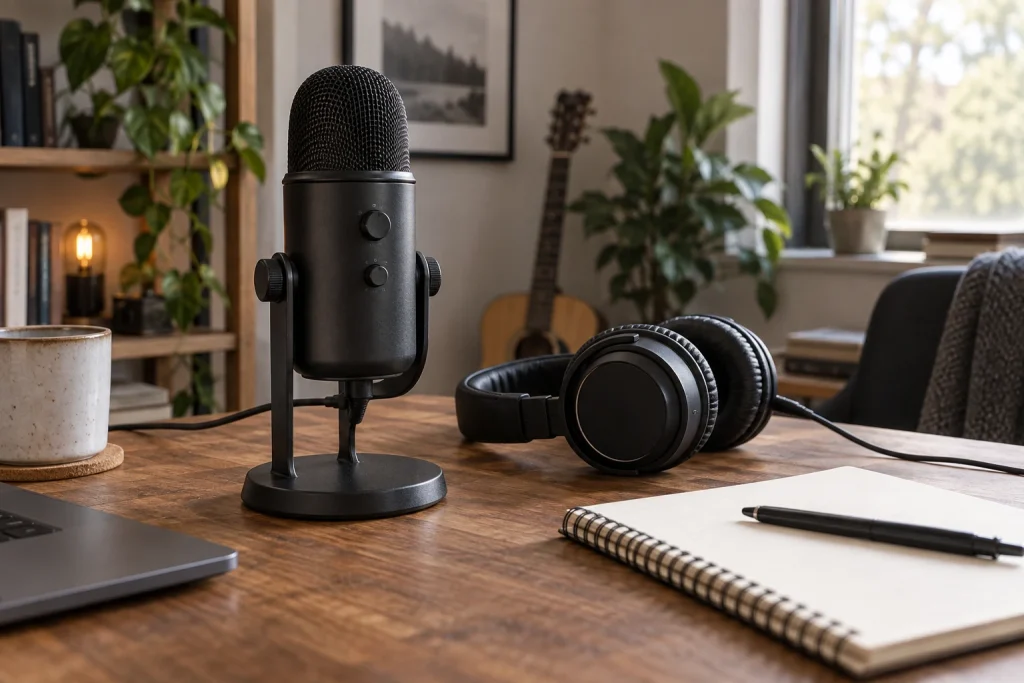
Anyone who has tried to record a stream, podcast, or remote meeting with a laptop microphone knows the frustration: thin, distant audio that makes you sound like you are talking from the next room. A decent USB condenser microphone eliminates that problem in seconds because it captures a much wider frequency range and places the capsule centimeters from your mouth instead of twenty inches away.
What separates the excellent options from the forgettable ones comes down to three things: how clean the analog-to-digital conversion is, whether the cardioid pickup pattern actually rejects keyboard noise, and how much post-processing you need before the voice sounds natural. A mic that nails all three will make your recordings feel broadcast-ready without a single plugin. One that misses even one of them will have you fighting hiss or proximity effect at two in the morning.
As an Amazon Associate we earn from qualifying purchases at no extra cost to you.







Our Top Picks
 Logitech Creators Blue Yeti USB Microphone for PC1 Count (Pack of 1)4.92 x 4.72 x 11.61 inches3.51 PoundsCheck on Amazon
 RØDE NT-USB Mini Studio-Quality USB Condenser Microphone4.257.3 x 2.4 x 2 inches1.3 poundsCheck on Amazon


Top 3 picks at a glance
Quick Picks
| Product | Best for | Price |
|---|---|---|
| FIFINE K669B | Budget all-rounder | Check on Amazon |
| Amazon Basics Condenser Mic | Ultra-low entry price | Check on Amazon |
| Blue Yeti (Blackout) | Versatile content creators | Check on Amazon |
| RØDE NT-USB+ | Best overall sound quality | $169 |
| Blue Yeti (Midnight Blue) | Multi-pattern podcasting | Check on Amazon |
| RØDE NT-USB Mini | Compact studio setup | $103 |
| SENNHEISER Profile | Professional meetings | Check on Amazon |
| TONOR TC310+ | Gamers on a budget | Check on Amazon |
How We Compared
We evaluated each microphone on four criteria that matter most in the USB condenser category. First, raw audio quality: how the capsule and onboard converter handle a human voice at normal conversational distance. Second, pattern accuracy and noise rejection: whether the cardioid setting genuinely isolates the source or lets keyboard clatter and room reverb bleed in. Third, build quality and usability: gain controls, headphone monitoring, and how stable the included stand is on a crowded desk. Fourth, value: whether the price reflects actual sonic performance relative to the rest of the field, not just brand recognition.
The 8 Best Usb Condenser Microphones in 2026
FIFINE K669B
The K669B is the microphone we hand to friends who just discovered that their headset mic sounds like a tin can. For under thirty dollars it delivers a surprisingly full-bodied vocal tone with low self-noise, enough to make a home studio feel legitimate. It plugs into USB-C or USB-A without drivers, and the gain knob on the body gives you quick level control without touching your software mixer.
- Pro: Punchy, warm mids that flatter spoken-word content without EQ
- Pro: Dual USB-C and USB-A connectivity with zero driver hassle
- Con: Plastic body and included stand flex under vibration, so desk thumps get through
Skip it if you need multiple pickup patterns or plan to record two voices simultaneously.
Amazon Basics Condenser Microphone
This is the lowest-cost entry point in the roundup, and Amazon Basics keeps the formula simple: cardioid capsule, plug-and-play USB, adjustable stand. It works well for occasional video calls or a first podcast where you are not sure whether the hobby will stick. The three-by-three-inch footprint sits neatly behind a monitor without dominating desk real estate.
- Pro: Lowest price here with acceptable clarity for voice-only use
- Pro: 360-degree adjustable stand angles easily toward your mouth
- Con: High-frequency roll-off makes sibilants dull, and handling noise is pronounced
Skip it if you produce music vocals or care about broadcast warmth; the tonal ceiling is real.
Blue Yeti (Blackout)
The Yeti remains the default recommendation in this category for good reason. Four pickup patterns cover everything from solo streaming to roundtable interviews, and the Blue VO!CE software adds compression, noise gate, and EQ presets that make a mediocre room sound passable. The Blackout finish resists fingerprints, and the integrated shock-mount clips reduce desk vibration noticeably.
- Pro: Four selectable patterns give flexibility no single-pattern mic here can match
- Pro: Blue VO!CE software is free and effective for quick polish
- Con: Large footprint demands significant desk space and pairs poorly with compact arms
Skip it if your desk is cramped or you want a sleeker profile that disappears on camera.
RØDE NT-USB+
This is the microphone we reach for when we want the cleanest possible source before touching a DAW. RØDE built in a dual-stage headphone amp, so monitoring latency is essentially nonexistent, and the onboard compressor adds gentle glue without squashing dynamics. The integrated pop filter is effective enough that a separate screen is optional. Sound quality here is the benchmark everything else in this list is measured against.
- Pro: Reference-class capsule with an onboard compressor that preserves vocal detail
- Pro: Zero-latency monitoring via the built-in headphone jack
- Con: Highest price in the group, and the included tripod is wobbly without a boom arm
Skip it only if budget is your hard ceiling; every dollar above entry level goes to audible quality.
Blue Yeti (Midnight Blue)
Internally identical to the Blackout, this Midnight Blue variant exists purely for aesthetics, but the colorway photographs well in stream overlays and podcast thumbnails where the mic is visible. The four-pattern flexibility and VO!CE suite mean it handles music, voiceover, and multi-person recording equally well, making it the safest one-mic-does-it-all choice for a creator who cannot decide between genres.
- Pro: Same versatile pattern selection as the Blackout at a negligible price difference
- Pro: Matte blue finish looks intentional on camera without clashing with most lighting
- Con: Shares the Blackout’s large footprint and software lock-in concerns
Skip it if you already own a Yeti and are only after a color change; a decal kit is cheaper.
RØDE NT-USB Mini
The Mini strips RØDE’s capsule expertise down to a device roughly the size of a salt shaker. It connects via USB-C, works out of the box with the RØDE Connect software, and its cardioid pattern is tuned tightly enough to reject a mechanical keyboard sitting two feet away. For laptop warriors and small desks, nothing in this list is easier to deploy.
- Pro: Tiny footprint with surprisingly detailed, uncolored vocal capture
- Pro: RØDE Connect adds free processing tools that rival paid suites
- Con: Single pattern only, and the integrated stand tilts but does not rotate
Skip it if you need stereo or omnidirectional modes for roundtable podcasts.
SENNHEISER Profile
SENNHEISER designed this around the meeting and broadcast workflow: a built-in mute button that actually works under pressure, gain and mix knobs within thumb reach, and a headphone jack that lets you hear yourself without opening a software panel. The cardioid pattern is conservative and accurate, and the included table stand angles the mic toward your mouth at a fixed, natural height.
- Pro: Dedicated mute button eliminates the panic of forgetting to mute on calls
- Pro: Physical gain, mix, and volume controls bypass software entirely
- Con: Only one pickup pattern, and the fixed-angle stand limits boom-arm flexibility
Skip it if you record music or need multi-pattern options; this is a voice tool, not a studio mic.
TONOR TC310+
The TC310+ arrives as a bundle: condenser mic, boom arm, RGB ring light, and tap-mute button. For a gamer building a first streaming rig without a dedicated room, that package solves the mounting and lighting problems alongside audio. The mic itself sounds solid for voice chat and commentary, and the tap-mute on the body is more reliable than a software hotkey when you are mid-fight in a ranked match.
- Pro: Includes boom arm and RGB lighting, saving separate accessory purchases
- Pro: Physical tap-mute works instantly without software dependency
- Con: Gain control resolution is coarse, making fine level matching difficult
Skip it if you already own a boom arm; paying for duplicate hardware makes less sense.
Buying Guide
Pickup Pattern vs. Noise Rejection
Cardioid is the workhorse pattern for single-speaker content because it captures sound primarily from the front while attenuating the sides and rear. A well-tuned cardioid capsule will reject a mechanical keyboard, a humming fan, and light room reverb. Multidirectional mics add stereo, omnidirectional, and figure-eight modes useful for co-hosted podcasts, but the extra capsules can introduce slight phase inconsistencies. If you are the only voice, prioritize pattern accuracy over pattern count.
Onboard Controls and Monitoring
A headphone jack with direct monitoring lets you hear exactly what the converter captures, before software latency or processing alters it. A gain knob on the mic body means you can dial levels on the fly without alt-tabbing into a mixer. Mute buttons, while seemingly minor, prevent the dead-air awkwardness that derails a live broadcast. If you record long sessions, these physical controls reduce cognitive load and protect your take quality.
Build, Mounting, and Desk Footprint
A heavy, stable stand keeps the mic anchored and reduces vibration transfer, but it also occupies desk space. If you plan to use a boom arm, confirm the mic accepts a standard five-eighths-inch thread and weigh less than the arm’s rated capacity. For laptop-first setups, a compact body that sits beside the keyboard beats a wide base you cannot angle without tilting your entire desk.
Our Verdict
Top pick: the RØDE NT-USB+ delivers the clearest, most naturally warm vocal sound in this group, with zero-latency monitoring that saves time in post. If you can spend a little more, it is the one microphone you will not upgrade from within a couple of years. Budget pick: the FIFINE K669B punches well above its price for spoken-word content and gets you started without a financial commitment. Condition where another wins: if you need a physical mute button and tactile gain knobs for back-to-back professional meetings, the SENNHEISER Profile beats both picks because its hardware controls remove software friction entirely.
FAQ
Do I need a pop filter with a USB condenser microphone?
Plosives from plosive consonants hit any condenser capsule hard enough, so a pop filter is recommended for close-mic vocal work. Several mics here include integrated mesh screens, which reduce the need for a separate accessory but may not eliminate it for aggressive speakers.
Can a USB condenser mic record instruments well?
Cardioid USB condensers handle acoustic guitar and spoken vocals reasonably at close range, but they lack the transient speed and low-noise floor of XLR studio microphones. For drums, overheads, or any instrument you want to capture with width and detail, a pair of small-diaphragm XLR condensers with an audio interface is the better investment.
Is a boom arm necessary?
It is not required, but it removes desk vibration from your signal chain and lets you position the mic at the ideal angle and distance, typically one to four inches off-axis from your mouth. For gaming or streaming where keyboard noise is constant, a boom arm paired with a tight cardioid pattern gives the biggest audible improvement of any single upgrade.
Will a more expensive mic fix a noisy room?
Not reliably. A better capsule and converter reduce electrical self-noise and give you more headroom before clipping, but they do not change how much ambient sound leaks around the pickup pattern. Acoustic treatment, closing a window, or simply moving closer to the mic will improve your recording more than any price jump in this category.









