
Push-to-talk keeps your mic muted until you want to speak, killing background noise and keyboard clatter from your stream. But holding a key ties up a hand, and tapping a button breaks your flow. Enter the foot pedal, which moves push-to-talk to your foot. Here is how a pedal compares with a stream controller button for hands-free mic control.
As an Amazon Associate we earn from qualifying purchases at no extra cost to you.



Our Top Picks
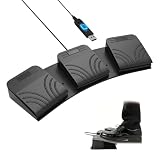
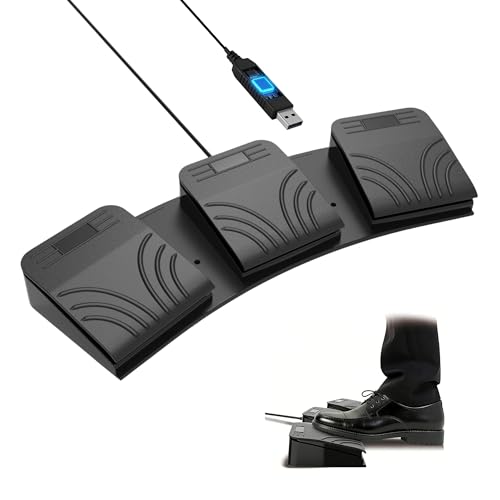
 iKKEGOL Upgraded USB Triple Foot Pedal Switch Control14.5"x 5.6"1.7"14.5 x 5.6 x 1.7 inches0.9 PoundsCheck on Amazon


Top 3 picks at a glance
Why push-to-talk matters for stream audio
An always-on mic broadcasts every sniff, sigh, keyboard slam, and background noise. Push-to-talk opens the mic only when you activate it, giving you dead silence the rest of the time. The challenge is the activation method: a keyboard key steals a finger, and reaching for a button interrupts fast gameplay. Both a pedal and a controller button solve this differently.
Momentary vs toggle
Push-to-talk is usually momentary: the mic is live only while held. Some setups prefer push-to-mute (the opposite) or a toggle. A foot pedal is ideal for momentary control because you can hold it down naturally with your foot, freeing both hands entirely for keyboard and mouse.
| Factor | Foot pedal | Controller button |
|---|---|---|
| Frees both hands | Yes | No (tap needed) |
| Good for held (momentary) | Excellent | Awkward to hold |
| Extra desk space | None (floor) | Uses a key |
| Also does other macros | Limited | Yes, many |
| Typical price | $20–60 | $80–250 |
The foot pedal’s big advantage
For fast games where both hands are glued to keyboard and mouse, a foot pedal is the clear winner for held push-to-talk. Your foot rests on it and presses when you speak, so your hands never leave the action. Many pedals are simple USB devices that register as a key, so any software expecting a keybind works with them.
Where the controller button wins
A stream controller button is a single tap, which suits toggle-style muting rather than held talk. Its real strength is versatility: the same device also switches scenes, plays sounds, and runs dozens of macros. If you want one gadget for everything and are fine tapping to toggle your mic, the controller earns its keep beyond push-to-talk.
Can you use both?
Yes, and many streamers do. A foot pedal handles held push-to-talk for clean, hands-free voice, while a stream controller manages scenes, alerts, and sound effects. They are complementary, not competing, because they solve different halves of the control problem.
Setting up a foot pedal the right way
Configure a foot pedal in two steps. First, program the pedal to send a rarely used key combination, so it never clashes with a game bind. Second, set that same combination as your push-to-talk key in your voice and streaming software. Test that holding the pedal opens the mic and releasing it closes cleanly. Position the pedal where your resting foot naturally sits so pressing it is effortless during intense gameplay.
Combine with a light gate for polish
Even with push-to-talk, a gentle noise gate can smooth the transition so the mic does not click on and off harshly. Set the gate loosely so it does not clip your first word, and let the pedal handle guaranteed silence during quiet moments. This combination gives you both automatic convenience and absolute manual control, which is the cleanest voice setup for a busy live stream.
FAQ
Will a cheap USB foot pedal work for push-to-talk?
Usually yes. Most programmable USB foot pedals let you assign a keyboard key, which you then set as your push-to-talk bind in your voice or streaming software. A basic single-pedal unit around $20–40 is plenty for mic control; multi-pedal models add room for other actions.
Is push-to-talk better than a noise gate?
They serve different needs. A noise gate automatically cuts audio below a threshold but can clip the start of words or let loud noises through. Push-to-talk gives absolute control and total silence when closed. Many streamers use a gate for convenience and a pedal for moments they want guaranteed silence.
Bottom line
For held, hands-free push-to-talk in fast games, a foot pedal is the best tool, cheap and effective at $20–60. A stream controller button suits tap-to-toggle muting and doubles as an all-purpose macro pad. If you can, use both: a pedal for clean voice control and a controller for everything else your stream needs.









