
Step into any professional broadcast studio, and you will notice that the lighting feels natural, rich, and flattering. Step into a poorly optimized home office, and the presenter often looks washed out, distinctly green, or strangely orange. The difference does not lie in how bright the lights are, but in how accurately they render color.
When setting up a home workspace, a streaming desk, or a content creation studio, the “key light”—the primary light source illuminating your face—is the most critical fixture you will buy. Yet, the biggest mistake buyers make is purchasing a light based solely on its raw brightness (measured in lumens) or its price tag. They buy cheap, multi-purpose LED strips, novelty colorful bulbs, or low-grade panels, only to find that their skin tones look lifeless on camera. When determining what to look for in key light color accuracy, you must look beyond basic brightness and understand the science of spectral output.
As an Amazon Associate we earn from qualifying purchases at no extra cost to you.


Cheap lights often skip critical parts of the color spectrum, particularly the R9 red channel, which is essential for rendering healthy human skin tones. If your key light lacks color accuracy, no amount of camera settings or digital color correction can fully restore your natural appearance. As we look ahead to 2026, home office aesthetics and professional video production standards have merged, making high-fidelity lighting an essential furniture-and-fixture investment rather than a luxury.
Our Top Picks
 RaySoar 6 Pack 6-Color Lights Keychain Flashlight1.46" x 1.2" x 0.32"0.32 x 1.2 x 1.46 Inches0.1 poundsCheck on Amazon
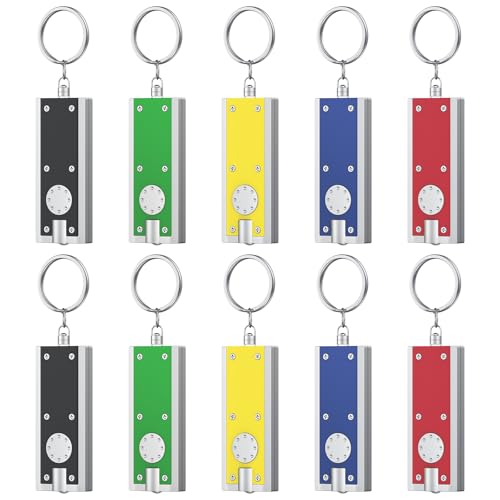
 SHINEOFI 10Pcs Color Changing LED Keychains Clear Plastic5.50X3.00X3.00CM2.17 x 1.18 x 1.18 inches0.25 poundsCheck on Amazon

Top 3 picks at a glance
Decide These 3 Things First
Before diving into the deep technical specifications of color metrics, you need to establish the foundational architecture of your lighting setup. Answering these three questions will instantly narrow your search to the correct category of key lights:
- Form Factor (COB vs. Panel): Do you want a Chip-on-Board (COB) spotlight with a separate softbox modifier, or a self-contained, edge-lit LED panel? COB lights (ranging from 60 to 200 watts) offer the highest color accuracy and light quality but require a footprint of 3 to 4 feet for the softbox stand. Edge-lit panels are compact (often just 1 to 2 inches thick) and mount directly to your desk, but they offer less directional control.
- Color Range (Bi-Color vs. RGBWW): Do you only need to match natural daylight and warm household lamps (Bi-color, typically 2700K to 6500K), or do you need the creative flexibility of full color saturation (RGBWW) to paint your background with vibrant hues? Note that pure bi-color lights often have higher color accuracy at their price points than similarly priced RGB units.
- Power and Control Infrastructure: Will your light remain permanently plugged into a wall outlet, or do you need battery power (such as NP-F or V-mount battery compatibility) for mobile shoots? Furthermore, do you require physical dials on the back of the fixture, or do you need a robust mobile app to control the color temperature and brightness settings remotely during a live call?
1. Size, Footprint, and Mounting Space
A key light is a physical piece of furniture in your room. Its size determines not only how soft the light is on your face, but also how much physical space you must sacrifice. Edge-lit LED panels designed for desks typically measure between 10×10 inches and 14×14 inches. They generally weigh 2 to 4 pounds and can be mounted on desk-clamp poles that take up virtually zero floor space.
If you opt for a professional COB light for ultimate color accuracy, the light fixture itself is compact (about 8x5x5 inches, weighing 3 to 5 pounds), but it requires a light modifier. A medium-sized softbox spans 24 to 36 inches in diameter. To support this weight safely, you need a heavy-duty C-stand or a weighted light stand with a footprint base of 30 to 40 inches. Before buying, measure your desk clearance and floor space; a high-end key light does you no good if it crowds you out of your own office.
2. Material, Build Quality, and Thermal Management
Color-accurate LEDs generate a significant amount of heat. If an LED runs too hot, its color output will actually shift over time, drifting toward green or yellow, and its lifespan will be cut in half. Look for fixtures constructed with aluminum alloy or high-grade thermal polycarbonate chassis rather than cheap, thin plastics.
Premium lights feature integrated aluminum heat sinks and ultra-quiet cooling fans. For video and audio work, fan noise is a critical performance metric. Look for fixtures with a fan noise rating below 20 decibels (dBA) at a distance of 3 feet, or lights that feature a “silent mode” (which may cap the maximum brightness to 50% but turns the fan off completely). Cheaper plastic lights lack proper thermal management, meaning their color accuracy will degrade within 12 to 18 months of daily use.
3. Construction, Diffusion, and Light Quality
Direct LED light is harsh, casting sharp, unflattering shadows and highlighting skin imperfections. To get a soft, flattering glow, the light must be diffused. Edge-lit panels accomplish this through built-in optical diffusion layers that blend the individual LED beads before the light leaves the fixture. This results in a completely uniform, glare-free surface that is comfortable to look at for hours.
COB lights rely on external modifiers. If you choose a COB setup, ensure the light features a standard Bowens mount (an industry-standard 3-pin bayonet mount). This allows you to attach a wide variety of softboxes, lanterns, and beauty dishes. Avoid proprietary mounting systems, which lock you into expensive, limited-brand modifiers and restrict your ability to customize your light quality.
4. Eye Comfort, Dimming Performance, and flicker-free operation
A key light sits directly in your field of view, often for 4 to 8 hours a day. Poorly engineered lights utilize low-frequency Pulse Width Modulation (PWM) to dim the LEDs. While your eyes might not consciously register this rapid blinking, it can cause severe eye strain, fatigue, and headaches over a long workday. Furthermore, low-frequency PWM causes a distracting “banding” or flickering effect on camera.
Look for key lights that advertise high-frequency PWM dimming (above 20,000 Hz) or constant-current DC dimming, which ensures a flicker-free image at any frame rate or shutter angle. Additionally, color accuracy must remain stable across the entire dimming range. Cheap lights often shift toward a cold, blue tint when dimmed down to 10% or 20% brightness, whereas premium fixtures maintain their calibrated color temperature from 1% to 100% power.
5. Price Tiers and Value Propositions
The key light market is divided into clear tiers based on build quality, control systems, and color fidelity:
- Budget ($50 – $120): At this tier, you will find basic desktop ring lights and plastic bi-color panels. While they are bright enough, their Color Rendering Index (CRI) usually hovers around 90 to 92, meaning red skin tones can look slightly muddy. They are suitable for casual Zoom calls but lack professional color rendering. (Note: Do not confuse these with novelty color-changing keychain lights or $10 decorative strip lights, which are fun accessories but entirely useless as key lights).
- Mid-Range ($150 – $350): This is the sweet spot for home professionals and serious content creators. Here, you find metal-bodied edge-lit panels (like the Elgato Key Light) and entry-level 60W COB studio lights. These fixtures offer guaranteed CRI ratings of 95+ and TLCI ratings of 96+, alongside robust smartphone or desktop app control.
- Premium ($400 – $1,000+): Designed for professional broadcast studios and commercial photography, these lights feature heavy-duty aluminum construction, silent active cooling, precise green/magenta tint adjustment, and advanced color metrics (SSI and TM-30). Brands in this tier offer absolute color consistency across multiple fixtures.
6. Warranty, Reliability, and Brand Support
Because a key light is a critical tool for your daily work, reliability is paramount. Look for brands that offer a minimum 2-year warranty, with premium manufacturers extending this to 3 or 5 years. Check if the manufacturer sells individual replacement parts, such as mounting brackets, power bricks, and diffusion panels. If a power cord fails on a cheap, no-name import light, you often have to throw the entire fixture away; a reputable brand will have replacement power supplies readily available for purchase.
7. Delivery, Setup, and Out-of-the-Box Assembly
Consider how the light arrives and how much assembly is required. Some professional lights arrive in heavy-duty, padded carrying cases, which is excellent if you plan to travel or store the light when not in use. Lower-end models often arrive in basic cardboard boxes with minimal padding.
For setup, look for “plug-and-play” simplicity. Desktop panels should include all necessary desk clamps and ball-head adapters in the box. COB lights require you to assemble the softbox, which can take anywhere from 10 minutes of tedious rod-bending to 10 seconds if you purchase a modern, quick-release “umbrella-style” softbox. Factor these setup requirements into your purchasing decision.
Spec Checklist
| Specification | Budget Tier ($50-$120) | Mid-Range Tier ($150-$350) | Premium Tier ($400-$1000+) |
|---|---|---|---|
| Color Rendering Index (CRI) | 90 – 93 (Slightly gray/green skin tones) | 95 – 97 (Excellent, natural skin tones) | 98 – 99 (Near-perfect spectral match) |
| TLCI Rating | 92 – 94 | 96 – 98 | 98 – 99 |
| CCT Range | Fixed 5600K or basic 3200K-5600K | Wide Bi-Color (2700K – 6500K) | Extended Range (2000K – 10000K) + RGBWW |
| Chassis Material | ABS Plastic | Aluminum & Reinforced Polycarbonate | Aircraft-Grade Aluminum Alloy |
| Cooling System | Passive (No fan, gets hot) | Quiet Active Fan (<22 dB) | Ultra-Quiet Smart Fan (<15 dB) or Silent Mode |
| Control Options | In-line cable controller | Wi-Fi / Bluetooth Mobile App & Desktop App | DMX, CRMX wireless, App, & On-board OLED screen |
Red Flags
- CRI Claims Without TLCI Ratings: If a manufacturer boasts a “99 CRI” but makes no mention of TLCI (Television Lighting Consistency Index), be skeptical. CRI was designed in the 1930s for the human eye; TLCI is the modern standard calibrated specifically for digital camera sensors. A light can score high on CRI while still looking terrible on camera.
- No Mention of “R9” Values: The standard CRI metric is an average of eight pastel colors (R1 through R8). It completely ignores saturated red (R9), which is the exact color of blood rushing under human skin. A light can have a CRI of 95 but an R9 value of 40, leaving you looking pale and lifeless. Look for brands that explicitly publish an R9 value of 90 or higher.
- Proprietary Desktop Mounts: Avoid lights that use non-standard, integrated mounting brackets that cannot be removed. If the plastic desk clamp snaps, the entire light becomes unusable. Look for lights that use industry-standard 1/4-20 inch screw threads or 5/8-inch baby pin receivers, allowing you to mount the light on any standard tripod, arm, or light stand.
- Unusually Lightweight High-Power Lights: If a 100-watt key light weighs less than 2 pounds, it lacks the necessary metal heat sinks required to dissipate heat. This light will run hot, degrade its color accuracy rapidly, and likely fail prematurely.
FAQ
What is the difference between CRI and TLCI when choosing a key light?
CRI (Color Rendering Index) measures how accurately a light source reveals colors to the human eye compared to natural sunlight, using a scale up to 100. However, digital camera sensors “see” light differently than our eyes do. TLCI (Television Lighting Consistency Index) calculates how a camera sensor interprets the light. For video work, a high TLCI score (96+) is actually more important than a high CRI score, as it guarantees you will not have to spend hours color-correcting your footage in post-production.
Why do my skin tones look green or sickly even though my light is bright?
This is caused by a low-quality spectral output, specifically a lack of red spectrum wavelengths (R9) and an excess of green spectrum light. Cheap LEDs are manufactured by coating blue LEDs with yellow phosphor, which often creates a green spike in the color spectrum. To fix this, you need a key light with high color accuracy (CRI 95+, TLCI 96+) or a light that features a manual green/magenta tint adjustment setting to neutralize the shift.
Can I just use cheap RGB light strips or a colored bulb as my key light?
No. While products like color-changing LED strips, decorative bulbs, or novelty keychain lights are excellent for background accents, party atmospheres, or finding keyholes in the dark, they are not designed for facial illumination. They lack the full-spectrum white light required to render skin tones accurately. Using them as a primary key light will result in a highly saturated, muddy, and pixelated image on camera, leading to severe eye strain over time.
Is bi-color better than a single-color daylight key light?
Bi-color lights are highly recommended for home offices because they allow you to adjust the warmth of the light to match your environment. If you have a window in your room, you can set the light to 5600K (cool daylight) to match the incoming sun. If you are working at night with warm desk lamps on, you can dial the key light down to 3200K (warm white) so your face doesn’t look jarringly blue compared to the cozy ambient light of your room.









