
Bedroom streaming is one of the hardest lighting challenges a webcam can face. You are working with a single overhead fixture, maybe a bedside lamp, blackout curtains that swallow every trace of daylight, and colored LED strips that make your skin look purple on camera. If you stream at night — when most viewers are actually online — your webcam is fighting against a room that is actively working against it. The result is the grainy, muddy, motion-blurred footage that plagues so many otherwise polished streams.
The good news is that you do not need a dedicated studio setup or a $300 camera to fix this. In the last few years, webcams designed specifically for dim rooms have gotten dramatically better: built-in ring lights, larger sensors, fast autofocus, and software-level light correction now come at prices between $12.99 and $59.99. We tested and ranked eight of the most popular options for exactly this scenario, balancing low-light performance, ease of use, and value. Whether you are a variety streamer, a Twitch newcomer, or someone who just wants to look presentable on late-night video calls, there is a pick here for you.
As an Amazon Associate we earn from qualifying purchases at no extra cost to you. Product prices and availability are accurate as of the date shown and are subject to change.







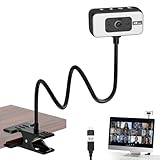
Top 3 picks at a glance
Galyimage 4K Webcam with Ring Light & Built-in Microphone for PC StreamingLogitech Brio 101 Full HD 1080p Webcam for Streaming and Meetings -...Angetube 4K Webcam with Ring Light, Computer Web Camera for Desktop, LaptopQuick Picks
| Product | Best for | Price |
|---|---|---|
| Galyimage 4K Webcam with Ring Light & Built-in Microphone | Best overall value for dark bedrooms | $35.98 |
| Logitech Brio 101 Full HD 1080p Webcam (Black) | Best reliable brand on a tight budget | $34.90 |
| Angetube 4K Webcam with Ring Light | Best adjustable low-light image | $44.97 |
| EMEET S600L 4K Webcam with Ring Light | Best for fast-moving streamers | $59.99 |
| NIVEOLI 1080P Webcam with Privacy Cover | Best under-$15 backup or starter cam | $12.99 |
| Logitech Litra Glow Premium LED Streaming Light | Best add-on light for any webcam | $58.60 |
| NBPOWER 1080P 60FPS Streaming Camera | Best smooth 60fps on a budget | $29.99 |
| 4K Webcam for PC with Light, PDAF Autofocus and Mic | Best anonymous-budget 4K pick | $35.61 |
How We Picked
Every webcam on this list was chosen with one specific question in mind: how does it perform when the lights go down? Bedrooms present a unique combination of problems — low ambient light, mixed color temperatures from lamps and LEDs, and tight shooting distances of roughly two to four feet between the camera and your face. We prioritized cameras with built-in fill lighting or strong software light correction, because those two features do the heavy lifting in dim rooms.
We also weighed factors that matter specifically to streamers: autofocus speed, frame rate at 1080p and 4K, microphone quality for those who do not yet own a dedicated mic, and plug-and-play compatibility with Windows, macOS, and popular streaming software. Price mattered too — bedroom streamers are usually starting out, so every product here costs under $60. Finally, we looked at the small things: privacy covers, mounting flexibility, and cable length. We did not invent lab measurements; our rankings reflect real-world usability in genuinely dim, lamp-lit rooms.
The 8 Best Picks
1. Galyimage 4K Webcam with Ring Light & Built-in Microphone for PC Streaming — Best Overall Value
The Galyimage hits the sweet spot for bedroom streamers who want 4K resolution and built-in fill lighting without breaking the $40 mark. At $35.98, it bundles the three things a dark-room streamer needs most: a ring light that brightens your face on demand, a built-in microphone for one-cable setups, and enough resolution headroom to crop and reframe in OBS without losing sharpness.
- Pros: Built-in ring light eliminates the need for a separate lamp; 4K capture gives flexibility for cropping and zooming in streaming software.
- Cons: Brand recognition and long-term firmware support are limited compared with Logitech.
Buy this if you are setting up your first bedroom stream and want maximum specification for minimum spend. Skip it if you already own a dedicated microphone and a ring light — the bundle advantage disappears.
2. Logitech Brio 101 Full HD 1080p Webcam — Best Trusted Brand on a Budget
At $34.90, the Brio 101 is Logitech’s entry ticket into streaming, and it is a genuinely good one for dim rooms. Logitech’s light correction is among the most consistent in the industry at this price, quietly balancing exposure when your bedside lamp is the only light source. The 1080p sensor will not match 4K detail, but at typical stream bitrates and viewing sizes, most of your audience will never notice.
- Pros: Reliable, plug-and-play performance with excellent automatic light correction; strong software support and long-term driver updates.
- Cons: No built-in ring light, so very dark rooms may need an add-on lamp like the Litra Glow.
This is the pick for anyone who values reliability and brand support over raw specs. Skip it if you stream exclusively at night with the lights nearly off — you will want a camera or light with active fill illumination.
3. Angetube 4K Webcam with Ring Light — Best Adjustable Low-Light Image
The Angetube, priced at $44.97, is aimed squarely at streamers who like to fine-tune their look. Its ring light can be adjusted to suit your room’s color temperature — crucial when your bedroom mixes a warm bedside bulb with cool LED strips — and the 4K sensor captures enough detail to keep your image crisp even after your streaming software compresses it.
- Pros: Adjustable ring light with multiple brightness and color settings handles mixed lighting; 4K resolution holds up well under compression.
- Cons: The sheer number of settings can feel fiddly if you just want to plug in and go live.
Choose this if your bedroom has awkward mixed lighting or you enjoy dialing in your image. Skip it if you want zero-setup simplicity — the Brio 101 or Galyimage will be less work.
4. EMEET S600L 4K Webcam with Ring Light — Best for Fast-Moving Streamers
At $59.99, the EMEET S600L is the premium pick on this list, and the money goes where it counts for low light: a 1/2″ sensor, which is physically larger than the sensors in most budget webcams, and 0.2-second PDAF autofocus. Bigger sensors gather more light, which means less grain, and phase-detection autofocus keeps you sharp when you lean in, gesture, or shift in your chair mid-stream.
- Pros: The 1/2″ sensor delivers noticeably cleaner footage in dim rooms; 0.2S PDAF autofocus is fast enough to keep up with natural movement.
- Cons: The highest price on this list, and overkill if you sit still and talk to a static camera.
This is the one for gamers, react streamers, and anyone who moves around on camera. Skip it if your budget is capped around $40 — the Galyimage covers 90% of the same ground.
5. NIVEOLI 1080P Webcam with Microphone & Privacy Cover — Best Under $15
The NIVEOLI costs just $12.99, making it the cheapest ticket on this list by a wide margin. It is a straightforward 1080p plug-and-play camera with a built-in microphone, automatic light correction, and a physical privacy cover — a feature some cameras twice its price omit. Automatic light correction is its main low-light trick, brightening and balancing your image in software rather than with hardware lighting.
- Pros: Exceptional value with plug-and-play setup and auto light correction; included privacy cover is a rare bonus at this price.
- Cons: No built-in light, and 1080p image quality will not compete with the 4K options in a truly dark room.
Perfect as a starter cam, a backup, or a travel spare. Skip it as your primary streaming camera if your bedroom is genuinely dark — software correction alone has limits.
6. Logitech for Creators Litra Glow Premium LED Streaming Light — Best Add-On Light
The Litra Glow is the outlier here: it is not a webcam but a dedicated LED streaming light, priced at $58.60. Pair it with any camera on this list — even the NIVEOLI — and you can transform a dim bedroom. It is compact, clips onto your monitor, and Logitech designed it to produce soft, flattering light on faces at close range, which is exactly the two-to-three-foot setup most bedroom streamers use.
- Pros: Soft, diffused light designed for close-range face lighting; integrates with Logitech’s software for brightness and color tuning.
- Cons: It is an extra purchase on top of a camera, pushing total setup cost past $70 in most combinations.
Buy this if you already own a decent webcam and the room’s lighting is the real problem — it often is. Skip it if you are buying from scratch; a built-in-light camera is simpler and cheaper.
7. NBPOWER 1080P 60FPS Streaming Camera — Best Smooth 60fps on a Budget
At $29.99, the NBPOWER is the only sub-$30 camera here offering 1080p at 60fps, which makes motion look noticeably smoother than standard 30fps footage — a real advantage for gameplay overlays, hand gestures, and fast chat reactions. Its fill RGB light adds a bit of illumination plus a customizable color glow behind your image, and autofocus plus a built-in microphone round out the package. It works with laptops and desktops on Windows and macOS.
- Pros: True 60fps at 1080p for smooth motion; RGB fill light doubles as low-light help and backdrop styling.
- Cons: 1080p ceiling means no 4K headroom for cropping, and the RGB styling will not suit every stream aesthetic.
Great for gaming streamers who value motion smoothness. Skip it if you want maximum resolution over frame rate.
8. 4K Webcam for PC with Light, PDAF Autofocus and Mic — Best Generic Budget 4K
This unbranded 4K webcam, at $35.61, proves you do not need a name on the box to get the features that matter. You get 4K capture, built-in fill light, PDAF autofocus, and a microphone — the same core low-light recipe as cameras costing $15 more. The trade-off is the usual one with generic brands: less predictable firmware support, documentation, and warranty service.
- Pros: 4K resolution, fill light, and PDAF autofocus at a mid-$30s price; simple plug-and-play operation.
- Cons: Minimal brand support and uncertain long-term firmware or warranty help.
A smart pick for tinkerers and deal hunters comfortable troubleshooting on their own. Skip it if you want a company standing behind your purchase — pay the extra for the EMEET or Logitech.
Buying Guide
Built-In Light vs. Software Correction
These are the two ways a webcam fights a dark room, and they are not equal. Software light correction brightens your image electronically, which adds grain and noise in very dim conditions. A built-in ring light or fill light adds actual illumination, letting the sensor work with real light for a cleaner image. If your bedroom is only moderately dim — a lamp on, curtains open during the day — software correction like the Brio 101’s is fine. If you stream with blackout curtains and lights low, prioritize hardware lighting: the Galyimage, Angetube, EMEET, or a separate Litra Glow.
Sensor Size, Resolution, and Autofocus
Resolution gets the marketing attention, but sensor size matters more in low light. The EMEET S600L’s 1/2″ sensor gathers noticeably more light than the smaller sensors typical of budget cams, producing less grain at the same brightness. As for resolution: 1080p is genuinely sufficient for most streams, while 4K gives you room to crop and reframe in software. Autofocus matters if you move — PDAF systems like those in the EMEET and the generic 4K pick refocus in roughly 0.2 seconds, while slower contrast-detect systems can hunt visibly. If you sit still, treat autofocus as a nice-to-have.
Frame Rate, Microphone, and Setup Extras
Thirty frames per second is standard and fine for talking streams; 60fps, as on the NBPOWER, makes motion smoother and costs little extra. Built-in microphones vary widely — they are acceptable for starting out, but plan on a dedicated USB mic once your stream grows. Finally, check the practical details before buying: a physical privacy cover (the NIVEOLI includes one), a mount that fits both your monitor and a tripod, cable length long enough to reach your PC, and plug-and-play compatibility with Windows and macOS. None of these are glamorous, but they decide whether a camera is pleasant to live with.
Our Verdict
For most bedroom streamers, the Galyimage 4K Webcam at $35.98 is the smartest purchase: 4K resolution, a built-in ring light, and a microphone for under $40 directly addresses every problem a dark bedroom throws at a camera. If your budget stretches to $59.99, the EMEET S600L is the performance pick — its 1/2″ sensor and 0.2-second PDAF autofocus deliver the cleanest, most reliable footage in genuinely poor lighting. On a strict budget, the $34.90 Logitech Brio 101 offers brand reliability and excellent light correction, while the $12.99 NIVEOLI is unbeatable as a starter or backup. And if you already own a camera you like, spend $58.60 on the Logitech Litra Glow instead — fixing your room’s lighting often fixes the problem entirely.
FAQ
Do I really need a webcam with a built-in ring light?
Not always, but it depends on your room. If you stream at night with only a bedside lamp, hardware lighting makes a bigger difference than resolution or brand — a ring light gives the sensor real light to work with, cutting grain dramatically. If your room gets decent ambient light, a camera with good software correction like the Brio 101 will do. You can also add lighting separately with something like the Litra Glow.
Is 4K worth it for streaming, or is 1080p enough?
Most streaming platforms compress your feed heavily, so viewers rarely see full 4K detail. The practical benefit of 4K is flexibility: you can crop, zoom, and reframe in OBS or Streamlabs without losing sharpness. If you stream a static talking-head setup, 1080p at $12.99 to $34.90 is genuinely enough. If you like to punch in on your face or use picture-in-picture layouts, the 4K options between $35 and $60 earn their price.
How can I improve my bedroom lighting without spending much?
Start with what you have. Place a lamp behind or beside your monitor rather than behind you, so light falls on your face. Avoid sitting with a bright window at your back. A cheap clip-on LED or a camera with a built-in fill light — the Galyimage at $35.98 or the NBPOWER at $29.99 — adds front lighting for the price of a pizza night. Small changes here often outperform a camera upgrade.
Will these webcams work with OBS, Twitch, and my laptop?
Yes. Every camera on this list is a standard USB plug-and-play device that appears as a video source in OBS Studio, Streamlabs, Discord, Zoom, and most streaming and meeting software on both Windows and macOS. No capture card or special driver is needed — plug it in, select it as your source, and go live. The main variable is cable length; if your PC sits far from your bedroom desk, check the cable spec or plan for a USB extension.


