A cheap tablet is a series of trade-offs, and the listings make some of them hard to see. Spec sheets promise “8GB RAM” on a seven-inch screen that sells at a budget tier, but the fine print often shows that most of that memory is borrowed from storage. The real decision is whether you want a low-cost Android slate for reading, video, and kids, or whether a recognized-brand tablet with a better screen and longer software support is worth a higher tier.
This guide is for parents, students, travelers, and anyone who wants a second screen in 2026 without a heavy spend. It covers eight tablets, from seven-inch budget Android models to a ten-inch media tablet and a premium iPad, and judges them only on what their listings say. The sections that follow explain how to read RAM, resolution, and storage claims so a cheap tablet does not turn into a frustrating one.
Our Top Picks

Top 3 picks at a glance
Quick Picks
As an Amazon Associate we earn from qualifying purchases at no extra cost to you.


| Product | Best for | Key spec from the title |
|---|---|---|
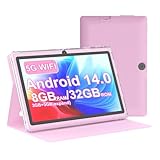
| HOTTABLET 7-Inch Android Tablet | Kids and light reading | 7 inch IPS, Android 14, 32GB ROM, case included |
| Fire HD 10 Tablet | Video and reading on a large screen | 10.1 inch Full HD, octa-core, 4GB RAM, 32GB |
| IWEGGO 7-Inch Tablet | Basic use with a stated battery size | 7 inch, 1.6GHz quad-core, 3000mAh, 5MP camera |
| PEICHENG 7-Inch Tablet | Buyers who want the display resolution stated | 1024 x 600 IPS, 32GB ROM, 1TB expandable |
| Apple iPad 11-inch | Long-term use and best screen | A16 chip, Liquid Retina, 128GB, Wi-Fi 6 |
| Vyrolinia 7-Inch Tablet | Streaming apps on a small screen | Widevine L1, GMS, YouTube, 1024 x 600 IPS |
| COOPERS 10-Inch Tablet | Large screen and bigger battery | 10 inch, Android 15, 6000mAh, 1280 x 800 IPS |
| Nyxolaria 7-Inch Tablet | Dual-band Wi-Fi at a budget tier | Android 14, 2.4G and 5G WiFi, Bluetooth 5.0 |
How to Choose
Read the RAM line carefully
Many budget Android listings use a format like “8GB (3+5 expand) RAM.” That means 3GB of physical memory plus 5GB of storage space used as virtual memory. Only the physical figure speeds up apps. For smooth multitasking, 4GB of physical RAM is a reasonable floor, and 3GB is acceptable for reading, video, and simple games. Treat a headline RAM number with an expansion note as a 3GB tablet, and budget your expectations accordingly.
Screen size and resolution
A seven-inch tablet with a 1024 x 600 display looks soft for text and video, while a 10-inch panel at 1280 x 800 is the next step up and a Full HD screen is better still. Size also changes how you use the device: seven inches fits a coat pocket and a child’s hands, while ten inches suits video and reading in bed. An IPS panel helps with viewing angles, so favor it over basic panels when the listing names it.
Storage, expandability, and software
Thirty-two gigabytes of storage fills quickly once the operating system and apps are installed, so a microSD slot or stated expandable storage helps. Be aware that expandable storage claims of 1TB refer to card support, not included storage. Check the Android version and whether Google services are included, since tablets without them cannot run many popular apps. Streaming apps need a certification such as Widevine L1 to play HD video.
Battery, cameras, and where budget tablets cut corners
Battery capacity in milliamp-hours gives a rough guide, with 3000mAh being small and 6000mAh sensible for a 10-inch screen. Cameras on cheap tablets are for video calls and snapshots, not photography. Budget models cut corners on processors, screen resolution, update support, and build quality. A protective case in the box is a real plus for households with kids, and a recognized brand gives better long-term software support.
The 8 Best Options
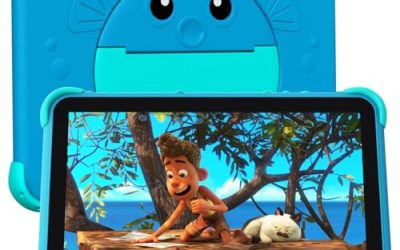
HOTTABLET 7-Inch Android Tablet
This seven-inch model targets kids and light reading. The listing names Android 14, 32GB ROM, an IPS screen, a dual camera, Bluetooth 5.0, WiFi, and a protective case, with a RAM figure written as 3GB plus 5GB of expansion. It is aimed at the budget end, where the case and a current Android version are the main selling points.
- Strength: A protective case is included, which matters for children.
- Strength: An IPS screen and Android 14 are listed at the budget tier.
- Trade-off: The RAM figure includes 5GB of expansion, so real memory is smaller.
Skip it if you want smooth multitasking, a sharp screen, or reliable long-term software updates. Households that expect the tablet to survive several school years should look at a stronger brand tier.
Fire HD 10 Tablet
The Fire HD 10 is the media-first option. The title lists a 10.1 inch vibrant Full HD screen, an octa-core processor, 4GB of RAM, and 32GB of storage, with a description built around relaxation. The Full HD panel and a clearly stated RAM figure set it apart from the generic seven-inch models in a similar tier.
- Strength: A 10.1 inch Full HD screen is roomy for video and reading.
- Strength: 4GB of RAM is stated plainly, with no expansion tricks.
- Trade-off: Thirty-two gigabytes of storage fills quickly without a card.
Skip it if you need the full range of Google apps or want a tablet that works like a small laptop. Because it sits in its own app ecosystem, check that your favorite apps are available before buying.
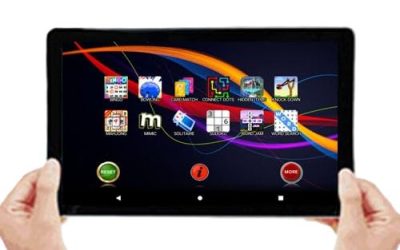
IWEGGO 7-Inch Tablet
This is a basic Android 14 tablet with a case, and its title offers a few more concrete numbers than rivals. It lists a seven inch screen, 8GB of RAM with 32GB of ROM, 1TB expandable storage, a 5MP camera, a 1.6GHz quad-core processor, and a 3000mAh battery. It fits shoppers who want to see the battery size before buying.
- Strength: The processor and battery capacity are stated in the title.
- Strength: A case is included, and storage is expandable by card.
- Trade-off: A 3000mAh battery is on the small side for all-day use.
Skip it if you plan long video sessions or want sharper text than a basic seven-inch screen delivers. Buyers who rely on one device for everything will outgrow it quickly.
PEICHENG 7-Inch Tablet
The PEICHENG listing states its display resolution outright: a 1024 x 600 IPS screen. It also lists Android 14, 8GB RAM as 3GB plus 5GB expansion, 32GB ROM, a dual camera, 1TB expandable storage, and a case. That honesty helps you judge what you are buying, even if the resolution is modest.
- Strength: The resolution is stated, so there are no surprises on screen sharpness.
- Strength: Expandable storage and a case are listed.
- Trade-off: 1024 x 600 is a low resolution that makes text look soft.
Skip it if you read a lot of fine text or want crisp video playback. Anyone comparing it with a Full HD tablet will notice the gap right away. A memory card helps with storage, yet it will not improve the screen.
Apple iPad 11-Inch
The iPad sits at a premium tier compared with the others here, but it answers the biggest concerns of cheap tablets. The listing names an A16 chip, an 11 inch Liquid Retina display, 128GB of storage, Wi-Fi 6, 12MP front and rear cameras, Touch ID, and all-day battery life. It is the one to consider if you want a tablet to last for years.
- Strength: An A16 chip and Liquid Retina display deliver a much sharper, smoother experience.
- Strength: 128GB of storage is generous compared with the 32GB budget norm.
- Trade-off: It costs far more than the budget Android models.
Skip it if you only need a simple screen for a child or a travel backup. Families already invested in another ecosystem may prefer to stay there, and parents who want a hard-wearing screen should add a case.
Vyrolinia 7-Inch Tablet
This model puts streaming support in the title. The listing mentions an Android seven inch tablet with a case, 8GB RAM as 3GB plus 5GB expansion, 32GB ROM, 1TB expandable storage, a 1024 x 600 IPS screen, Bluetooth, WiFi, GMS, Widevine L1, and YouTube. Those last items matter if you want to watch video in HD.
- Strength: Widevine L1 is the certification that supports HD streaming.
- Strength: GMS means Google services are included.
- Trade-off: The 1024 x 600 screen is low resolution for its use as a video tablet.
Skip it if you want a sharp display or a large screen. Remember that HD streaming also depends on the app and the service, so confirm support for the ones you use before you commit.
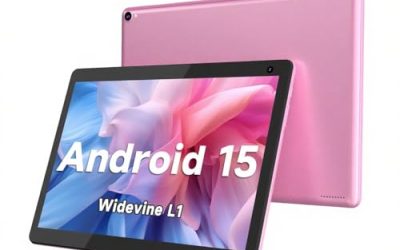
COOPERS 10-Inch Tablet
A step up in size, the COOPERS tablet lists a 10 inch screen, Android 15, 32GB ROM, 1TB expandable storage, a quad-core processor, a 6000mAh battery, a 1280 x 800 IPS touch screen, and 2MP front and 8MP rear cameras. It suits people who want a bigger display and larger battery in the budget tier.
- Strength: A 6000mAh battery and 10 inch screen suit longer viewing sessions.
- Strength: Android 15 is the newest version listed among the budget tablets.
- Trade-off: 32GB of storage is tight, and the RAM figure is not stated in the title.
Skip it if you want a compact device that fits in a small bag. Parents of small children should check the weight of a ten-inch screen with a case on.
Nyxolaria 7-Inch Tablet
The Nyxolaria listing is the one to look at for Wi-Fi details. It names Android 14, 8GB of RAM as 3GB plus 5GB expansion, 32GB ROM, an IPS screen, a dual camera, Bluetooth 5.0, 2.4G and 5G WiFi, and a protective case, with a battery figure that is cut off in the title. Dual-band Wi-Fi helps with streaming at a distance.
- Strength: Dual-band WiFi support helps with streaming and downloads.
- Strength: Android 14 and Bluetooth 5.0 are listed.
- Trade-off: The battery figure is incomplete in the title, so check the product page.
Skip it if screen resolution and brand support matter more than a low price. The cut-off title also means you should read the full product page for the battery and screen details.
Which One Fits Your Situation
You want a tablet for a young child
The HOTTABLET 7-Inch Android Tablet includes a protective case and a compact size, which suits small hands.
You mostly watch video or read in bed
The Fire HD 10 Tablet lists a 10.1 inch Full HD screen and a plainly stated 4GB of RAM.
You want something that lasts for years
The Apple iPad 11-Inch is the pick if your budget can stretch to a premium tier, since it lists a modern chip and generous storage.
You want a larger budget screen with a bigger battery
The COOPERS 10-Inch Tablet lists a 6000mAh battery and a 1280 x 800 IPS display.
Common Mistakes
- Reading expanded RAM as real memory. Only the physical figure speeds up apps.
- Confusing 1TB expandable storage with included storage.
- Ignoring screen resolution on seven-inch models, where 1024 x 600 looks soft.
- Skipping a check for Google services and Widevine support before buying a streaming tablet.
- Choosing the lowest tier for a primary device, when a better screen would make daily use more pleasant.
Related guides
- When I Turn On Record Game In Background On Gamebar. Gamebar Crashes, What Do I Do?
- How To Reduce Background Noise On A Streaming Microphone
- Poly Computer Accessories Company Streaming Evaluation
Frequently Asked Questions
Is a cheap tablet good enough for a child?
For reading, video, and simple games, yes. Look for a protective case, parental controls, and an operating system with security updates.
What does 3+5 expand RAM mean?
It means 3GB of physical memory plus 5GB of storage used as virtual memory. The physical figure is what counts for speed.
Can I watch Netflix or other HD video?
Only if the tablet supports Widevine L1 and has Google services. Check the listing for those terms.
How much storage do I need?
Thirty-two gigabytes works for basic use if you add a memory card for media. Budget 128GB or more if you want to store downloads and photos on the device.