A conference room webcam has a different job from the camera clipped to a laptop. It has to pick up a whole table of voices, frame several people at once, and work the moment someone plugs in a USB cable, with no driver hunt and no IT ticket. The decision therefore starts with the room, not the camera: a four-person huddle space, a twelve-seat boardroom and a classroom with a presenter pacing the front all need different lenses, microphones and framing logic.
This guide is for office managers, IT generalists and small-business owners equipping rooms for Zoom, Teams or Google Meet. We compare seven all-in-one conferencing cameras using only facts from their listings: resolution, field of view, microphone count, speaker presence, tracking features and platform certification. Where a listing is silent about something that matters, such as mounting hardware or audio range, we flag it as a question to answer before you buy in 2026.
Our Top Picks
 Logitech BCC950 Desktop Video Conferencing Webcam & Speakerphone1 Count (Pack of 1)6.8 x 7 x 4.9 inches2.28 PoundsCheck on Amazon

Top 3 picks at a glance
Quick Picks
As an Amazon Associate we earn from qualifying purchases at no extra cost to you.





| Product | Best for | Key spec from the title |
|---|---|---|
| 4K AI Conference Webcam (unbranded) | Presenter-led rooms | Zoom certified, auto framing, presenter tracking, 120-degree FOV |
| Yealink UVC34 | Mid-size huddle rooms | 4K, 8 microphones, speaker, Teams and Zoom Rooms certified |
| Logitech BCC950 | Small rooms of 1 to 4 people | 1080p HD desktop webcam and speakerphone |
| TOUCAN 360 | Round-table meetings | 360-degree view, 4 noise reduction mics, AI tracking |
| NexiGo N990 Gen 2 | Rooms needing camera control | 4K PTZ, 5X digital zoom, position presets, Zoom certified |
| PolaTab 3-in-1 | Simple plug-and-play setups | 1080p Full HD, built-in mic and speaker, wide angle |
| RayBit 4K Pro | Rooms with a TV and remote | 4K, remote control, AI-powered, mic and speaker |
How to Choose
Size the room before you pick the resolution
Resolution matters less than field of view and audio reach. A 120-degree lens, which several listings here quote, captures most of a narrow conference table from one end of the room. A wider 360-degree design sits in the middle of the table instead. As a working rule, a camera with a single built-in speaker and a handful of mics suits roughly four to eight people. Beyond that, plan on an extra microphone pod or a ceiling array, because no all-in-one bar fixes poor audio pickup at twelve feet.
Count the microphones and look for a speaker
Room cameras live or die by audio. An eight-microphone array can cover a mid-size table, four mics suit a smaller one, and a single mic is a laptop-style compromise. A built-in speaker removes the need for a separate speakerphone, but check that the listing says so. Noise reduction is helpful, though it works better on steady hum from air conditioning than on side conversations. Whichever unit you pick, try the echo cancellation on a real call before mounting anything. Also think about room acoustics: bare glass walls, hard floors and an open ceiling create echo that no microphone array can fully remove, so a rug or a few acoustic panels often improve a call more than a pricier camera does.
Decide how much framing automation you need
Auto framing zooms to the people in view, and presenter tracking follows one person walking the room. PTZ (pan, tilt, zoom) with saved position presets lets you jump between a whiteboard and the table with a remote. Note that “digital zoom” crops the image rather than using optics, so an 8X digital zoom on a 4K sensor is more usable than the same figure on a 1080p one. If nobody will operate the camera during meetings, automatic framing is the better investment than manual presets.
Verify certification and connection
Zoom Certified or Teams and Zoom Rooms certified labels mean the manufacturer has submitted the device for platform compatibility checks. Uncertified units usually still work as a standard USB video device, but you may lose features such as one-touch controls. Look for plain USB plug-and-play, confirm the cable length suits your layout, and ask whether a wall or TV mount is included, since many budget listings omit hardware. Avoid paying a premium for resolution your meeting software will downscale anyway. Finally, think about the display end of the chain: if the room already has a TV or monitor, the camera should sit centered above or below it so remote participants see people looking toward them rather than off to one side.
The 7 Best Options
4K AI Conference Webcam (unbranded)
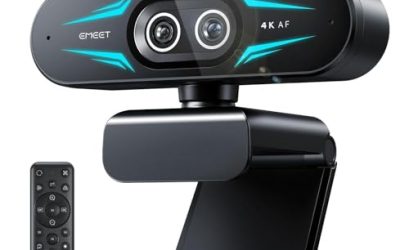
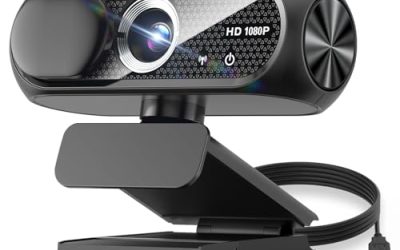
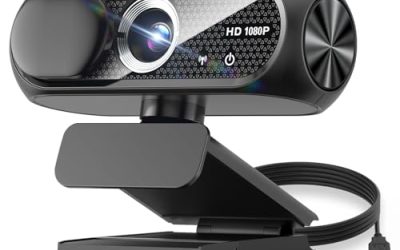
This listing is aimed at rooms where one person presents while others watch remotely. The title lists microphones and speakers, Zoom certification, auto framing, presenter tracking, 8X digital zoom, 1080p at 60 frames per second and a 120-degree field of view.
- Strength: presenter tracking and auto framing reduce manual camera work in lectures and training sessions.
- Strength: Zoom certification suggests smoother integration with a common meeting platform.
- Trade-off: no brand name appears in the title, and the 1080p 60fps figure sits alongside the 4K headline, so check which mode the camera actually outputs.
Skip it if your platform is not Zoom or if you want a named manufacturer behind the warranty. It suits trainers, teachers and presenters who move around a room.
Yealink UVC34
The UVC34 appears twice in this brief with slightly different titles, and both describe the same all-in-one 4K system for huddle rooms. Listed features include 8MP imaging, an eight-microphone array, a speaker, a 120-degree wide angle, AI auto framing and Teams and Zoom Rooms certification.
- Strength: the eight-microphone array is the most generous audio spec in this group.
- Strength: dual-platform certification helps if your company uses both Teams and Zoom.
- Trade-off: it is a fixed-lens bar, so it cannot pan or tilt to follow a speaker.
Skip it if you need a movable camera for a large room. It fits small and medium meeting rooms in mixed-platform offices.
Logitech BCC950
The BCC950 is built as a desktop webcam and speakerphone system for small rooms of one to four people. The title lists 1080p HD video in a single tabletop unit.
- Strength: it combines camera and speakerphone in one device, which keeps a small table uncluttered.
- Strength: the stated one-to-four person scope makes its intended use clear.
- Trade-off: 1080p and a small-room focus mean it lacks the 4K and wide-angle headroom of newer bars.
Skip it if you have a long table or more than four attendees. It suits executive offices, small teams and home-office conference corners.
TOUCAN 360
TOUCAN takes a different approach with a 360-degree camera for the center of a table. The title lists 1080p HD, four noise reduction microphones, a speaker and AI tracking, and says it works with Zoom, Google Voice and Microsoft platforms.
- Strength: a 360-degree view puts everyone around a round or square table in frame.
- Strength: AI tracking and a built-in speaker mean one device handles video and audio.
- Trade-off: 1080p is the stated resolution, so detail on distant faces will be limited.
Skip it if your room is long and narrow with everyone facing one end. It suits collaborative meetings where participants sit all around the device.
NexiGo N990 Gen 2
This second-generation PTZ camera is for rooms that need operator control. The title lists 4K, Zoom certification, 5X digital zoom, a Sony Starvis sensor, position presets and dual stereo microphones.
- Strength: position presets let you save views of the table, whiteboard and lectern.
- Strength: the Sony Starvis sensor named in the title points to a focus on low-light handling.
- Trade-off: PTZ cameras need someone to use the remote or software, which adds a small workflow burden.
Skip it if you want a set-and-forget bar with a large mic array. It fits training rooms and hybrid classrooms.
PolaTab 3-in-1
PolaTab sells simplicity: a 1080p Full HD camera, microphone and speaker in one USB plug-and-play unit with a wide-angle lens, aimed at desks and compact conference rooms.
- Strength: the three-in-one design removes the need for separate audio gear.
- Strength: plug-and-play USB is friendly for non-technical staff.
- Trade-off: the title mentions no AI framing or platform certification.
Skip it if you want automatic tracking or certified room-system integration. It suits tight budgets and very small meeting spaces.
RayBit 4K Pro
RayBit pitches a 4K AI-powered camera with a microphone, speaker and a remote control, designed for rooms with a TV or desktop computer.
- Strength: the remote control makes zoom and framing changes easy from the table.
- Strength: the audio and video bundle works with Windows and TV setups.
- Trade-off: the title does not list microphone count or certification, so audio pickup range is unclear.
Skip it if you require certified compatibility for a managed IT environment. It suits TV-based huddle rooms and small offices.
Which One Fits Your Situation
You run a hybrid classroom or training room
The NexiGo N990 Gen 2 gives you PTZ control and position presets, and the unbranded 4K AI webcam adds presenter tracking if the instructor moves around. In a classroom, saved presets for the board, the lectern and the front row save several seconds every time the focus shifts.
You manage several small huddle rooms
The Yealink UVC34 is the most standardized choice, with an eight-microphone array and Teams and Zoom Rooms certification that make fleet-wide rollouts simpler. Buying the same model for every room also means one set of instructions for staff and one spare unit on the shelf.
Your meetings happen around a table
The TOUCAN 360 is designed for the table’s center, so it captures everyone at once. The Logitech BCC950 is the better fit when the table seats only four.
You have a TV on the wall and a tight budget
The RayBit 4K Pro or the PolaTab 3-in-1 gets video and audio working through a single USB connection, with the RayBit adding a remote control.
Common Mistakes
- Buying on 4K alone while ignoring microphone count and speaker quality.
- Assuming digital zoom equals optical zoom, then finding faces blurry at the far end of the room.
- Skipping platform certification in an environment where IT locks down USB devices.
- Placing the camera at the wrong height or behind the screen, which leaves remote participants looking at the tops of heads.
- Forgetting mounting hardware and USB cable length, which turns a simple install into a second purchase.
Related guides
- When I Turn On Record Game In Background On Gamebar. Gamebar Crashes, What Do I Do?
- How To Reduce Background Noise On A Streaming Microphone
- Poly Computer Accessories Company Streaming Evaluation
Frequently Asked Questions
How many people can one all-in-one camera cover?
Most all-in-one units suit rooms for four to eight people. Larger tables need extra microphones, because audio pickup range runs out before the lens does.
Do I need a certified camera?
Not strictly, since most USB cameras work as standard video devices. Certification becomes valuable when IT manages the room and wants guaranteed compatibility and platform controls.
Is 4K necessary for video calls?
Often not, because many meeting apps compress video to 1080p or lower. A 4K sensor helps when digital zoom or auto framing crops into the image, since it leaves more pixels to work with.
What is the difference between PTZ and auto framing?
PTZ lets a person move the camera view manually or to saved presets. Auto framing uses software to adjust the view to whoever is visible, with no operator needed.