The camera built into a MacBook is fine for a quick call, yet many Mac owners hit its limits fast: a grainy image in a dim room, a fixed wide framing that shows half of your kitchen, and a microphone that catches every keystroke. An external USB webcam fixes those problems, but the Mac side adds its own question. You want a camera that works the moment you plug it in, without installing a driver or a utility that may not support your macOS version. That is the real decision behind “best webcams for Mac”, and this guide compares eight webcams on resolution, sensor size, microphones, framing tools, and compatibility language.
It is for remote workers upgrading their video calls, streamers who run a Mac mini or MacBook on the desk, and teachers or tutors who need clear faces and clean audio. We judge only from what the product titles state. Some titles name Mac outright, others mention Zoom or FaceTime compatibility, and a few simply say plug-and-play USB for laptop and desktop. We note that difference, because “works with a computer” is not the same promise as “works with a Mac.”
Our Top Picks



Top 3 picks at a glance
Quick Picks
As an Amazon Associate we earn from qualifying purchases at no extra cost to you.




| Product | Best for | Key spec from the title |
|---|---|---|
| 1080P HD Webcam with Microphone | Budget everyday calls | 1080P, noise cancellation, privacy cover, plug and play |
| Anker PowerConf C200 | Home office and small meetings | 2K, low-light correction, 360-degree voice coverage |
| Insta360 Link 2C | Presenters who move around | 4K, 1/2″ sensor, auto framing, gesture control |
| AOC 4K Webcam | FaceTime-style 4K calls | 4K, 80-degree FOV, privacy cover |
| Insta360 Link 2 | Streamers wanting PTZ tracking | PTZ 4K, 1/2″ sensor, AI tracking, HDR |
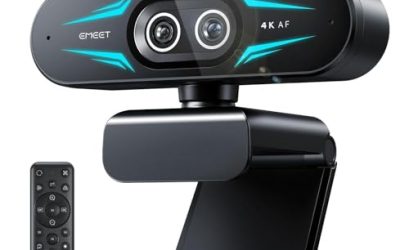
| Acer 4K Webcam | Sharp image on a stand or monitor | Sony 1/2″ sensor, PDAF, two noise reduction mics |
| Gohero Full HD 1080P | Simple desktop setups | 1080P, wide-angle lens, auto light correction |
| Insta360 Link 2 Pro | Pro streams and dim rooms | 4K PTZ, 1/1.3″ sensor, directional mics, Stream Deck support |
How to Choose
Resolution is not the whole picture
The jump from 1080P to 2K or 4K looks impressive on a spec sheet, but video-call software often compresses the stream, so the gain is smaller than the number suggests. What really changes the picture is the sensor size and the lens. A 1/2-inch sensor gathers more light than the tiny sensors in basic webcams, and the 1/1.3-inch sensor on the top Insta360 listing is larger still, which helps in a dim home office. If most of your calls happen under ordinary room light, a clean 1080P camera is enough; if you record or stream, step up to 4K and a bigger sensor.
Mac compatibility and plug-and-play
Look for the word Mac in the title, and for plug-and-play wording that signals no driver is required. Several listings say PC/Mac directly, while the AOC title mentions FaceTime compatibility and the generic 1080P units say laptop or desktop. A USB video-class camera typically works on a Mac without setup, but extra features such as auto framing or gesture control often depend on a companion app, so verify that the app supports your macOS version. Also check the connector: if your Mac has only USB-C ports, you may need an adapter or a camera with a suitable cable.
Framing, field of view, and tracking
Field of view decides how much of the room appears. An 80-degree view suits a single person at a desk, while a wider angle fits two people or a shared whiteboard. Auto framing, AI tracking, and PTZ (pan, tilt, zoom) keep you centered when you move, which helps presenters and fitness teachers. If you sit still all day, skip these premium features, because a fixed camera is simpler and rarely points the wrong way. Gesture control is nice for hands-free zoom, but it is a luxury rather than a need.
Microphones, privacy covers, and mounting
Built-in microphones on webcams range from basic to multi-mic arrays with noise reduction. Listings highlight 360-degree voice coverage, two noise-reduction mics, directional mics, or AI noise cancellation. A good array helps in an echoey room, but a dedicated external microphone still beats any webcam mic for streaming. A physical privacy cover is a low-tech safeguard that costs little and is worth having. Finally, check how the camera sits on a laptop lid or a monitor: a thin clip mount is fine for a MacBook, while a thread mount lets you place the camera on a tripod. Budget models usually cut corners on lens quality and low-light handling.
A quick way to shortlist: first decide whether you need tracking at all. If you do, the PTZ and auto framing models are the only ones that deliver it. If you do not, compare sensor size and microphone design among the fixed cameras. Then place the camera correctly, because even a premium sensor looks flat when it is mounted too low. Aim for eye level, light your face from the front with a window or lamp, and keep the background tidy. These small adjustments improve a call more than jumping from 1080P to 4K. Lastly, remember software: if you plan to use FaceTime, Zoom, or Teams, choose a listing that names those apps, since the title language is the only compatibility signal you can read before purchase.
The 8 Best Options
1080P HD Webcam with Microphone
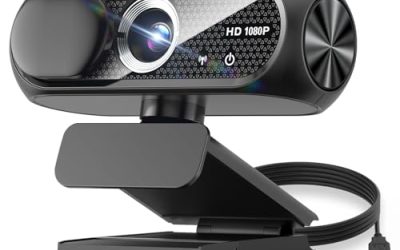
This generic 1080P webcam lists a built-in microphone with noise cancellation, a privacy cover, a wide-angle lens, auto light correction, and plug-and-play USB for laptop and desktop. It targets budget-minded video calls.
- Strength: a physical privacy cover and a built-in microphone come in a simple package.
- Strength: auto light correction can brighten faces in ordinary room light.
- Trade-off: the title does not mention Mac, so confirm compatibility on the full page.
Skip it if you need 4K, tracking, or a named brand.
Anker PowerConf C200
The C200 is a 2K webcam for PC, laptop, and Mac, with low-light correction, a conference microphone, 360-degree voice coverage, and smart voice enhancement. It is aimed at home offices and small meetings.
- Strength: Mac is named directly in the title.
- Strength: 360-degree voice coverage suits calls with more than one speaker.
- Trade-off: 2K is below the 4K options for recording or streaming.
Skip it if you want auto framing or PTZ tracking.
Insta360 Link 2C
The Link 2C offers 4K video on PC or Mac, a 1/2-inch sensor, auto framing, HDR, an AI noise-canceling microphone, and gesture control. It suits streamers and presenters who want automatic framing.
- Strength: auto framing keeps you centered without manual adjustment.
- Strength: HDR and a 1/2-inch sensor help balance bright windows and shadows.
- Trade-off: it lists auto framing but not full PTZ tracking like the Link 2.
Skip it if you only need basic calls at 1080P.
AOC 4K Webcam
This 4K webcam lists a noise-canceling microphone, an 80-degree field of view, a privacy cover, plug-and-play, and compatibility with Zoom, Skype, and FaceTime. It is a plain, straightforward 4K choice.
- Strength: FaceTime compatibility is named, which reassures Mac users.
- Strength: the 80-degree view frames a single person without too much background.
- Trade-off: the title lists no sensor size or tracking features.
Skip it if you want AI tracking or group framing.
Insta360 Link 2
The Link 2 is a PTZ 4K webcam for PC and Mac with a 1/2-inch sensor, AI tracking, HDR, an AI noise-canceling microphone, and gesture control. It is built for people who move on camera.
- Strength: AI tracking follows you as you move.
- Strength: PTZ gives real pan and tilt rather than a fixed view.
- Trade-off: advanced features are likely to rely on companion software.
Skip it if you sit still and want a simple camera.
Acer 4K Webcam
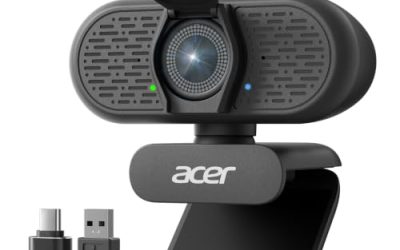
Acer’s webcam pairs a Sony 1/2-inch sensor with PDAF autofocus, two noise-reduction microphones, a privacy cover, and an all-metal unibody. It lists PC and Mac compatibility.
- Strength: phase-detection autofocus (PDAF) helps keep faces sharp.
- Strength: the metal body and named sensor suggest quality construction.
- Trade-off: the title does not list tracking or auto framing.
Skip it if you want moving-subject tracking.
Gohero Full HD 1080P
This Full HD webcam lists noise cancellation, a privacy cover, a wide-angle lens, auto light correction, and plug-and-play USB for laptop and desktop. It is another entry-level option.
- Strength: plug-and-play USB keeps setup simple.
- Strength: a wide-angle lens fits a shared desk or small room.
- Trade-off: Mac support is not stated in the title.
Skip it if you want proven Mac wording or higher resolution.
Insta360 Link 2 Pro
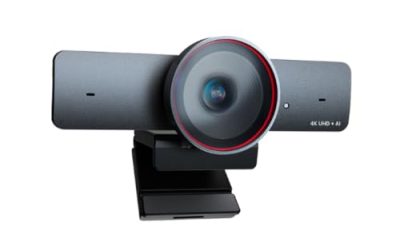
The Link 2 Pro is a 4K PTZ webcam with a 1/1.3-inch sensor, low-light handling, AI tracking, HDR, directional noise-canceling microphones, and Stream Deck support. It is the top-spec model here.
- Strength: the larger 1/1.3-inch sensor is the biggest listed, aiding dim rooms.
- Strength: Stream Deck support suits streamers who use hardware controls.
- Trade-off: it sits at the premium tier, which is more than casual callers need.
Skip it if you only join occasional video calls.
Which One Fits Your Situation
You work from a dim home office
The Insta360 Link 2 Pro is the strongest match. Its larger sensor and low-light handling are built for rooms without much window light.
You want an easy upgrade for calls on a MacBook
Choose the Anker PowerConf C200. It names Mac directly, adds a conference microphone, and keeps setup simple. The 360-degree voice coverage also helps if a colleague sits beside you during a meeting, since the microphone is designed to pick up more than one speaker.
You teach or present while moving around
Go with the Insta360 Link 2. AI tracking and PTZ keep you centered as you walk to a whiteboard or demonstrate something.
You need a very low-cost webcam with a privacy cover
The 1080P HD Webcam with Microphone covers the basics, but confirm Mac compatibility before purchase.
Common Mistakes
- Paying for 4K when calls are compressed and a good 1080P image would look the same.
- Assuming every USB webcam lists Mac support, when some titles only say laptop or desktop.
- Ignoring the USB-C port situation on a modern MacBook and forgetting an adapter.
- Relying on the webcam microphone for streaming when a separate microphone sounds better.
- Choosing PTZ and tracking features you will turn off after a week of use.
Related guides
- When I Turn On Record Game In Background On Gamebar. Gamebar Crashes, What Do I Do?
- How To Reduce Background Noise On A Streaming Microphone
- Poly Computer Accessories Company Streaming Evaluation
Frequently Asked Questions
Do webcams need drivers on a Mac?
Most USB video-class webcams work without drivers, but features like auto framing or gesture control often need a companion app. Check that the app supports your macOS version before you buy.
Is 4K worth it for video calls?
Often not, because call apps compress video. It pays off if you record, stream, or crop in post, and in 2026 many 4K cameras also improve low-light handling through bigger sensors.
What does PDAF do?
Phase-detection autofocus locks focus faster than contrast-only systems, so your face stays sharp when you lean forward. It is a useful feature for desks where you move around.
Should I use the built-in camera on my Mac instead?
For quick calls, yes. If you want better light handling, wider or tighter framing, or a physical privacy cover, an external webcam is worth the upgrade. It also lets you position the lens at eye level on a stand, which a laptop lid cannot do, and that alone makes calls look more natural.
Related guides
- Best USB Microphones for Streaming: 7 Mics Compared by Pattern and Controls: 7 Compared (2026)
- Best MTG Playmats for Card Tables and Gaming Desks: 9 Compared (2026)
- Best Mouse Skates: Twelve Sets Sorted by Mouse Fit, Material and Pad Type: 10 Compared (2026)
- Best Logitech Gaming Mice: Eight G-Series Listings Sorted by Shape and Connection: 8 Compared (2026)