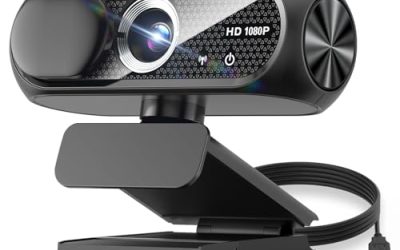
A standard webcam frames one person’s face and a slice of wall. A wide angle webcam is for the moment that is not enough: two people sharing a desk, a whiteboard behind you, a standing desk with room to pace, or a stream where the shelf of collectibles matters as much as your face. The keyword carries a clear constraint, field of view, and that single spec changes how every other feature should be judged.
This guide is for remote workers, teachers, streamers and small-room meeting hosts who are tired of cropped shoulders and cut-off colleagues. It compares seven USB webcams from the listed specs, flags where the title states a wide lens and where it does not, and explains the trade-offs so you can pick a camera for your room instead of your wish list in 2026.
Our Top Picks
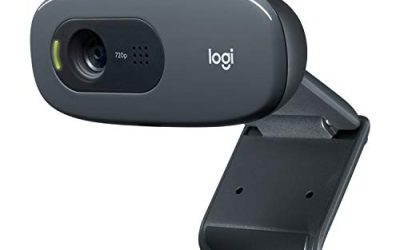
 Logitech C920x HD Pro PC Webcam Full 1080p/30fps1 Pack2.8 x 1.7 x 3.7 inches0.4 PoundsCheck on Amazon


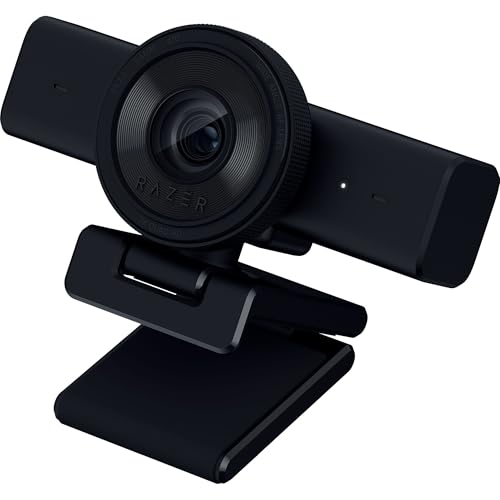

Top 3 picks at a glance
Quick Picks
As an Amazon Associate we earn from qualifying purchases at no extra cost to you.


| Product | Best for | Key spec from the title |
|---|---|---|
| EMEET C60E | Presenters who need wide and close views | Dual-camera 4K, wide-angle and telephoto, 11X hybrid zoom |
| Gohero Full HD 1080P | Basic wide framing on a tight budget | 1080P, wide-angle lens, privacy cover |
| Logitech Brio 101 | Everyday meetings with a privacy shutter | 1080p, auto-light correction, privacy shutter |
| Logitech C920x HD Pro | Proven general-purpose streaming and calls | 1080p at 30fps, light correction |
| Razer Kiyo V2 X | Streamers who want an ultrawide look | 1440p at 60 FPS, ultrawide lens, AI auto-framing |
| EMEET C960 | Small huddle rooms on a budget | 1080P, 90-degree FOV, 2 mics |
| Logitech Brio Ultra 4K | Premium 4K image with a wide view | 4K HD, glass lens, wide view |
How to Choose
Field of view is the number that matters most
Most laptop-style webcams sit around 65 to 78 degrees diagonal. For two people at one desk, look for roughly 90 degrees. For a whole small meeting table, you want 100 degrees or more, with a way to crop back in when you are alone. Be careful with titles that only say “wide-angle” without a number, because that word can describe anything from 78 to 120 degrees. If the spec sheet gives a degree figure, trust it over the adjective.
Resolution and frame rate: match them to the call, not the box
1080p at 30fps is enough for nearly every video meeting, since conferencing apps compress the stream anyway. 1440p or 4K helps when you will crop in digitally, because a wide lens spreads detail thinly. For streaming, 60 FPS gives smoother motion for gesture-heavy content. Ignore “interpolated” or “up to” resolution claims and look for the native sensor mode. Also remember that your upload speed and the meeting platform decide what the other side actually sees, so a higher resolution camera only pays off when the rest of the chain can carry it.
Focus, light handling and microphones
A fixed-focus lens is fine at desk distance but struggles if you lean back or hold objects close. Autofocus, such as the phase-detection type, helps for demonstrations. Auto light correction matters in rooms with one window or a single lamp. Built-in mics are a convenience feature; a pair of mics beats one, but anyone recording seriously should plan on a separate microphone regardless.
Where budget models cut corners
Cheaper wide lenses often distort the edges, so doorframes and shelves look bent. Software features such as auto-framing and background effects may need a companion app on Windows or macOS. Check the cable and port: USB-A is universal, but newer laptops may need an adapter. A physical privacy cover or shutter costs the maker almost nothing, so its presence is not a sign of overall quality.
The 7 Best Options
EMEET C60E
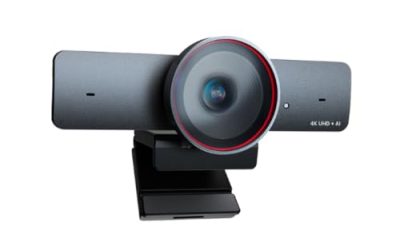
The title describes a dual-camera 4K webcam with a wide-angle lens, a telephoto lens, up to 11X hybrid zoom, PDAF autofocus, a remote control, RGB lighting and two mics. That makes it the most flexible listing here for people who switch between showing a whole room and filling the frame with a face or a product.
- Strength: two lenses let you switch between a wide scene and a tighter view without moving the camera.
- Strength: phase-detection autofocus and a remote control suit demos and presentations.
- Trade-off: the feature list is long, and the RGB lighting and remote add complexity you may never use.
Skip it if you only need a simple plug-and-play camera for daily stand-ups. Pick it if you present to groups or record product walkthroughs.
Gohero Full HD 1080P
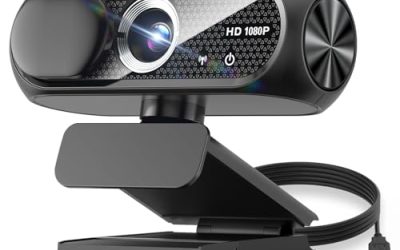
This listing leads with Full HD 1080P video, noise cancellation, a privacy cover, a wide-angle lens, auto light correction and plug-and-play USB for laptops and desktops. It speaks to buyers who want the wide-angle label without paying for 4K sensors they will not use in a video call.
- Strength: a privacy cover is built in, which suits shared offices and bedrooms.
- Strength: auto light correction helps in dim rooms without extra lighting gear.
- Trade-off: the title gives no degree figure for the wide lens, so you cannot compare its field of view with the others.
Skip it if your framing needs are precise, such as fitting three people into one shot. It fits solo callers who want a little extra background in frame.
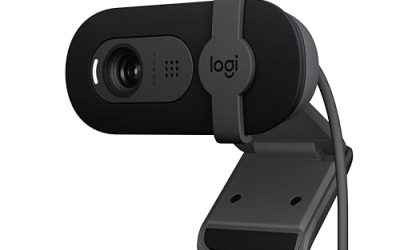
Logitech Brio 101
The title lists Full HD 1080p, auto-light correction, a built-in mic, a privacy shutter and a USB-A connection, aimed at streaming and meetings. It is a straightforward, name-brand option for people who want fewer settings to manage and a shutter they can close between calls.
- Strength: the privacy shutter gives a clear, physical off state.
- Strength: auto-light correction keeps faces readable as daylight changes.
- Trade-off: the title does not state a wide field of view, so confirm the angle on the spec sheet before buying for group shots.
Skip it if wide framing is the main goal and you need to fit several people or a whole wall into the shot. It fits a home office where the priority is reliable everyday video, with a mic built in and a cover you can close the moment a call ends.
Logitech C920x HD Pro
This one is listed as a full 1080p webcam at 30fps with light correction and clear audio, working with Teams, Meet, Zoom and even Nintendo Switch. Its appeal is broad compatibility and a long-familiar format, which matters in workplaces that standardize on one model.
- Strength: the stated compatibility list covers the common meeting apps and one console.
- Strength: 1080p at 30fps is a sensible target for calls and casual streaming.
- Trade-off: the title says nothing about a wide lens, so it may frame tighter than the other picks.
Skip it if you need to fit more than one person in view. It is a safe pick for buyers who want a known quantity and plan to crop back in anyway.
Razer Kiyo V2 X
The title highlights 1440p at 60 FPS, AI-powered auto-framing, a built-in mic, an ultrawide angle lens and a privacy cover. That combination points at streamers and creators who move around and want the camera to follow them rather than fixing a static frame.
- Strength: 1440p at 60 FPS is a step above standard 1080p for streaming motion.
- Strength: an ultrawide lens plus auto-framing can keep you centered as you move.
- Trade-off: auto-framing is software-driven, so results depend on the app and the lighting in your room.
Skip it if you want zero software involvement or a perfectly static frame that never reacts to your movement. It fits desk streamers and creators who like a roomy, dynamic shot, and who want higher resolution and frame rate than a standard meeting camera provides.
EMEET C960
Here the title is explicit: 1080P, two mics, a 90-degree FOV, USB Type-A with an A-to-C adapter, fixed focus and plug-and-play use with Zoom, Teams and FaceTime. A stated angle is rare among budget listings, which makes this one easy to evaluate.
- Strength: a 90-degree field of view is enough for two people sitting side by side.
- Strength: the included A-to-C adapter covers newer laptops with only USB-C ports.
- Trade-off: fixed focus means objects held close to the lens can look soft.
Skip it if you demonstrate hardware on camera or hold documents close to the lens. It fits small teams and teachers who want a defined wide view at an entry-level tier, along with a pair of mics for a modest meeting room.
Logitech Brio Ultra 4K
This listing pairs Ultra HD 4K video with a glass lens, auto light correction and a wide view for streaming and meetings. It sits at the premium end of the group and targets buyers who crop into a wide frame and still want sharp detail.
- Strength: 4K resolution leaves room to crop digitally without turning the picture soft.
- Strength: a glass lens and light correction are aimed at cleaner color in mixed lighting.
- Trade-off: the title does not give a field-of-view figure, and a 4K camera asks more of your USB port and software.
Skip it if you only ever join 1080p calls or run an older laptop with limited USB bandwidth. It fits professionals who record content as well as attend meetings, and who want a premium image with a wide view and room to crop afterward.
Which One Fits Your Situation
Two people at one desk
The EMEET C960 states a 90-degree field of view, which is the practical minimum for two shoulders in frame. It is also the easiest to justify on a modest budget, and the included USB-C adapter means it will plug into a slim laptop without a dongle. Teachers running a small classroom lesson will find the same width useful for showing a desk or a short demonstration table.
A presenter who moves around
The Razer Kiyo V2 X pairs an ultrawide lens with auto-framing and 60 FPS, which suits someone who stands, gestures or paces during a talk.
Demos, product shots and whiteboards
The EMEET C60E gives both a wide view and a telephoto view, so you can show the room, then zoom to a product or a page without moving the camera.
A shared office with privacy rules
The Logitech Brio 101 offers a physical shutter and familiar behavior, which keeps IT teams and cautious users comfortable. If you want a premium picture instead, step up to the Logitech Brio Ultra 4K.
Common Mistakes
- Trusting the word “wide-angle” without a degree figure on the spec sheet.
- Paying for 4K when your meeting app only sends 720p or 1080p.
- Mounting the camera too low, which makes a wide lens exaggerate your chin and the ceiling.
- Ignoring the cable length and port type, then discovering the monitor clip does not reach your seat.
- Expecting auto-framing to work well in a dark room with a busy background.
Related guides
- When I Turn On Record Game In Background On Gamebar. Gamebar Crashes, What Do I Do?
- How To Reduce Background Noise On A Streaming Microphone
- Poly Computer Accessories Company Streaming Evaluation
Frequently Asked Questions
How wide is wide enough for a webcam?
About 90 degrees works for two people at a desk. For a small conference table, aim for 100 degrees or more, and make sure the software lets you narrow the view when you are alone.
Does a wider lens hurt image quality?
It can. A wide lens spreads the same pixels over more of the scene, and the edges may stretch or soften. Higher native resolution and decent optics reduce the effect.
Do I need 4K for video calls?
Rarely. Calls usually run at 1080p or lower after compression. 4K is useful if you record content or crop into a wide frame afterward.
Are privacy covers worth having?
Yes, as a simple habit. A cover or shutter makes it obvious when the lens is blocked, and it costs nothing in picture quality.