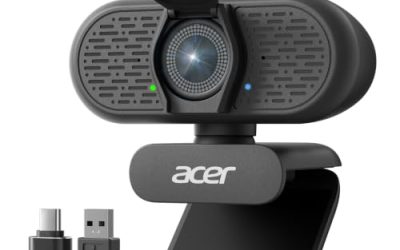
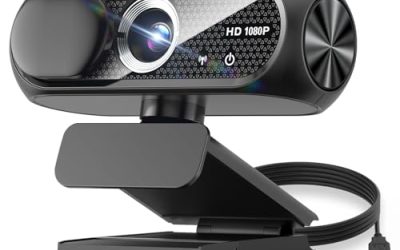
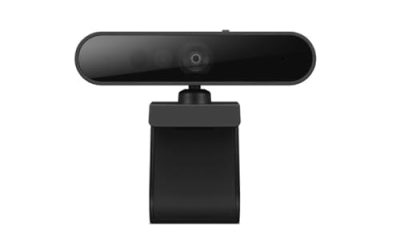
Searching for a USB 3.0 webcam usually means one of two things: you have a blue port free and want to use it, or you have run into a choppy, compressed picture on an older camera and suspect the connection is to blame. Both are reasonable hunches, but the interface is only part of the story. Frame rate, sensor quality, microphone, and mounting matter more for how a camera behaves on a call, and the USB version only becomes the bottleneck at high resolutions and frame rates.
This guide is for buyers who want a plug-and-play webcam for meetings, streaming, or gaming and who would like to understand where USB 3.0 really helps. One honest caution up front: the product titles in this group mention USB or USB-A, and none of them spells out a USB 3.0 interface. So the comparisons below stick to what the titles do state, and the article flags what to verify on the spec sheet. Going into 2026, 1080p remains the practical standard for everyday webcams, which keeps the field easy to compare.
Our Top Picks
 Logitech C920x HD Pro PC Webcam Full 1080p/30fps1 Pack2.8 x 1.7 x 3.7 inches0.4 PoundsCheck on Amazon


Top 3 picks at a glance
Quick Picks
As an Amazon Associate we earn from qualifying purchases at no extra cost to you.


| Product | Best for | Key spec from the title |
|---|---|---|
| Logitech Brio 101 | Meetings with a privacy shutter | 1080p, auto-light correction, mic, privacy shutter, USB-A |
| Gohero Full HD | Noise-conscious home offices | 1080p, noise cancellation, wide-angle lens, privacy cover |
| NIVEOLI 1080P | Calls and light streaming | 1080p, mic, privacy cover, auto light correction |
| Logitech C920x | Well-known streaming standby | 1080p at 30fps, light correction, console and app support |
| NexiGo N60 | Adjustable software control | 1080p, mic, software control, privacy cover |
| AIRHUG 3 in 1 | Classes and conferencing | 1080p, built-in microphone and speaker, privacy cover |
| Tewiky Full HD | Flexible desk placement | 1080p, wide angle, rotatable tripod, built-in mic |
| SVPRO High Speed USB Camera | Motion capture and tinkering | 1080p at 120fps, 12MP, manual zoom lens, UVC |
How to Choose
Know when USB 3.0 actually matters
Standard 1080p at 30 frames per second fits comfortably through a USB 2.0 connection because the camera compresses the video before sending it. USB 3.0 pays off for uncompressed streams, 4K output, and high frame rates such as 60fps and above. If you want one of the faster cameras, check the spec sheet for the USB version, and plug it into a blue or SS-marked port.
Read the resolution and frame rate together
A 1080p label with 30fps is enough for calls and most streaming. Higher frame rates make motion smoother for gaming content but demand more light. The high-speed camera in this group lists 120fps, which suits capturing quick movement more than ordinary meetings.
Look past the microphone claims
Built-in mics are fine for calls in a quiet room, but they pick up keyboard noise and echo. Features such as noise cancellation help, though a separate headset or desk mic still beats any webcam microphone for streaming. A built-in speaker, as on one listed model, is a convenience for classes and nothing more.
Check privacy, mounting, and software
A physical privacy cover or shutter is cheap insurance and appears on most of the listed cameras. A rotatable tripod base helps with monitors that have curved or thin tops. Plug-and-play models work without drivers, while models with software control let you adjust exposure and white balance. Ignore megapixel claims that exceed what the sensor and lens can actually resolve, because a 12MP number on a small sensor does not guarantee a sharper picture on a video call.
The 8 Best Options
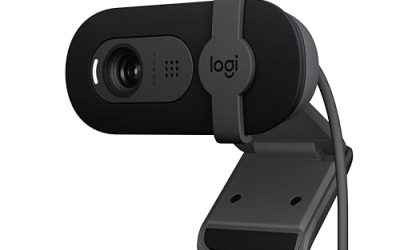
Logitech Brio 101
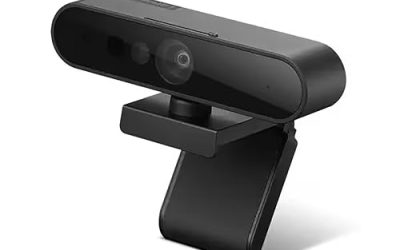
The title lists 1080p, auto-light correction, a built-in mic, a privacy shutter, and a USB-A connection, aimed at streaming and meetings. It is a straightforward pick for someone who wants a recognizable brand and a physical shutter without extra complexity. The auto-light feature is meant to keep faces visible in dim rooms, which helps in typical home offices where a window sits behind the monitor. A USB-A plug also means no adapter is needed for most desktop towers and older laptops, so the camera works straight out of the box.
- Strength: built-in privacy shutter and auto-light correction.
- Strength: a familiar brand name keeps support and compatibility questions simple.
- Trade-off: the title does not state a 60fps mode, so it targets standard video.
Skip it if you want a high frame rate or manual optical zoom.
Gohero Full HD
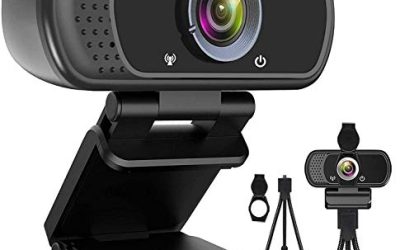
This 1080p webcam lists noise cancellation, a privacy cover, a wide-angle lens, auto light correction, and plug-and-play USB for laptops and desktops. The wide-angle lens helps when more than one person sits in the frame or when your desk is cramped. For remote workers who need a quiet, simple camera that works the moment it is plugged in, the feature list is well matched. Teachers filming at a whiteboard or families sharing one screen will also like the extra horizontal coverage.
- Strength: wide-angle lens fits shared frames and tight desks.
- Strength: noise cancellation addresses the typical home-office hum.
- Trade-off: a lesser-known brand means fewer software extras.
Skip it if you prefer a name brand with extensive support pages.
NIVEOLI 1080P
A 1080p camera with a microphone, privacy cover, and auto light correction, and the title mentions video calls and live streaming. It sits in the budget tier and targets people who need a competent upgrade over a laptop camera without chasing specialist features. The plug-and-play description keeps setup short, which suits students and anyone who dislikes installing drivers just to join a call.
- Strength: auto light correction helps in mixed lighting.
- Strength: privacy cover and mic included in a basic package.
- Trade-off: no frame rate or lens details appear in the title, so you must verify them.
Skip it if you need detailed specs before committing.
Logitech C920x
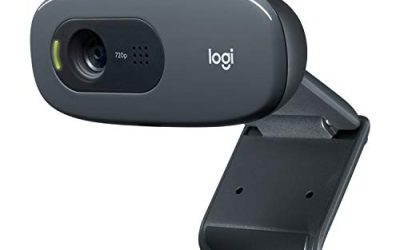
The title says Full 1080p at 30fps, clear audio, and light correction, with support for Teams, Meet, Zoom, and Nintendo Switch. It remains a reference point for a basic streaming webcam because it keeps to proven, straightforward features rather than novelty extras. The mention of console support makes it useful for streamers on more than a PC. Because it has been around for years, buyers also find a lot of community advice on mounting and settings.
- Strength: stated compatibility with major meeting apps and the Switch.
- Strength: clear audio and light correction are both named.
- Trade-off: the title lists no privacy cover, so you may need a clip-on one.
Skip it if a built-in shutter is a must-have.
NexiGo N60
A 1080p webcam with a mic, software control, and a privacy cover, positioned for Zoom, Skype, and Teams. The software control is the differentiator: you can change image settings instead of living with defaults. That helps in rooms with awkward lighting, where a few manual tweaks can make the picture look much cleaner. Streamers who match their webcam to the color of a key light will find that control more valuable than any resolution bump.
- Strength: software control allows manual image adjustment.
- Strength: plug-and-play use with major conferencing apps.
- Trade-off: software control means a download and some setup time.
Skip it if you want a camera that needs absolutely no configuration.
AIRHUG 3 in 1
This 1080p unit adds a built-in microphone and speaker with a privacy cover, for conferencing, online classes, and gaming live streams. The integrated speaker makes it a handy all-in-one for kids doing remote learning or for small-room meetings without a separate set of speakers. It is also a reasonable choice for a shared family computer where cables and gear tend to disappear.
- Strength: camera, mic, and speaker in one device.
- Strength: built-in privacy cover included.
- Trade-off: a built-in speaker is rarely as good as dedicated desktop audio.
Skip it if you already own good speakers or a headset.
Tewiky Full HD
A 1080p webcam with a wide-angle lens, built-in microphone, privacy cover, and a rotatable tripod. The tripod base is the point here: it lets you set the camera on a shelf, a stack of books, or a monitor edge. For people who move between a desk and a standing setup, that flexibility is worth noting. The wide-angle lens complements the stand by capturing more of the room when you step back from the desk.
- Strength: rotatable tripod adds placement options.
- Strength: wide-angle lens and mic in one package.
- Trade-off: a tripod base takes more space on a crowded desk.
Skip it if you prefer a clip that sits flat on a monitor.
SVPRO High Speed USB Camera
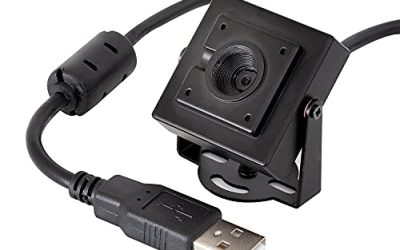
The odd one in the group and the one most suited to the USB 3.0 conversation. The title lists 1080p at 120fps, 12MP, a 3.6-10mm manual zoom lens, and UVC plug-and-play, and it mentions golf swing capture. It is for analyzing motion, not for polished calls. Coaches, hobbyists, and makers who want to slow down a swing or a moving part are the intended audience, and the manual zoom lets them frame the action from a fixed position.
- Strength: a 120fps mode captures fast motion that standard webcams miss.
- Strength: manual zoom lens allows framing control.
- Trade-off: it is a specialist tool and lacks conferencing extras such as a privacy cover in the title.
Skip it if you only want a webcam for video calls.
Which One Fits Your Situation
You attend meetings all day
The Logitech Brio 101 gives you a shutter and light correction in a simple package, ideal for daily calls.
You stream games from a PC or console
The Logitech C920x lists console support and 1080p at 30fps, which suits a straightforward streaming setup.
You need a camera for kids or classes
The AIRHUG 3 in 1 includes a speaker and mic, which reduces the pile of peripherals on a study desk.
You want to capture fast motion
The SVPRO High Speed USB Camera is the only listed option with a 120fps mode, and it is the one where a USB 3.0 port is worth confirming.
Common Mistakes
- Assuming every USB webcam uses a USB 3.0 connection without checking the spec sheet.
- Paying for 4K when the video app or the connection limits you to 1080p.
- Counting on the built-in microphone for streaming instead of using a headset.
- Forgetting the privacy cover, then taping over the lens with something sticky.
- Plugging the camera into a front-panel hub that shares bandwidth with other devices.
Related guides
- When I Turn On Record Game In Background On Gamebar. Gamebar Crashes, What Do I Do?
- How To Reduce Background Noise On A Streaming Microphone
- Poly Computer Accessories Company Streaming Evaluation
Frequently Asked Questions
Do I need USB 3.0 for a 1080p webcam?
Usually not for standard 30fps video. The camera compresses the stream, which USB 2.0 can carry. USB 3.0 helps with high frame rates or uncompressed output.
How can I tell if a webcam is USB 3.0?
Check the spec sheet or packaging for a USB 3.0 or SuperSpeed label. On your computer, a blue port or a port marked SS usually indicates USB 3.0.
Is a 120fps webcam good for video calls?
Meeting software typically caps frame rate, so you will not see the benefit in calls. It is better for motion analysis and recording.
Are cheaper webcams good enough?
For everyday calls, yes. Budget cameras handle 1080p video fine when the room is well lit, and the differences show up mainly in dim light.