Start from the workload, not the price: streaming and recording on one machine means a game, an encoder, a recording writer and usually a browser all competing for the same CPU cores, RAM and drive. Among the ten prebuilt desktops here, the RTX 5070 Ti configurations with 32GB of memory and an X3D processor give the most room, the RTX 5070 systems are the sensible middle, and the one RTX 5060 Ti listing with 16GB is the tightest fit. Nobody on the team used or measured these units; everything below comes from listing titles, published specifications, manufacturer documentation and buyer reviews.
Our Top Picks
Quick comparison

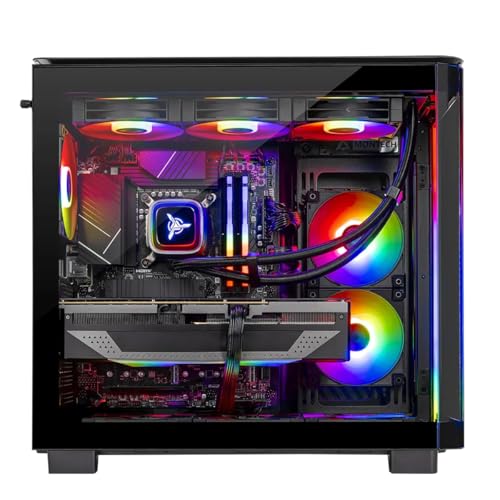
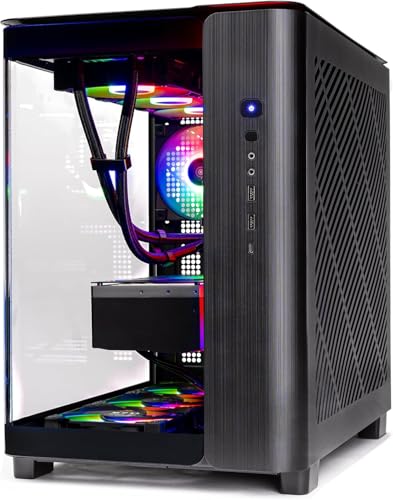
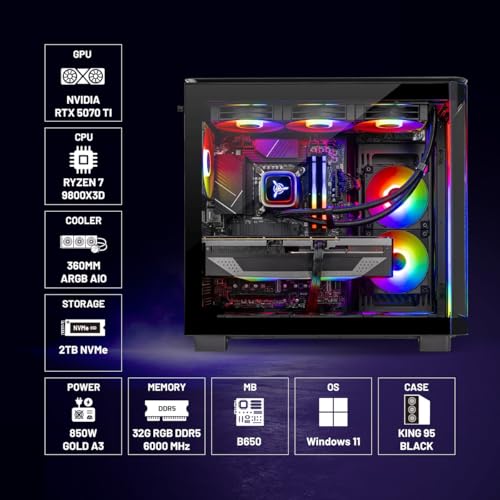
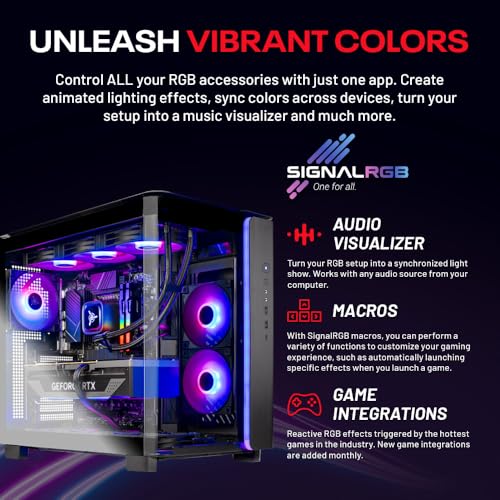
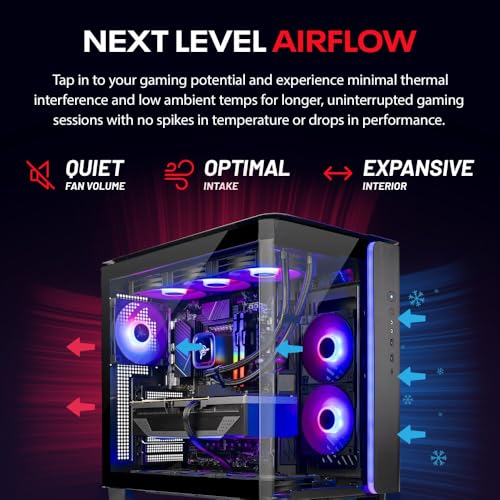
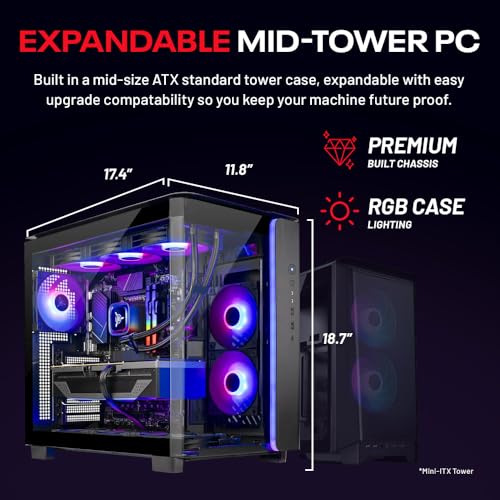
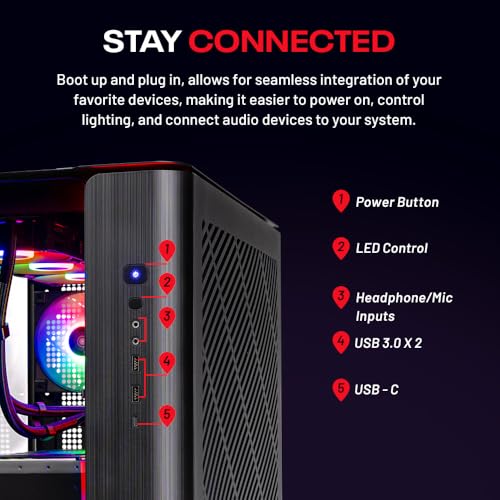
Skytech Gaming PC Desktop, Ryzen 7 9800X3D, RTX 5070 Ti, 32GB RAM, 2TB SSD | Windows 11, Gen4 NVMe SSD, DDR5 6000, 850W GOLD ATX 3 PSU, 360 ARGB AIO , Wi-Fi 5, King 95 Series


As an Amazon Associate we earn from qualifying purchases. Product prices and availability are accurate as of the date/time indicated.

GIGABYTE AORUS Prime 5 Gaming Desktop PC, AMD Ryzen 7 9700X, RTX 5070, 32GB DDR5, 1TB PCIe 4.0 SSD, Windows 11, Black


As an Amazon Associate we earn from qualifying purchases. Product prices and availability are accurate as of the date/time indicated.
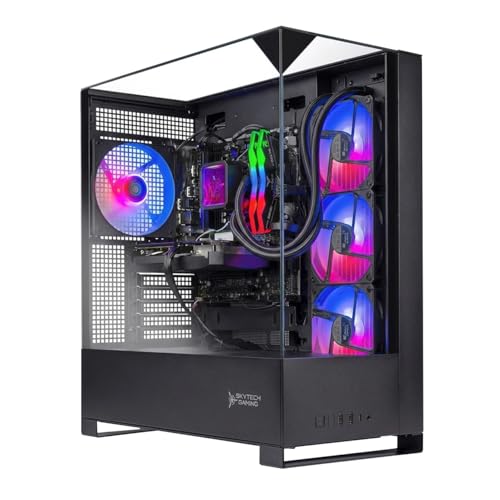
Skytech Gaming PC Shadow 5, Ryzen 7, RTX 5070, 32GB RAM, 1TB SSD | Windows 11, AMD 7700, NVIDIA 5070, NVMe SSD, DDR5 6000, 750W GOLD PSU, 360 ARGB AIO , Wi-Fi 5, Desktop


As an Amazon Associate we earn from qualifying purchases. Product prices and availability are accurate as of the date/time indicated.

msi Codex Z2 Gaming Desktop, AMD R7-8700F, RTX 5070, 32GB DDR5, 2TB SSD | NVIDIA GeForce RTX 5070, USB Type-C, VR-Ready, Windows 11 Home. Model A8NVP-436US


As an Amazon Associate we earn from qualifying purchases. Product prices and availability are accurate as of the date/time indicated.

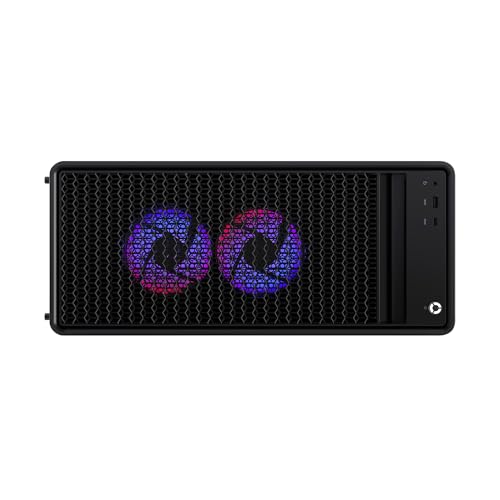
Lenovo Legion Tower 5-2026 - Gaming Desktop - NVIDIA GeForce RTX 5070 - Ryzen 7 7800X3D - 32GB Memory - 1TB Storage - Windows 11 Home - Eclipse Black - Free 3 Months PC Game Pass




As an Amazon Associate we earn from qualifying purchases. Product prices and availability are accurate as of the date/time indicated.

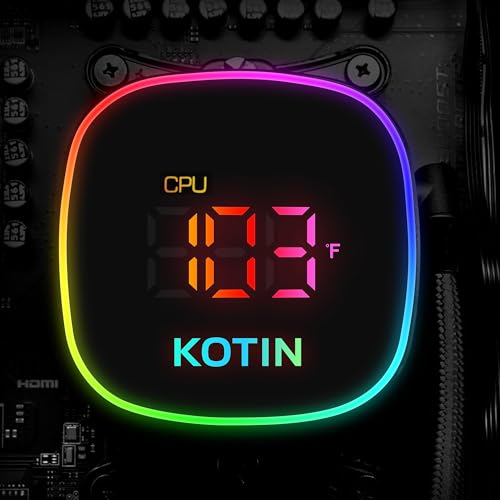
KOTIN Gaming PC Desktop, Ryzen 7 9800X3D, RTX 5070 12GB, 32GB DDR5, 1TB SSD | 11.3" Smart Display, 360mm Liquid Cooler, WiFi 7, 850W 80+ Gold PSU, Windows 11 ARGB Lighting Gaming Computer 1440 4K


As an Amazon Associate we earn from qualifying purchases. Product prices and availability are accurate as of the date/time indicated.

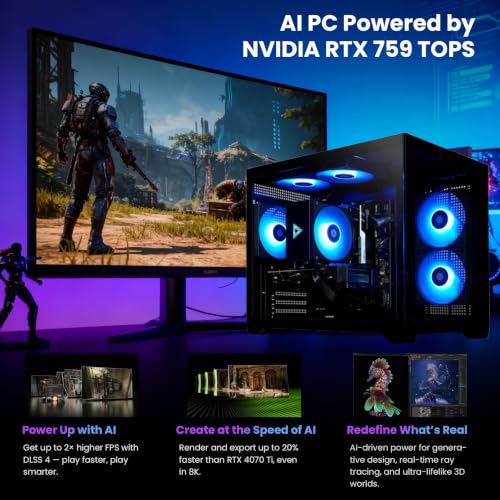
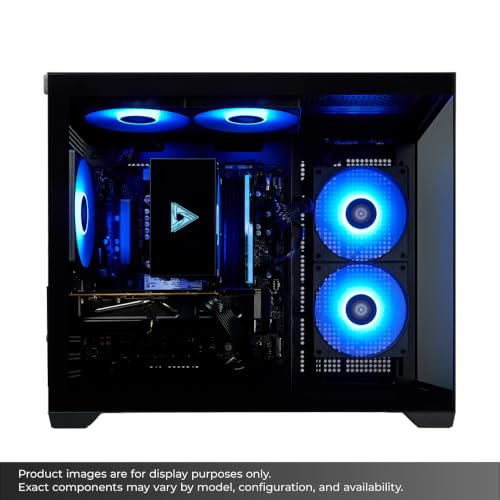
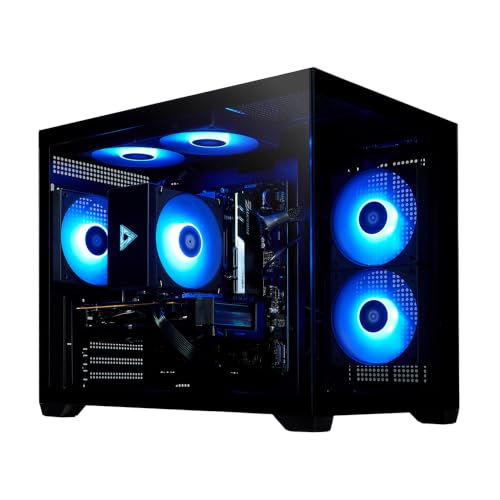
STORMCRAFT Sirius Gaming PC Ryzen 7 8700F RTX 5060Ti 8G, 16GB DDR5 1TB SSD | AMD R7 5.0GHz CPU,GDDR7 VGA,RGB 6000MHz DRAM,NVMe 4 SSD,B650 Chipset,650W Gold PSU,USB C WiFi Prebuilt Tower Computers





As an Amazon Associate we earn from qualifying purchases. Product prices and availability are accurate as of the date/time indicated.

Skytech Gaming PC Harpy, Ryzen 7, RTX 5070, 32GB RAM, 1TB SSD | Windows 11, AMD 9700X, NVIDIA 5070, Gen4 NVMe SSD, DDR5 6000, 850W GOLD ATX 3 PSU, 360 ARGB AIO , Wi-Fi 5


As an Amazon Associate we earn from qualifying purchases. Product prices and availability are accurate as of the date/time indicated.

Skytech Gaming PC Desktop, Ryzen 7 9850X3D, RTX 5070 Ti, 32GB RAM, 1TB SSD | Windows 11, Gen4 NVMe SSD, DDR5 6000, 850W GOLD ATX 3 PSU, 360 ARGB AIO , Wi-Fi 5, King 95 Series


As an Amazon Associate we earn from qualifying purchases. Product prices and availability are accurate as of the date/time indicated.

Skytech Gaming PC Azure 3, Ryzen 7, RTX 5070, 32GB RAM, 1TB SSD | | Windows 11, AMD 7700, NVIDIA 5070, Gen4 NVMe SSD, DDR5 6000, 850W GOLD ATX 3 PSU, Wi-Fi 5, Desktop


As an Amazon Associate we earn from qualifying purchases. Product prices and availability are accurate as of the date/time indicated.
| System (from the title) | Core parts named in the title | Price tier | Streaming fit |
|---|---|---|---|
| Skytech King 95, 2TB | Ryzen 7 9800X3D, RTX 5070 Ti, 32GB, 2TB, 850W Gold | Premium | Best headroom |
| Skytech King 95, 1TB | Ryzen 7 9850X3D, RTX 5070 Ti, 32GB, 1TB, 850W Gold | Premium | Strong, little storage |
| Lenovo Legion Tower 5 | Ryzen 7 7800X3D, RTX 5070, 32GB, 1TB | Mid-range | Strong, brand support |
| KOTIN with smart display | Ryzen 7 9800X3D, RTX 5070 12GB, 32GB, 1TB, WiFi 7 | Mid-range | Strong, unknown brand |
| Skytech Harpy | Ryzen 9700X, RTX 5070, 32GB, 1TB, 850W Gold, 360 AIO | Mid-range | Good |
| GIGABYTE AORUS Prime 5 | Ryzen 7 9700X, RTX 5070, 32GB, 1TB | Mid-range | Good |
| MSI Codex Z2 | R7-8700F, RTX 5070, 32GB, 2TB, USB Type-C | Mid-range | Good, roomy storage |
| Skytech Shadow 5 | Ryzen 7 7700, RTX 5070, 32GB, 1TB, 750W Gold | Mid-range | Good |
| Skytech Azure 3 | Ryzen 7 7700, RTX 5070, 32GB, 1TB, 850W Gold | Budget to mid | Good, no AIO named |
| STORMCRAFT Sirius | R7 8700F, RTX 5060 Ti 8G, 16GB, 1TB, 650W Gold | Budget | Tightest |
What a single streaming PC is asked to do
When you stream from the same computer you play on, the work splits roughly four ways. The game draws frames on the GPU. The encoder, usually the GPU’s built-in hardware block, compresses them. OBS composites overlays, webcam and audio on the CPU and GPU. And the recording, if you keep a local copy, writes a continuous stream to storage. Each step is light alone and demanding together.
Modern NVIDIA cards put encoding on a dedicated block, so the cost to game performance is usually small. The exact encoder generation and codec support, including AV1, vary by card and by streaming service, so check NVIDIA’s specification pages and your platform’s accepted formats rather than assuming. The CPU matters mainly for the game itself, for software-encoded scenes, and for browser sources.
That is why this guide leans on four things: GPU tier, 32GB of memory, a CPU with enough cores for the game plus overlays, and fast NVMe storage with spare room. Wi-Fi 5 appearing in several titles is a reminder to use Ethernet rather than count on wireless.
How the ten were picked
The list is built from type-matching listings: every entry is a complete prebuilt gaming desktop, not a part or a laptop. Ranking leans on what each title actually states about CPU, GPU, RAM, storage, power supply and cooling. Where a title uses marketing wording or leaves out a spec, the entry says so and points you to the maker’s spec page.
The systems, one at a time
Skytech Gaming King 95 with Ryzen 7 9800X3D, RTX 5070 Ti and 2TB
The top configuration here pairs an X3D processor with an RTX 5070 Ti, 32GB of DDR5-6000, a 2TB Gen 4 NVMe SSD, an 850W Gold ATX 3 power supply and a 360mm liquid cooler. For a streamer that is a complete answer to the usual question of whether the PC will stay stable when the game, encoder and overlays all run at once. The 360 AIO and the generous power supply suggest the thermals and power were sized for sustained load.
The 2TB drive also matters: one partition for games, one folder for fresh recordings, and still room to spare. The listing names Wi-Fi 5, so plan on a network cable.
A sensible way to use it is to dedicate the second half of the drive to a capture folder, keep the encoder on the GPU, and leave the CPU free for the game and scene collection. Streamers who also edit vertical clips afterwards will appreciate that the same machine can render them without a second computer.
- Pros: strong CPU and GPU pairing; 2TB of fast storage; large power supply with headroom.
- Cons: premium tier; Wi-Fi 5 is dated; single-drive layout unless the board has a spare M.2 slot.
Best for: streamers who want one machine to carry gaming, recording and editing without compromise.
Skytech Gaming King 95 with Ryzen 7 9850X3D, RTX 5070 Ti and 1TB
This sibling listing swaps in a 9850X3D processor and halves the storage to 1TB, keeping the 5070 Ti, 32GB, 850W Gold PSU and 360 ARGB AIO. Everything that matters for live production is preserved, so the choice between the two King 95 entries is mostly about storage and the processor model named in each title.
For recording-heavy use, the 1TB is the weak point: a library of games and a day of raw footage will crowd it, and 50 Mbps footage adds up quickly, as the calculator below shows. If you add a second NVMe drive or an external SSD, the system becomes nearly equivalent to its 2TB sibling. Compare prices before assuming the newer chip is worth extra.
Check the exact processor name in the listing against the other King 95 entry before paying a premium: the two titles name different X3D parts, and buyer reviews are the best place to see whether the difference shows up in the games you play. Everything else in the chassis, from the AIO to the power supply, reads the same.
- Pros: same platform and cooling as the 2TB version; latest-named X3D chip; 32GB RAM.
- Cons: 1TB fills fast; same Wi-Fi 5; close to its sibling, so it is a value decision.
Best for: buyers who already own spare storage and want the newer processor name.
Lenovo Legion Tower 5 with Ryzen 7 7800X3D and RTX 5070
Lenovo’s tower lists a 7800X3D, RTX 5070, 32GB of memory, 1TB of storage, Windows 11 Home and three months of PC Game Pass. The processor is an older-generation X3D part but still a strong gaming chip, and the brand background gives you a recognisable support route, which smaller prebuilt makers may not match.
The title leaves out the power supply wattage and the cooler type, so confirm both on Lenovo’s page, especially if you plan to add a capture device, extra drives or a second GPU later. For a streamer running a single PC, the RTX 5070 handles the encoding load, while the X3D chip leaves headroom for overlays and a browser.
Because this is a branded tower, it is worth reading the maker’s page for the front port layout and the motherboard’s spare M.2 slots. Lenovo’s designs tend to prioritise a tidy, quiet case over upgrade freedom, which can suit a streamer who wants a clean desk but may frustrate someone who wants to swap parts.
- Pros: established brand; strong gaming CPU; Game Pass trial included.
- Cons: PSU and cooler not named; 1TB only; proprietary parts can limit upgrades.
Best for: buyers who value a known brand and simple warranty handling.
KOTIN Gaming PC with Ryzen 7 9800X3D, RTX 5070 and a smart display
KOTIN’s listing is full of features: a 9800X3D, an RTX 5070 with 12GB, 32GB of DDR5, 1TB of SSD space, a 360mm liquid cooler, WiFi 7, an 850W 80+ Gold power supply and an 11.3-inch smart display on the case. That display can show temperatures or clocks, which some streamers like as a status panel.
It is also an unfamiliar brand, and the title ends with “1440 4K”, which reads as marketing rather than a verified claim. Treat resolution promises as seller wording, and read the warranty and return terms with care. WiFi 7 is the best wireless standard in this set, but a cable remains the right choice for a live stream.
Ask the seller for the motherboard model and the case fan layout, since the title gives neither, and look for a warranty that covers shipping both ways. The smart display is a novelty rather than a streaming feature, so judge the machine on the processor, GPU and power supply that surround it.
- Pros: strong CPU; WiFi 7; 850W Gold PSU and 360mm cooler named; status display.
- Cons: less established seller; vague resolution claim; 1TB storage only.
Best for: buyers who want the 9800X3D at a mid-range tier and are comfortable vetting a smaller brand.
Skytech Gaming Harpy with Ryzen 9700X, RTX 5070 and 850W Gold PSU
The Harpy lists an AMD 9700X, RTX 5070, 32GB of DDR5-6000, a Gen 4 NVMe SSD of 1TB, an 850W Gold ATX 3 power supply, a 360 ARGB AIO and Wi-Fi 5. The processor is a non-X3D eight-core part, which suits streaming workloads that lean on the CPU more than a pure gaming rig would.
An eight-core chip with a 360mm cooler is a balanced combination for software overlays, a browser and OBS scenes. Gaming frame rates may trail X3D siblings in titles that love cache, which matters less when the GPU is the limit at higher resolutions. The 850W supply gives plenty of room for added drives.
One practical angle is background load. A streamer running a chat overlay, music player, browser alerts and a game launcher at once gets more from eight efficient cores than from raw cache, and the 360mm cooler named in the title should help keep that sustained mix steady rather than only a short burst.
- Pros: balanced CPU for mixed workloads; 850W PSU; 360mm AIO.
- Cons: 1TB storage; Wi-Fi 5; gaming-focused X3D models may do better in cache-heavy titles.
Best for: streamers who edit or run extra apps alongside the game.
GIGABYTE AORUS Prime 5 with Ryzen 7 9700X and RTX 5070
GIGABYTE’s entry is the briefest in the set: Ryzen 7 9700X, RTX 5070, 32GB of DDR5, a 1TB PCIe 4.0 SSD and Windows 11, in a black case. The title says nothing about power supply, cooling or Wi-Fi, which are the items a streamer most needs to confirm.
The positives are the brand’s board expertise and the same strong CPU and GPU pair as other mid-range entries. What you cannot tell from the title is the airflow design, the number of front USB ports, and whether there is a second M.2 slot free. Those are the details that decide whether the PC feels pleasant to stream on, so read the manual or product page before committing.
Before ordering, list the ports you need: webcam, microphone or audio interface, capture dongle, stream deck and an external SSD. Count them against the front and rear panel on the maker’s page, because a streamer runs out of USB sockets faster than a normal gamer, and a hub on a noisy desk is an avoidable annoyance.
- Pros: well-known board brand; 32GB DDR5; sensible mid-range CPU and GPU.
- Cons: PSU and cooler not stated; 1TB drive; fewer specs shown in the title.
Best for: buyers who prefer a major motherboard maker and will check the remaining specs.
msi Codex Z2 with R7-8700F, RTX 5070 and 2TB SSD
MSI’s Codex Z2 lists an AMD R7-8700F, an RTX 5070, 32GB of DDR5, a 2TB SSD, USB Type-C, VR readiness and the model number A8NVP-436US. The 2TB drive makes it the best value for storage among the RTX 5070 systems, and the model number lets you pull the exact spec sheet.
The 8700F is a capable mid-range processor, but it is a notch below the X3D chips for gaming. For streaming it is adequate when the GPU encoder does the video work. Look for the power supply, cooler type and USB port count on MSI’s page, since the title leaves these out. A front Type-C port is useful for fast external SSDs.
The 2TB drive and USB Type-C front I/O make it comfortable for a creator who moves large files, though you should confirm whether the Type-C port is on the front panel. Plan an extra external SSD for long-term archives so the internal drive stays reserved for games and the current week of footage.
- Pros: 2TB of storage; model number for easy checking; USB Type-C named.
- Cons: a weaker CPU tier than the X3D machines; PSU and cooler not stated.
Best for: recording-heavy creators on a budget who need space for footage.
Skytech Gaming Shadow 5 with Ryzen 7 7700, RTX 5070 and 750W Gold PSU
Shadow 5 lists a Ryzen 7 7700, RTX 5070, 32GB of DDR5-6000, a 1TB NVMe drive, a 750W Gold power supply, a 360 ARGB AIO and Wi-Fi 5. The 750W unit is the smallest among the Skytech models and leaves less room for expansion than the 850W versions, though it should be adequate for the stock parts.
The 7700 is a previous-generation eight-core chip that still handles OBS and a game with ease. A 360mm AIO on a processor of this class suggests cooler-and-quieter running, which is a plus for a streamer with an open microphone. The cost is the usual: 1TB of storage and an older Wi-Fi standard.
If you expect to add a second SSD, a capture card or a GPU upgrade later, price the 850W models next to this one, since the saving on the Shadow 5 is partly a smaller power supply. For a standard single-GPU streaming desk it is sufficient, and the 360mm cooler helps keep the fans modest.
- Pros: 360 AIO named; DDR5-6000; competent eight-core chip.
- Cons: 750W leaves less expansion room; 1TB storage; Wi-Fi 5.
Best for: first-time streamers who want a tidy mid-range machine.
Skytech Gaming Azure 3 with Ryzen 7 7700 and RTX 5070
Azure 3 mirrors the Shadow 5 on CPU and GPU but names an 850W Gold ATX 3 supply and no liquid cooler in the title, which implies air cooling, though the listing should be checked. The title also contains a stray double bar, a small typo signalling a quickly assembled listing.
The bigger power supply is the real advantage, because it gives space for a second drive, an extra capture device or a later GPU upgrade. Air coolers can be perfectly good for this class of chip, but they run louder under sustained load, which matters when a microphone sits near the desk. Confirm the cooler model before buying.
Search the listing images and Q&A for the cooler brand and model, because an unnamed cooler is a gap in the title. If it turns out to be a respectable tower cooler, the Azure 3 is a quieter-to-buy alternative with the larger PSU; if it is a basic stock cooler, a quiet streaming desk may call for a swap.
- Pros: 850W supply; same CPU and GPU as the Shadow 5; ATX 3 power standard.
- Cons: cooling not clearly described; 1TB storage; Wi-Fi 5.
Best for: budget-conscious buyers who want expansion room.
STORMCRAFT Sirius with Ryzen 7 8700F and RTX 5060 Ti 8G
This is the weakest fit for a heavy streaming load. The title lists an R7 8700F, an RTX 5060 Ti with 8GB, 16GB of DDR5, a 1TB NVMe SSD, a B650 board and a 650W Gold power supply. Several marketing phrases are loose, such as “5.0GHz CPU” and “GDDR7 VGA”, so treat them as seller claims.
The 16GB memory is the main limit; a game plus OBS plus a browser can exhaust it. Eight gigabytes of video memory is also modest for modern titles at higher settings. It is the cheapest way into the set, and it could be fine for a small channel running light games, but anyone aiming at growth should plan to upgrade the memory.
If you buy it, the first upgrade is a second 16GB memory kit to reach 32GB, and the second is a separate SSD for recordings. Check the board has a free slot for each. Also compare it against the RTX 5070 listings, because the price gap to the cheaper 5070 systems may be small enough to skip this compromise.
- Pros: lowest entry tier; Gold-rated 650W unit; USB-C mentioned.
- Cons: 16GB RAM; 8GB GPU memory; loose marketing wording in the title.
Best for: very small channels and anyone planning a RAM upgrade soon.
Which system for which streamer
| Streamer type | Pick | Reason |
|---|---|---|
| Full-time creator, heavy editing | Skytech King 95 with 2TB | CPU, GPU and storage all generous |
| Competitive gamer who streams | Legion Tower 5 or KOTIN | X3D chip for frame rates |
| Streamer who runs many apps | Skytech Harpy | Eight-core CPU and 850W supply |
| Recording-heavy on a budget | MSI Codex Z2 | 2TB drive in a mid-range system |
| Beginner on a budget | Skytech Shadow 5 or Azure 3 | Complete, sensible, mid-range |
| Tiny channel, light games | STORMCRAFT Sirius | Lowest tier, upgrade the RAM |
What to check before buying a streaming PC
| Concept | What to look for | Why |
|---|---|---|
| Encoder | RTX GPU with a hardware encoder; AV1 where the platform accepts it | Keeps the game fast while streaming |
| Memory | 32GB, ideally two sticks in dual channel | Game, OBS and browser together exceed 16GB |
| Storage | NVMe with a second slot, or an external SSD | Recordings fill 1TB quickly |
| Cores | Eight or more for software scenes and overlays | Overlays and browsers add CPU load |
| Ports | Front USB-A and USB-C counts | Camera, microphone, interface and drives |
| Airflow | Case fans, radiator size, noise | A loud PC leaks into your microphone |
| Network | Ethernet port; do not rely on Wi-Fi 5 | Wired is steadier for live video |
Worked example: how much recording space do you need?
Assume a 50 Mbps local recording, which is 6.25 megabytes per second, or about 22.5 GB per hour. Assume a three-hour stream and a clip folder kept for one week with five sessions. That is about 340 GB per week before editing exports. A 1TB drive that also holds games leaves little room; a 2TB drive gives about a month of footage before cleanup.
| Assumption | Value | Result |
|---|---|---|
| Bitrate | 50 Mbps | about 22.5 GB per hour |
| Session length | 3 hours | about 67 GB per session |
| Sessions per week | 5 | about 340 GB per week |
| Usable space on 1TB after games and system | about 400 GB | roughly one week of footage |
| Usable space on 2TB under the same load | about 1.4 TB | roughly four weeks |
Lower the bitrate, record only highlights, or send archive footage to an external drive to stretch these numbers. The calculation is illustrative; the real figure depends on your recorder settings.
Mistakes buyers make
| Mistake | Fix |
|---|---|
| Buying 16GB and assuming it is enough | Choose 32GB or budget for an upgrade |
| Recording to the same drive as games | Use a second SSD or an external drive |
| Streaming over Wi-Fi 5 | Plug in Ethernet |
| Ignoring noise | Check fans, coolers and case design |
| Trusting vague resolution claims | Check the GPU and the maker’s spec page |
Verdict by use case
The Skytech King 95 with 2TB is the strongest all-round streaming system in the set. The Legion Tower 5 and the KOTIN are the X3D value plays at the mid tier, with the brand trade-off between them. The MSI Codex Z2 is the practical recording pick for its 2TB drive, and the STORMCRAFT Sirius is a budget entry that needs a RAM upgrade.
Related guides
- When I Turn On Record Game In Background On Gamebar. Gamebar Crashes, What Do I Do?
- How To Reduce Background Noise On A Streaming Microphone
- Poly Computer Accessories Company Streaming Evaluation
Frequently asked questions
How much RAM do I need to stream and record on one PC?
Thirty-two gigabytes is the comfortable target. A modern game, OBS, a browser with chat and a few overlays can together push past 16GB, which leaves little headroom for the operating system. Sixteen works for lighter setups, but one listing here ships with it, so budget for an upgrade if you multitask heavily.
Do I need a capture card if I stream from the same PC?
No. When the game runs on the same computer, OBS can capture the screen directly, so a capture card is only for consoles or a second PC. Spend that money on a better microphone or an extra SSD instead. Check that the case offers enough USB ports for your camera, microphone and any audio interface.
Is an X3D processor good for streaming?
X3D chips are excellent at game frame rates, and the GPU’s hardware encoder handles most of the video work, so they suit single-PC streaming well. Heavy software encoding on the CPU is where core count starts to matter. If you plan to run the x264 encoder at slow presets, a chip with more cores is the safer choice.
Should I stream over Wi-Fi?
Wired Ethernet is the safer choice for live streaming because it avoids wireless interference and packet loss. Several listings here mention Wi-Fi 5, which is an older standard, so plan to plug in a cable. If the desk is far from the router, powerline or MoCA adapters are a reasonable fallback.
How much disk space does recording use?
It depends on bitrate. As an assumption, a 50 Mbps recording uses roughly 22 GB per hour, so a 1TB drive that also holds games fills quickly. Record to a separate SSD where you can, and move finished clips to external storage after each session. Lower bitrates for archive footage save space.
Is a liquid cooler better for streaming?
A liquid cooler can keep the CPU cooler and quieter under long sessions, but a good air cooler is also fine. What matters for a streamer is noise, because a microphone picks up fan roar. Check the cooler type and the case fans on the maker’s page, and read buyer reviews for comments on noise.