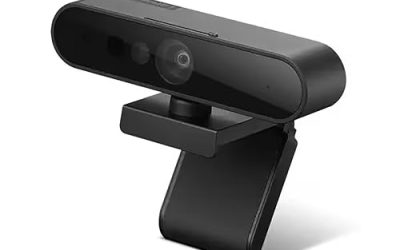
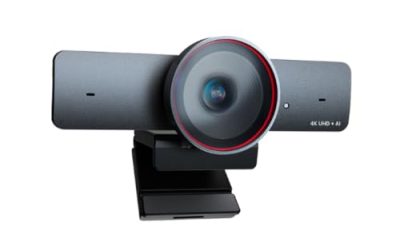
Plug and play is a promise about time: you connect a USB cable, the operating system recognizes a standard video device, and a meeting app shows your face within seconds. No vendor installer, no account, no driver hunt. That makes this keyword a shortcut-seeker’s search, usually typed by someone setting up a spare laptop, a family desktop, or a work machine where installing software is either forbidden or tedious.
The catch is that almost every webcam claims the label, so the useful question is what else separates them. Resolution, field of view, microphone count, focus type, and connector shape all matter more than the sticker. This 2026 guide compares seven USB webcams from their listed specs only, so you can match a camera to your desk, your calls, and the ports you really have.
Our Top Picks
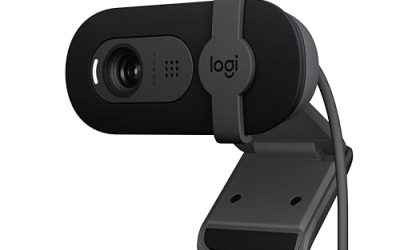
 Logitech C270 720p Webcam Plug-and-Play Wide Screen Video1 Pack6 x 4 x 8 Inches0.16 PoundsCheck on Amazon
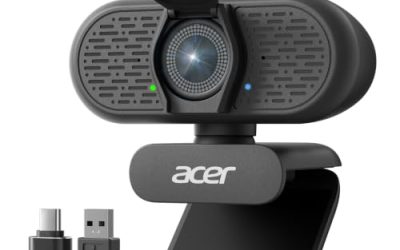
 Acer A610 1080p Webcam for PC with Microphones1080P Small2.19 x 3.14 x 2.05 inches0.3 poundsCheck on Amazon


Top 3 picks at a glance
Quick Picks
As an Amazon Associate we earn from qualifying purchases at no extra cost to you.



| Product | Best for | Key spec from the title |
|---|---|---|
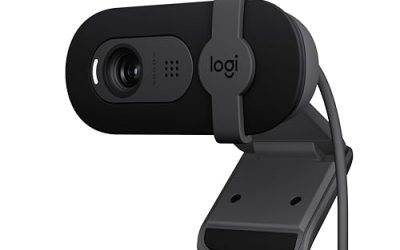
| Logitech C270 | Basic calls on a tight setup | 720p, noise-reducing mic, auto-light correct |
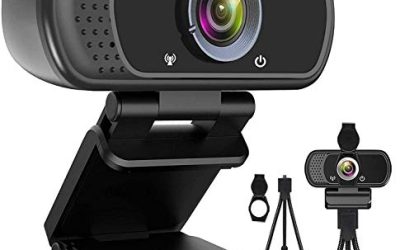
| Unbranded 1080P HD webcam | No-name budget option | 1080P, wide-angle lens, privacy cover |
| TRAUSI 1080P | Laptop and desktop calls | 1080P FHD, noise-canceling mic, privacy cover |
| Acer A610 | Meetings on a USB-C laptop | 1080p, A-to-C adapter, noise-cancelling mics |
| EMEET C960 | Wide shots with two mics | 1080P, 2 mics, 90 degree FOV |
| NIVEOLI 1080P | Calls and live streams | 1080P, privacy cover, auto light correction |
| NexiGo N60 | Adjustable image settings | 1080P with software control, privacy cover |
How to Choose
Resolution is not the whole picture
720p is adequate for small video tiles and slow connections, while 1080p gives faces more detail when a call goes full screen. Most meeting apps compress video heavily, so the gap shrinks in practice. Do not pay a premium for resolution beyond what your upload speed and call app can transmit; sensor and lens quality decide how clean a 1080p picture looks in an ordinary room.
Field of view and focus type
A narrow view of about 65 to 78 degrees frames a single person; a 90 degree view fits you plus part of the room, or two people sharing a desk. Fixed focus is simpler and more reliable for sitting at arm’s length, whereas autofocus helps if you hold up objects. If a title does not list focus type, assume fixed and confirm on the spec sheet.
Connector and compatibility
A USB Type-A plug works on most desktops and older laptops. Newer thin laptops may only have USB-C, in which case you need either a camera that ships with an A-to-C adapter or a separate adapter. Standard UVC support, which is what makes plug and play possible, is the same on Windows, macOS, ChromeOS, and Linux, but check the listing for the specific operating systems named.
Microphones, privacy covers, and what to ignore
Built-in mics are fine for casual calls, but a headset will beat any webcam mic. A physical privacy cover is useful for shared spaces. Ignore terms like ultra clear or HD vision that are not tied to a measurable spec, and be wary of budget models that bury the real frame rate; lower light tends to reduce frame rate before the camera admits it.
The 7 Best Options
Logitech C270
The C270 is a 720p wide screen webcam with auto-light correction and a noise-reducing mic, and its title lists compatibility with Zoom, Microsoft Teams, and Skype. It is the old reliable shape of plug and play: a single USB connection and no extras. It fits buyers who need to be seen and heard on routine calls rather than produce polished video, such as parents setting up a shared family computer or students attending remote classes. The listing keeps the promise short and clear, which is part of its appeal.
- Strength: auto-light correction helps in dim rooms.
- Strength: widely recognized, simple, and compatible with the major meeting apps listed.
- Trade-off: 720p resolution trails the 1080p cameras here.
Skip it if you want a higher resolution picture or a privacy shutter built in. Anyone planning to share the camera between a desk and a living room tripod should also check how the clip and cable suit that move, since the title says nothing about mounting.
Unbranded 1080P HD webcam
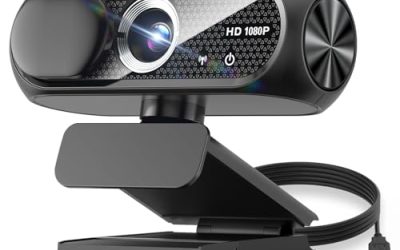
This generic listing offers a 1080P HD picture, a microphone with noise cancellation, a privacy cover, a wide-angle lens, auto light correction, and plug and play USB for laptop and desktop use. It is the least-known name in the group and appeals to people who simply want the feature checklist at the lowest tier. It makes the most sense as a spare or a temporary camera for a guest computer, where a short lifespan would not be painful.
- Strength: full feature list including privacy cover and light correction.
- Strength: 1080P resolution in a budget form.
- Trade-off: no clear brand, so support and long-term driver behavior are unknown.
Skip it if you want a brand with a track record or dependable warranty handling. Offices that standardize on specific equipment may also be unable to approve a camera with no recognizable maker.
TRAUSI 1080P
The TRAUSI model lists a 1080P FHD camera, a noise-canceling mic, auto light correction, a privacy cover, and a wide-angle lens, targeting laptop and desktop users. It sits in the same budget feature bracket as the unbranded model but with a named maker behind the listing, which makes returns and questions easier. Home-office workers and remote tutors who want a tidy, low-effort upgrade over a laptop camera will find the feature list familiar and sensible.
- Strength: privacy cover and auto light correction on a 1080P camera.
- Strength: wide-angle lens for shared desk shots.
- Trade-off: the listing names no frame rate or microphone count.
Skip it if you plan to stream and need confirmed 60 frame performance. The title also says nothing about the number of microphones, so audio-sensitive callers should plan to use a headset.
Acer A610
The A610 is a 1080p webcam with noise-cancelling microphones, fixed focus, a privacy cover, and an A-to-C adapter included. That adapter is the standout for owners of thin laptops with only USB-C ports, since the connector problem is solved in the box. It also suits shared conference-room machines, where the physical privacy cover gives people confidence that the lens is closed when nobody is on a call.
- Strength: A-to-C adapter included for USB-C laptops.
- Strength: multiple noise-cancelling mics plus a privacy cover.
- Trade-off: fixed focus will not follow you if you lean far toward or away from the screen.
Skip it if you want autofocus or software-adjustable image settings. The fixed lens works best when you stay at a steady distance, so people who pace while presenting should look elsewhere.
EMEET C960
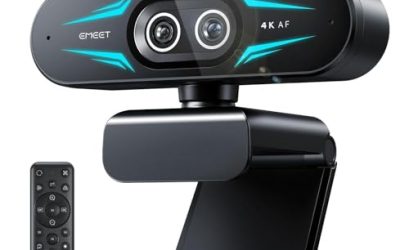
The C960 pairs a 1080P picture with two mics, a 90 degree field of view, a fixed-focus lens, and both USB Type-A and an A-to-C adapter, aimed at Zoom, Teams, and FaceTime calls. The wide view suits a desk shared by two people or a person who moves around. The listing names the wide view, two mics, and both connectors, so it covers the most common compatibility questions in a single title.
- Strength: 90 degree field of view fits more of the scene.
- Strength: two mics and an included adapter for flexible connection.
- Trade-off: the wide view can include more background clutter than a narrow lens.
Skip it if you only need a tight, face-only frame in a messy room. A wide view shows everything behind you, so tidy the shelf or pick a narrower lens when privacy of the room matters.
NIVEOLI 1080P
This NIVEOLI webcam lists 1080P resolution, a microphone, a privacy cover, auto light correction, and plug and play operation for PC and laptop video calls and live streams. It fits budget-conscious buyers who want a bundle of conveniences without brand-tier pricing. Small-channel streamers and people holding virtual classes at home are the natural audience, since the listing mentions live streaming alongside everyday calls.
- Strength: privacy cover and light correction in a simple USB device.
- Strength: aimed at both calls and basic streaming.
- Trade-off: a lesser-known maker, so rely on the listed specs rather than assumptions.
Skip it if you want a USB-C adapter named in the title or a widely supported brand. If your computer only has USB-C ports, add an adapter to the budget before ordering.
NexiGo N60
The N60 is a 1080P webcam with a microphone, software control, and a privacy cover, listed for Zoom, Skype, and Teams. Software control is a rare extra in this group and lets you tune things like brightness rather than accept the factory image. For a desk facing a window or lit by a warm lamp, those controls can help more than a resolution bump, and the sensible defaults still work with no installation at all.
- Strength: optional software control for image adjustments.
- Strength: privacy cover and 1080P resolution.
- Trade-off: the software is optional rather than required, which is good, but plug and play users may never use it.
Skip it if you refuse to install anything at all, even optional tuning software. People who only want the default picture can still use it as a plain plug-in camera, but they would be paying for a feature they never touch.
Which One Fits Your Situation
Thin laptop with only USB-C
The Acer A610 or EMEET C960 both list an A-to-C adapter, so neither needs an extra purchase. Pick the Acer for noise-cancelling mics, the EMEET for the wider view.
Basic calls, minimum fuss
The Logitech C270 is the straightforward choice if you only need to be on camera for routine meetings and prefer a known brand.
Shared desk or two people on camera
The EMEET C960 with its 90 degree field of view keeps both people in frame without moving the monitor.
You want to adjust the image
The NexiGo N60 offers software control, which helps when your room has awkward lighting and the default image looks washed out.
Common Mistakes
- Choosing by megapixel claims instead of lens quality and field of view.
- Ignoring the connector and then discovering the laptop has only USB-C.
- Expecting built-in mics to match a headset on important calls.
- Leaving the camera pointed at a bright window and blaming the webcam.
- Skipping the privacy cover on a shared or home-office machine.
Related guides
- When I Turn On Record Game In Background On Gamebar. Gamebar Crashes, What Do I Do?
- How To Reduce Background Noise On A Streaming Microphone
- Poly Computer Accessories Company Streaming Evaluation
Frequently Asked Questions
Do plug and play webcams need drivers?
Generally no. They use standard USB video class support built into modern operating systems. Optional software, when offered, only adds extra controls.
Is 1080p enough?
For almost all video calls, yes. Meeting apps compress video, so lighting and positioning usually improve the picture more than a higher resolution would.
Can I use these on a Chromebook or Mac?
Many UVC webcams work, but confirm that the listing names your operating system. Titles in this group mention Zoom, Teams, Skype, or FaceTime rather than every platform.
Do I need autofocus?
Not for seated calls at arm’s length. Fixed focus is simpler and reliable there. Autofocus matters mainly if you present objects or move a lot.