Windows 10 handles most USB webcams without drama. You plug one in, the built-in driver loads, and the Camera app, Teams, Zoom and a browser all find it. That is the good news, and it is also the trap: because nearly everything works, shoppers focus on resolution and forget the two questions that matter on this operating system. Do you want to sign in with your face through Windows Hello, which needs a specific kind of camera, or do you want a general video-call and streaming camera that simply behaves? The answers lead to very different products, and a few listings in this category are really machine-vision cameras that happen to speak USB.
This 2026 guide is for home-office workers on Windows 10 desktops, laptop owners replacing a weak built-in camera, and tinkerers who want a camera for projects, timelapses or close-up work. We compare seven USB cameras strictly on what their titles state: resolution, frame rate, microphones, privacy shutters, focus type and listed operating system support. Two of the listings are industrial-style varifocal cameras, and we treat them as niche tools rather than ordinary call cameras. Read each entry as a short spec check, and use the scenarios near the end if you want a faster answer.
Our Top Picks
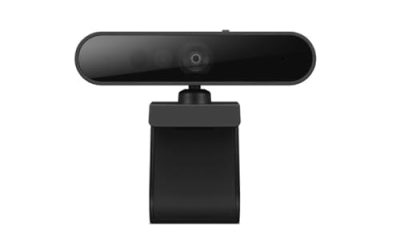
 Lenovo Performance FHD 1080p Webcam USB-C2.2" x 4.7" x 2.5"2.5 x 4.7 x 2.2 inches0.42 poundsCheck on Amazon


Top 3 picks at a glance
Quick Picks
As an Amazon Associate we earn from qualifying purchases at no extra cost to you.





| Product | Best for | Key spec taken from the title |
|---|---|---|
| Lenovo Performance FHD | Calls plus face sign-in | 1080p, USB-C, Windows Hello, dual mics, privacy shutter |
| 4K Webcam with Windows Hello | Sharper video and sign-in | 4K, facial recognition, sliding privacy cover |
| ELP High Speed USB Zoom | Fast motion and projects | 1080P/230fps, 4K/60fps, USB3.0, manual focus |
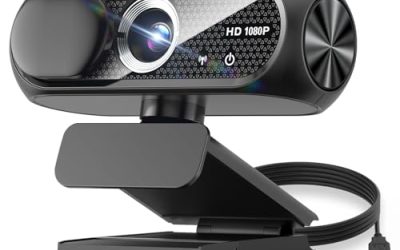
| Diccik 1080P | Plain video calls | Full HD, light correction, plug and play |
| NexiGo HelloCam Pro | Autofocus plus face login | 1080P 60FPS, autofocus, Windows Hello, electronic shutter |
| IFWATER 10X Zoom | Close-up and distant subjects | 5-50mm, 10X optical zoom, 260fps, UVC |
| ELP 5-50mm Varifocal | Industrial or lab use | 1080P, H.264, Sony IMX323, varifocal lens |
How to Choose
Decide on Windows Hello first
Windows Hello face sign-in is the one Windows 10 feature that limits your choices. It relies on a camera built for facial recognition, which is why only a few listings mention it: the Lenovo Performance, the 4K Windows Hello camera and the NexiGo HelloCam Pro. If you want to unlock your PC with a glance, buy from that group and confirm the listing says it supports the feature. If you only need video calls, any plug-and-play UVC camera on the list will do the job and you can save money.
Resolution, frame rate and what you will actually use
For video calls, 1080p at 30 frames per second is the sweet spot, because most meeting apps compress video heavily and rarely send more than that. A 4K camera helps if you record content or crop in, but it needs a USB 3 port to run at full speed. Frame rate matters for motion: the NexiGo lists 1080P at 60FPS, which looks smoother for streaming, while the ELP and IFWATER high-speed figures serve technical uses more than meetings.
Microphones, privacy and focus
Built-in microphones are convenient but rarely match a headset, so treat them as a backup. A sliding privacy shutter, as on the Lenovo and the 4K Windows Hello model, is a simple way to cover the lens when not in use. NexiGo lists an automatic electronic shutter. Autofocus keeps you sharp when you move, whereas manual focus, as on the ELP zoom models, suits fixed subjects but can frustrate a meeting. Fixed-focus budget cameras tend to blur if you lean in.
Connection, compatibility and where budget cameras cut corners
Check whether your PC offers USB-A or USB-C, since the Lenovo lists USB-C while ELP lists USB 3.0 and 2.0. A webcam that works on Windows 10 today should also work on Windows 11 when you upgrade, so favor standard UVC cameras. Budget models cut corners on low-light performance, lens quality and microphones. Ignore marketing megapixels; a clean 1080p sensor with decent light handling will look better on a call than a noisy oversized number.
The 7 Best Options
Lenovo Performance FHD
A 1080p USB-C webcam with Windows Hello log-on, dual microphones, a 95 degree lens, 4X digital zoom and a sliding privacy shutter. It suits professionals who want a single camera for meetings and quick face sign-in on a Windows 10 PC, particularly in shared spaces where a lens cover gives peace of mind. The dual microphones mean it can serve as a backup audio source when your headset is out of reach.
- Windows Hello support lets you unlock the PC with your face.
- The physical privacy shutter blocks the lens when not in use.
- Trade-off: the USB-C connection may need an adapter on older desktops.
Skip it if you want 4K video or more than 1080p, or if your desktop only offers older USB-A ports and you would rather not carry an adapter.
4K Webcam with Windows Hello
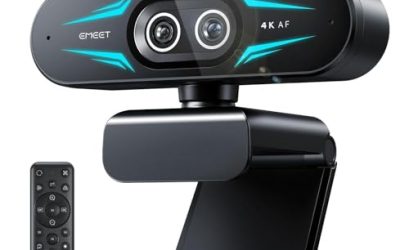
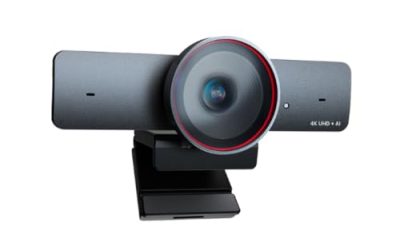
A 4K USB webcam with facial recognition for Windows Hello, a sliding privacy cover and a built-in microphone. It suits creators and remote workers who want sharper video and also want face login, such as someone who records tutorials in the morning and joins meetings in the afternoon on the same machine. A higher-resolution sensor also gives you room to crop a shot without it turning soft.
- 4K resolution gives room to crop or record sharper content.
- The sliding privacy cover adds peace of mind.
- Trade-off: the title is cut off, so confirm the full software support list.
Skip it if your computer lacks a fast USB port or you only need basic calls, because 4K video is wasted when meeting apps compress everything back down. Also skip it if you want a name-brand warranty, since the title does not show a manufacturer.
ELP High Speed USB Zoom
This is a technical camera listed at 1080P/230fps, 4K/60fps and 12MP/30fps over USB 3.0 or 2.0, with manual focus. It is a project camera for Windows, Linux, Mac and Raspberry Pi users, the sort of device that ends up mounted over a workbench, a laser engraver or a time-lapse rig rather than on a monitor.
- Multiple resolution and frame rate modes suit experiments and capture work.
- Broad OS support makes it flexible beyond Windows.
- Trade-off: manual focus is inconvenient for casual meetings.
Skip it if you want a camera for meetings with autofocus and a microphone, because neither appears in the title and the manual focus ring will annoy you in daily use.
Diccik 1080P
A Full HD webcam with a microphone, light correction and plug-and-play use, aimed at Zoom, Skype and Teams. It suits shoppers who want a straightforward upgrade over a weak laptop camera or an aging desktop setup. It keeps things simple: connect it, pick it in your meeting app and go.
- Plug and play avoids driver installs.
- Light correction helps in dim rooms.
- Trade-off: the title lists no Windows Hello support or privacy cover.
Skip it if you want face sign-in or a physical privacy cover, since neither is mentioned. It is also not the right pick for streaming at high frame rates.
NexiGo HelloCam Pro
A webcam with Windows Hello, 1080P at 60FPS, autofocus, a microphone and an automatic electronic shutter described as true privacy. It suits streamers and remote workers who want smooth video and face login, and anyone who moves around during calls and needs the camera to keep up. The 60FPS figure also helps when you demonstrate something with your hands.
- 60FPS video looks smoother than standard 30FPS cameras.
- Autofocus keeps you sharp as you move.
- Trade-off: the electronic shutter is not a physical cover.
Skip it if you prefer a mechanical lens cover that you can see and feel, since an electronic shutter relies on the camera behaving as designed.
IFWATER 10X Zoom
A USB camera with 1080P high speed, 260fps, a 5-50mm lens, 10X optical zoom and manual close-up control, with UVC compatibility. It suits niche tasks such as distant subjects, close-up demonstrations or a sports swing review, where you want to adjust the view by turning the lens instead of moving the camera.
- 10X optical zoom reaches far beyond standard webcams.
- UVC support makes setup simple on most systems.
- Trade-off: it is a specialty camera, and the title lists no microphone.
Skip it if you want a normal webcam for calls, because focus is manual and the title mentions no microphone, privacy cover or Windows Hello support.
ELP 5-50mm Varifocal
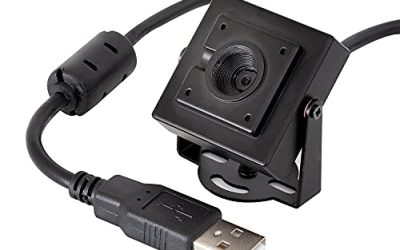
A 1080P USB camera with a varifocal lens, H.264 output and a Sony IMX323 sensor, listed for Android, Linux and Windows. It suits industrial video, inspection rigs and custom builds, where a stable sensor and an adjustable lens matter more than convenience features.
- The varifocal lens lets you adjust the field of view.
- H.264 output reduces bandwidth.
- Trade-off: it has no listed microphone or privacy cover.
Skip it if you want a desktop webcam for calls, since it targets machine vision work and is not built around meeting apps, microphones or face sign-in.
Which One Fits Your Situation
You want face sign-in and good calls
The Lenovo Performance FHD combines Windows Hello, dual microphones and a physical shutter. It handles the daily meeting load and the morning sign-in with a single USB connection.
You stream or want smoother motion
The NexiGo HelloCam Pro gives 60FPS and autofocus, so your face stays sharp and motion looks smooth when you gesture or shift in your chair.
You need a simple upgrade for Teams and Zoom
The Diccik 1080P is plug and play and light-corrected, which suits a spare room with weak lighting and a user who wants no setup beyond one cable.
You build projects or capture fast action
The ELP High Speed USB Zoom suits experiments with its multiple modes. Treat it as a lab or workshop camera and pair it with a separate microphone if you need sound.
Common Mistakes
- Assuming any webcam works with Windows Hello.
- Paying for 4K when meeting apps compress video heavily.
- Ignoring the USB port type on your computer.
- Choosing an industrial camera for meetings and then missing autofocus and a microphone.
- Skipping a privacy cover or shutter, even though a simple sliding cover is the easiest security upgrade on a camera.
Related guides
- When I Turn On Record Game In Background On Gamebar. Gamebar Crashes, What Do I Do?
- How To Reduce Background Noise On A Streaming Microphone
- Poly Computer Accessories Company Streaming Evaluation
Frequently Asked Questions
Do I need a special webcam for Windows Hello?
Yes. Face sign-in needs a camera designed for it, so look for Windows Hello in the product title. Cameras without it can still be used for calls, but they cannot unlock the PC with your face.
Is 4K worth it for video calls?
Usually not, since calls compress video. It helps if you record or crop footage, and it needs a fast USB port to work properly. For everyday meetings, a sharp 1080p camera with good lighting looks better than a poorly lit 4K feed.
Will these work on Windows 11?
Standard UVC cameras generally do, but check the manufacturer for Windows Hello details and driver notes. Keep in mind that Windows 10 users who later upgrade should confirm that face sign-in carries over.
Why are some listed cameras so unusual?
The ELP and IFWATER products are technical cameras for industrial and hobby use rather than everyday calling. They are included for readers who need a camera for projects and can live without a microphone, autofocus or a privacy cover.