A pan tilt zoom webcam does something an ordinary webcam cannot: it changes where it is looking. That matters in a conference room where speakers sit at different ends of a table, in a classroom where an instructor moves around, or in a home studio where a streamer wants to cut from a face shot to a desk shot without touching the camera. The decision behind this keyword is how the camera moves and zooms, because the word zoom covers very different technologies, and the word pan tilt can mean a motor or just a swivel. Getting that distinction right is the difference between a camera you can steer from your seat and one you have to walk over to adjust, and it is worth settling before any comparison of resolution or microphones.
This guide is for small-team meeting rooms, remote teachers, streamers and home office workers choosing between five cameras that advertise some form of pan, tilt and zoom. Two popular fixed-lens webcams appeared in the same category listings and were left out because their titles do not mention pan, tilt or zoom movement. Each review rests on the specs in the title, with the differences between optical, digital and electronic zoom explained so a buyer in 2026 can compare them properly.
Our Top Picks


Top 3 picks at a glance
Quick Picks
As an Amazon Associate we earn from qualifying purchases at no extra cost to you.




| Product | Best for | Key spec from the title |
|---|---|---|
| Lenovo 510 FHD | Home office and calls | 1080p, 4X digital zoom, 360-degree pan and tilt |
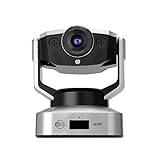
| MEE audio C20PTZ | Streaming and remote control | 4K, 5X digital zoom, remote control |
| NUROUM V403 | Meeting rooms | 5X optical zoom, 350-degree pan, 60-degree tilt, 4 presets |
| ROCWARE RC08 | All-in-one desk setups | 2K, 4X electronic PTZ, speaker, privacy cover |
| Hollyland Astra P1 | Moving presenters | 4K60, AI auto-tracking, pan-tilt-zoom |
How to Choose
Optical, digital and electronic zoom are not the same
Optical zoom moves the lens and keeps full image quality at distance, which is why meeting-room cameras favor it. Digital zoom crops the picture, so a 4X or 5X digital figure shrinks the usable resolution; a 4K sensor can crop more cleanly than a 1080p one. Electronic PTZ moves a cropped window around a wide frame. All three are useful, but only optical zoom truly brings a far speaker closer without losing detail.
Motorized movement versus a manual swivel
A camera with a motor and remote control can be steered from across a room and often stores preset positions that you recall with one press. A camera that merely swivels on its stand has to be adjusted by hand. Check how pan and tilt are described, the range of movement in degrees, and whether the camera stores presets, because presets save time in a recurring meeting layout.
Resolution, field of view and frame rate
1080p suits most calls, while 4K gives room to crop and zoom digitally. Field of view matters in small rooms: 95 degrees is moderate, while 122 degrees fits more of a conference table. A 60 frames per second figure helps motion look smoother for streaming and demonstrations, though many calls run at lower frame rates anyway. Low-light handling is worth a look as well, since many offices and spare rooms rely on a single overhead lamp. Do not pay for resolution your meeting software cannot use, because many apps compress video well below the camera’s maximum. Higher resolution still helps if you record locally or crop digitally in post.
Audio, tracking and where budget models cut corners
Noise cancelling microphones help in untreated rooms, but they are no replacement for a dedicated speakerphone in a large room. AI auto-tracking follows a moving person, which is helpful for teachers, though it can hunt in busy scenes. Budget cameras often skimp on autofocus speed, low-light performance and software, so look for a privacy cover and a USB connection that works without special drivers. Mounting also matters: a camera that clips to a monitor suits a desk, while a room camera is better on a tripod or a wall mount at eye level.
The 5 Best Options
Lenovo 510 FHD
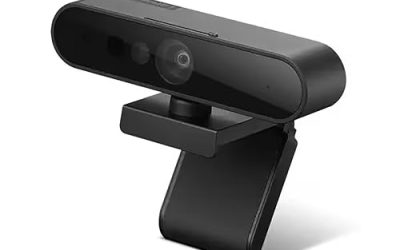
This is the most straightforward option for a home office or small desk. The title lists a 1080p picture, 4X digital zoom, a 95 degree wide angle, a 360 degree rotation pan and tilt, dual microphones and Windows Hello support. Two listings carry nearly the same title and are treated as the same model here. It suits a remote worker who wants a flexible camera without a conference-room setup, such as someone who calls from a spare bedroom and sometimes needs to tilt the view toward a whiteboard or a second person at the desk. Confirm in the product details how the movement is controlled before assuming it works like a remote-steered camera.
- Strength: Windows Hello support lets compatible computers sign in with face recognition.
- Strength: A 95 degree angle and dual microphones suit one-to-one calls and small groups.
- Trade-off: The zoom is digital, so it trades detail for a closer look, and the title does not say whether pan and tilt are motorized.
Skip it if you need remote-controlled movement across a large room.
MEE audio C20PTZ
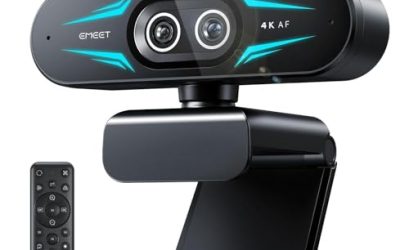
A good match for streamers and presenters who want remote control and a sharper picture. The title lists a 4K PTZ webcam with 5X digital zoom, a remote control, USB connection and dual ANC stereo microphones, which together suggest a camera that can be steered without leaving the chair. A streamer can switch from a face shot to a desk shot, and a teacher can reframe from a laptop to a model on the table, all without walking to the camera or using a mouse.
- Strength: A 4K sensor gives room to crop and zoom digitally.
- Strength: A remote control makes it easy to reframe during a stream or class.
- Trade-off: The 5X zoom is digital, so detail drops at the highest zoom.
Skip it if you need true optical zoom for a large room.
NUROUM V403
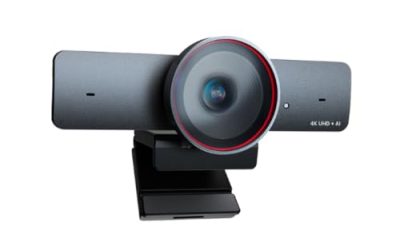
This camera is aimed at room video conferencing. The title lists 5X optical zoom, AI noise cancelling microphones, 350 degree pan, 60 degree tilt, four preset positions and a 122 degree field of view, plus a 1080p picture. That combination makes it the closest to a purpose-built meeting-room camera in the group. A small training room, a clinic office or a shared team space can use the presets to jump between a wide table shot and a close shot of whoever is speaking.
- Strength: 5X optical zoom keeps detail when framing a distant speaker.
- Strength: Four presets and a wide movement range suit repeat meeting layouts.
- Trade-off: The picture is listed at 1080p, so there is less room for digital cropping than with a 4K camera.
Skip it if you only need a camera for personal desk calls.
ROCWARE RC08
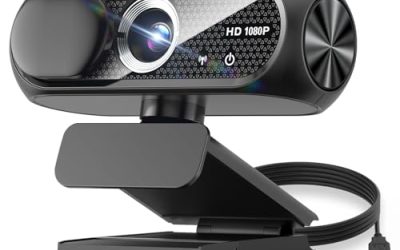
An all-in-one choice for people who also want a speaker. The title lists a 2K picture, a built-in Harman speaker, a noise reduction microphone, 4X electronic pan tilt zoom, a privacy cover, 0.2 second autofocus and low light handling. Electronic PTZ moves a cropped window rather than the camera body. This suits a person who wants a desk device that handles video, sound and privacy in one package, such as a student, a freelancer or a hybrid worker on a small desk. The title also notes a speaker, which means fewer cables and one fewer device competing for a USB port.
- Strength: A speaker, microphone and privacy cover are all built in.
- Strength: A 0.2 second autofocus figure suggests quick refocusing during calls.
- Trade-off: Electronic PTZ does not physically move the camera, so it cannot see beyond the wide frame.
Skip it if you need real mechanical pan and tilt.
Hollyland Astra P1
This one targets presenters, instructors and creators who move around. The title lists a pan tilt zoom camera with UHD 4K60 output and AI auto-tracking, so the camera can follow a subject while delivering smooth, high-resolution video. It is the most feature-forward entry in this group, and it is aimed at someone who wants the camera to do the work of an operator, such as a fitness instructor, a cooking streamer or a lecturer who walks while talking.
- Strength: 4K at 60 frames per second suits detailed, smooth streaming.
- Strength: AI auto-tracking keeps a moving presenter in frame without an operator.
- Trade-off: The title does not list microphones, so you may need separate audio.
Skip it if you want built-in speakers or a simple plug-and-play desk webcam.
Which One Fits Your Situation
You run meetings in a conference room
The NUROUM V403 is the closest fit: optical zoom, a wide field of view, four presets and a large pan range suit a table with several seats.
You stream or teach and move around
The Hollyland Astra P1 lists AI auto-tracking and 4K60, which keeps a moving presenter framed. The MEE audio C20PTZ is the alternative if you prefer a remote control. Both list 4K, which leaves headroom for cropping when you want a tighter shot of a product or a whiteboard.
You work from a home office
The Lenovo 510 FHD covers calls with a wide angle, dual microphones and Windows Hello, and the ROCWARE RC08 adds a speaker and privacy cover for a one-device desk setup. If you share the room with others, the privacy cover on the ROCWARE is a small but useful extra.
You teach or present in a classroom
Pair auto-tracking with a wide field of view. The Hollyland Astra P1 follows a moving subject, while the NUROUM V403 lists 350 degree pan and four presets that suit a fixed board position and a desk position.
Common Mistakes
- Assuming any zoom figure means optical zoom, when it may be a digital crop that softens the picture at the highest setting.
- Buying 4K when the meeting software only sends 1080p, wasting the extra resolution.
- Ignoring whether pan and tilt are motorized or manual, then discovering you cannot reframe from your seat.
- Skipping field of view, which can leave half a table out of frame and force people to lean toward the camera.
- Relying on a webcam microphone in a large room instead of a dedicated speakerphone.
Related guides
- When I Turn On Record Game In Background On Gamebar. Gamebar Crashes, What Do I Do?
- How To Reduce Background Noise On A Streaming Microphone
- Poly Computer Accessories Company Streaming Evaluation
Frequently Asked Questions
What does PTZ stand for?
It stands for pan, tilt and zoom. Pan moves the view left and right, tilt moves it up and down, and zoom closes in on a subject. Some cameras do all three with motors, while others do it by cropping a wide image.
Is digital zoom as good as optical zoom?
No. Digital zoom crops the image and loses detail, while optical zoom changes the lens. A high-resolution sensor makes digital zoom look better, which is why 4K models can crop further before the image looks soft. In a large room, optical zoom remains the safer choice.
Do I need AI auto-tracking?
It helps if the speaker moves, such as in a classroom. For a seated desk call, a fixed frame works fine, and auto-tracking can sometimes drift when other people walk through the scene. Choose it for a presenter who truly moves.
Can a PTZ webcam work with Zoom or Teams?
Most USB models work as a standard camera in common meeting apps, though remote control features may need a separate remote or software. Select the camera in the app’s video settings, then test the framing before the call starts.