A soundbar with a subwoofer for under 300 dollars sits in the most crowded corner of the audio market. At this level you can already buy a slim bar with a wireless sub that beats any TV speaker, and a few brands stretch the budget into Dolby Atmos or true 5.1 territory. The question is which compromise you can live with: stronger bass, wider surround, or an easier setup with fewer boxes to place.
This guide is for shoppers with a firm ceiling who want a real low-end upgrade, not a thin bar with a small built-in driver. It covers six models that range from a built-in-subwoofer bar for a desk to a 5.1 system with rear speakers. The picks lean on what each title actually states, which keeps the comparison honest: channel count, subwoofer type, power figures, and connections. Heading into 2026, HDMI ARC has become standard on TVs, so the main hurdle now is matching the bar to your room.
Our Top Picks
 ULTIMEA 5.1CH Surround Sound Bar System with Dolby31.5 x 3.54 x 2.76 inches12.57 poundsCheck on Amazon
 Samsung B-Series Soundbar HW B400F 2.0 ch Soundbar4.21 x 25.23 x 2.62 Inches4.6 poundsCheck on Amazon

Top 3 picks at a glance
Quick Picks
As an Amazon Associate we earn from qualifying purchases at no extra cost to you.




| Product | Best for | Key spec from the title |
|---|---|---|
| ULTIMEA Poseidon M60 | Surround on a budget | 5.1 channel, Dolby Atmos, 300W |
| ULTIMEA 2.1ch Built-in Sub | Desks and PC setups | Built-in subwoofer, Bluetooth 5.4, 132W peak power |
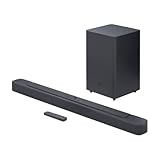
| JBL Bar 2.1 Deep Bass (MK2) | Brand-name bass upgrade | Wireless 6.5-inch sub, 300W max output |
| Philips B7305 | Straightforward TV setups | 2.1 channel, 300 watts, Dolby Audio, HDMI ARC |
| LG S40T | LG TV owners | 2.1 channel, wireless sub, TV Synergy, AI Sound Pro |
| Samsung B-Series HW-B400F | Compact one-remote setup | 2.0 channel, built-in subwoofer, surround expansion |
How to Choose
Wireless sub or built-in sub
A wireless subwoofer is a separate box you can place on the floor, which gives deeper bass and flexible positioning; the listed JBL unit is 6.5 inches, a common size for apartment-friendly designs. A built-in subwoofer keeps everything in one bar, ideal for desks and tight shelves, but the driver is smaller and cannot match a floor unit. If you listen at a distance of more than six feet, the separate sub usually delivers the bass you are paying for.
Read the power number carefully
Peak and max output figures are not comparable with RMS figures, and some listings round up. A 300W claim and a 132W peak claim may land closer together than they appear. Use power as a rough tier indicator and place more weight on channel count, sub size, and the connections you need. Also look at whether a power figure refers to the bar alone or to the whole system, because that detail changes the comparison considerably.
Check the ports you actually need
HDMI ARC is the baseline for one-cable TV control. An optical input is a useful backup for older sets, and Bluetooth 5.x helps with music from a phone. If you game on a PC or console, verify that the bar offers a USB, AUX, or HDMI route that suits your hardware before you commit.
Decide whether surround matters
True rear speakers, as on a 5.1 package, widen the sound far beyond a bar-and-sub pairing, but they add cables and demand space behind the couch. A 2.1 setup is simpler and works better in rented rooms. Ignore virtual-surround claims on small bars unless you plan to sit in the center of the room. Also consider ceiling height and wall material, since reflections drive most height effects and a sloped or heavily furnished room softens them.
The 6 Best Options
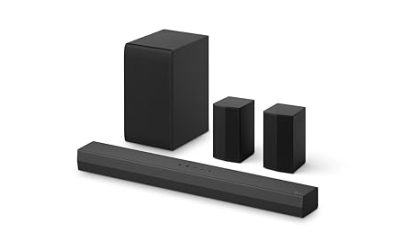
ULTIMEA Poseidon M60
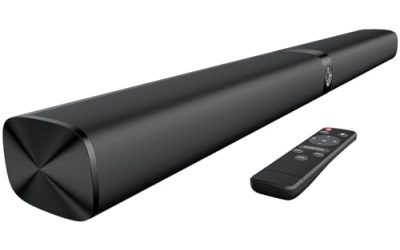
The most ambitious system in the group. The title lists a 5.1 channel layout, Dolby Atmos, VoiceMX, BassMX, app control, and 300W for a smart TV. For a buyer with a fixed ceiling, it is the one that attempts the full surround package, which makes it a candidate for a living room where the couch has space behind it. The app and sound modes give you room to tweak without a long manual, and the VoiceMX and BassMX labels in the title point to separate controls for dialogue and low end, which helps when late-night viewing calls for quieter explosions.
- Strength: 5.1 layout with Dolby Atmos stretches the budget furthest.
- Strength: app control adds quick adjustments.
- Trade-off: more speakers mean more cables and a longer setup.
Skip it if you rent a small room or dislike visible wiring.
ULTIMEA 2.1ch Built-in Subwoofer
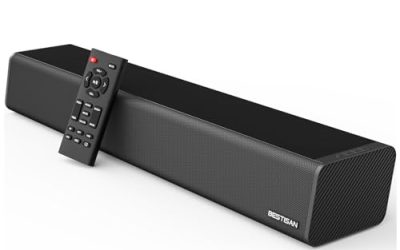
A compact 2.1 bar that folds the subwoofer into the body. The title lists app control, 132W peak power, a 16-inch width, and Bluetooth 5.4, plus PC use. It is the best match for a desk, a small bedroom TV, or a monitor setup where floor space for a separate sub does not exist. The short bar keeps it from overwhelming a narrow stand, and the PC mention in the title suggests it was designed with a desktop connection in mind rather than as an afterthought.
- Strength: one-piece design makes setup fast and tidy.
- Strength: Bluetooth 5.4 and app control add modern connectivity.
- Trade-off: a built-in driver cannot reach the depth of a floor-standing sub.
Skip it if bass impact is your main goal.
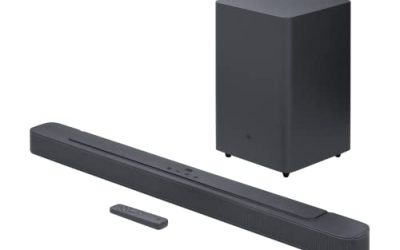
JBL Bar 2.1 Deep Bass (MK2)
The title lists a 2.1 channel soundbar with a wireless 6.5-inch subwoofer, 300W max output, and Bluetooth. It is a familiar-brand answer for buyers who want bass without fuss, and a wireless sub keeps floor cabling out of the picture. In a mid-size living room it should feel like a clear step up from TV audio, particularly on action content, and the familiar model name makes it easier to compare against the other bars here without decoding unfamiliar branding.
- Strength: wireless 6.5-inch sub adds meaningful low end.
- Strength: simple pairing and Bluetooth streaming.
- Trade-off: stereo only, with no Atmos or rear channels.
Skip it if you want overhead effects or multi-speaker surround.
Philips B7305
The title says 2.1 channel, 300 watts, Dolby Audio, a wireless subwoofer, and HDMI ARC. It is a clean, no-gimmick TV bar for buyers who want a single HDMI connection and a separate sub. The Dolby Audio decoding is useful for streaming apps and broadcasts, and the layout is easy to fit under most TVs. It is a good fit for someone replacing a failed or weak bar who simply wants the same kind of setup with more bass behind it.
- Strength: wireless subwoofer plus HDMI ARC in a simple package.
- Strength: Dolby Audio support suits streaming content.
- Trade-off: the title lists no app or Atmos features, so tuning options look limited.
Skip it if you want app control or spatial audio effects.
LG S40T
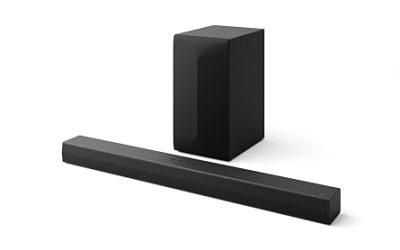
The title lists a 2.1 channel bar with a wireless subwoofer, TV Synergy, a Wow Interface, and AI Sound Pro. It leans toward LG TV owners, since the TV Synergy feature is built to work with compatible LG sets. The AI Sound Pro listing points to automatic tuning for what is on screen, which suits viewers who dislike changing sound modes by hand. Households where one person handles the remote and everyone else just wants the volume to sound right tend to value that hands-off approach.
- Strength: TV Synergy integration helps LG TV owners.
- Strength: AI Sound Pro aims to adapt audio automatically.
- Trade-off: the integration perks may be wasted on other TV brands.
Skip it if your television is not an LG.
Samsung B-Series HW-B400F
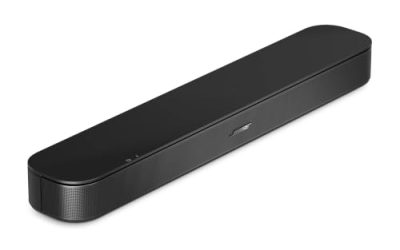
A 2.0 channel bar with a built-in subwoofer, one-remote control, surround sound expansion, and a voice enhance mode, per the title. It targets small rooms and Samsung TV households where control through the TV remote matters. Surround expansion hints at an upgrade path, which suits buyers who want to start small and expand later. The compact 2.0 layout also makes it easy to place under a wall-mounted TV or on a narrow console.
- Strength: built-in sub keeps the footprint small.
- Strength: one-remote operation simplifies daily use.
- Trade-off: a built-in driver is not a match for a separate wireless sub.
Skip it if you want strong, room-shaking bass.
Which One Fits Your Situation
You want the biggest sound for the money
The ULTIMEA Poseidon M60 is the only 5.1 Atmos option here and the choice if you can handle the wiring. Movie nights in a dedicated living room are where the extra speakers justify the effort.
You game or work at a desk
The ULTIMEA 2.1ch Built-in Subwoofer is made for monitor setups with limited room and PC audio demands. It slides under a screen and leaves the desk free for a keyboard and mouse.
You want a simple living-room upgrade
The JBL Bar 2.1 Deep Bass (MK2) or Philips B7305 delivers a bar plus wireless sub with minimal fuss. Pick the JBL for the brand and the Philips for HDMI ARC emphasis. Either one lets a family ignore speaker placement entirely and still get a clear improvement.
You own an LG or Samsung TV
The LG S40T pairs with LG sets through TV Synergy, while the Samsung HW-B400F makes sense for a compact, one-remote Samsung setup.
Common Mistakes
- Comparing peak watts against RMS watts as if they were the same measurement.
- Buying a built-in subwoofer bar and expecting floor-shaking bass.
- Ignoring the TV brand, then losing the integration features that came with the bar.
- Skipping the HDMI ARC check and discovering the TV only has optical out.
- Choosing a 5.1 kit for a room that has no safe place for the rear speakers, then leaving them in a box while the bar does all the work.
Related guides
- When I Turn On Record Game In Background On Gamebar. Gamebar Crashes, What Do I Do?
- How To Reduce Background Noise On A Streaming Microphone
- Poly Computer Accessories Company Streaming Evaluation
Frequently Asked Questions
Is under 300 dollars enough for a good soundbar and sub?
Yes. At this level you can find real wireless subwoofers, HDMI ARC, and even Dolby Atmos, though not every feature appears in every model. Expect to trade one for another: the cheapest way to add Atmos is usually a larger multi-speaker kit, while the simpler bars put their money into the subwoofer.
Do I need Dolby Atmos?
It is optional. Atmos only helps with content mixed for it, so a solid 2.1 bar with a good sub may serve everyday viewing better. If most of your viewing is news, sports, and sitcoms, spend the effort on dialogue clarity and bass control rather than overhead speakers.
Is a built-in subwoofer good enough?
For desks, bedrooms, and dialogue-heavy shows, often yes. For action films and music with deep bass, a separate wireless sub does more. Many buyers find the difference obvious within a single movie scene, which is why the wireless units dominate this list.
Will these work with a PC?
Models that list Bluetooth or PC use, like the ULTIMEA 2.1ch, are the easiest fit, since Bluetooth lets a laptop stream audio without any cable at all and the setup takes only a minute or two. Confirm the input type for any other bar before buying, and keep in mind that a bar connected through HDMI ARC can only play what the TV passes to it, so a monitor without that port will need Bluetooth, optical, or AUX instead.