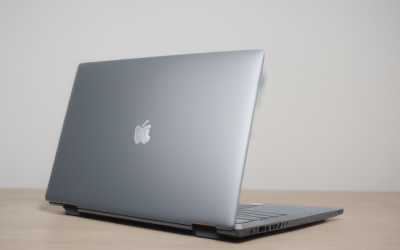
A budget of under 800 dollars sits in an interesting spot. It is far above the bargain bin, where 4GB of memory and tiny drives dominate, yet below the point where thin-and-light premium machines with top-tier screens and chips become standard. The result is that this cap rewards careful shopping. You can land a laptop with 16GB of RAM and a 512GB SSD that feels fast for years, or you can overspend on a logo and still end up short on memory.
This guide is for students, remote workers, and families who want one dependable everyday laptop and have set that ceiling. The eight listings below span full-size 17-inch machines, a 15.6-inch Dell, a Chromebook, and an Apple model, and several of them sit well below the cap on their specs alone. Use the listed specs to decide where to put the money: memory first, storage second, screen third. In 2026 the best value usually comes from a named processor, 16GB where you can find it, and an honest look at which features you will use.
Our Top Picks
Top 3 picks at a glance
Quick Picks
As an Amazon Associate we earn from qualifying purchases at no extra cost to you.





| Product | Best for | Key spec from the title |
|---|---|---|
| HP 17-inch Business (Ryzen 5) | Most RAM and storage | 16GB RAM, 512GB SSD, 17.3 inch FHD |
| HP OmniBook 3 17.3-inch | Big-screen family laptop | Ryzen 3 30, 8 GB RAM, 512 GB SSD |
| Dell 15.6-inch (Core 3 100U) | Balanced everyday use | 8 GB RAM, 512GB SSD, anti-glare IPS 250 nits |
| Apple MacBook Neo 13-inch | Mac users | A18 Pro chip, 8GB unified memory, 256GB SSD |
| HP Essential Laptop (128GB) | Light office tasks | 128GB storage, Windows 11, 1TB cloud storage |
| HP Everyday Slim (AMD) | Portable basics | 4GB RAM, 128GB SSD, thin and portable |
| HP 14-inch (N150) | Entry-level Windows | Intel N150, 4 GB RAM, 128 GB UFS |
| HP Chromebook 14 (Celeron N4120) | Web-only work | Celeron N4120, 4GB RAM, 64GB eMMC, Chrome OS |
How to Choose
Put memory first
Under this cap you can usually avoid 4GB machines. Eight gigabytes is a workable floor for browsing, documents, and video calls, but 16GB gives you room for years of software updates and a browser that never stops growing. Among these listings, only the HP 17-inch Business names 16GB. Treat 4GB as a warning sign unless the device is a Chromebook, where lighter software makes it go further.
Insist on a real SSD of sensible size
A 512GB SSD is the practical sweet spot at this tier, while 256GB works if you rely on cloud storage and 128GB feels cramped. Listings that name UFS or eMMC storage are using flash that is slower than a standard SSD, which shows up in start-up and app-launch times. Bundled cloud storage is a convenience, not a replacement for local space.
Match the screen and size to your habits
A 17.3-inch panel offers room for two windows side by side but weighs more and is harder to carry. A 15.6-inch laptop is the balance, and 13 to 14 inches is best for commuters. Full HD is the minimum worth paying attention to, and an IPS panel with an anti-glare finish is easier on the eyes. Brightness near 250 nits, as the Dell lists, is fine indoors but modest near windows.
Know where this price tier cuts corners
Even with a generous cap, some listings pair a big screen with an entry-level processor, plastic bodies, and weak webcams. Look past marketing add-ons like AI assistants and bundled subscriptions, and compare the processor name, memory, and storage. Because titles rarely state a price, confirm the current listing falls under the cap before you commit.
The 8 Best Options
HP 17-inch Business (Ryzen 5)
This HP lists a Ryzen 5 processor, 16GB of RAM, a 512GB SSD, a 17.3-inch FHD display, a numeric keypad, and long battery life. It is the specification leader here and the one most likely to still feel capable in several years. Students heading into a multi-year degree and home workers who keep laptops until they fall apart are the natural audience.
- Strength: 16GB of RAM and a 512GB SSD hit the practical sweet spot.
- Strength: a full-size keyboard with a numeric keypad suits spreadsheets.
- Trade-off: the 17-inch size is bulky to carry.
Skip it if you commute with your laptop every day. A 17-inch frame suits a desk far better than a bus seat.
HP OmniBook 3 17.3-inch
The OmniBook 3 lists a 17.3-inch FHD display, a Ryzen 3 30, 8 GB of RAM, a 512 GB SSD, AMD Radeon 610M graphics, and Windows 11 Home. It is a roomy family or home-office laptop with a generous drive. The Radeon 610M is integrated graphics, so it suits streaming and office apps rather than games.
- Strength: a 512GB SSD gives ample local space.
- Strength: the large screen is comfortable for reading and video.
- Trade-off: the Ryzen 3 processor and 8GB of RAM are modest for heavy multitasking.
Skip it if you want long-term headroom for many tabs. Upgrading memory later may not be possible on every model.
Dell 15.6-inch (Core 3 100U)
This Dell lists a 15.6-inch FHD anti-glare IPS display at 250 nits, an Intel Core 3 100U, 8 GB of DDR4, a 512GB SSD, Intel UHD graphics, Wi-Fi 6, and Bluetooth. It is the balanced choice for general home and school use. Anti-glare screens are a quiet advantage for anyone studying in libraries or cafes with bright windows.
- Strength: an anti-glare IPS panel is easy on the eyes for long sessions.
- Strength: 512GB of storage and Wi-Fi 6 cover modern needs.
- Trade-off: DDR4 and 8GB are the middle of the road for memory.
Skip it if you want 16GB or a thinner build. It is a plain, practical machine rather than a showpiece.
Apple MacBook Neo 13-inch
The only Apple option lists an A18 Pro chip, a Liquid Retina display, 8GB of unified memory, and a 256GB SSD. Unified memory is shared between the processor and graphics, so Apple’s 8GB is not directly comparable to 8GB in a Windows laptop. The title gives no price, so verify it against your cap. Apple’s own software ships with the machine, which can offset a smaller drive for people who only need basic apps, but file-heavy users will outgrow 256GB faster.
- Strength: the Liquid Retina display is a standout screen in this group.
- Strength: a custom chip and unified memory suit a tightly integrated system.
- Trade-off: 256GB of storage is half the size of the 512GB drives on several rivals.
Skip it if you depend on Windows-only software.
HP Essential Laptop (128GB)
This HP lists an unnamed Intel processor, 128GB of storage, Windows 11, Copilot AI, Office 365, an LED display, and 1TB of cloud storage in a portable design. The title offers few core specs. It fits someone who wants a basic machine for email and documents, with online storage doing the heavy lifting.
- Strength: bundled cloud storage and office apps are included.
- Strength: portable and lightweight by description.
- Trade-off: RAM and processor name are not given in the visible title.
Skip it if you want to compare hardware before buying.
HP Everyday Slim (AMD)
The Everyday Slim lists an AMD processor, 4GB of RAM, a 128GB SSD, 1TB of cloud storage, Copilot AI, and Microsoft 365 in a thin, portable body. It makes sense as a secondary laptop for a kitchen, a travel bag, or a school locker, where a lighter machine matters more than speed.
- Strength: a true SSD at 128GB.
- Strength: slim and easy to carry.
- Trade-off: 4GB of RAM is the weak point under this cap.
Skip it if you can stretch toward 8GB or 16GB. The jump in everyday smoothness from 4GB to 8GB is larger than most spec upgrades.
HP 14-inch (N150)
This one lists an HD display, an Intel N150, 4 GB of RAM, 128 GB of UFS storage, Windows 11 Home, and a one-year Microsoft 365 Personal subscription. It pairs a current-generation entry chip with a familiar operating system.
- Strength: a modern entry-level processor with Windows 11.
- Strength: the subscription adds office apps.
- Trade-off: 4GB of RAM and UFS storage limit speed.
Skip it if you multitask heavily. It is better kept for one task at a time.
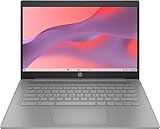
HP Chromebook 14 (Celeron N4120)
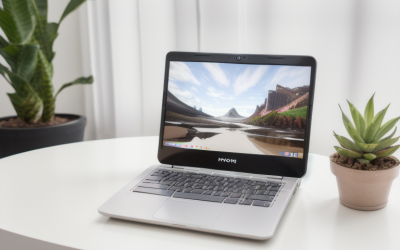
The Chromebook lists a Celeron N4120, 4GB of RAM, 64GB of eMMC, a 14-inch display, Chrome OS, Wi-Fi, and Bluetooth. It is the simplest laptop here. Chromebooks also reduce maintenance, because updates install quietly and there is little to configure.
- Strength: Chrome OS runs efficiently on modest hardware.
- Strength: easy for beginners and kids.
- Trade-off: it runs web and Android apps, not Windows programs, and the older processor may be near its update limit.
Skip it if you need desktop software. Check any required programs before you decide.
Which One Fits Your Situation
You want one laptop to last years
Choose the HP 17-inch Business (Ryzen 5). It lists the most memory and storage in the group. It is also the best match if you plan to use the laptop with an external monitor, since the strong base specs leave room to grow.
You want a balanced school laptop
The Dell 15.6-inch (Core 3 100U) offers an anti-glare IPS panel, a 512GB SSD, and a size that fits most backpacks. It is also the easiest of these picks to live with for a buyer who does not want to think about trade-offs.
You live in the Apple ecosystem
The Apple MacBook Neo 13-inch is the only Mac on the list, but confirm its price against your cap and plan around 256GB.
You need a laptop for the web only
The HP Chromebook 14 is the lowest-maintenance option for browsing, email, and streaming. It is also a sensible pick for a child, a guest room, or a household that already owns a desktop.
Common Mistakes
- Spending the whole cap on screen size and ending up with 4GB of memory.
- Assuming bundled cloud storage replaces a roomy local drive.
- Comparing Apple’s unified memory directly with Windows RAM figures.
- Choosing a Chromebook and then discovering a required Windows program.
- Overlooking that some listings omit the processor name entirely. When the chip is not named, treat the performance as unknown.
Related guides
- When I Turn On Record Game In Background On Gamebar. Gamebar Crashes, What Do I Do?
- How To Reduce Background Noise On A Streaming Microphone
- Poly Computer Accessories Company Streaming Evaluation
Frequently Asked Questions
How much RAM should I get?
Sixteen gigabytes is the comfortable target, with 8GB as the minimum for ordinary use. If a model offers a memory upgrade at purchase, take it, since later upgrades are often impossible.
Is a 512GB SSD necessary?
It is the sweet spot for most people. 256GB can work with cloud storage, but 128GB fills quickly. Installers, system updates, and cached files take a large share of a small drive.
Is a Mac or Windows laptop better?
Neither is better overall. Windows has the wider software library, while a Mac offers a tightly integrated system. Choose by the software you need and the ecosystem you already use.
Do bundled subscriptions matter?
They are a bonus, not a reason to buy. Judge the hardware first. A year of office software is useful only if you will actually use it.