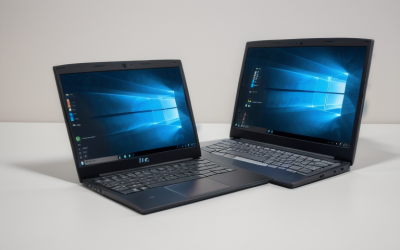
Once you have watched a dark scene on an OLED laptop, an ordinary LCD can look like a gray fog. Each pixel on an OLED panel lights itself, so black can be truly black, contrast is dramatic, and colors tend to look richer. That is why OLED has moved from a luxury extra to a headline feature on everything from thin travel laptops to gaming machines. The harder question is what you give up for it, because OLED laptops differ widely in processor type, graphics power, memory, and weight.
This guide is for buyers who want that screen for movies, photo and video work, or simply a nicer daily display, and who need to pick the right platform around it. The eight laptops below include thin AMD and Snapdragon models for travel, a premium Dell with a high-resolution panel, an Acer with 3200×2000 resolution, and two gaming-oriented OLED machines from Lenovo and MSI. Everything comes from the listed specs, so use it as a shortlist and verify the details on the manufacturer’s page in 2026.
Our Top Picks
Top 3 picks at a glance
Quick Picks
As an Amazon Associate we earn from qualifying purchases at no extra cost to you.








| Product | Best for | Key spec from the title |
|---|---|---|
| ASUS Vivobook S16 (Ryzen AI 7 445) | All-round 16-inch OLED | 16:10 WUXGA OLED, 32 GB RAM, 1TB SSD |
| ASUS Vivobook S16 (Snapdragon X2 Elite) | Efficient Arm-based use | Snapdragon X2 Elite, 16 GB RAM, 1TB SSD |
| ASUS Zenbook 14 OLED (Ryzen AI 9 465) | Light, touch-friendly travel | 2K 500 nits HDR, 16GB RAM, 1TB SSD |
| ASUS Zenbook A14 (Snapdragon X Plus) | Creators on the go | 100% DCI-P3, 600 nits HDR, 45 NPU TOPS |
| Dell XPS 14 (Core Ultra 7 255H) | High-resolution premium build | 3.2K OLED, 48-120Hz, 32GB, 1TB |
| Acer Swift Go 16 OLED | Sharp screen on a lower memory tier | 3200×2000, 120Hz, Intel Evo |
| Lenovo Legion 5a (RTX 5060) | OLED gaming | 15.3″ WQXGA OLED, 165Hz, 32GB |
| msi Stealth 16 AI+ (RTX 5070 Ti) | Top-tier OLED gaming | 240Hz QHD+ OLED, 32GB DDR5, Wi-Fi 7 |
How to Choose
Check the panel specs, not just the word OLED
OLED screens are not all equal. Look for resolution (WUXGA at 1920×1200 is sharp for 14 to 16 inches, while 2K, 3.2K, and 3200×2000 are sharper still), refresh rate (120Hz or more feels noticeably smoother), and brightness, such as the 500 and 600 nit HDR figures listed on the ASUS Zenbooks. A DCI-P3 coverage figure signals a wide color range, which helps photo and video editors. Glossy finishes make colors pop but reflect light, so consider your lighting. A window behind your desk can wash out a glossy panel regardless of how bright it is.
Choose the platform that fits your software
AMD Ryzen AI and Intel Core Ultra laptops run standard Windows software without surprises. Snapdragon X-series laptops are efficient and quiet, but they run Windows on Arm, which works with most mainstream apps while some older software or niche drivers may not. If you rely on specialized programs, confirm compatibility before choosing a Snapdragon model. Printer drivers and some VPN or security tools are the usual trouble spots. Gaming laptops with a dedicated NVIDIA RTX GPU make sense only if you will actually game or render.
Set memory and storage minimums
Sixteen gigabytes of RAM is a sensible baseline for a modern laptop, and 32GB gives headroom for editing or gaming. The Acer Swift Go 16’s 8GB is on the low side for the price class OLED usually occupies, so weigh it carefully. For storage, 512GB is acceptable for everyday use, but 1TB is more comfortable if you keep photos, video, or games locally.
Know the trade-offs of OLED
OLED panels can draw more power on bright, white screens, so battery life varies by usage. Static elements such as taskbars could contribute to image retention over a long period, so use dark mode and auto-hide settings where it suits you. Some OLED panels use screen dimming methods that sensitive users notice as flicker, so read user feedback if that concerns you. Ignore marketing terms that do not come with a number.
The 8 Best Options
ASUS Vivobook S16 (Ryzen AI 7 445)
This Vivobook pairs a 16-inch 16:10 WUXGA OLED display with a Ryzen AI 7 445 processor, AMD Radeon graphics, 32GB of RAM, and a 1TB SSD, and it carries the Copilot+ PC label. It is a well-equipped all-rounder for work and media.
- Strength: 32GB of RAM and 1TB of storage are generous.
- Strength: a roomy 16-inch OLED panel is good for movies and documents. A creative professional who storyboards, edits stills, and watches reference footage will appreciate how much room 16 inches provides without moving to a bulky chassis.
- Trade-off: the listing names no refresh rate or brightness figure.
Skip it if you need a dedicated graphics card. Games and GPU-accelerated editing will be limited to integrated graphics.
ASUS Vivobook S16 (Snapdragon X2 Elite)
The sibling listing uses the same 16-inch WUXGA OLED panel but swaps in a Snapdragon X2 Elite processor with Adreno graphics, 16GB of RAM, and a 1TB SSD. It targets users who prize efficiency over legacy software support. Pick it for a clean, quiet laptop that mostly runs a browser, office suite, and video apps.
- Strength: an Arm processor suits quiet, efficient everyday computing.
- Strength: the 1TB SSD is generous at this tier.
- Trade-off: Windows on Arm may not run every older program.
Skip it if you need specialized or legacy software.
ASUS Zenbook 14 OLED (Ryzen AI 9 465)
The Zenbook 14 lists a touchscreen OLED with 2K resolution and 500 nits HDR, a Ryzen AI 9 465, 16GB of RAM, a 1TB SSD, and a backlit keyboard. The title also calls it ultra light with long battery life. Frequent flyers and commuters who rely on a screen they can use on a train or in a cafe are the natural audience.
- Strength: a touchscreen OLED in a light body is great for travel.
- Strength: 500 nits HDR gives the panel a bright, vivid look.
- Trade-off: 16GB of RAM is solid but less roomy than the 32GB models.
Skip it if you want a larger 16-inch display. The 14-inch size is a deliberate trade for portability.
ASUS Zenbook A14 (Snapdragon X Plus)
This 14-inch WUXGA OLED lists 100% DCI-P3, 600 nits HDR, a Snapdragon X Plus 8-core processor with a 45 TOPS NPU, 16GB of RAM, and a 512GB SSD, aimed at creators on the go. It has the strongest color claims in the group. Both the DCI-P3 figure and the NPU rating come straight from the listing, so confirm real-world app support before relying on them.
- Strength: 100% DCI-P3 and 600 nits favor photo and video work.
- Strength: Arm efficiency suits long days away from an outlet.
- Trade-off: a 512GB drive and Arm compatibility may limit heavy creator workflows.
Skip it if your editing software lacks Arm support.
Dell XPS 14 (Core Ultra 7 255H)
The XPS 14 lists a 14.5-inch touch 3.2K OLED with a 48 to 120Hz variable refresh range, a Core Ultra 7 255H, Intel Arc graphics, 32GB of memory, a 1TB SSD, and a backlit keyboard. It is the most premium listing here. Design-minded buyers who want a refined body and a very sharp screen for spreadsheets and photos will lean this way.
- Strength: 3.2K resolution is the sharpest panel on the list alongside Acer’s.
- Strength: 32GB of memory and 1TB of storage.
- Trade-off: integrated Arc graphics will not match a dedicated RTX card for gaming.
Skip it if you want a gaming-class graphics chip.
Acer Swift Go 16 OLED
Acer’s listing offers a 16-inch OLED at 3200×2000 and 120Hz, a Core Ultra 5 125H, 8GB of RAM, a 512GB SSD, and Intel Evo certification. The screen is the draw. It makes sense for a buyer who mostly watches video, browses, and writes, and who values resolution over raw multitasking power.
- Strength: a high-resolution 120Hz panel.
- Strength: Intel Evo certification signals responsiveness and battery targets.
- Trade-off: only 8GB of RAM.
Skip it if you multitask heavily or edit video.
Lenovo Legion 5a (RTX 5060)
This gaming laptop lists a 15.3-inch WQXGA OLED at 165Hz, an NVIDIA RTX 5060, a Ryzen 7 250, 32GB of memory, and 1TB of storage. It combines OLED contrast with a dedicated graphics chip. That is a rare pairing in a body that is still manageable to carry to a friend’s house or a dorm.
- Strength: OLED plus 165Hz is a strong pairing for games.
- Strength: an RTX 5060 and 32GB of memory.
- Trade-off: gaming laptops are heavier and thicker than the ultraportables.
Skip it if portability is your top priority. A bag with a power brick adds weight quickly.
msi Stealth 16 AI+ (RTX 5070 Ti)
The Stealth 16 lists a 16-inch 240Hz QHD+ OLED, a Core Ultra 9 386H, an RTX 5070 Ti, 32GB of DDR5, a 1TB NVMe SSD, and Wi-Fi 7. It is the strongest performer listed. Streamers, mobile creators, and demanding gamers who also want a visually stunning display are the intended audience.
- Strength: 240Hz OLED with a high-tier GPU.
- Strength: Wi-Fi 7 and NVMe storage.
- Trade-off: high-performance hardware usually means more heat and weight.
Skip it if you only browse, write, and watch video. That performance is wasted on light tasks.
Which One Fits Your Situation
You want an all-round OLED laptop
The ASUS Vivobook S16 (Ryzen AI 7 445) offers 32GB of RAM, 1TB, and a large OLED screen without niche software concerns. It is a sensible default if you are unsure which direction to take.
You travel and want a light body
The ASUS Zenbook 14 OLED (Ryzen AI 9 465) pairs a touchscreen OLED with a light, long-battery design.
You edit photos and video
The ASUS Zenbook A14 (Snapdragon X Plus) lists the widest color claim, though verify that your editing software supports Arm.
You game and want OLED
The Lenovo Legion 5a (RTX 5060) balances OLED, 165Hz, and a capable GPU, while the msi Stealth 16 goes further in power. Both come with 32GB of memory, so multitasking is covered.
Common Mistakes
- Choosing an OLED laptop without checking resolution and refresh rate.
- Buying a Snapdragon model before confirming software compatibility.
- Accepting 8GB of RAM on a premium screen.
- Leaving a static desktop on at full brightness all day.
- Buying a gaming OLED for work travel and then carrying the weight.
Related guides
- When I Turn On Record Game In Background On Gamebar. Gamebar Crashes, What Do I Do?
- How To Reduce Background Noise On A Streaming Microphone
- Poly Computer Accessories Company Streaming Evaluation
Frequently Asked Questions
Is OLED burn-in a real concern?
It can be with static images over long periods. Dark mode, auto-hiding the taskbar, and sensible brightness settings reduce the risk.
Does OLED hurt battery life?
It can, especially with bright, white content. Darker content is easier on the battery. Using dark themes in apps you open daily is a simple way to stretch a charge.
Are Snapdragon laptops good for OLED?
They are efficient, but check app compatibility first.
Do I need 120Hz or higher?
It is not required, but smoother motion is noticeable in scrolling and games. If you mostly read and watch films at 24 frames per second, 60Hz is perfectly adequate.