
Most people shopping for a desk streaming light do it backwards. They search for “ring light,” see a 10-inch and an 18-inch option, and pick based on price or a thumbnail. Then it arrives, they clamp it behind their monitor, and one of two things happens: it’s so small it barely lifts their face out of shadow, or it’s so large it eats half their desk and blows out their webcam. Diameter is genuinely the most important spec here — but “bigger is better” is the wrong mental model. What you actually need is the right diameter for your camera distance, your desk depth, and what you’re filming.
The second-most common mistake is ignoring color rendering. A cheap ring light can be the perfect size and still make your skin look gray or green on camera because of a low CRI. Third: people buy a light with no dimming, then discover their webcam’s auto-exposure fights the light and produces flicker on stream. All three of these are avoidable with ten minutes of planning, which is what this guide is for.
As an Amazon Associate we earn from qualifying purchases at no extra cost to you. Product prices and availability are accurate as of the date shown and are subject to change.


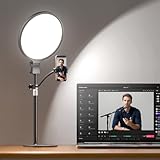
Top 3 picks at a glance
Decide These 3 Things First
Before you look at a single product listing, answer these. They determine which diameter you need and how much you should spend.
1. How far is your camera from your face? Typical desk setups put a webcam or phone 20 to 36 inches from your face. At 24 inches, a 6-inch ring light already covers your face evenly. At 36 inches (monitor on a riser, camera farther back), you want 10 to 13 inches, or the light needs to sit closer to you. Ring diameter is rated for even coverage at roughly 3 to 4 times the ring’s width, so use that ratio.
2. How much desk real estate can you sacrifice? A 13-inch ring on a weighted base needs a footprint of roughly 8 by 8 inches plus a stand that may reach 20 inches behind it. A C-clamp mount takes zero desk surface. Measure your usable depth — 24 inches is common on a 30-inch deep desk — before committing.
3. What are you filming? Face-forward streaming, Zoom calls, and podcasting to a single person: 6 to 10 inches is plenty. YouTubers filming hands-on content (crafts, keyboards, cooking at the desk) want the light larger or higher so the beam spreads over the workspace. Full upper-body shots at arm’s length lean toward the 12 to 14-inch range.
With those answers, work through the factors below in order — diameter matters more than everything else combined.
Diameter: Match the Ring to Your Camera Distance
Ring lights for desks cluster into four sizes, and each has a clear use case:
4 to 5.5 inches: Clip-on and mini lights, usually 3 to 6 watts, 300 to 700 lumens. Good for a laptop webcam in a well-lit room, or as a fill/eye light paired with a key light. Too small to be your only light in a dim room at 30-plus inches.
6 to 8 inches: The sweet spot for most desk streamers. At 20 to 28 inches from your face, this gives soft, even facial lighting without glare in your eyes. Typically 5 to 10 watts. Most clamp-mount desk lights fall here.
10 to 13 inches: The standard for serious streaming and recording. A 10.2-inch ring at roughly 30 inches from your face lights face and upper shoulders evenly, and the larger ring produces softer shadow edges — the “beauty light” look. Expect 15 to 30 watts. This is the size in the most-purchased desk models, including popular clamp-arm designs.
14 to 18 inches: Usually floor or heavy-desk-stand territory. Overkill for a webcam at 24 inches unless you’re lighting two people or a wide shot; it also forces you to dial brightness way down, which is fine, but you’ve paid for diameter you don’t use.
One caution: a large-diameter ring at close range sits in your eyeline above or around the monitor. If the ring is visible in your webcam frame or dominates your background, it’s too big or too close.
Color Quality: CRI and Temperature
CRI (Color Rendering Index) determines how accurate skin tones look. Shop for CRI 90 minimum; CRI 95 to 98+ is the premium tier and makes a visible difference on camera — reds and skin tones read naturally instead of washed out. Listings that omit CRI entirely usually mean it’s below 85. For a streamer building a channel, don’t compromise here: the difference between a CRI 80 and CRI 95+ light is the difference between “webcam video” and “broadcast video.”
Color temperature: Look for adjustable range covering roughly 3000K (warm) to 6500K (daylight). A fixed-temperature light locks you into one look and fights your room’s ambient light. The most useful middle ground is 3500K to 4500K for evening streams when you don’t want a blue-white cast on your face.
Brightness: Measure in lumens or lux at a distance. You want roughly 300 to 800 lux at your face for a clean webcam exposure — for a 10-inch ring at 30 inches, that’s usually 800 to 1300 lumens total output. Dimming matters as much as maximum output: stepless (continuous) dimming from 10% to 100% lets you tune exposure with your webcam’s auto-settings instead of against them.
Mounting and Construction: Clamp, Base, and Arm
Desk lights come in three mount styles, and stability is where cheap and good split apart:
C-clamp mounts attach to a desk edge up to about 2 inches thick (check the max clamp opening — some handle 2.4 inches). Best choice if desk space is tight. Look for a clamp with a protective pad and a metal screw mechanism; all-plastic clamps strip under the weight of a 10-inch ring.
Weighted bases are simplest but consume 6 to 10 inches of desk depth. Check base weight: under 1.5 pounds and the whole assembly wobbles when you bump the desk on stream.
Articulating arms (the scissor or gooseneck style) let you position the ring off to the side and swing it in — ideal if your monitor occupies the center. Two-joint metal arms hold position better than friction goosenecks, which sag over months under a heavier ring head.
For construction materials, prefer an aluminum or steel arm with a plastic ring housing (plastic housing is fine — it stays cool and keeps weight down). Check the rotation spec: 360-degree head rotation lets you angle the ring downward for hands-on shots. Weight to expect: 1.5 to 3 pounds total for a 10-inch clamp-arm light, so it won’t stress a decent desk.
Performance in Daily Use: Flicker, Heat, and Noise
Three things that don’t show up in product photos but will ruin a stream:
Flicker: Cheap LED drivers produce invisible-to-the-eye flicker that appears as rolling bands on camera, especially at partial dimming. Look for listings stating “no flicker” or specifying a high-frequency driver (above 2 kHz). There’s no way to verify this from a spec sheet alone, so buy from sellers with a real return window and test at 30% brightness on camera the first day.
Heat: LEDs in the 15-to-30-watt range warm up, but the ring housing should stay touchable — under about 110°F at the housing surface. If a listing mentions an aluminum backplate on the ring head, that’s passive heat management and a good sign for LED lifespan (rated hours should be 25,000 to 50,000).
Power and control: USB-powered lights (5V, drawing 10 watts or less) plug into your monitor or laptop; higher-output 10-inch-plus rings often need a wall adapter, sometimes 12V or 24V. Confirm what’s in the box. Controls on the cord beat controls on the ring head — head-mounted buttons are visible on camera and awkward to reach mid-stream.
Price Tiers: What Each Dollar Buys You
Budget ($18 to $30): 5 to 6-inch rings, CRI 85 or unlisted, fixed or three-stage temperature, plastic arms. Perfectly serviceable for Zoom calls and casual streaming in a bright room. Expect 1-year warranty coverage.
Mid-range ($30 to $50): The sweet spot for streamers. 8 to 10.2-inch rings, stepless dimming, full 3000K to 6500K range, metal clamp arms, CRI 90 to 98+. Well-reviewed models like 10.2-inch clamp-arm lights land at $33 to $46. Best value per dollar for anyone streaming more than once a week.
Premium ($50 to $90): 12 to 14-inch rings, CRI 98+, higher maximum output, all-metal arms, remote or app control, sometimes app-based scene presets. Worth it for professional recording setups, two-person shots, or if you also photograph products at your desk.
Going above roughly $90 buys you brand ecosystem features (app pairing, daisy-chaining) that don’t improve a single-desk webcam setup meaningfully.
Warranty and Support
Standard coverage in this category runs 12 months, with some brands offering 18 to 24 months. What matters more than the length: whether the seller actually responds. Check that the listing shows an active brand presence and replacement-part availability (clamps and power adapters are the two parts that fail). LED failure is rare within three years; arm joints, clamps, and cords are not. If you’re buying a no-name import, treat the return window as your real warranty and test everything within the first week — including the dimmer at every level.
Delivery and Assembly
These lights are light: 1.5 to 3.5 pounds boxed, so shipping is cheap and fast, and most arrive assembled except for attaching the ring to the arm — a two-minute, tool-free job. What to check on arrival: the clamp screw threads smoothly, the arm holds its position without drifting, and the diffuser sits flush with no gaps (a gap causes a visible hot spot on camera). Prime-style two-day delivery is common; nothing here justifies paying expedited fees.
Spec Checklist
| Spec | Budget ($18–$30) | Mid ($30–$50) | Premium ($50–$90) |
|---|---|---|---|
| Diameter | 5–6″ | 8–10.2″ | 12–14″ |
| Wattage | 3–6 W | 10–20 W | 20–35 W |
| Output | 300–700 lm | 800–1300 lm | 1500–2500 lm |
| CRI | ≥85 or unlisted | 90–98 | 98+ |
| Color temp | Fixed or 3 presets | 3000–6500K stepless | 3000–6500K stepless |
| Dimming | 3–10 levels | Stepless 10–100% | Stepless + app/remote |
| Mount | Clip or light base | Metal C-clamp + arm | Heavy-duty clamp, metal arm |
| Rotation | Tilt only | 360° head | 360° head, multi-joint |
| Warranty | 12 months | 12–18 months | 18–24 months |
| Best for | Zoom, casual calls | Streaming, recording, podcasts | Pro recording, wide shots |
Red Flags
- No CRI listed. Usually means it’s below 85; your skin tones will suffer.
- “10-inch ring light” measured including housing. Some listings quote the outer housing, not the lighted ring. Look for photos with a tape measure or the lighted-diameter spec.
- Brightness in “lumens” with no distance, or only in vague terms like “super bright.” Push for a lux-at-distance figure.
- Fixed color temperature on a light over $25. At that price, adjustability should be table stakes.
- All-plastic clamp or arm on a 10-inch-plus ring. It will sag and eventually crack.
- No mention of flicker-free operation. A risk for banding on camera at partial brightness.
- Review photos showing the light at 12 inches from a face in a bright room. That’s not your use case; it tells you nothing about dim-room performance.
FAQ
Is a bigger ring light always better for streaming?
No. Diameter should match camera distance: a 6-inch ring at 24 inches lights a face as evenly as a 14-inch ring at 40 inches. Oversizing wastes desk space, adds glare, and costs more. Choose based on the 3–4x distance ratio, not raw size.
What diameter do I need for a webcam mounted on top of my monitor?
A monitor-top webcam typically sits 24 to 30 inches from your face. For that distance, a 6 to 8-inch ring works if you can place the light within 20 inches of you; a 10-inch ring is the safer choice if it must sit off to the side at 30 to 36 inches, which is common with clamp-arm mounts.
Can I use a small clip-on ring light as my only light?
Only in a room that already has good ambient light. A 5-inch mini light outputs 300 to 700 lumens, which reads as a subtle eye light at webcam distance, not a key light. In a dim room, plan for a 10-inch ring as your main light and the mini as optional fill.
How do I stop my ring light from flickering on camera?
First, avoid dimming below about 25% on cheap drivers — flicker is worst at low output. Second, match your camera’s shutter to your region’s power frequency (1/50s or 1/60s). Third, if banding persists, the driver is too low-quality; replace the light rather than fighting it, and buy a model that explicitly states flicker-free operation.
