
A microphone on the desk surface is a microphone picking up every keystroke, every mouse click, every bump against the table. That is the concrete problem a boom arm solves, and the reason the best desk microphone boom arms have become as essential as the mic itself for streamers, podcasters, and hybrid workers who need to sound like they are in a treated studio rather than a shared open-plan office. A good arm holds position without creeping downward, swings out of the way when you are not recording, and does not turn your desktop into a jungle gym of dangling cables.
What separates a solid arm from a disappointing one is not glamorous. It is the tension of the joints, whether the clamp grips a thin desk edge without cracking it, how much rotational play the mounting hardware gives you, and whether the internal cable channel actually keeps your XLR or USB line from flopping around. A $20 arm can nail all of those things; a $50 arm can still fail at one. After spending months rotating these on different desks and different microphone weights, here is where the current crop of options stands.
As an Amazon Associate we earn from qualifying purchases at no extra cost to you.



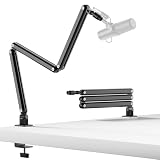


Our Top Picks
 FIFINE BM88 Low Profile Microphone Boom Arm StandLow Profile (BM88 Black)13 x 11.6 x 4.1 inches2.9 poundsCheck on Amazon
 InnoGear Mic Arm Microphone Boom Arm Cable Management15.75 x 1.57 x 13.78 inches3.5 poundsCheck on Amazon



Top 3 picks at a glance
Quick Picks
| Product | Best for | Price |
|---|---|---|
| FIFINE BM88 Low Profile | Low-profile gaming and streaming setups | Check on Amazon |
| InnoGear Mic Arm with Cable Management | Blue Yeti owners who want tidy cable routing | Check on Amazon |
| InnoGear Boom Arm (Basic) | Entry-level Blue Yeti, Fifine, and HyperX users | Check on Amazon |
| TODI Mic Arm | Lightweight mics and storable desk setups | Check on Amazon |
| InnoGear Low Profile Mic Arm | Desks where height clearance is tight | Check on Amazon |
| Aokeo AK-58i | Low-profile multi-mic compatibility | Check on Amazon |
| NEEWER MS007 | Heavier microphones up to 3.3 lb with ball-head flexibility | Check on Amazon |
| SUNMON QuadCast Boom Arm | HyperX QuadCast on a strict budget | Check on Amazon |
How We Compared
We evaluated these arms on four criteria: holding power under sustained use (does the arm sag after an hour of adjusting?), clamp compatibility across desk thicknesses, cable management execution, and thread flexibility for different microphone bodies. A boom arm that looks great in a product photo but droops by the third streaming session is useless, so weight tolerance and joint friction mattered more than aesthetic finishes.
The 8 Best Desk Microphone Boom Arms in 2026
FIFINE BM88 Low Profile Microphone Boom Arm Stand
For streamers who want a compact footprint without the arm looming over their monitor, the BM88 delivers a clean low-profile design that keeps the mic close and the desk readable. The tension joints feel deliberately calibrated rather than loosely sprung, and the build quality matches its price tier well.
- Pro: Low-profile geometry keeps the arm below eye level, reducing visual clutter on camera.
- Pro: Joint resistance holds position reliably even after repeated repositioning during long sessions.
- Con: At around $56 it sits at the top of this list, and you are paying partly for brand recognition within the gaming peripheral space.
Skip it if your desk already has limited clamping surface or if a $40 InnoGear or NEEWER meets your weight and reach needs without the premium.
InnoGear Mic Arm Microphone Boom Arm with Cable Management
This arm targets the specific pain point of Blue Yeti owners drowning in a USB cable loop. The integrated channel actually channels the cable along the arm rather than leaving it to dangle, which is not a small win when you are trying to look professional on a webcam. The standard mount fits the Yeti without fuss.
- Pro: Cable management channel is functional and well-sized for common USB and XLR lines.
- Pro: Solid holding power for mid-weight condenser mics like the Blue Yeti.
- Con: The finish is utilitarian; the plastic housing on the joints does not feel premium at around $39.
Skip it if you do not own a Blue Yeti and want a more universal mounting solution with broader thread options.
InnoGear Boom Arm Microphone Stand for Blue Yeti, Fifine, HyperX
The most affordable functional option here at around $19, this arm is proof that you do not need a cable channel or a designer finish to solve the core problem. It reaches, it holds, and it clears the desk. Fifine and HyperX compatibility is listed, which broadens its reach beyond the Yeti crowd.
- Pro: Exceptional value; the cheapest arm in this roundup that still performs its basic job.
- Pro: Compatible with a wide range of popular microphones without requiring extra adapters.
- Con: No cable management, and the joints may require periodic tightening as the screws relax over months.
Skip it if your desk is very thin (under half an inch) or if you need the arm to support a heavier broadcast-style mic.
TODI Mic Arm for Lightweight Mics
The TODI occupies a niche that few competitors address directly: a rotatable, storable design meant for lightweight microphones that you want to fold away at the end of the session. The 3LB clamp rating suits small condensers and USB mics without overbuilding for the task. Thread compatibility covers both 3/8-inch and 5/8-inch standards.
- Pro: Rotatable and storable design lets you clear the desk quickly between sessions.
- Pro: Built-in cable channel at this price point is a genuine bonus.
- Con: The 3LB clamp limit excludes heavier dynamic mics; this is not a broadcast-arm substitute.
Skip it if you use a Blue Yeti or any mic above roughly 1.5 pounds, as sustained pressure may creep the joints over time.
InnoGear Low Profile Mic Arm Boom Arm
Essentially a height-restricted sibling of the other InnoGear options, this arm suits desks with monitor arms, shallow workspaces, or anyone who simply prefers the mic to hover just above the desk plane. At around $39 it matches the cable-management model in price but trades that channel for a lower swing arc.
- Pro: Low-profile geometry is ideal for setups where the mic should not block the camera line.
- Pro: Smooth internal routing keeps the arm visually clean despite its compact form.
- Con: Reduced vertical range means you cannot raise the mic above shoulder level easily.
Skip it if you need the flexibility to position a mic at face height or above; a standard arm gives you more range for similar money.
Aokeo AK-58i Desk Low Profile Mic Boom Arm
The Aokeo covers more microphone bodies in its compatibility list than anything else here: Blue Yeti, Snowball iCE, HyperX QuadCast, SoloCast, and Elgato Wave. That breadth makes it a safe default when you are buying the arm before or alongside the mic. The low-profile form factor keeps it discreet on camera.
- Pro: Widest documented compatibility list in this roundup, reducing adapter anxiety.
- Pro: Solid build for the price; joints do not feel cheap at around $46.
- Con: Cable management is absent, and the mounting hardware is basic without ball-head flexibility.
Skip it if you want integrated cable routing or need rotational mic angle adjustment beyond what the standard clamp provides.
NEEWER MS007 Low Profile Mic Boom Arm with 360° Ball Head
The NEEWER is the most technically generous arm in this list. A 360-degree ball head combined with 1/4-inch, 3/8-inch, and 5/8-inch threads means almost any microphone body mounts without hunting for adapters. The rated 3.3-pound max load puts it in territory where heavier condensers and some dynamic mics can ride comfortably.
- Pro: Ball head enables mic angle adjustment that clamp-and-rotate arms simply cannot match.
- Pro: Three thread sizes in the box covers the widest range of mic mounting standards.
- Con: The cable management channels are a good idea but the internal groove is shallow; thicker cables may still pop out.
Skip it if your mic weighs under one pound and you do not need ball-head adjustability; the InnoGear options do the job for less.
SUNMON QuadCast Boom Arm with 3/8″ to 5/8″ Adapter
At around $19, the SUNMON is the cheapest way to get a HyperX QuadCast off your desk and onto a proper arm. The included adapter means you can also mount Fifine AM8 units and other mics with non-standard threads. It is functional, no-frills, and does not pretend to be more than it is.
- Pro: Adapter is included, eliminating the most common compatibility headache for QuadCast owners.
- Pro: At around $19, it is nearly as cheap as the basic InnoGear with broader threading support.
- Con: Build quality reflects the price; the joints may loosen faster than mid-tier competitors under daily use.
Skip it if you need long-term durability for a professional setup; spend $10-15 more for better joint retention.
Buying Guide
Joint Tension and Load Rating
The single most important spec is how much weight the arm can hold without the segments drifting downward. For a lightweight USB condenser, any arm in this list works fine. If you are mounting a 2-pound-plus mic like a large-diaphragm condenser or a broadcast dynamic, look for arms with a stated max load above your mic weight. The NEEWER MS007 is the only one in this group with a published 3.3-pound rating, which makes it the safe choice for heavier bodies.
Clamp Fit and Desk Edge Compatibility
Most boom arms mount with a C-clamp, which requires a flat, stable desk edge. The TODI arm is rated for 3 pounds of clamp pressure, which is enough for most laminate and solid-wood desks but may struggle with thin particle board or glass-topped surfaces. If your desk edge is under half an inch thick, you may need a grommet mount or a freestanding base instead of a clamp-only arm.
Thread Standards and Mounting Flexibility
Microphone bodies mount with either 5/8-inch or 3/8-inch internal threads, and some use 1/4-inch camera-standard threads. Arms that ship with multiple thread adapters (like the NEEWER with three sizes, or the SUNMON with a 3/8 to 5/8 adapter) save you the frustration of discovering your mic does not screw on directly. Before buying, check your mic’s thread size and confirm the arm includes or supports an adapter for it.
Our Verdict
Our top pick is the NEEWER MS007 at around $44. The ball head, three included thread sizes, and 3.3-pound load rating make it the most versatile arm in this group without reaching into premium pricing territory. For the budget pick, the InnoGear Boom Arm at around $19 is the right call if you own a standard Blue Yeti and simply need it off the desk. The FIFINE BM88 wins if your priority is a low-profile form factor on camera and you are willing to pay more for tighter joint calibration and a cleaner visual silhouette.
FAQ
Do I need a boom arm for a lightweight USB microphone?
Yes, even for a small mic, because desk vibrations travel directly into the capsule when the mic sits on the surface. A boom arm isolates the mic from keystrokes and table bumps, and a basic $20 model like the InnoGear solves this without over-engineering.
What happens if my microphone weight exceeds the arm’s load rating?
The joints will slowly creep downward during use, forcing you to reposition the mic every few minutes. Over time, the excessive load can also strip the threading inside the clamp or deform the joint housings. Stay well below any published limit if one is available.
Can I mount a boom arm to a glass or floating desk?
C-clamps need a solid edge of at least half an inch to grip securely. On glass or floating desks, use a grommet mount if your desk has a cable port, or choose a freestanding desktop base that does not rely on edge clamping at all.
Is cable management actually useful or just a marketing feature?
It depends on your cable type. A thick XLR line is stiff enough that a shallow channel will not hold it flat, but for thinner USB cables it keeps the visual field clean on camera and prevents the cable from catching on the arm joints during repositioning.









